నలుపుview N1000 Mobile Phone User Manual
Model: N1000 | Brand: Blackview
1. పరిచయం మరియు ఓవర్view
ది బ్లాక్view N1000 is a robust 4G mobile phone designed for seniors, offering enhanced durability and user-friendly features. It combines the simplicity of a feature phone with the connectivity of a smartphone, supporting 4G dual SIM, Wi-Fi, and various social applications.

ది బ్లాక్view N1000 mobile phone shown alongside its dedicated charging dock.

The N1000 is a rugged smartphone, built to withstand challenging environments.
ముఖ్య లక్షణాలు:
- మన్నిక: MIL-STD 810H & IP69 waterproof, drop-resistant, and dustproof design, making it suitable for outdoor enthusiasts or as a backup phone.
- కనెక్టివిటీ: 4G Dual SIM support, Bluetooth 4.2, Wi-Fi, and pre-installed social applications like Facebook, YouTube, and Google. Additional apps can be downloaded.
- పనితీరు: Powered by a MediaTek MT6739 quad-core processor with 4GB ROM and up to 512GB expandable storage via TF card, ensuring smooth operation.
- బ్యాటరీ లైఫ్: Equipped with a 3300 mAh removable battery, offering up to 2-3 days of standby time. Supports both charging dock and Type-C charging.
- వినియోగదారు ఇంటర్ఫేస్: Features a 2.4-inch screen with large characters and 300Nit brightness for clear viewing. Large physical buttons ensure precise input.
- అత్యవసర లక్షణాలు: Includes a dedicated SOS button for quick emergency calls and message sending to up to 5 pre-set contacts.
- మల్టీమీడియా: 2 MP rear camera, FM radio, music player, and pre-installed games for entertainment.
- సౌలభ్యం: Integrated bright LED flashlight for enhanced safety at night.
2. సెటప్
2.1 Inserting SIM Cards and TF Card
ది బ్లాక్view N1000 supports a 3-card slot design: two nano SIM cards and one TF (microSD) card for expandable storage.
- ఫోన్ వెనుక కవర్ను జాగ్రత్తగా తొలగించండి.
- Locate the SIM card slots (SIM1, SIM2) and the TF card slot.
- Insert your nano SIM cards into the designated slots with the gold contacts facing down.
- Insert the TF card into its slot until it clicks into place.
- వెనుక కవర్ను సురక్షితంగా మార్చండి.

Illustration of the dual SIM and TF card slots for easy installation.
2.2 బ్యాటరీని ఛార్జ్ చేయడం
The phone comes with a 3300 mAh removable battery and offers two charging options: the included charging dock or a Type-C cable.
- ఛార్జింగ్ డాక్ ఉపయోగించడం:
- Connect the Type-C cable to the charging dock and then to a power adapter.
- Place the Blackview N1000 phone into the charging dock, ensuring the charging contacts align. The phone will indicate charging.
- Using Type-C Cable Directly:
- Connect the Type-C cable directly to the charging port on the phone and then to a power adapter.
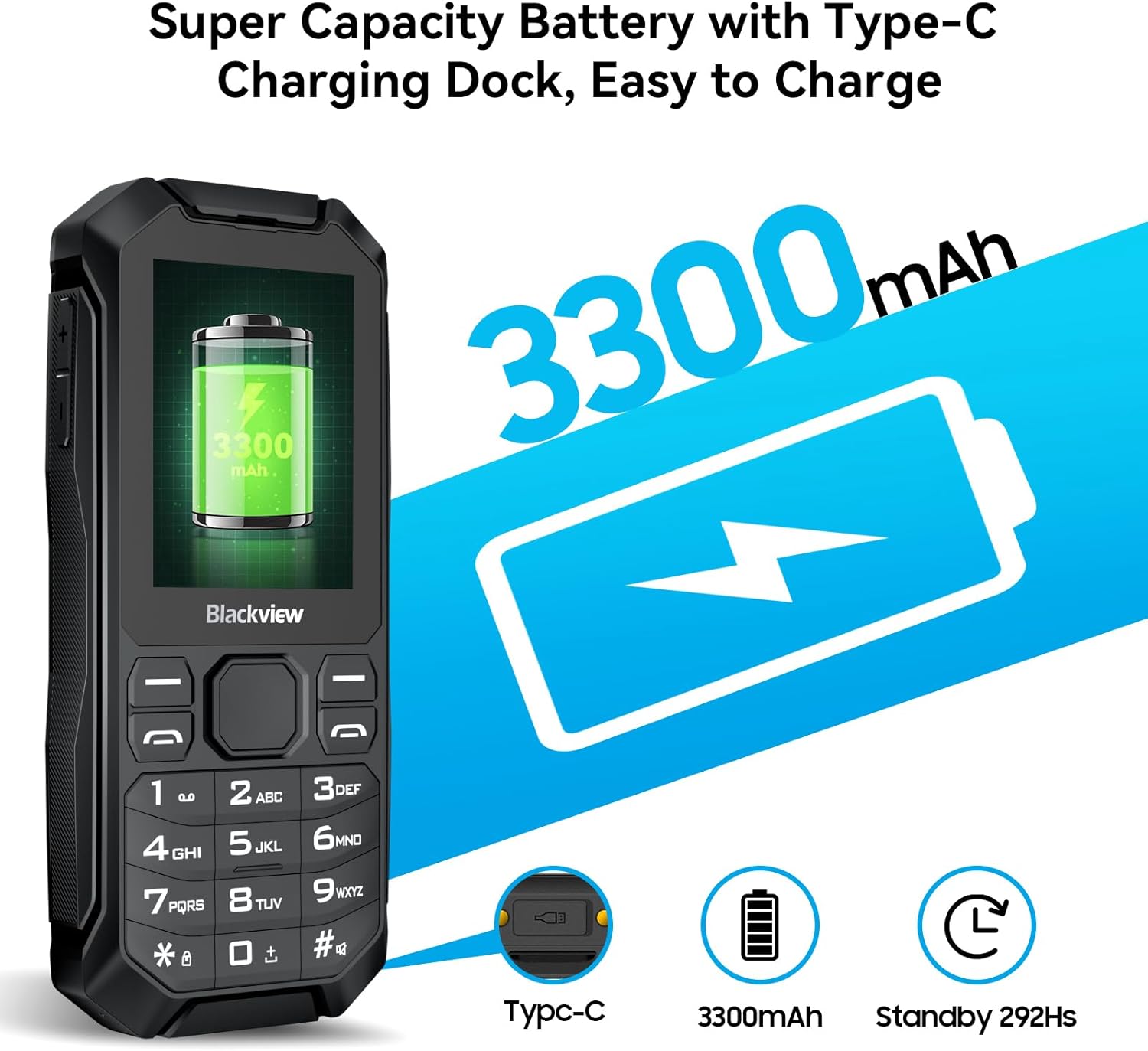
The phone features a large 3300mAh battery and supports convenient Type-C charging.
3. ఆపరేటింగ్ సూచనలు
3.1 Basic Navigation and Interface
ది బ్లాక్view N1000 operates on KaiOS, a simplified operating system designed for ease of use. Navigation is primarily done using the physical keypad and directional buttons.
- మెనూలు మరియు ఎంపికల ద్వారా నావిగేట్ చేయడానికి డైరెక్షనల్ ప్యాడ్ (పైకి, క్రిందికి, ఎడమకు, కుడికి) ఉపయోగించండి.
- Press the center button to select an item.
- Use the left and right soft keys for context-sensitive actions displayed on the screen.
- The 2.4-inch screen displays large characters for improved readability.

The phone's simplified operating system provides easy access to essential functions and applications.
3.2 కాల్స్ చేయడం మరియు సందేశాలు పంపడం
- కాల్ చేయడానికి: Enter the phone number using the keypad and press the green call button.
- సందేశం పంపడానికి: Navigate to the "Messages" application, select "New Message," enter the recipient's number and your text, then send.
- The high-volume speaker ensures clear call quality.
3.3 SOS అత్యవసర ఫంక్షన్
ది బ్లాక్view N1000 features a dedicated SOS button for emergencies. This function allows you to quickly alert pre-set contacts.
- SOS పరిచయాలను సెటప్ చేయడం: Access the SOS settings in the phone's menu to add up to 5 emergency contact numbers.
- SOS ని యాక్టివేట్ చేస్తోంది: In an emergency, press and hold the SOS button (located on the front of the phone) for 3 seconds.
- The phone will automatically send an emergency message and then sequentially call the pre-set contacts until one answers.

The SOS emergency button provides quick access to help by contacting pre-set numbers.
3.4 ఫ్లాష్లైట్ని ఉపయోగించడం
The phone includes a bright LED flashlight for convenience and safety.
- Ensure the keypad is unlocked.
- Press and hold the dedicated flashlight button on the side of the phone for 3 seconds to turn the LED flashlight on or off.
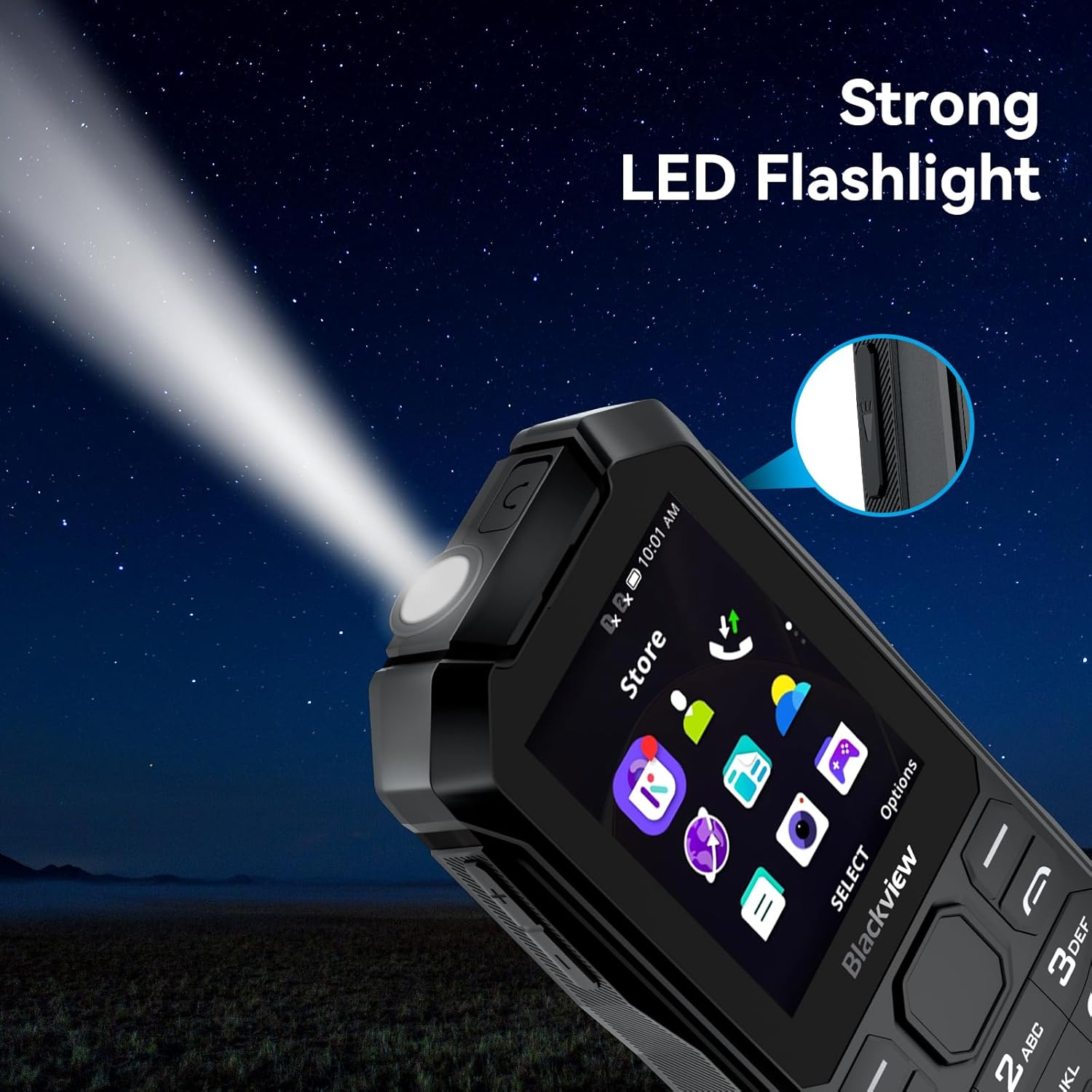
The integrated bright LED flashlight is useful for navigating in low-light conditions.
3.5 Multimedia and Other Functions
- కెమెరా: Use the 2 MP rear camera to capture photos. Access it from the main menu.
- FM రేడియో: Plug in headphones (acting as an antenna) and access the FM radio application to listen to local stations.
- మ్యూజిక్ ప్లేయర్: ఆడియోను ప్లే చేయండి files stored on the phone or TF card.
- ముందే ఇన్స్టాల్ చేసిన యాప్లు: Access Facebook, YouTube, Google, and other social media applications directly from the phone's interface.
- అదనపు సాధనాలు: The phone includes a browser, weather app, calculator, recorder, unit converter, clock, calendar, reminder, email, and QR code reader.
4. నిర్వహణ
4.1 క్లీనింగ్ మరియు కేర్
- ఫోన్ స్క్రీన్ మరియు బాడీని శుభ్రం చేయడానికి మృదువైన, పొడి వస్త్రాన్ని ఉపయోగించండి.
- కఠినమైన రసాయనాలు, శుభ్రపరిచే ద్రావకాలు లేదా బలమైన డిటర్జెంట్లు ఉపయోగించడం మానుకోండి.
- Keep the charging ports and speaker grilles free from dust and debris.
4.2 మన్నిక లక్షణాలు
ది బ్లాక్view N1000 is built to be rugged, featuring MIL-STD 810H, IP68 waterproof, IP69K drop-proof, and 360° dustproof ratings.
- జలనిరోధక (IP68): The phone can withstand immersion in water up to a certain depth and duration. Ensure all port covers are securely closed before exposure to water.
- Drop-proof (IP69K): Designed to endure drops from a certain height onto hard surfaces.
- Dustproof (360°): Protected against ingress of dust, making it suitable for dusty environments.
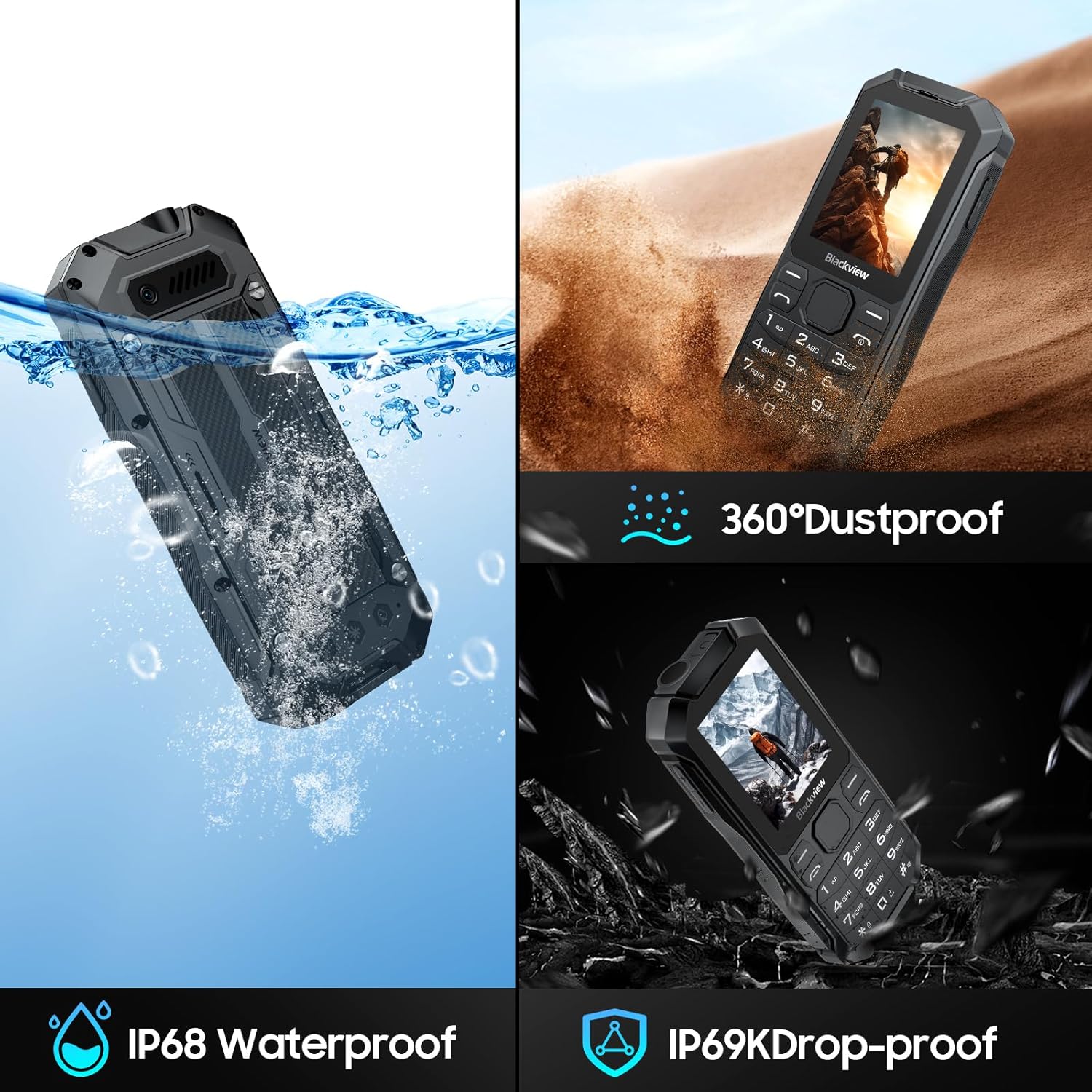
The phone's robust design ensures protection against water, drops, and dust.

The N1000 is designed to be waterproof, capable of withstanding splashes and submersion.
5. ట్రబుల్షూటింగ్
5.1 సాధారణ సమస్యలు మరియు పరిష్కారాలు
| సమస్య | సాధ్యమైన కారణం | పరిష్కారం |
|---|---|---|
| ఫోన్ ఆన్ చేయలేదు | బ్యాటరీ తక్కువగా ఉంది; బ్యాటరీ సరిగ్గా చొప్పించబడలేదు. | Charge the phone for at least 30 minutes. Ensure the battery is correctly seated. |
| నెట్వర్క్ సిగ్నల్ లేదు | SIM card not inserted correctly; Out of network coverage | Reinsert the SIM card. Move to an area with better network coverage. Check with your operator if the SIM is active. |
| కాలర్ వినిపించడం లేదు / కాలర్ నా మాట వినడం లేదు | Volume too low; Microphone/speaker blocked | Adjust call volume. Ensure speaker and microphone are not covered. |
| అప్లికేషన్లు క్రాష్ అవుతున్నాయి లేదా స్తంభించిపోతున్నాయి | Insufficient memory; Software glitch | Close background applications. Restart the phone. Consider a factory reset if issues persist (backup data first). |
| ఫ్లాష్లైట్ పని చేయడం లేదు | Keypad locked; Software issue | Unlock the keypad. Restart the phone. |
If the issue persists after trying these solutions, please contact Blackview కస్టమర్ మద్దతు.
6. స్పెసిఫికేషన్లు
| ఫీచర్ | వివరాలు |
|---|---|
| బ్రాండ్ | నలుపుview |
| మోడల్ పేరు | N1000 |
| రంగు | N1000-Black |
| ఉత్పత్తి రకం | బార్ ఫోన్ |
| ఆపరేటింగ్ సిస్టమ్ | KaiOS |
| స్క్రీన్ పరిమాణం | 2.4 అంగుళాలు |
| స్క్రీన్ రిజల్యూషన్ | 320 x 240 పిక్సెల్లు |
| RAM | 1 GB |
| అంతర్గత నిల్వ (ROM) | 4 GB |
| విస్తరించదగిన నిల్వ | Up to 512 GB via TF card |
| ప్రాసెసర్ | MediaTek MT6739 Quad-Core |
| సెల్యులార్ టెక్నాలజీ | 4G (Compatible with 2G/3G/4G operators) |
| వైర్లెస్ క్యారియర్ | అన్ని క్యారియర్లు (అన్లాక్ చేయబడ్డాయి) |
| కనెక్టివిటీ | బ్లూటూత్ 4.2, Wi-Fi |
| బ్యాటరీ కెపాసిటీ | 3300 mAh (Removable Lithium-ion) |
| వెనుక కెమెరా | 2 మెగాపిక్సెల్స్ |
| ప్రత్యేక లక్షణాలు | SOS Button, FM Radio, Music Player, Flashlight, Large Buttons, High Volume, Social Media Apps (Facebook, YouTube, Google), Email, QR Code Reader |
| మన్నిక రేటింగ్లు | MIL-STD 810H, IP68 Waterproof, IP69K Drop-proof, 360° Dustproof |
7. వారంటీ మరియు మద్దతు
నలుపుview provides comprehensive support for the N1000 mobile phone.
7.1 వారంటీ సమాచారం
ది బ్లాక్view N1000 mobile phone comes with a రెండు సంవత్సరాల వారంటీ from the date of purchase. This warranty covers manufacturing defects and ensures that each unit has undergone detailed inspection before leaving the factory.
వారంటీ క్లెయిమ్ల కోసం దయచేసి మీ కొనుగోలు రుజువును ఉంచుకోండి.
7.2 సాంకేతిక మద్దతు
నలుపుview offers lifetime technical support for the N1000. If you encounter any issues or have questions regarding the use of your device, please contact the seller or Blackview కస్టమర్ సేవ.
For assistance, please write to the seller. Responses are typically provided within 24 hours.
For more information and support, you may visit the official Blackview నిల్వ: నలుపుview అధికారిక స్టోర్


