పరిచయం
This manual provides detailed instructions for the installation, operation, and maintenance of your Encased SlimShield dual-hybrid case and belt clip holster, specifically designed for the Samsung Galaxy A15 5G. Please read these instructions carefully to ensure proper use and to maximize the lifespan of your product.
ఉత్పత్తి ముగిసిందిview
The Encased SlimShield system offers robust protection and enhanced functionality for your Samsung Galaxy A15 5G. It consists of two primary components:
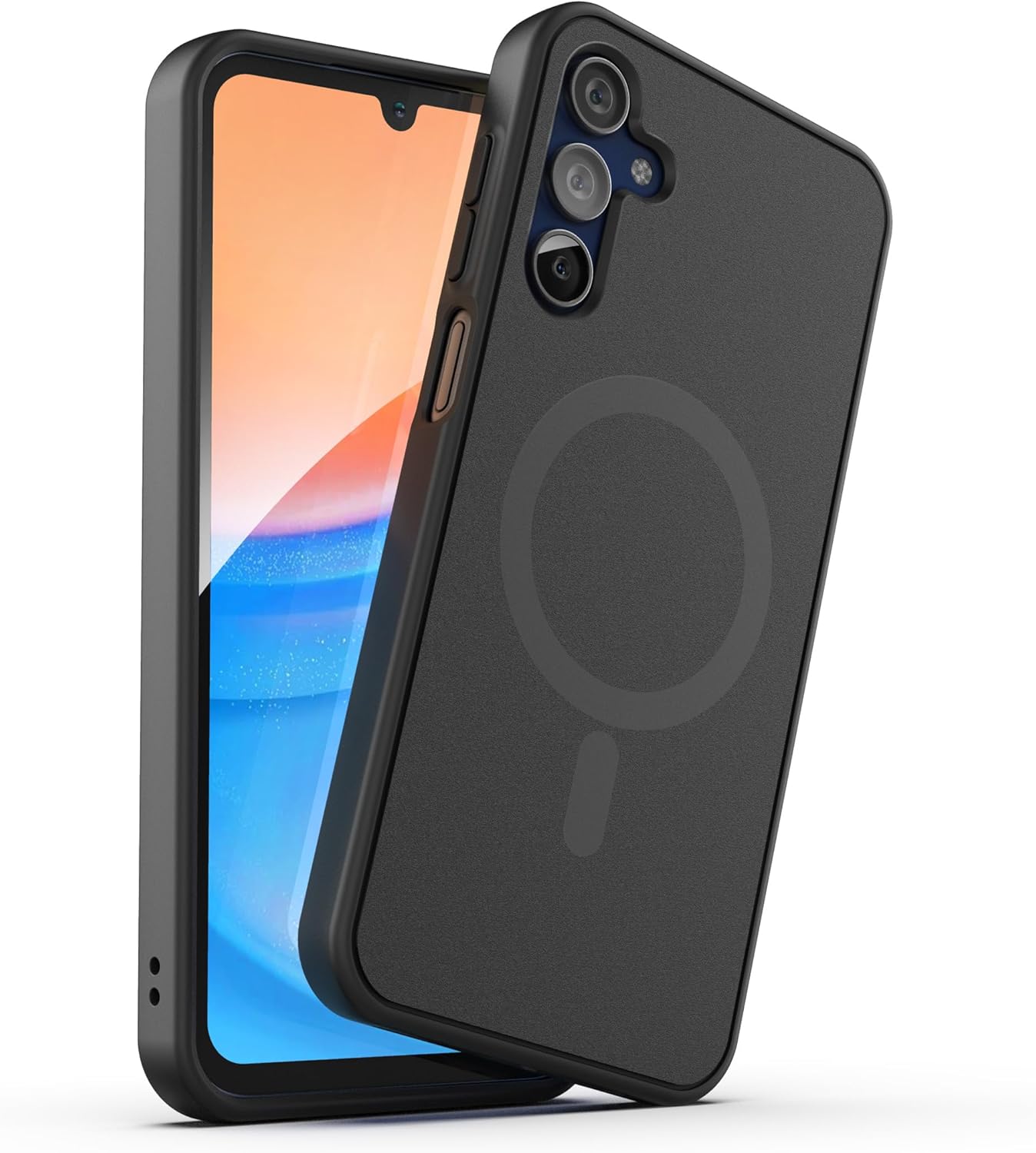
- SlimShield Case: A dual-hybrid case featuring a robust PC backplate and flexible TPU edges for shock absorption and grip. It includes raised edges to protect the screen and camera, and is compatible with MagSafe accessories.
- Belt Clip Holster: A secure-fit companion holster with a top-locking design and a rotating belt clip for versatile carrying options.

చిత్రం 1: The Encased SlimShield case and its accompanying belt clip holster, showcasing the complete product system. The phone case is black with a visible magnetic ring on the back, and the holster is designed for secure attachment.

చిత్రం 2: ఒక వైపు view of the Encased SlimShield case, highlighting the precise cutouts for ports and responsive button covers. The dual-hybrid construction is visible, offering both rigidity and flexibility.
సెటప్ మరియు ఇన్స్టాలేషన్
1. Installing the SlimShield Case
- Ensure your Samsung Galaxy A15 5G is clean and free of dust or debris.
- Align the phone with the case, starting with the top or bottom edge.
- Gently press the phone into the case, ensuring all corners and edges are securely seated. The flexible TPU material allows for stress-free installation.
- Verify that all buttons and ports are correctly aligned with the case cutouts.

చిత్రం 3: Illustration of the drop-in installation process, showing the phone being placed into the flexible case. This highlights the ease of securing the device within the protective cover.
2. Attaching the Belt Clip Holster
- Identify the belt clip on the holster.
- Slide the belt clip over your belt or waistband until it is securely fastened.
- The holster's clip can rotate 360 degrees, allowing you to position your phone vertically or horizontally for comfort and accessibility.

చిత్రం 4: The belt clip holster securely attached to a belt, demonstrating how the phone can be carried discreetly and accessibly at the hip.
ఆపరేటింగ్ సూచనలు
1. Using the SlimShield Case
- The case provides continuous protection against drops and scratches during daily use.
- Responsive buttons ensure full functionality of your phone's controls.
- The raised edges around the screen and camera offer additional protection when the phone is placed face down or dropped.

చిత్రం 5: ఒక క్లోజప్ view illustrating the raised edges of the case, designed to safeguard the phone's screen and camera lenses from direct impact and surface scratches.
2. Using the Belt Clip Holster
- To insert the phone into the holster: Slide the phone (with case installed) into the holster until the top-locking design engages and secures the device.
- To remove the phone from the holster: Press the top-locking tab and gently pull the phone upwards.
- Adjust the holster's orientation by rotating the clip to your desired vertical or horizontal position.
చిత్రం 6: ఒక వివరణాత్మక view of the secure-fit belt clip mechanism, showing how the phone case slides into the holster and is held firmly in place by the top-locking design.
3. MagSafe Compatibility
- The SlimShield case is designed with integrated magnets for compatibility with MagSafe accessories.
- You can seamlessly attach magnetic wallets, grips, car mounts, and other MagSafe-compatible accessories directly to the back of the case.
- గమనిక: The Samsung Galaxy A15 5G is not compatible with wireless charging, even with MagSafe accessories. The MagSafe feature in this case is for magnetic attachment only.

చిత్రం 7: The Encased SlimShield case attached to a MagSafe-compatible car mount, illustrating the magnetic attachment feature for various accessories.
సంరక్షణ మరియు నిర్వహణ
- To clean the case and holster, gently wipe with a soft, damp గుడ్డ.
- Avoid using harsh chemicals or abrasive cleaners, as these may damage the material or finish.
- Ensure the case and holster are completely dry before re-installing your phone.
ట్రబుల్షూటింగ్
| సమస్య | సాధ్యమైన పరిష్కారం |
|---|---|
| కేసు సరిగ్గా సరిపోలేదు. | Ensure the phone model is Samsung Galaxy A15 5G. Remove and re-install the case, making sure all corners snap into place. |
| Phone is loose in the holster. | Verify the phone is fully inserted and the top-locking mechanism has engaged. |
| Belt clip feels insecure. | Ensure the belt clip is fully engaged on your belt or waistband. Avoid excessively thin belts that may not provide enough grip. |
| MagSafe accessories do not attach. | Confirm the accessory is MagSafe compatible. Ensure no foreign objects are between the accessory and the case. |
సాంకేతిక లక్షణాలు
| ఫీచర్ | వివరాలు |
|---|---|
| మోడల్ సంఖ్య | MSSD403HL |
| అనుకూల ఫోన్ మోడల్లు | Samsung Galaxy A15 5G |
| మెటీరియల్ | Polycarbonate (PC), Thermoplastic Polyurethane (TPU) |
| రంగు | నలుపు |
| వస్తువు బరువు | 4.6 ఔన్సులు |
| ప్యాకేజీ కొలతలు | 8.82 x 4.69 x 1.54 అంగుళాలు |
| ప్రత్యేక లక్షణాలు | Belt Clip, MagSafe Compatible |
| పెట్టెలో ఏముంది | Phone Case, Holster |
వారంటీ మరియు మద్దతు
Encased products are designed for durability and reliability. For any questions, concerns, or support needs regarding your SlimShield case and holster, please contact Encased customer service. Encased is known for its responsive customer support.
For further assistance, please visit the official Encased webసంప్రదింపు సమాచారం కోసం సైట్ లేదా మీ కొనుగోలు డాక్యుమెంటేషన్ను చూడండి.


