1. పరిచయం
Thank you for choosing the Jesebang YT18 Wireless Sport Earbuds. These earbuds are designed to provide a high-fidelity audio experience with advanced features such as Bluetooth 5.3 connectivity, Environmental Noise Cancellation (ENC), and an IPX7 waterproof rating, making them ideal for sports and daily use. This manual will guide you through the setup, operation, and maintenance of your new earbuds to ensure optimal performance and longevity.
2. పెట్టెలో ఏముంది
- Headphones case (with the headphones inside) x 1
- ఛార్జింగ్ కేబుల్ (టైప్-సి) x 1
- Ear Cushions (S, M, L) x 3 pairs
- వినియోగదారు మాన్యువల్ x 1
Image: All components included in the Jesebang YT18 Wireless Sport Earbuds package.
3. ఉత్పత్తి ముగిసిందిview
The Jesebang YT18 earbuds feature an ergonomic design with ear hooks for a secure fit, a compact charging case with an LED digital display, and intuitive touch controls for easy operation.

Image: Jesebang YT18 Wireless Sport Earbuds and charging case.
చిత్రం: వివరణాత్మకం view of a single earbud, highlighting the ear hook.
4. సెటప్
4.1 ఇయర్బడ్లు మరియు కేస్ను ఛార్జ్ చేయడం
మొదటిసారి ఉపయోగించే ముందు, ఇయర్బడ్లు మరియు ఛార్జింగ్ కేస్ను పూర్తిగా ఛార్జ్ చేయండి. ఇయర్బడ్లను ఛార్జింగ్ కేస్లో ఉంచండి. టైప్-సి ఛార్జింగ్ కేబుల్ను కేస్లోని ఛార్జింగ్ పోర్ట్కు కనెక్ట్ చేయండి మరియు మరొక చివరను USB పవర్ సోర్స్లోకి ప్లగ్ చేయండి. కేస్లోని LED డిస్ప్లే బ్యాటరీ శాతం చూపిస్తుంది.tage, and individual indicators for the left and right earbuds will light up during charging.
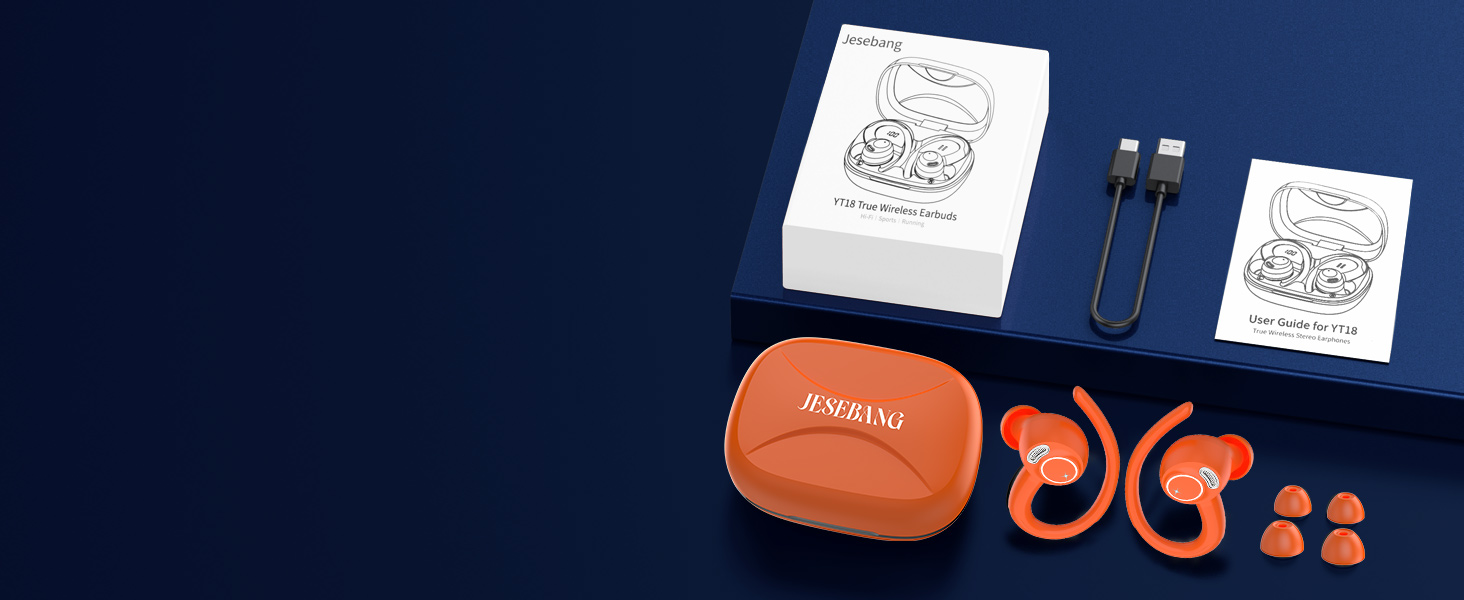
Image: LED display indicating charging status and battery levels.
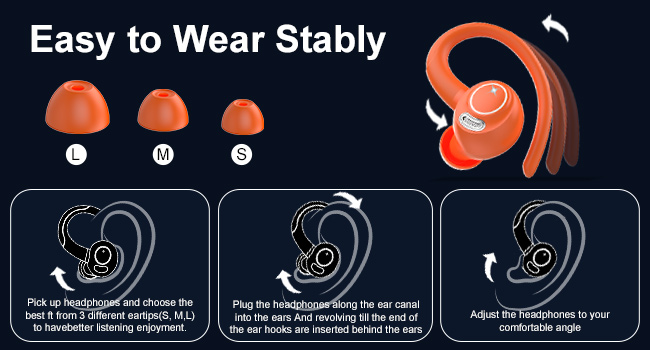
Image: Connecting the USB-C charging cable to the case.
4.2 బ్లూటూత్ జత చేయడం
- ఛార్జింగ్ కేస్ను తెరవండి. ఇయర్బడ్లు ఆటోమేటిక్గా పవర్ ఆన్ అయి, జత చేసే మోడ్లోకి ప్రవేశిస్తాయి.
- మీ పరికరంలో (స్మార్ట్ఫోన్, టాబ్లెట్, మొదలైనవి), బ్లూటూత్ను ప్రారంభించండి.
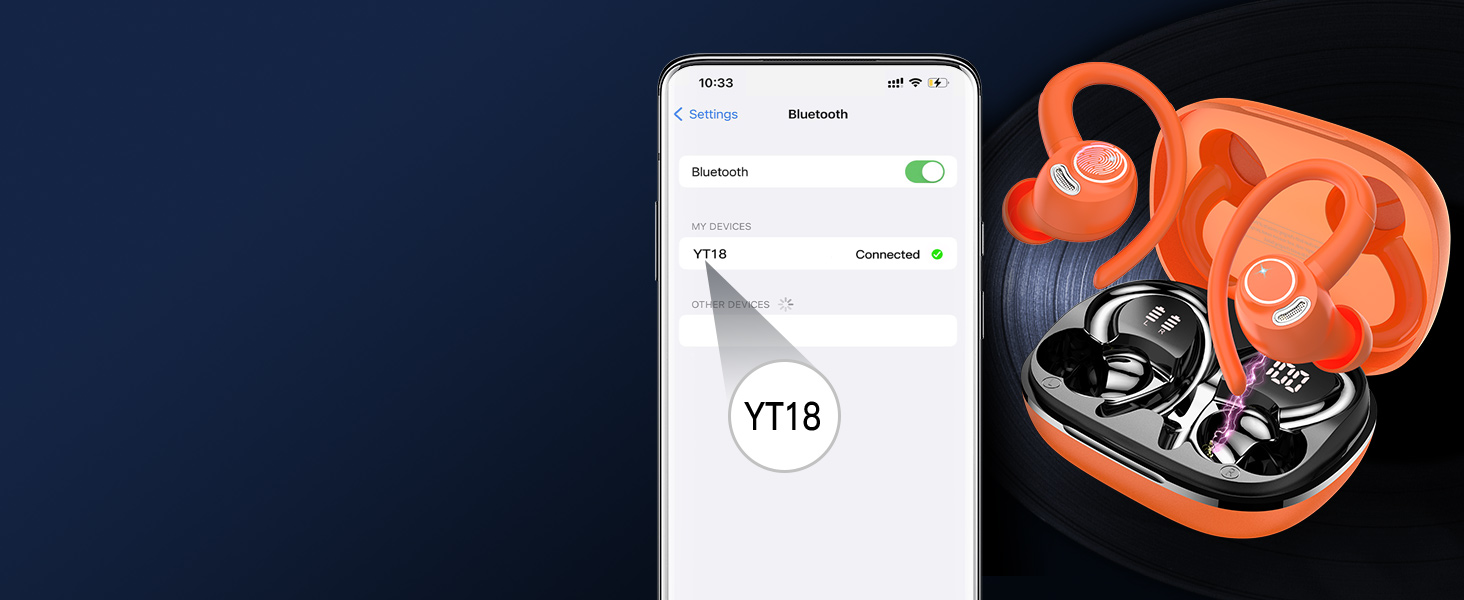
- కోసం వెతకండి "YT18" in the list of available Bluetooth devices.
- Select "YT18" to connect. Once connected, you will hear a confirmation tone, and the earbuds will be ready for use.
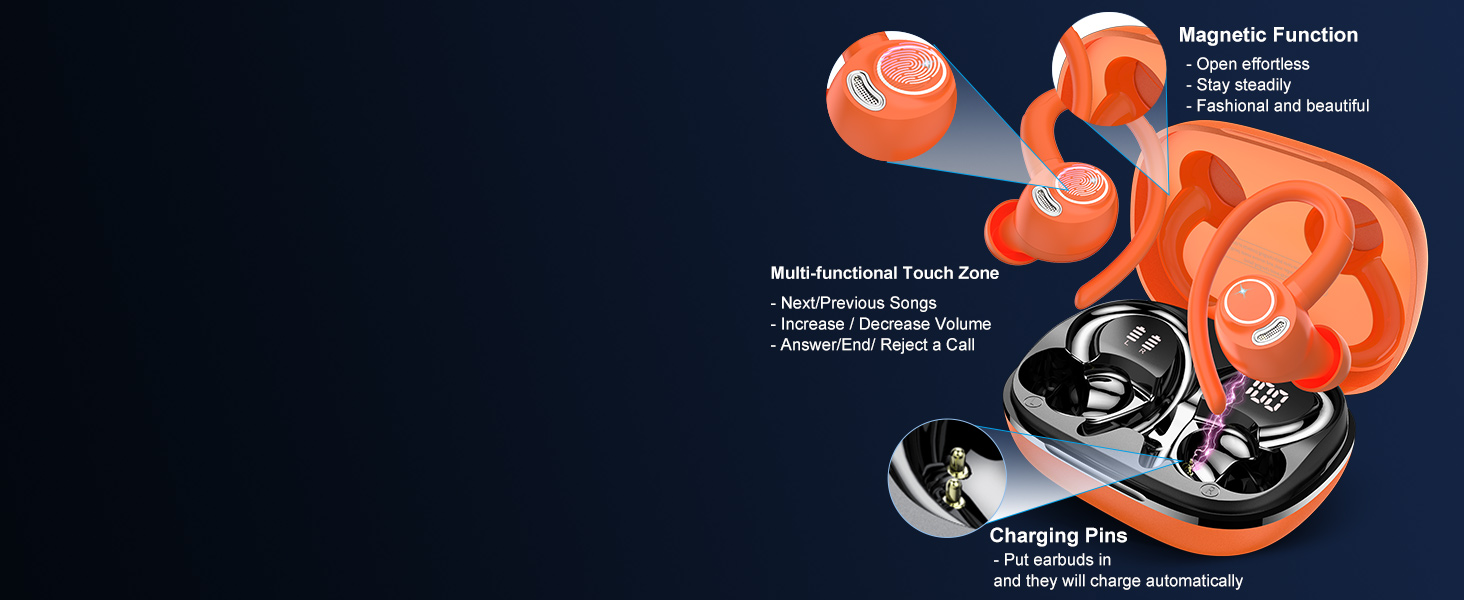
Image: Bluetooth pairing process on a mobile device.
The earbuds support wide compatibility with most Bluetooth-enabled devices, including cellphones and tablets.
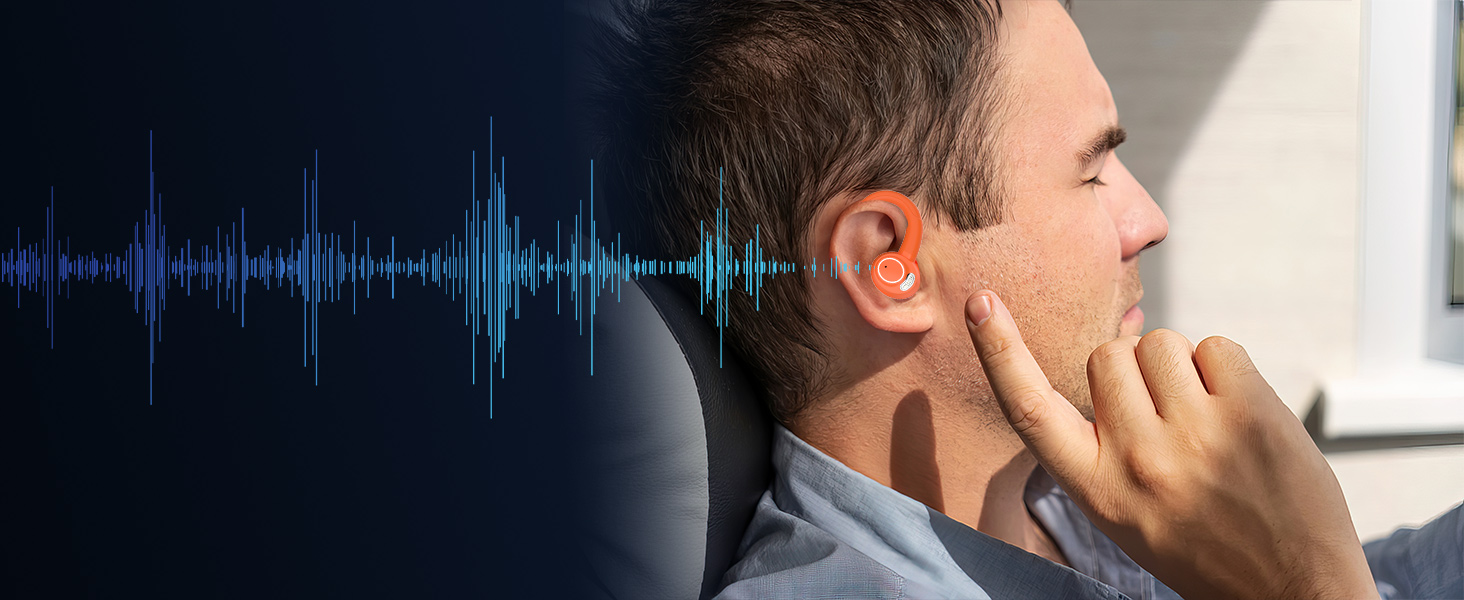
Image: Compatibility of Jesebang YT18 earbuds with various devices.
5. ధరించే సూచనలు
For optimal sound quality and comfort, choose the correct ear tip size and ensure the earbuds are worn correctly.
- చెవి చిట్కాలను ఎంచుకోండి: Try the three included ear tip sizes (S, M, L) to find the pair that provides a snug and comfortable fit in your ear canal.
- Insert Earbuds: మీ ఇయర్ కెనాల్లోకి ఇయర్బడ్ను సున్నితంగా చొప్పించండి.
- Adjust Ear Hooks: Rotate the ear hooks until they sit securely behind your ears, ensuring the earbuds are stable during movement.
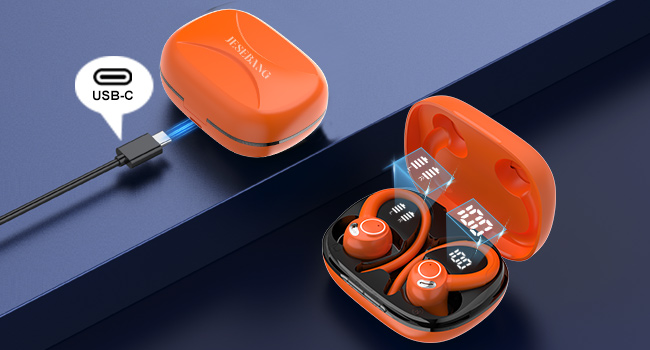
Image: Guide for selecting ear tips and wearing the earbuds stably.
6. ఆపరేటింగ్ సూచనలు
The Jesebang YT18 earbuds feature sensitive touch controls on each earbud for easy management of music, calls, and voice assistant.
చిత్రం: పైగాview of touch control functions.
| చర్య | ఫంక్షన్ |
|---|---|
| Tap 2s (Left Earbud) | మునుపటి పాట |
| Tap 2s (Right Earbud) | తదుపరి పాట |
| Tap x2 (Either Earbud) | సంగీతాన్ని ప్లే/పాజ్ చేయండి |
| Tap x1 (Either Earbud) | కాల్కి సమాధానం ఇవ్వండి |
| Tap 2s (Either Earbud) | కాల్ చేయండి |
| Tap x1 (Left Earbud) | వాల్యూమ్ డౌన్ |
| Tap x1 (Right Earbud) | వాల్యూమ్ అప్ |
| Tap x3 (Either Earbud) | వాయిస్ అసిస్టెంట్ను సక్రియం చేయండి (సిరి, గూగుల్ అసిస్టెంట్) |
7. నిర్వహణ
To ensure the longevity and optimal performance of your Jesebang YT18 earbuds, follow these maintenance guidelines:
- శుభ్రపరచడం: Regularly wipe the earbuds and charging case with a soft, dry, lint-free cloth. For ear tips, remove them and clean with mild soap and water, then dry thoroughly before reattaching. Do not use harsh chemicals or abrasive materials.
- నిల్వ: ఉపయోగంలో లేనప్పుడు, దుమ్ము, ధూళి మరియు భౌతిక నష్టం నుండి రక్షించడానికి ఇయర్బడ్లను ఎల్లప్పుడూ వాటి ఛార్జింగ్ కేసులో నిల్వ చేయండి. తీవ్రమైన ఉష్ణోగ్రతలకు దూరంగా చల్లని, పొడి ప్రదేశంలో నిల్వ చేయండి.
- నీటి బహిర్గతం: While the earbuds are IPX7 waterproof, meaning they can withstand submersion up to 1 meter for 30 minutes, it is recommended to dry them thoroughly after exposure to sweat or water before placing them back in the charging case to prevent corrosion of charging contacts.
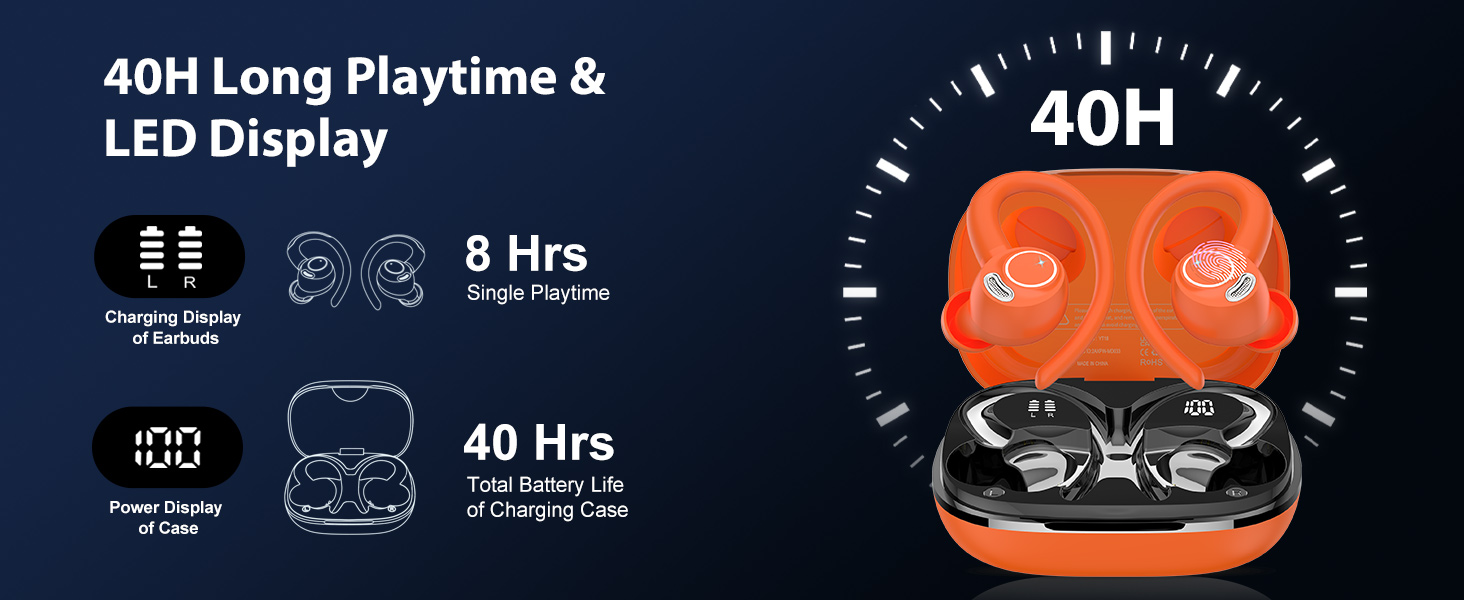
Image: The earbuds are designed to withstand sweat and water exposure.
8. ట్రబుల్షూటింగ్
If you encounter any issues with your Jesebang YT18 earbuds, please refer to the following common problems and solutions:
- ఇయర్బడ్లు జత కావడం లేదు: Ensure both earbuds are in the charging case, then open the lid to activate pairing mode. Make sure Bluetooth is enabled on your device and
సంబంధిత పత్రాలు - YT18

Jesebang BD86 ట్రూ వైర్లెస్ స్టీరియో ఇయర్ఫోన్స్ యూజర్ గైడ్
Jesebang BD86 ట్రూ వైర్లెస్ స్టీరియో ఇయర్ఫోన్ల కోసం యూజర్ గైడ్, ఉత్పత్తి వివరణలు, జత చేయడం, విధులు, ఛార్జింగ్, నిర్వహణ మరియు ట్రబుల్షూటింగ్ను కవర్ చేస్తుంది.
YT18 ట్రూ వైర్లెస్ స్టీరియో ఇయర్ఫోన్స్ యూజర్ గైడ్
YT18 ట్రూ వైర్లెస్ స్టీరియో ఇయర్ఫోన్ల కోసం సమగ్ర వినియోగదారు గైడ్, స్పెసిఫికేషన్లు, జత చేయడం, విధులు, ఛార్జింగ్, నిర్వహణ, భద్రతా హెచ్చరికలు, తరచుగా అడిగే ప్రశ్నలు మరియు వారంటీ సమాచారాన్ని కవర్ చేస్తుంది.
YT18 ట్రూ వైర్లెస్ స్టీరియో ఇయర్ఫోన్ల కోసం యూజర్ గైడ్
YT18 ట్రూ వైర్లెస్ స్టీరియో ఇయర్ఫోన్ల కోసం సెటప్, ఫంక్షన్లు, ఛార్జింగ్ మరియు ట్రబుల్షూటింగ్లను కవర్ చేసే సమగ్ర వినియోగదారు గైడ్.