1. పరిచయం
Thank you for choosing the Vonztek Bluetooth Headset. This wireless headset is designed to provide crystal-clear communication and superior comfort for various professional and personal uses, including work, office, PC, meetings, Zoom, Skype, and MS Teams. Featuring advanced noise-canceling technology, a convenient mute button, and dual connectivity options, it ensures a seamless audio experience. This manual provides detailed instructions for setup, operation, and maintenance to help you get the most out of your new headset.
2. పెట్టెలో ఏముంది
- వైర్లెస్ హెడ్సెట్
- ఛార్జింగ్ స్టేషన్
- USB ఆడియో డాంగిల్
- USB-C ఛార్జింగ్ కేబుల్
- వినియోగదారు మాన్యువల్

Image: The Vonztek Bluetooth Headset, its charging dock, and the included USB dongle, showcasing all main components.
3. ఉత్పత్తి ముగిసిందిview
Familiarize yourself with the key features and controls of your Vonztek headset.

Image: Close-up of the headset ear cup, highlighting multi-angle rotation, breathable material, and memory foam cushions for comfort.
సౌకర్యం మరియు డిజైన్: The headset features soft memory foam ear pads with a leatherette cover for maximum comfort during extended use. The ear cups offer multi-angle rotation, and the headband is adjustable for a personalized fit.
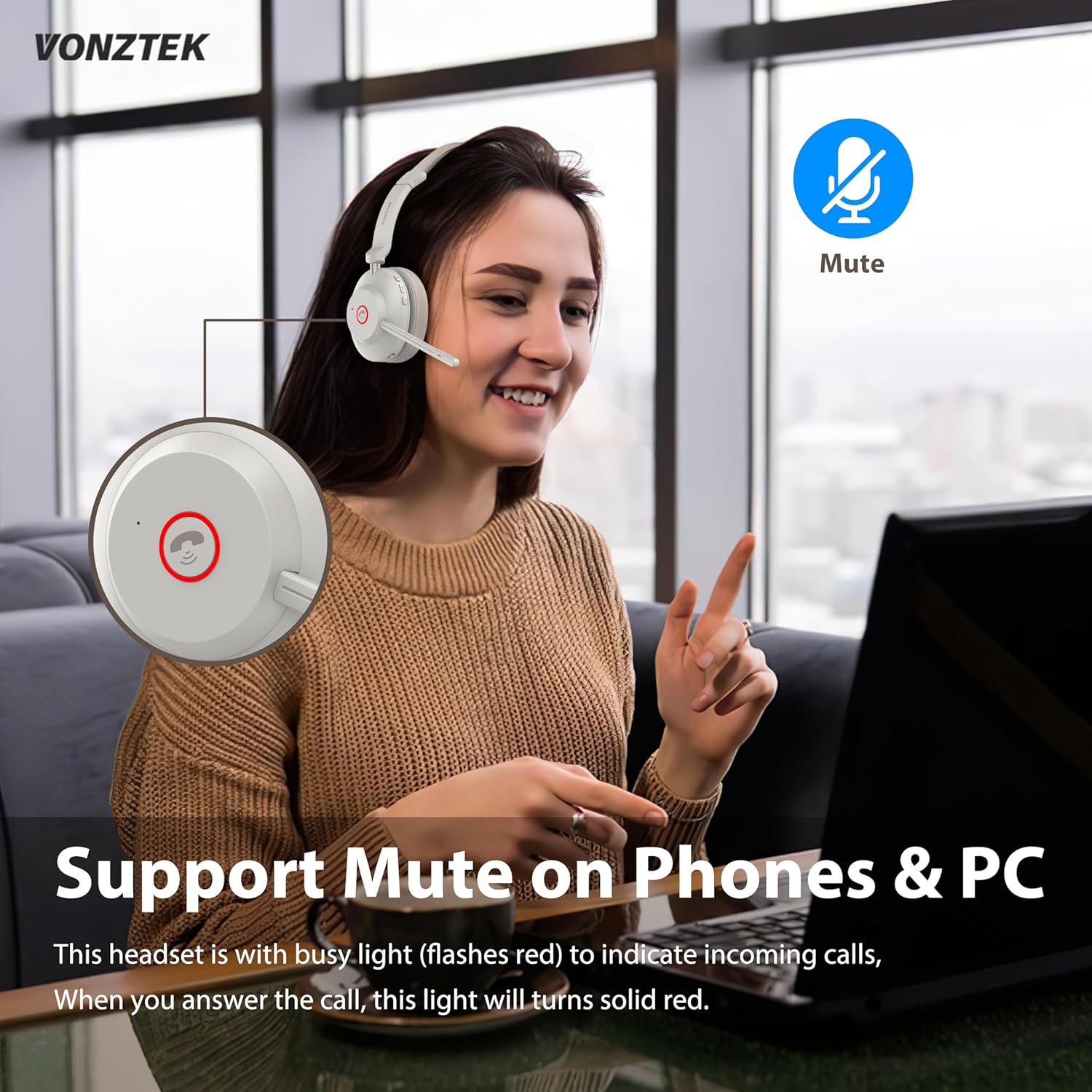
Image: Diagram showing the headset's mute button and its function for phone and PC calls.
మ్యూట్ ఫంక్షన్: A dedicated mute button is integrated for easy control during calls. The headset also features a busy light that flashes red for incoming calls and turns solid red when a call is answered.

Image: A woman using the headset in an office setting, with a graphic illustrating 99.6% noise cancellation by the advanced AI Environmental Noise Cancellation Technology.
నాయిస్-రద్దు చేసే మైక్రోఫోన్: Equipped with a cutting-edge noise-canceling microphone, the headset effectively eliminates background noise, ensuring clear voice transmission for superior call quality.

చిత్రం: పేలినది view of the headset's internal components, highlighting the Bluetooth 5.3 chip for stable and fast connections.
Bluetooth 5.3 & USB Dongle: The latest Bluetooth 5.3 chip provides seamless and stable connectivity. An included USB dongle offers an alternative connection method for devices without built-in Bluetooth, extending connectivity range up to 33ft/10m.
4. సెటప్
4.1 హెడ్సెట్ను ఛార్జ్ చేస్తోంది
The Vonztek headset is equipped with a 500mAh battery, offering up to 45 hours of talk time. It can be charged via the charging dock or directly via the USB-C port.
- ఛార్జింగ్ డాక్ ఉపయోగించడం: Connect the USB-C charging cable to the charging dock and then to a power source (e.g., computer USB port, wall adapter). Place the headset onto the charging dock. The indicator light on the headset will flash red while charging and turn off when fully charged.
- డైరెక్ట్ ఛార్జింగ్: Connect the USB-C charging cable directly to the USB-C port on the headset and then to a power source.

Image: Illustration showing two charging methods: direct USB-C cable connection to the headset and charging via the included dock.
4.2 హెడ్సెట్ను కనెక్ట్ చేస్తోంది
The headset supports dual connection methods: Bluetooth 5.3 and a USB dongle.
- బ్లూటూత్ కనెక్షన్:
- Turn on the headset by sliding the power switch to the "ON" position.
- To enter pairing mode, slide and hold the power switch in the "ON" position until the indicator light starts flashing blue and red.
- On your device (smartphone, tablet, laptop), enable Bluetooth and search for "Vonztek BT881".
- Select the headset from the list of available devices to pair. Once connected, the indicator light will turn solid blue.
- USB డాంగిల్ కనెక్షన్:
- Plug the USB Audio Dongle into an available USB port on your PC or laptop.
- Turn on the headset. It will automatically connect to the USB dongle. The indicator light on the dongle will turn solid blue once connected.
- This method provides a stable connection without requiring Bluetooth on your computer.
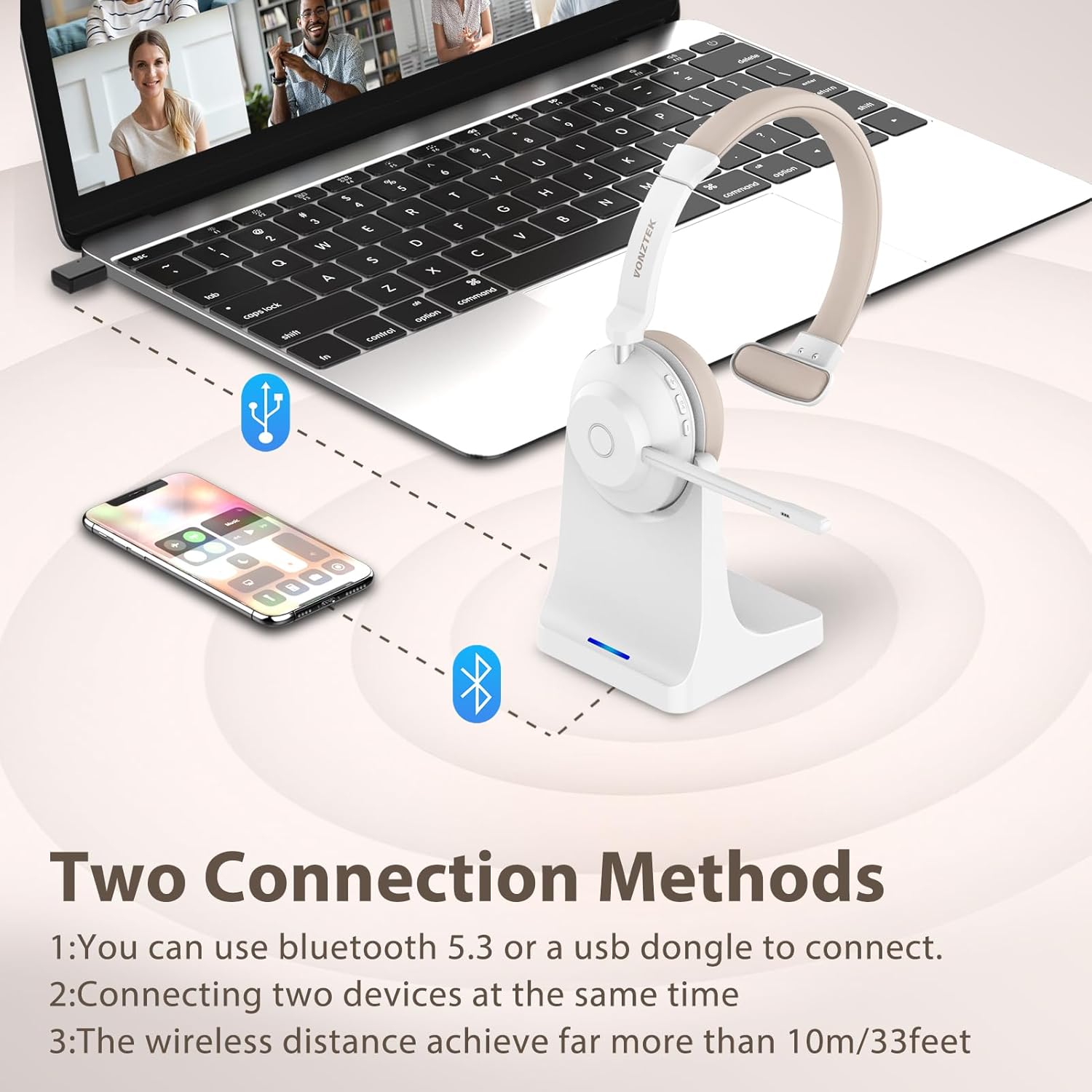
Image: Visual representation of connecting the headset to a laptop via USB dongle and to a smartphone via Bluetooth, illustrating dual connection capability.
5. హెడ్సెట్ను ఆపరేట్ చేయడం
5.1 ప్రాథమిక నియంత్రణలు
- పవర్ ఆన్/ఆఫ్: Slide the power switch to "ON" or "OFF".
- వాల్యూమ్ అప్/డౌన్: Use the dedicated volume buttons on the ear cup.
- ప్లే/పాజ్: Press the multi-function button (often the main button on the ear cup).
- సమాధానం/ముగింపు కాల్: మల్టీ-ఫంక్షన్ బటన్ను నొక్కండి.
- కాల్ని తిరస్కరించండి: మల్టీ-ఫంక్షన్ బటన్ను నొక్కి పట్టుకోండి.
- మైక్రోఫోన్ను మ్యూట్/అన్మ్యూట్ చేయండి: Press the mute button located on the microphone arm or ear cup. An audible prompt will confirm "Mute On" or "Mute Off".
Video: A detailed demonstration of the Vonztek Bluetooth Headset, including unboxing, physical features, controls, and an audio test of the microphone's clarity and mute function. This video highlights the ease of use and sound quality for PC communication.
వీడియో: సంక్షిప్తంగాview of the Vonztek Bluetooth Headset's features, including its noise-canceling microphone, long battery life, dual connectivity, and comfortable design. This video provides a quick visual summary of the product's main benefits.
5.2 అనుకూలత
This wireless headset is universally compatible with most communication platforms and devices, including:
- PCs and Laptops
- స్మార్ట్ఫోన్లు మరియు టాబ్లెట్లు
- Communication Platforms: Skype, Zoom, MS Teams, Google Meet, GoToMeeting, Cisco Webex, 3CX, FaceTime, WhatsApp, Slack.

Image: A man using the headset with a computer, surrounded by logos of various compatible communication platforms like Zoom, MS Teams, Skype, and Google Meet.
6. నిర్వహణ
- శుభ్రపరచడం: Use a soft, dry cloth to clean the headset and charging dock. Avoid using abrasive cleaners or solvents.
- నిల్వ: Store the headset in a cool, dry place away from direct sunlight and extreme temperatures. When not in use, place it on the charging dock to keep it organized and charged.
- బ్యాటరీ సంరక్షణ: బ్యాటరీ జీవితకాలాన్ని పొడిగించడానికి, హెడ్సెట్ను తరచుగా పూర్తిగా డిశ్చార్జ్ చేయకుండా ఉండండి. నిరంతరం ఉపయోగంలో లేకపోయినా, దానిని క్రమం తప్పకుండా ఛార్జ్ చేయండి.
7. ట్రబుల్షూటింగ్
| సమస్య | సాధ్యమైన పరిష్కారం |
|---|---|
| హెడ్సెట్ పవర్ ఆన్ అవ్వదు. | Ensure the headset is charged. Connect it to the charging dock or directly via USB-C cable. |
| బ్లూటూత్ ద్వారా జత చేయడం సాధ్యం కాదు. | Ensure the headset is in pairing mode (flashing blue/red light). Check if Bluetooth is enabled on your device. Move the headset closer to the device. Forget previous pairings on your device and try again. |
| ధ్వని లేదు లేదా ధ్వని నాణ్యత తక్కువగా ఉంది. | Check the volume levels on both the headset and your connected device. Ensure the headset is selected as the audio output device in your system settings. Recharge the headset if the battery is low. |
| మైక్రోఫోన్ పనిచేయడం లేదు. | Ensure the microphone is not muted. Check the microphone input settings on your computer/device. Ensure the microphone arm is properly positioned. |
| USB డాంగిల్ కనెక్ట్ కావడం లేదు. | Ensure the dongle is fully inserted into the USB port. Try a different USB port. Restart your computer. |
8. స్పెసిఫికేషన్లు
| ఫీచర్ | వివరాలు |
|---|---|
| మోడల్ పేరు | BT881-CD-NEW |
| బ్రాండ్ | Vonztek |
| కనెక్టివిటీ టెక్నాలజీ | వైర్లెస్ (బ్లూటూత్ 5.3) |
| వైర్లెస్ కమ్యూనికేషన్ టెక్నాలజీ | బ్లూటూత్ |
| బ్లూటూత్ వెర్షన్ | 5.3 |
| బ్లూటూత్ రేంజ్ | 15 మీటర్లు (సుమారు 49 అడుగులు) |
| నాయిస్ కంట్రోల్ | నిష్క్రియ శబ్దం రద్దు |
| ఫ్రీక్వెన్సీ రెస్పాన్స్ | 20 హెర్ట్జ్ - 20,000 హెర్ట్జ్ |
| సున్నితత్వం | 112 డిబి |
| ఇంపెడెన్స్ | 32 ఓం |
| ఆడియో డ్రైవర్ రకం | డైనమిక్ డ్రైవర్ |
| ఆడియో డ్రైవర్ పరిమాణం | 40 మిల్లీమీటర్లు |
| బ్యాటరీ లైఫ్ | 45 గంటలు (టాక్ టైమ్) |
| ఛార్జింగ్ సమయం | 3 గంటలు |
| మెటీరియల్ | తోలు |
| శైలి | ఒకే చెవి |
| నియంత్రణ పద్ధతి | టచ్, బటన్ |
| వస్తువు బరువు | 1.17 పౌండ్లు |
| ప్యాకేజీ కొలతలు | 8.23 x 7.48 x 3.78 అంగుళాలు |
9. వారంటీ & సపోర్ట్
Vonztek provides a 12 నెలల వారంటీ for this product. For any problems or inquiries, please feel free to contact Vonztek customer support. They offer 24-గంటల మద్దతు to assist you with any issues or questions you may have regarding your headset.
For support, please refer to the contact information provided in the original product packaging or visit the official Vonztek webసైట్.


