1. పరిచయం
This manual provides detailed instructions for the safe installation, operation, and maintenance of your Breezary 22-inch RGB Smart Ceiling Fan with Light. Please read this manual thoroughly before installation and retain it for future reference.
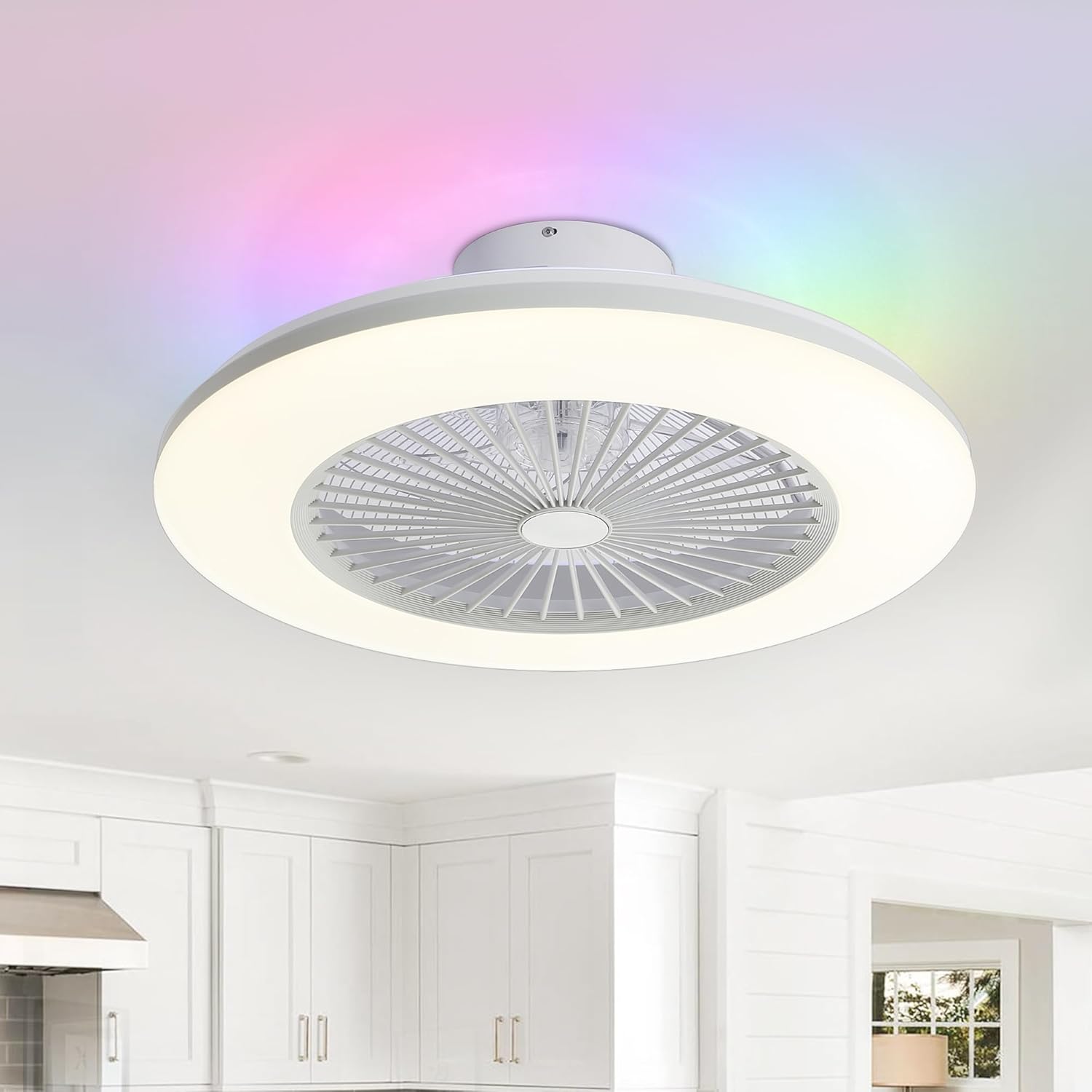
Figure 1: Breezary 22-inch RGB Smart Ceiling Fan with Light
2. భద్రతా సమాచారం
హెచ్చరిక: To reduce the risk of electric shock, ensure electricity is turned off at the circuit breaker or fuse box before beginning installation. All wiring must be in accordance with national and local electrical codes. If you are unfamiliar with electrical wiring, consult a qualified electrician.
- సర్వీసింగ్ చేయడానికి ముందు ఎల్లప్పుడూ పవర్ను డిస్కనెక్ట్ చేయండి.
- Do not install the fan in a location where blades may strike objects or people.
- మౌంటు నిర్మాణం ఫ్యాన్ బరువును సమర్ధించగలదని నిర్ధారించుకోండి.
- Use only the parts supplied with the fan.
3. ప్యాకేజీ విషయాలు
ఇన్స్టాలేషన్తో కొనసాగే ముందు అన్ని భాగాలు ఉన్నాయని మరియు దెబ్బతినకుండా ఉన్నాయని ధృవీకరించండి.
- 1 x Enclosed Ceiling Fan Light
- 1 x ఇన్స్ట్రక్షన్ మాన్యువల్
- 1 x రిమోట్ కంట్రోల్
- ఇన్స్టాలేషన్ హార్డ్వేర్ (స్క్రూలు, వైర్ నట్లు మొదలైనవి)
4. స్పెసిఫికేషన్లు
| ఫీచర్ | స్పెసిఫికేషన్ |
|---|---|
| బ్రాండ్ | బ్రీజరీ |
| మోడల్ పేరు | 22" Caged Ceiling Fan with RGB Light |
| అంశం మోడల్ సంఖ్య | 32010-WH-FBA |
| రంగు | తెలుపు |
| మెటీరియల్ | ABS Plastic, Acrylic |
| ఉత్పత్తి కొలతలు | 22"లీ x 22"వా x 7.3"హ |
| వస్తువు బరువు | 6.8 పౌండ్లు |
| శక్తి మూలం | DC |
| వాల్యూమ్tage | 120 వోల్ట్లు |
| వాట్tage | 20 వాట్స్ |
| కాంతి మూలం రకం | LED |
| రంగు ఉష్ణోగ్రత | 3000K, 4000K, 5700K (Adjustable) |
| ప్రత్యేక లక్షణాలు | App Operable, Bladeless, LED Light, Remote Controlled, Voice Control, Reversible Motor, RGB Lighting |
| నియంత్రణ పద్ధతి | యాప్, రిమోట్, వాయిస్ |
| ఫ్యాన్ వేగం | 6 |
| టైమర్ ఫంక్షన్ | 1H, 2H, 4H |
Note: Batteries for the remote control are not included.
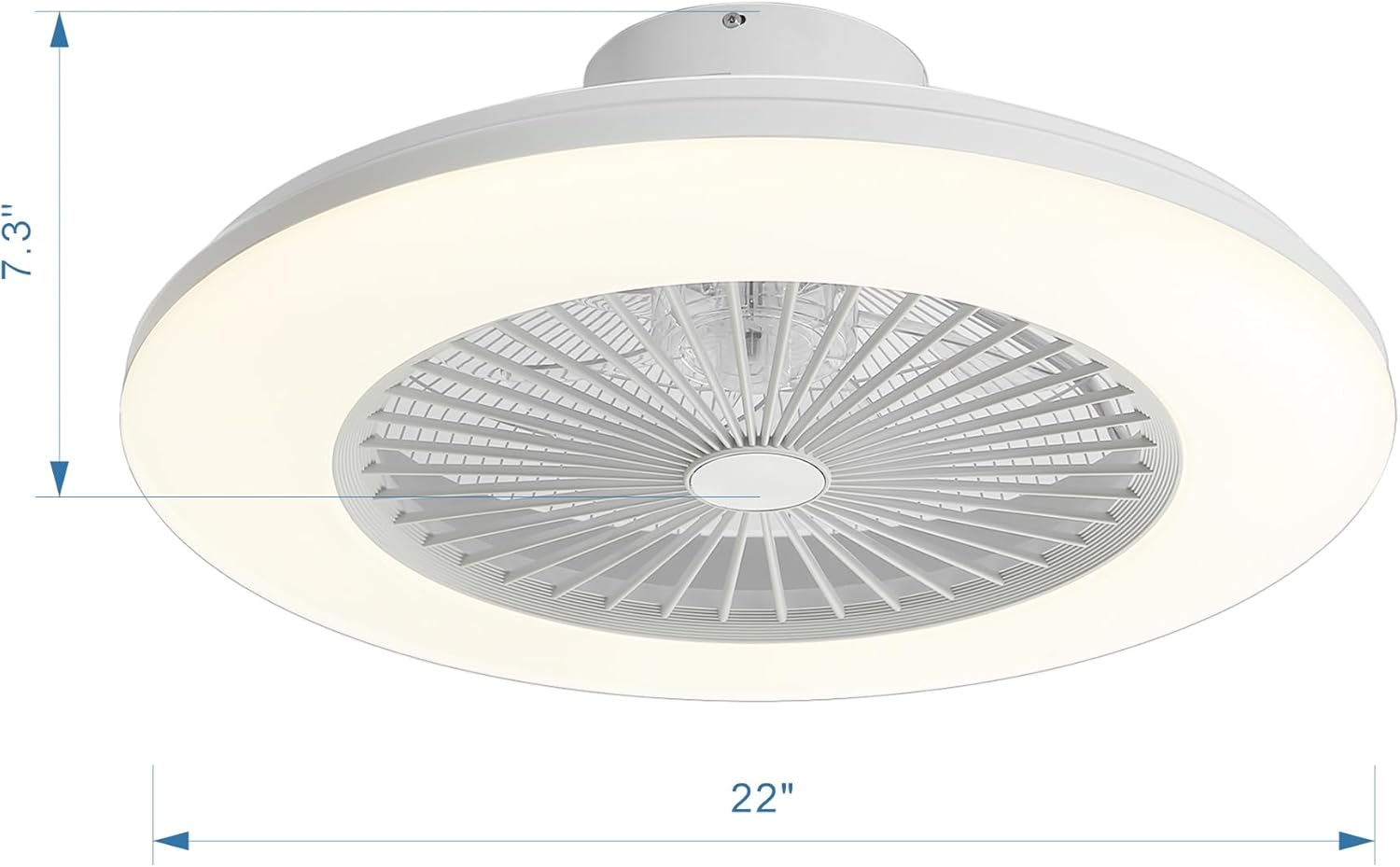
Figure 2: Product Dimensions and Key Components
5. సంస్థాపన
Most functional parts of the Breezary 22-inch RGB Smart Ceiling Fan are pre-assembled for ease of installation. Follow these steps carefully.
5.1. సంస్థాపన కోసం సిద్ధం
- సర్క్యూట్ బ్రేకర్ వద్ద పవర్ ఆఫ్ చేయండి.
- Ensure the mounting location is suitable and can support the fan's weight.
5.2. Mounting the Hanging Board
Secure the hanging board to the ceiling junction box using the provided screws. Ensure it is firmly attached.
5.3. వైరింగ్ కనెక్షన్లు
Connect the electrical wires according to the following:
- Connect the hot wire (L) from the ceiling to the hot wire of the fan.
- Connect the neutral wire (N) from the ceiling to the neutral wire of the fan.
- Connect the ground wire (E) from the ceiling to the ground wire of the fan.
- అన్ని కనెక్షన్లను భద్రపరచడానికి వైర్ నట్లను ఉపయోగించండి.
5.4. Attaching the Fan Body
Carefully lift the fan body and attach it to the hanging board. Secure it with the provided screws.
5.5. ఇన్స్టాలేషన్ వీడియో గైడ్
Video 1: Breezary Low Profile Ceiling Fan Installation Overview. This video provides a visual guide to the installation process, demonstrating key steps for setting up the fan and light fixture.
6. ఆపరేటింగ్ సూచనలు
Your Breezary Smart Ceiling Fan offers multiple control methods for convenience.
6.1. రిమోట్ కంట్రోల్
The included remote control allows you to manage all fan and light functions. Insert 2 AAA batteries (not included) into the remote.

చిత్రం 3: రిమోట్ కంట్రోల్ లేఅవుట్
- పవర్ ఆన్/ఆఫ్: ఫ్యాన్ మరియు లైట్ను ఆన్ లేదా ఆఫ్ చేస్తుంది.
- ఫ్యాన్ వేగం: Select from 6 adjustable wind speeds (1-2 for soft, 3-4 for natural, 5-6 for cool).
- లైట్ ఆన్/ఆఫ్: Toggles the light.
- రంగు ఉష్ణోగ్రత: Adjusts light color between 3000K (warm white), 4000K (neutral white), and 5700K (cool white).
- ప్రకాశం: Dims the light from 0% to 100%.
- RGB మోడ్: Activates 16 million dynamic RGB effects.
- రివర్సిబుల్ మోటార్: Switches between summer mode (downward airflow) and winter mode (upward airflow).
- టైమర్: Sets the fan to turn off after 1 hour, 2 hours, or 4 hours.
6.2. యాప్ నియంత్రణ
Download the Smart Life app to control your fan via smartphone. Scan the QR code below to download the app.

Figure 4: Smart Life App QR Code
The app provides comprehensive control over fan speed, light brightness, color temperature, RGB effects, fan direction, and timer functions. It also supports music speaker functionality for party or festival settings.

Figure 5: App Control Interface for RGB Lighting
6.3. వాయిస్ నియంత్రణ
The fan is compatible with Alexa and Google Assistant. Once connected through the Smart Life app, you can use voice commands to control the fan and light.
- Example commands: "Alexa, turn on the fan," "Hey Google, turn on the light," "Alexa, set the fan speed to 40%."
Video 2: Demonstrating RGB Bladeless Ceiling Fan Voice Control with Alexa. This video illustrates how to use voice commands to operate the fan and its lighting features.
6.4. Fan and Light Features
- 6-Speed Reversible DC Motor: అందిస్తుంది ample airflow with quiet operation. The reversible function allows for downward airflow in summer for cooling and upward airflow in winter for heat circulation.
- మసకబారిన LED లైట్: ప్రకాశాన్ని 0% నుండి 100% వరకు సర్దుబాటు చేయండి.
- సర్దుబాటు చేయగల రంగు ఉష్ణోగ్రత: Choose between 3000K, 4000K, and 5700K to suit your preference.
- 16 Million RGB Effects: Customize the room's ambiance with a wide range of colors and lighting effects.
- మెమరీ ఫంక్షన్: The fan retains the last selected light color and brightness settings when using the remote.

Figure 6: Reversible Airflow Functionality

Figure 7: Dimmable Tricolor and RGB Light Options
7. నిర్వహణ
క్రమం తప్పకుండా నిర్వహణ మీ సీలింగ్ ఫ్యాన్ యొక్క ఉత్తమ పనితీరును మరియు దీర్ఘాయువును నిర్ధారిస్తుంది.
- శుభ్రపరచడం: Clean the fan and light with a soft, damp వస్త్రం. రాపిడి క్లీనర్లు లేదా ద్రావకాలను ఉపయోగించవద్దు. శుభ్రపరిచే ముందు విద్యుత్తు ఆపివేయబడిందని నిర్ధారించుకోండి.
- తనిఖీ: Periodically check all connections and mounting screws to ensure they are secure.
8. ట్రబుల్షూటింగ్
మీరు సమస్యలను ఎదుర్కొంటే, ఈ క్రింది సాధారణ సమస్యలు మరియు పరిష్కారాలను చూడండి:
| సమస్య | సాధ్యమైన కారణం | పరిష్కారం |
|---|---|---|
| ఫ్యాన్ స్టార్ట్ అవ్వదు | No power, loose wiring, remote battery dead. | Check circuit breaker, verify wiring connections, replace remote batteries. |
| లైట్ పనిచేయదు | No power, loose wiring, LED failure. | Check circuit breaker, verify wiring connections. If LED failure, contact support. |
| రిమోట్ స్పందించడం లేదు | Dead batteries, remote not paired. | Replace remote batteries. Refer to remote pairing instructions in the full manual. |
| ఫ్యాన్ శబ్దం చేస్తుంది | Loose screws, unbalanced blades. | Tighten all mounting screws. Ensure blades are securely attached. |
9. వారంటీ మరియు మద్దతు
This Breezary ceiling fan comes with a 1-year manufacturer's limited warranty. For warranty claims or technical support, please refer to the contact information provided in your full product manual or visit the Breezary webసైట్.


