1. ఉత్పత్తి ముగిసిందిview
ది బ్లాక్view N1000 is a robust and user-friendly mobile phone, specifically designed for ease of use with its large buttons and clear 2.4-inch display. It features a durable build, including MIL-STD 810H certification and IP69 waterproofing, making it suitable for various environments. Key functionalities include dual SIM support, expandable memory, and an essential SOS emergency button for enhanced safety.
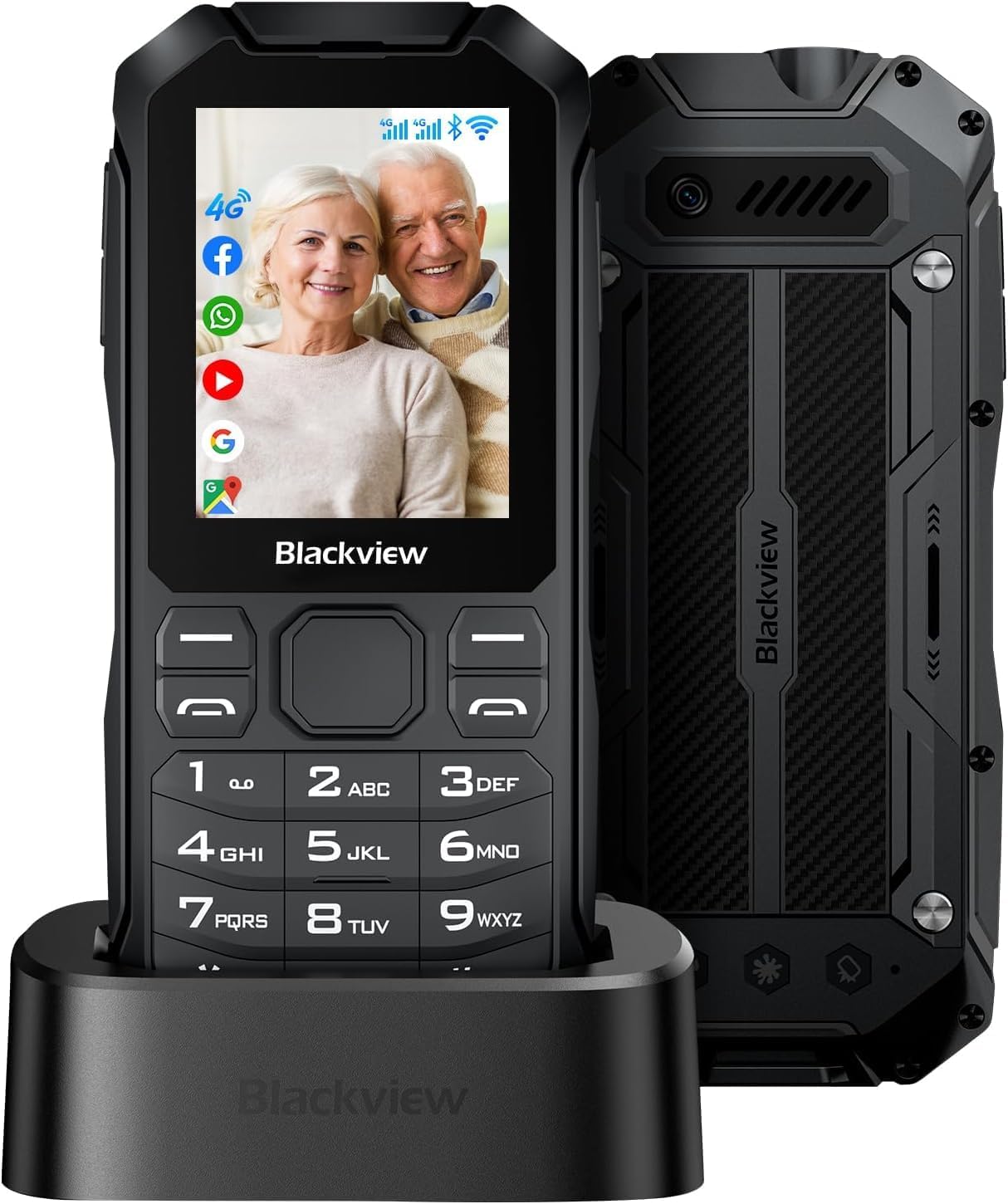
Figure 1.1: Blackview N1000 Mobile Phone with Charging Dock
2. సెటప్
2.1 ప్యాకేజీ విషయాలు
దయచేసి ఈ క్రింది అంశాల కోసం పెట్టెను ఎంచుకోండి:
- నలుపుview N1000 మొబైల్ ఫోన్
- ఛార్జింగ్ కేబుల్ (టైప్-సి)
- ఛార్జింగ్ స్టేషన్
- Synopsis (Quick Start Guide)
- లిథియం పాలిమర్ బ్యాటరీ (ముందే ఇన్స్టాల్ చేయబడినది లేదా విడిగా)
2.2 సిమ్ కార్డ్ మరియు మెమరీ కార్డ్ ఇన్స్టాలేషన్
ది బ్లాక్view N1000 supports dual Nano-SIM cards and a TF (microSD) card for expandable memory up to 512GB. To install:
- ఫోన్ వెనుక కవర్ను జాగ్రత్తగా తొలగించండి.
- Locate the SIM card slots (SIM1, SIM2) and the MicroSD card slot.
- Insert your Nano-SIM cards into the designated slots with the gold contacts facing down.
- Insert the MicroSD card into its slot until it clicks into place.
- వెనుక కవర్ను సురక్షితంగా మార్చండి.

Figure 2.1: SIM and Memory Card Slots
2.3 ప్రారంభ ఛార్జింగ్
Before first use, fully charge your Blackview N1000. The phone comes with a 3300 mAh removable battery, offering up to 12 days of standby time and 12 hours of talk time.
- Connect the Type-C charging cable to the phone or place the phone in the provided charging station.
- కేబుల్ యొక్క మరొక చివరను పవర్ అడాప్టర్కు కనెక్ట్ చేయండి మరియు దానిని వాల్ అవుట్లెట్లోకి ప్లగ్ చేయండి.
- The charging indicator on the phone will show the charging status. Allow the phone to charge completely before disconnecting.

Figure 2.2: Battery and Charging Features
3. ఆపరేటింగ్ సూచనలు
3.1 ప్రాథమిక విధులు
- పవర్ ఆన్/ఆఫ్: Press and hold the Power button (usually located on the side or top) until the screen turns on/off.
- కాల్స్ చేయడం: Enter the phone number using the large keypad buttons and press the green call button.
- సందేశాలు పంపడం: Navigate to the 'Messages' application, select 'New Message', enter the recipient's number and your text, then send.
- డిస్ప్లే మరియు నావిగేషన్: The 2.4-inch display features large fonts and a resolution of 240 x 320 for clear readability. Use the navigation keys and the central selection button to move through menus and select options.

Figure 3.1: Large Display and Buttons
3.2 ప్రత్యేక లక్షణాలు
- SOS అత్యవసర బటన్: The N1000 is equipped with a dedicated SOS button. In an emergency, press and hold this button for 3 seconds to automatically send an emergency message and call up to 5 pre-set emergency contacts. Ensure these contacts are configured in the phone's settings.
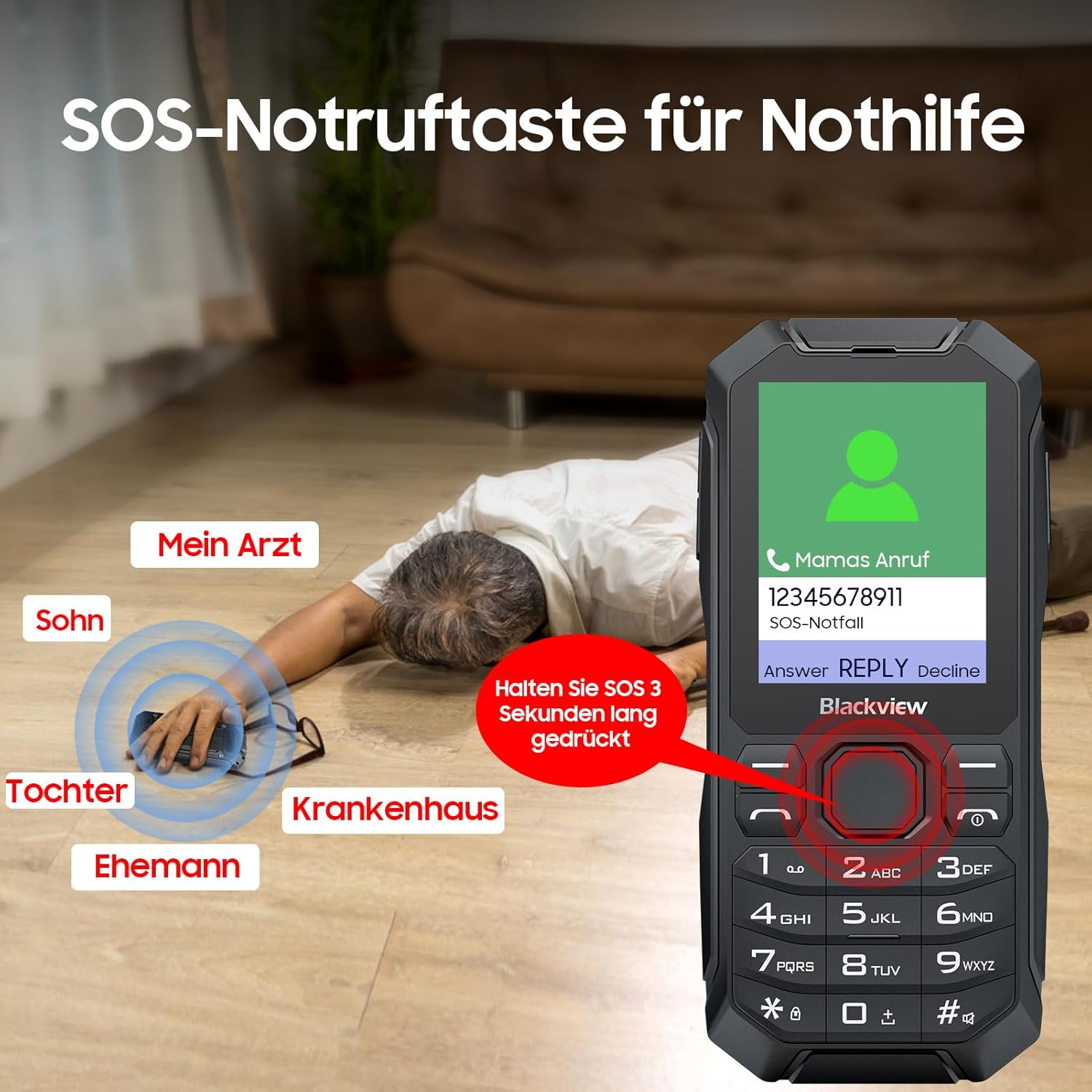
Figure 3.2: SOS Emergency Call Function
- LED ఫ్లాష్లైట్: The phone includes a strong LED flashlight. Refer to your quick start guide or phone settings for activation instructions.

Figure 3.3: Integrated LED Flashlight
- కనెక్టివిటీ: The N1000 supports 4G/3G/2G GSM networks, Wi-Fi, GPS, and Bluetooth 4.2, allowing for versatile communication and navigation.
- మద్దతు ఉన్న అప్లికేషన్లు: Running on KaiOS, the phone supports various applications such as messaging, phone calls, FM radio, music, games, video playback, calendar, camera, and internet browsing.

Figure 3.4: KaiOS Interface and Applications
4. నిర్వహణ
4.1 మన్నిక మరియు రక్షణ
ది బ్లాక్view N1000 is built to withstand harsh conditions, certified with MIL-STD 810H and IP69 ratings for water and dust resistance. It has undergone rigorous testing for rain, sand, dust, shock, moisture, and altitude.
- జలనిరోధిత: IP68 rated for immersion in water.
- డస్ట్ ప్రూఫ్: 360° dustproof design.
- డ్రాప్ ప్రూఫ్: IP69K certified for resistance against drops and impacts.

Figure 4.1: Durability Features (Waterproof, Dustproof, Drop-proof)
4.2 బ్యాటరీ సంరక్షణ
- విపరీతమైన ఉష్ణోగ్రతలకు బ్యాటరీని బహిర్గతం చేయకుండా ఉండండి.
- Use only the original charging cable and station provided.
- If the battery is removable, ensure it is properly seated before use.
4.3 శుభ్రపరచడం
To clean your phone, use a soft, lint-free cloth. Avoid using harsh chemicals or abrasive materials that could damage the device.
5. ట్రబుల్షూటింగ్
If you encounter issues with your Blackview N1000, please refer to the following common solutions:
- ఫోన్ ఆన్ కావడం లేదు: బ్యాటరీ ఛార్జ్ అయ్యిందని నిర్ధారించుకోండి. ఛార్జర్కు కనెక్ట్ చేసి, మళ్లీ పవర్ ఆన్ చేయడానికి ప్రయత్నించే ముందు కొన్ని నిమిషాలు వేచి ఉండండి.
- నెట్వర్క్ సిగ్నల్ లేదు: మీ SIM కార్డ్ సరిగ్గా చొప్పించబడిందో లేదో తనిఖీ చేయండి. మీరు నెట్వర్క్ కవరేజ్ ఉన్న ప్రాంతంలో ఉన్నారని నిర్ధారించుకోండి. ఫోన్ను పునఃప్రారంభించడానికి ప్రయత్నించండి.
- బ్యాటరీ ఛార్జింగ్ కాదు: Verify that the charging cable and adapter are securely connected and functional. Try charging using the charging station.
- స్పందించని బటన్లు: Restart the phone. If the issue persists, contact customer support.
- ధ్వని సమస్యలు: Check the volume settings. Ensure the speaker is not obstructed.
For more complex issues, please consult the full user manual or contact Blackview కస్టమర్ మద్దతు.
6. స్పెసిఫికేషన్లు
| ఫీచర్ | స్పెసిఫికేషన్ |
|---|---|
| మోడల్ సంఖ్య | N1000 |
| ఆపరేటింగ్ సిస్టమ్ | KaiOS |
| స్క్రీన్ పరిమాణం | 2.4 అంగుళాలు |
| స్కానర్ రిజల్యూషన్ | 240 x 320 |
| RAM మెమరీ ఇన్స్టాల్ చేయబడిన పరిమాణం | 4 GB |
| మెమరీ స్టోరేజ్ కెపాసిటీ | 4 GB (మైక్రో SD ద్వారా 512GB వరకు విస్తరించుకోవచ్చు) |
| బ్యాటరీ పవర్ రేటింగ్ | 3300 mAh |
| ఫోన్ టాక్ టైమ్ | 12 గంటలు |
| స్టాండ్బై సమయం | 12 రోజుల వరకు |
| కనెక్టివిటీ టెక్నాలజీస్ | బ్లూటూత్, Wi-Fi, USB |
| ప్రత్యేక లక్షణాలు | Rugged Body, Dual SIM, Built-In GPS, SOS Button, LED Flashlight |
| వస్తువు బరువు | 410 గ్రా |
| ఆడియో జాక్ | 3.5 మి.మీ |
7. వారంటీ మరియు మద్దతు
7.1 వారంటీ సమాచారం
Your Blackview N1000 mobile phone is covered by a manufacturer's warranty. Please refer to the warranty card included in your package for specific terms, conditions, and duration. Keep your proof of purchase for warranty claims.
7.2 కస్టమర్ మద్దతు
For technical assistance, product inquiries, or warranty service, please contact Blackview customer support through their official website or the contact information provided in your product documentation. When contacting support, please have your model number (N1000) and purchase details ready.