పరిచయం
ఈ మాన్యువల్ బ్లాక్ కోసం వివరణాత్మక సూచనలను అందిస్తుందిview Tab 50 WIFI, an 8-inch lightweight Android 13 tablet. It covers essential information regarding setup, operation, maintenance, and troubleshooting to ensure optimal performance and user experience. Please read this manual thoroughly before using your device.
పెట్టెలో ఏముంది
Upon unboxing your Blackview Tab 50 WIFI, please verify that all the following items are included:
- నలుపుview Tab 50 tablet
- Type-C Charge cable
- పవర్ అడాప్టర్
- రక్షణ కేసు
- స్క్రీన్ ప్రొటెక్టర్

Image: Contents of the Blackview Tab 50 WIFI package, including the tablet, charging accessories, protective case, and screen protector.
ఉత్పత్తి ముగిసిందిview
Familiarize yourself with the physical components and controls of your Blackview Tab 50 WIFI.
Image: Diagram illustrating the various components of the Blackview Tab 50 WIFI, including the rear camera, Type-C port, TF card slot, 3.5mm headphone jack, front camera, volume button, power button, reset button, and speaker.
- పవర్ బటన్: పరికరాన్ని ఆన్/ఆఫ్ చేయడానికి లేదా పునఃప్రారంభించడానికి నొక్కి పట్టుకోండి. స్క్రీన్ను లాక్/అన్లాక్ చేయడానికి షార్ట్ ప్రెస్ చేయండి.
- వాల్యూమ్ బటన్లు: Adjust the media volume and notification sounds.
- టైప్-సి పోర్ట్: For charging the tablet and data transfer.
- 3.5mm హెడ్ఫోన్ జాక్: Connect wired headphones.
- TF కార్డ్ స్లాట్: Insert a microSD card for expandable storage.
- కెమెరాలు: Front and rear cameras for photos, videos, and video calls.
- స్పీకర్లు: Dual box speakers for audio output.
సెటప్
ప్రారంభ ఛార్జింగ్
Before first use, it is recommended to fully charge your Blackview Tab 50 WIFI. Connect the provided Type-C charge cable to the tablet's Type-C port and the power adapter to a wall outlet. The charging indicator will show the charging status. A full charge ensures optimal battery performance.
పవర్ ఆన్/ఆఫ్
- పవర్ ఆన్ చేయడానికి: Press and hold the Power Button until the Blackview లోగో కనిపిస్తుంది.
- పవర్ ఆఫ్ చేయడానికి: Press and hold the Power Button until the power options menu appears, then select "Power off".
- పునఃప్రారంభించడానికి: Press and hold the Power Button until the power options menu appears, then select "Restart".
ప్రారంభ సెటప్ విజార్డ్
మొదటిసారి పవర్-ఆన్ చేసినప్పుడు, టాబ్లెట్ ప్రారంభ సెటప్ ప్రక్రియ ద్వారా మిమ్మల్ని మార్గనిర్దేశం చేస్తుంది. ఇందులో ఇవి ఉంటాయి:
- మీ భాషను ఎంచుకోవడం.
- Connecting to a Wi-Fi network. The tablet supports WiFi 6 for faster speeds.
- Setting up your Google account (optional, but recommended for app downloads and services).
- Reviewనిబంధనలు మరియు షరతులను అంగీకరించడం మరియు అంగీకరించడం.
Inserting a TF Card (MicroSD)
ది బ్లాక్view Tab 50 WIFI supports expandable storage up to 1TB via a TF (microSD) card. To insert a card:
- Locate the TF card slot on the side of the tablet.
- Carefully insert the TF card into the slot with the gold contacts facing down until it clicks into place.
- The tablet will recognize the new storage. You may be prompted to format the card for optimal use with the device.
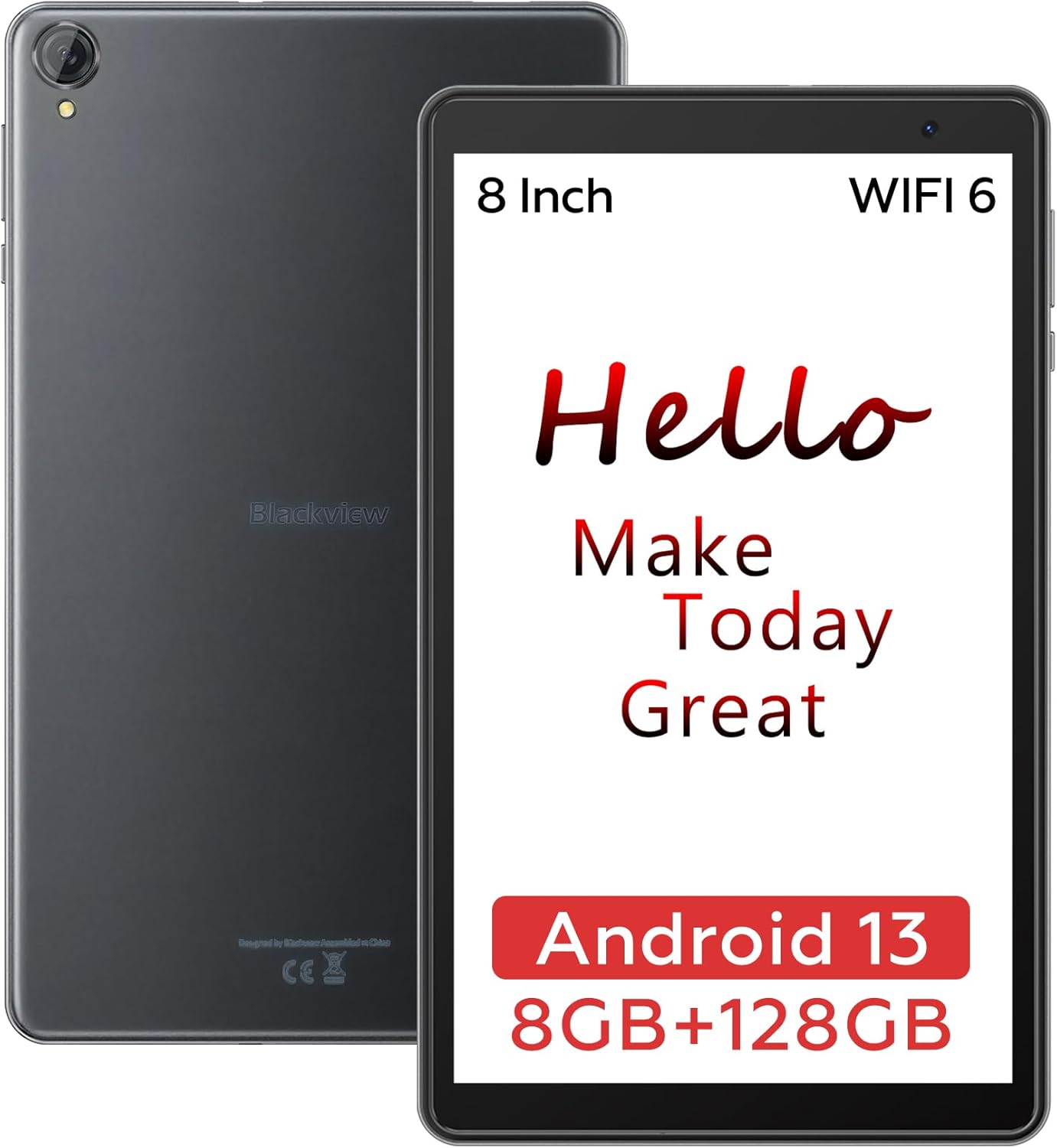
Image: The Blackview Tab 50 WIFI tablet, showcasing its compact design and 8-inch display.
టాబ్లెట్ని ఆపరేట్ చేస్తోంది
ప్రాథమిక నావిగేషన్
ది బ్లాక్view Tab 50 WIFI operates on Android 13 with DokeOS_P 3.0, offering an intuitive touch interface. Common gestures include tapping to select, swiping to scroll, pinching to zoom, and long-pressing for contextual menus.
Display and Eye Care Modes
The 8-inch HD+ display provides a resolution of 1280x800 pixels, suitable for various tasks from reading to entertainment. To enhance eye comfort, the tablet features three eye care modes:
- డార్క్ మోడ్: Reduces eye strain in low-light conditions by inverting colors.
- రాత్రి మోడ్: Adjusts screen brightness to as low as 2 nits, ideal for use in complete darkness.
- రీడింగ్ మోడ్: Optimizes the screen for reading, often by reducing blue light.

Image: The 8-inch HD+ screen of the Blackview Tab 50 WIFI, highlighting its resolution and eye protection features.
పనితీరు మరియు నిల్వ
Equipped with a quad-core processor, the Blackview Tab 50 WIFI ensures smooth operation for daily tasks. It comes with 128GB of internal storage (ROM) and supports up to 1TB of expandable storage via a TF card. The tablet features 8GB of RAM, which includes 4GB of physical RAM and an additional 4GB that can be expanded virtually, allowing for efficient multitasking.

Image: Visual representation of the Blackview Tab 50 WIFI's 8GB RAM and 128GB ROM, expandable up to 1TB with a TF card.
Multimedia Experience
Enjoy high-quality multimedia content with the Blackview Tab 50 WIFI. It supports Widevine L1, enabling 1080P Full HD video streaming on popular platforms such as YouTube, Netflix, Disney+, Hulu, and Amazon Prime Video. The tablet's dual box speakers provide clear audio for an immersive experience.

Image: Comparison showing 720p vs 1080p Full HD video streaming on the Blackview Tab 50 WIFI, highlighting Widevine L1 support for platforms like YouTube and Netflix.
కెమెరా ఫంక్షనాలిటీ
The tablet features an 8MP rear camera for capturing photos and videos, and a 5MP front camera ideal for video calls, online classes, and meetings.

Image: The Blackview Tab 50 WIFI being used for video calls, demonstrating its front camera capabilities.
ప్రత్యేక లక్షణాలు
- తల్లిదండ్రుల నియంత్రణలు: Manage app usage and set time restrictions to ensure children use the tablet in moderation.
- స్ప్లిట్ స్క్రీన్ ఫంక్షన్: Run two applications simultaneously, enhancing productivity and multitasking.
వీడియో: ఒక ఓవర్view నల్లజాతికి చెందినview Tab 50 8-inch Android 13 Tablet, showcasing its key features and user interface.
నిర్వహణ
పరికరాన్ని శుభ్రపరచడం
To maintain the tablet's appearance and functionality, regularly clean it with a soft, lint-free cloth. For stubborn smudges, slightly dampen the cloth with water or a screen-safe cleaner. Avoid using harsh chemicals or abrasive materials.
బ్యాటరీ సంరక్షణ
The tablet is equipped with a 5580mAh battery. To prolong battery life:
- తీవ్రమైన ఉష్ణోగ్రతలను నివారించండి.
- బ్యాటరీ తరచుగా పూర్తిగా ఖాళీ అవ్వనివ్వకండి.
- అందించిన ఒరిజినల్ ఛార్జర్ మరియు కేబుల్ని ఉపయోగించండి.
- బ్యాటరీ నిండిన తర్వాత ఛార్జర్ను అన్ప్లగ్ చేయండి.
సాఫ్ట్వేర్ నవీకరణలు
Periodically check for system updates to ensure your tablet has the latest features, security patches, and performance improvements. You can usually find this option in the tablet's Settings menu under "System" or "About tablet."
ట్రబుల్షూటింగ్
This section addresses common issues you might encounter with your Blackview Tab 50 WIFI. If the problem persists, please refer to the Warranty and Support section.
| సమస్య | సాధ్యమైన కారణం | పరిష్కారం |
|---|---|---|
| టాబ్లెట్ ఆన్ అవ్వదు. | తక్కువ బ్యాటరీ; సాఫ్ట్వేర్ క్రాష్. | Charge the tablet for at least 30 minutes. Press and hold the Power Button for 10-15 seconds to force restart. |
| Wi-Fi కనెక్షన్ సమస్యలు. | పాస్వర్డ్ తప్పు; రూటర్ సమస్య; టాబ్లెట్ Wi-Fi నిలిపివేయబడింది. | Ensure correct Wi-Fi password. Restart your Wi-Fi router. Toggle Wi-Fi off and on in tablet settings. |
| నెమ్మదిగా పనితీరు. | చాలా యాప్లు నడుస్తున్నాయి; తక్కువ నిల్వ; పాత సాఫ్ట్వేర్. | Close unnecessary apps. Clear cache. Free up storage space. Check for system updates. |
| బ్యాటరీ త్వరగా అయిపోతుంది. | High screen brightness; background apps; poor signal. | Reduce screen brightness. Close background apps. Disable unused features like GPS or Bluetooth. |
స్పెసిఫికేషన్లు
Detailed technical specifications for the Blackview Tab 50 WIFI:
| ఫీచర్ | వివరాలు |
|---|---|
| మోడల్ పేరు | ట్యాబ్ 50 WIFI |
| ఆపరేటింగ్ సిస్టమ్ | Android 13 (DokeOS_P 3.0) |
| స్క్రీన్ పరిమాణం | 8 అంగుళాలు |
| స్క్రీన్ రిజల్యూషన్ | 1280 x 800 పిక్సెల్లు (HD+) |
| ప్రాసెసర్ | క్వాడ్-కోర్ (1.20 GHz) |
| RAM | 8 GB (4GB physical + up to 4GB expansion) |
| అంతర్గత నిల్వ (ROM) | 128 GB |
| విస్తరించదగిన నిల్వ | 1 TB వరకు (TF కార్డ్) |
| వైర్లెస్ రకం | 802.11ac (వైఫై 6) |
| వెనుక Webకెమెరా రిజల్యూషన్ | 7.99 MP (8MP) |
| ఫ్రంట్ కెమెరా రిజల్యూషన్ | 5 ఎంపీ |
| బ్యాటరీ కెపాసిటీ | 5580 mAh |
| సగటు బ్యాటరీ జీవితం | 400 Hours (standby) |
| వస్తువు బరువు | 10.6 ఔన్సులు |
| ఉత్పత్తి కొలతలు | 9 x 1 x 4 అంగుళాలు |
| రంగు | బూడిద రంగు |
వారంటీ మరియు మద్దతు
ది బ్లాక్view Tab 50 WIFI comes with a 1 సంవత్సరాల వారంటీ కొనుగోలు చేసిన తేదీ నుండి. ఈ వారంటీ తయారీ లోపాలు మరియు సాధారణ ఉపయోగం నుండి ఉత్పన్నమయ్యే సమస్యలను కవర్ చేస్తుంది.
For technical support, warranty claims, or further assistance, please contact Blackview customer service through their official website or the retailer from whom you purchased the device. Please have your purchase receipt and product model number ready when contacting support.
మరింత సమాచారం కోసం, సందర్శించండి నలుపుview Amazonలో స్టోర్ చేయండి.


