1. ఉత్పత్తి ముగిసిందిview
The KEMIMOTO UTV Sound Bar is a 28-inch audio system designed for off-road vehicles, offering robust sound quality and versatile connectivity. It features 6 speakers (2 tweeters and 4 subwoofers) with 500W peak power, housed in a durable aluminum enclosure. The sound bar is Bluetooth-compatible and includes wired connection options, making it suitable for various media devices. Its IPX5 waterproof rating ensures performance in diverse outdoor conditions.
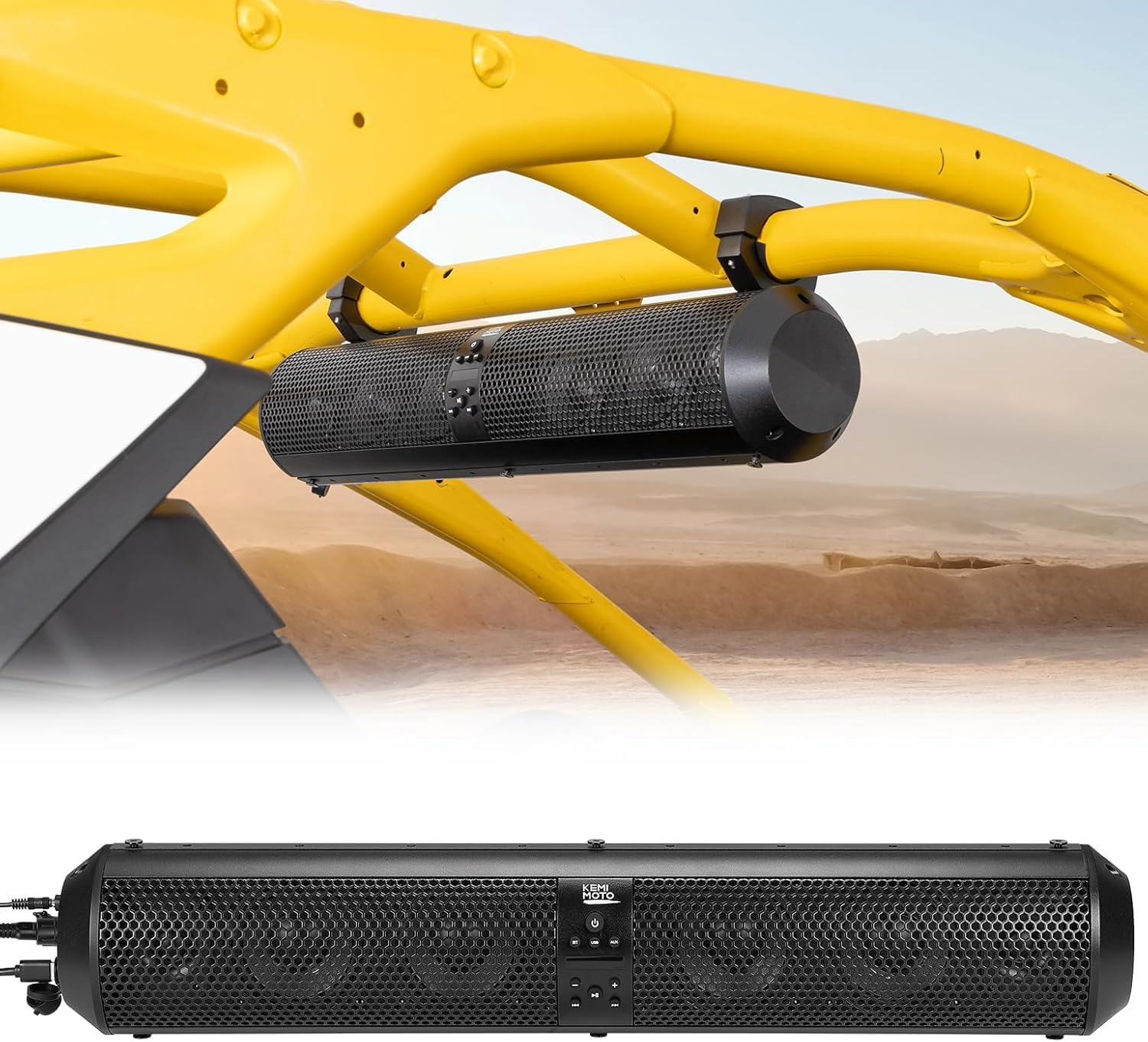
Image 1.1: KEMIMOTO UTV Sound Bar installed on a UTV roll bar.
2. సెటప్ సూచనలు
2.1 ప్యాకేజీ విషయాలు
ఇన్స్టాలేషన్కు ముందు, అన్ని భాగాలు ఉన్నాయని నిర్ధారించుకోండి:
- KEMIMOTO UTV Sound Bar (1)
- Mounting Brackets (2 sets for different roll bar sizes)
- Rubber Friction Pads (various sizes)
- పవర్ కేబుల్ (12V సిగరెట్ లైటర్ అడాప్టర్)
- Auxiliary (AUX) Cable (3.5mm)
- వైర్లెస్ రిమోట్ కంట్రోల్ (1)
- Installation Hardware (screws, nuts, Allen wrench)
- ఫ్యూజులు (2)

Image 2.1: Contents of the KEMIMOTO UTV Sound Bar package.
2.2 Mounting the Sound Bar
The sound bar is designed for roll bars with diameters between 1.56 inches and 2.25 inches. Ensure the mounting surface on the roll cage is level for secure installation.
- Select Appropriate Brackets: Choose the mounting brackets that best fit your vehicle's roll bar diameter.
- Attach Rubber Pads: Insert the rubber friction pads into the selected mounting brackets. These pads prevent slippage and protect the roll bar surface.
- Secure Brackets to Sound Bar: Align the brackets with the mounting points on the sound bar and secure them using the provided screws and Allen wrench.
- Position Sound Bar: Place the sound bar with attached brackets onto the desired location on your UTV's roll bar.
- సురక్షితంగా బిగించండి: Fasten the brackets around the roll bar using the remaining hardware. Ensure the sound bar is firmly attached and does not move.

Image 2.2: Roll bar compatibility and mounting illustration.

Image 2.3: Visual guide for sound bar installation on a roll bar.
2.3 పవర్ కనెక్షన్
Connect the sound bar to your vehicle's 12V power source using the provided power cable. The cable typically connects to a cigarette lighter adapter or can be hardwired by a professional for a cleaner installation.
3. ఆపరేటింగ్ సూచనలు
3.1 పవర్ ఆన్/ఆఫ్
Press the power button located on the sound bar's control panel to turn the unit on or off. A short tone or indicator light will confirm the status.
3.2 బ్లూటూత్ జత చేయడం
- బ్లూటూత్ మోడ్ని సక్రియం చేయండి: Press the 'BT' button on the sound bar's control panel or remote control to enter Bluetooth pairing mode. The Bluetooth indicator light will flash.
- పరికరంలో బ్లూటూత్ను ప్రారంభించండి: On your smartphone or other Bluetooth-compatible device, enable Bluetooth and search for available devices.
- Select 'KEMIMOTO Sound Bar': From the list of available devices, select 'KEMIMOTO Sound Bar' to pair. A confirmation tone will sound once connected.
- ఆడియోను ప్లే చేయండి: Once paired, you can stream audio wirelessly from your device to the sound bar.
3.3 Wired Connections (AUX/USB)
The sound bar supports 3.5mm AUX input and USB playback/charging.
- AUX ఇన్పుట్: Connect your audio device using the provided 3.5mm AUX cable to the 'AUX' port on the sound bar. Press the 'AUX' button on the control panel to switch to AUX mode.
- USB పోర్ట్: ఆడియోతో USB డ్రైవ్ను చొప్పించండి files into the 'USB' port for direct playback. The USB port can also be used for charging compatible devices. Press the 'USB' button to switch to USB mode.

Image 3.1: Connection ports for wired audio input and USB.
3.4 నియంత్రణలు
The sound bar can be controlled via the onboard buttons or the wireless remote control.
- పవర్ బటన్: యూనిట్ ఆన్/ఆఫ్ చేస్తుంది.
- మోడ్ బటన్: బ్లూటూత్, AUX మరియు USB మోడ్ల మధ్య మారుతుంది.
- వాల్యూమ్ అప్/డౌన్: ఆడియో వాల్యూమ్ను సర్దుబాటు చేస్తుంది.
- ట్రాక్ దాటవేయి: Skips to the next or previous track (Bluetooth/USB modes).
- ప్లే/పాజ్: Plays or pauses audio (Bluetooth/USB modes).

Image 3.2: Onboard control panel of the sound bar.
3.5 రిమోట్ కంట్రోల్
The included wireless remote control allows for flexible music switching, volume control, and style adjustment from up to 33 feet away.
Video 3.1: Official KEMIMOTO UTV Sound Bar product overview and installation demonstration, including remote control functionality.
4. నిర్వహణ
4.1 శుభ్రపరచడం
To maintain the sound bar's appearance and performance, regularly wipe the exterior with a soft, damp cloth. Avoid using harsh chemicals or abrasive cleaners, as these can damage the aluminum shell and speaker grilles.
4.2 నీటి నిరోధకత
The KEMIMOTO UTV Sound Bar has an IPX5 waterproof rating, meaning it is protected against low-pressure water jets from any direction. While it can withstand splashes and light rain, it is not designed for submersion. Ensure all port covers are securely closed when operating in wet conditions.

Image 4.1: Sound bar demonstrating IPX5 waterproof capability.
5. ట్రబుల్షూటింగ్
If you encounter issues with your KEMIMOTO UTV Sound Bar, refer to the following common problems and solutions:
| సమస్య | సాధ్యమైన కారణం | పరిష్కారం |
|---|---|---|
| శక్తి లేదు | Loose power connection, blown fuse, vehicle power issue. | Check power cable connection. Inspect and replace fuse if necessary. Verify vehicle's 12V power outlet is functional. |
| శబ్దం లేదు | Volume too low, incorrect mode selected, device not paired/connected. | Increase volume on sound bar and connected device. Ensure correct mode (BT, AUX, USB) is selected. Re-pair Bluetooth device or check wired connections. |
| బ్లూటూత్ కనెక్ట్ కావడం లేదు | Sound bar not in pairing mode, device out of range, interference. | Ensure sound bar is in Bluetooth pairing mode. Move device closer to sound bar (within 33 ft). Turn off other Bluetooth devices to reduce interference. |
| తక్కువ వాల్యూమ్ అవుట్పుట్ | Volume settings, speaker orientation, environmental factors. | Ensure both sound bar and connected device volumes are at maximum. For optimal sound, ensure the speaker faces towards the user or consider installing a front windshield to reduce wind noise. |
| రిమోట్ కంట్రోల్ పనిచేయడం లేదు | బ్యాటరీ అయిపోయింది, అడ్డంకి, పరిధిలో లేదు. | Replace remote control battery. Ensure no obstructions between remote and sound bar. Operate within specified range. |
6. స్పెసిఫికేషన్లు
| ఫీచర్ | వివరాలు |
|---|---|
| మోడల్ పేరు | KMB0117-03009-BK |
| స్పీకర్ రకం | సౌండ్ బార్ |
| స్పీకర్ పరిమాణం | 28 అంగుళాలు |
| వక్తల సంఖ్య | 6 (2 Tweeters, 4 Subwoofers) |
| ట్వీటర్ వ్యాసం | 1 అంగుళాలు |
| సబ్ వూఫర్ వ్యాసం | 4 అంగుళాలు |
| స్పీకర్ గరిష్ట అవుట్పుట్ పవర్ | 320 Watts (500W Peak) |
| ఫ్రీక్వెన్సీ రెస్పాన్స్ | 45 Hz |
| కనెక్టివిటీ టెక్నాలజీ | బ్లూటూత్, 3.5mm AUX, USB |
| వైర్లెస్ కమ్యూనికేషన్ టెక్నాలజీ | బ్లూటూత్ |
| బ్లూటూత్ రేంజ్ | 33 అడుగులు |
| నియంత్రణ పద్ధతి | Remote, Onboard Buttons |
| మౌంటు రకం | 1.56-2.25" Roll Bar |
| మెటీరియల్ | అల్యూమినియం షెల్ |
| నీటి నిరోధక స్థాయి | IPX5 (వాటర్ప్రూఫ్) |
| శక్తి మూలం | DC విద్యుత్ సరఫరా |
| ఉత్పత్తి కొలతలు | 34.6 x 9.4 x 8.6 అంగుళాలు |
| వస్తువు బరువు | 15.12 పౌండ్లు |
7. వారంటీ సమాచారం
The KEMIMOTO UTV Sound Bar comes with a Limited Warranty. For specific details regarding warranty coverage, duration, and claims process, please refer to the warranty card included in your product packaging or contact KEMIMOTO customer support.
8. కస్టమర్ మద్దతు
For further assistance, technical support, or inquiries regarding your KEMIMOTO UTV Sound Bar, please visit the official KEMIMOTO webసైట్లో లేదా వారి కస్టమర్ సర్వీస్ విభాగాన్ని సంప్రదించండి. సంప్రదింపు సమాచారం సాధారణంగా ఉత్పత్తి ప్యాకేజింగ్లో లేదా బ్రాండ్ యొక్క అధికారిక ఆన్లైన్ ఉనికిలో కనుగొనబడుతుంది.


