పరిచయం
The Perixx PERIMICE-513 is a wired ergonomic vertical mouse designed to provide a comfortable and efficient computing experience. Its unique vertical design promotes a natural handshake position, which can help reduce forearm strain and the risk of repetitive strain injuries (RSI) during extended use. This manual provides essential information for setting up, operating, maintaining, and troubleshooting your PERIMICE-513 mouse.
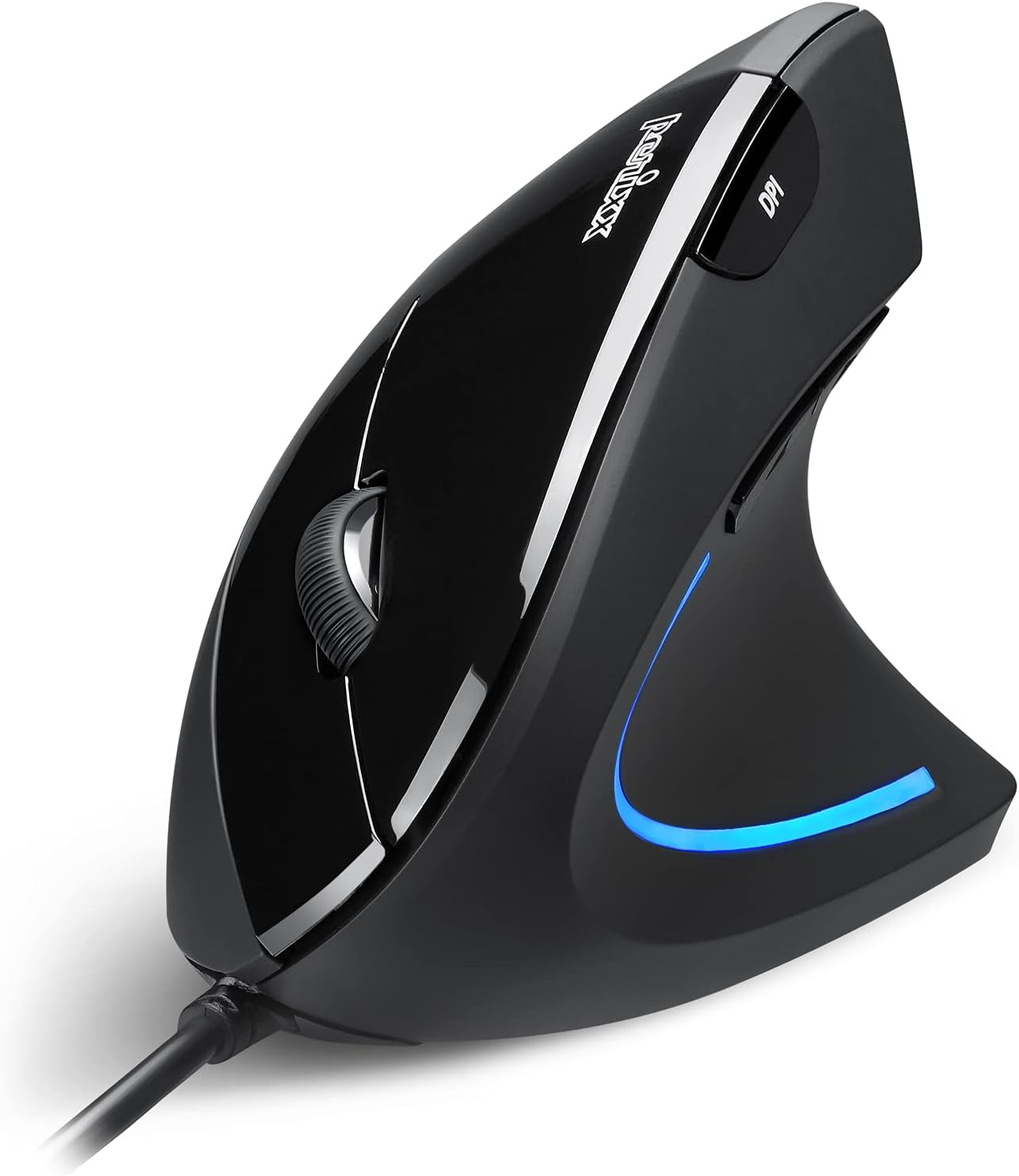
Image: The Perixx PERIMICE-513 Wired Ergonomic Vertical Mouse, showcasing its black finish and ergonomic design.
ఉత్పత్తి ముగిసిందిview
The PERIMICE-513 features six buttons and an adjustable DPI sensor for precise control. Familiarize yourself with the components:

Image: A diagram illustrating the six buttons of the Perixx PERIMICE-513 mouse, including Left Click, Right Click, Scroll Wheel, DPI Switch, Page Back, and Page Forward buttons.
- ఎడమ క్లిక్ బటన్: ప్రామాణిక ప్రాథమిక క్లిక్ ఫంక్షన్.
- కుడి క్లిక్ బటన్: ప్రామాణిక ద్వితీయ క్లిక్ ఫంక్షన్.
- స్క్రోల్ వీల్: నిలువు స్క్రోలింగ్ మరియు మధ్య-క్లిక్ కార్యాచరణ కోసం.
- DPI స్విచ్ బటన్: కర్సర్ సెన్సిటివిటీ (DPI)ని సర్దుబాటు చేస్తుంది.
- Page Back Button: తిరిగి లోపలికి నావిగేట్ చేస్తుంది web బ్రౌజర్లు లేదా file అన్వేషకులు.
- Page Forward Button: ముందుకు నావిగేట్ చేస్తుంది web బ్రౌజర్లు లేదా file అన్వేషకులు.
సెటప్
The Perixx PERIMICE-513 is designed for simple plug-and-play setup.
- USB కేబుల్ను కనెక్ట్ చేయండి: మీ కంప్యూటర్లో అందుబాటులో ఉన్న USB పోర్ట్లో మౌస్ యొక్క USB కనెక్టర్ను ప్లగ్ చేయండి.
- డ్రైవర్ ఇన్స్టాలేషన్: The mouse is plug-and-play and typically does not require additional drivers for basic functionality on compatible operating systems. Your computer should automatically detect and install the necessary drivers.
- స్థానం: Place the mouse on a flat, clean surface. The ergonomic design encourages a natural handshake grip.

Image: A hand connecting the USB cable of the Perixx PERIMICE-513 mouse to a computer, illustrating the plug-and-play setup.
అనుకూలత: The PERIMICE-513 is fully compatible with Windows 7, 8, 10, 11, and later versions.
ఆపరేటింగ్ సూచనలు
This section details the functions of your Perixx PERIMICE-513 mouse.
DPI సర్దుబాటు
The DPI (Dots Per Inch) switch button, located on the top of the mouse, allows you to adjust the cursor sensitivity. Press this button to cycle through the available DPI settings: 1000, 1600, 3200, and 6400 DPI. Choose a setting that best suits your task and preference for cursor speed and precision.

Image: A hand demonstrating the natural, comfortable grip on the Perixx PERIMICE-513 vertical mouse, highlighting its ergonomic design.
Ergonomic Use
The vertical design of the PERIMICE-513 encourages a neutral wrist and forearm posture, similar to a handshake. This natural position helps to alleviate pressure on the wrist and reduce muscle tension, contributing to long-term comfort and preventing strain.

Image: A visual comparison showing a twisted wrist position with a traditional mouse versus a natural, untwisted wrist position achieved with an ergonomic vertical mouse.
బటన్ విధులు
- ఎడమ/కుడి క్లిక్: Perform standard selection and context menu actions.
- స్క్రోల్ వీల్: Scroll documents and web pages vertically. Press down for middle-click functionality.
- DPI స్విచ్: Cycle through 1000, 1600, 3200, and 6400 DPI settings.
- Page Back/Forward: Conveniently navigate web పేజీలు లేదా ఫోల్డర్లు.
నిర్వహణ
Proper care ensures the longevity and optimal performance of your mouse.
- శుభ్రపరచడం: మృదువైన, కొద్దిగా d ఉపయోగించండిamp cloth to clean the surface of the mouse. Avoid using harsh chemicals, abrasive cleaners, or solvents, as these can damage the rubber coating and internal components.
- ఆప్టికల్ సెన్సార్: ఖచ్చితమైన ట్రాకింగ్ను నిర్ధారించడానికి మౌస్ అడుగున ఉన్న ఆప్టికల్ సెన్సార్ను శుభ్రంగా మరియు దుమ్ము లేదా చెత్త లేకుండా ఉంచండి.
- కేబుల్ కేర్: USB కేబుల్ దెబ్బతినకుండా ఉండటానికి పదునైన వంపులు లేదా ఎక్కువగా లాగడం మానుకోండి.
ట్రబుల్షూటింగ్
If you encounter issues with your Perixx PERIMICE-513 mouse, refer to the following solutions:
- మౌస్ స్పందించడం లేదు:
- మీ కంప్యూటర్లోని పనిచేసే USB పోర్ట్లోకి USB కేబుల్ సురక్షితంగా ప్లగ్ చేయబడిందని నిర్ధారించుకోండి.
- మౌస్ని వేరే USB పోర్ట్లోకి ప్లగ్ చేసి ప్రయత్నించండి.
- మీ కంప్యూటర్ని పునఃప్రారంభించండి.
- అనియత కర్సర్ కదలిక:
- మౌస్ అడుగున ఉన్న ఆప్టికల్ సెన్సార్ను మృదువైన, పొడి వస్త్రంతో శుభ్రం చేయండి.
- మీరు మౌస్ను తగిన ఉపరితలంపై ఉపయోగిస్తున్నారని నిర్ధారించుకోండి. అధిక ప్రతిబింబం లేదా పారదర్శక ఉపరితలాలను నివారించండి.
- DPI Setting Not Changing:
- Press the DPI switch button firmly. The change in DPI may be subtle depending on your current setting and screen resolution.
స్పెసిఫికేషన్లు
Detailed technical specifications for the Perixx PERIMICE-513 mouse:
| ఫీచర్ | స్పెసిఫికేషన్ |
|---|---|
| ఉత్పత్తి కొలతలు | 4.92 x 2.44 x 0.1 అంగుళాలు |
| వస్తువు బరువు | 5.6 ఔన్సులు |
| మోడల్ సంఖ్య | 12364 |
| కనెక్టివిటీ టెక్నాలజీ | USB |
| మూవ్మెంట్ డిటెక్షన్ టెక్నాలజీ | ఆప్టికల్ |
| DPI సెట్టింగులు | 1000 / 1600 / 3200 / 6400 |
| కేబుల్ పొడవు | 5.9 అడుగులు (1.8 మీ) |
| అనుకూలత | Windows 7, 8, 10, 11, and later |
| ప్రత్యేక ఫీచర్ | ఎర్గోనామిక్ డిజైన్ |
ఉత్పత్తి ముగిసిందిview వీడియో
ఈ అధికారిక ఉత్పత్తిని చూడండిview video for a visual guide to the Perixx PERIMICE-513 mouse.
వీడియో: అధికారిక ఉత్పత్తి ముగిసిందిview of the Perixx PERIMICE-513 Ergonomic Vertical Mouse, demonstrating its features and ergonomic benefits.
వారంటీ మరియు మద్దతు
Perixx products are manufactured to high-quality standards. For specific warranty details, please refer to the warranty card included with your product or visit the official Perixx website. For further assistance or support, you may visit the Perixx Store on Amazon.


