ప్రోటోఆర్క్ ఎర్గోనామిక్ ఫోల్డబుల్ కీబోర్డ్ XK03 యూజర్ మాన్యువల్
మోడల్: XK03
1. పరిచయం
This manual provides detailed instructions for the setup, operation, and maintenance of your ProtoArc Ergonomic Foldable Keyboard XK03. Please read this manual thoroughly before using the product to ensure optimal performance and longevity.

Image 1.1: ProtoArc XK03 Ergonomic Foldable Keyboard in various states, including a smartphone stand.
2. ఉత్పత్తి లక్షణాలు
- ఎర్గోనామిక్ స్ప్లిట్ డిజైన్: Features a V-shape with a 166-degree angle and split keyset to promote a natural typing posture and reduce strain on hands and wrists.
- Ultra-Slim & 360° Foldable: Designed for portability, easily folds for storage and transport. The magnetic adsorption design prevents accidental opening.
- బహుళ-పరికర కనెక్టివిటీ: Connects to up to 3 Bluetooth devices simultaneously, allowing for easy switching between them.
- విస్తృత అనుకూలత: Compatible with iOS, Android, Windows, and Mac OS, suitable for iPads, iPhones, tablets, cellphones, laptops, and PCs.
- టైప్-సి రీఛార్జిబుల్: Built-in lithium battery offers 250 hours of standby time on a single charge. Convenient power on/off by unfolding/folding.
- Elegant PU Leather: Features a soft-touch, anti-skid, anti-scratch, and anti-fingerprint exterior.

Image 2.1: Demonstrating the ergonomic split design for natural typing.
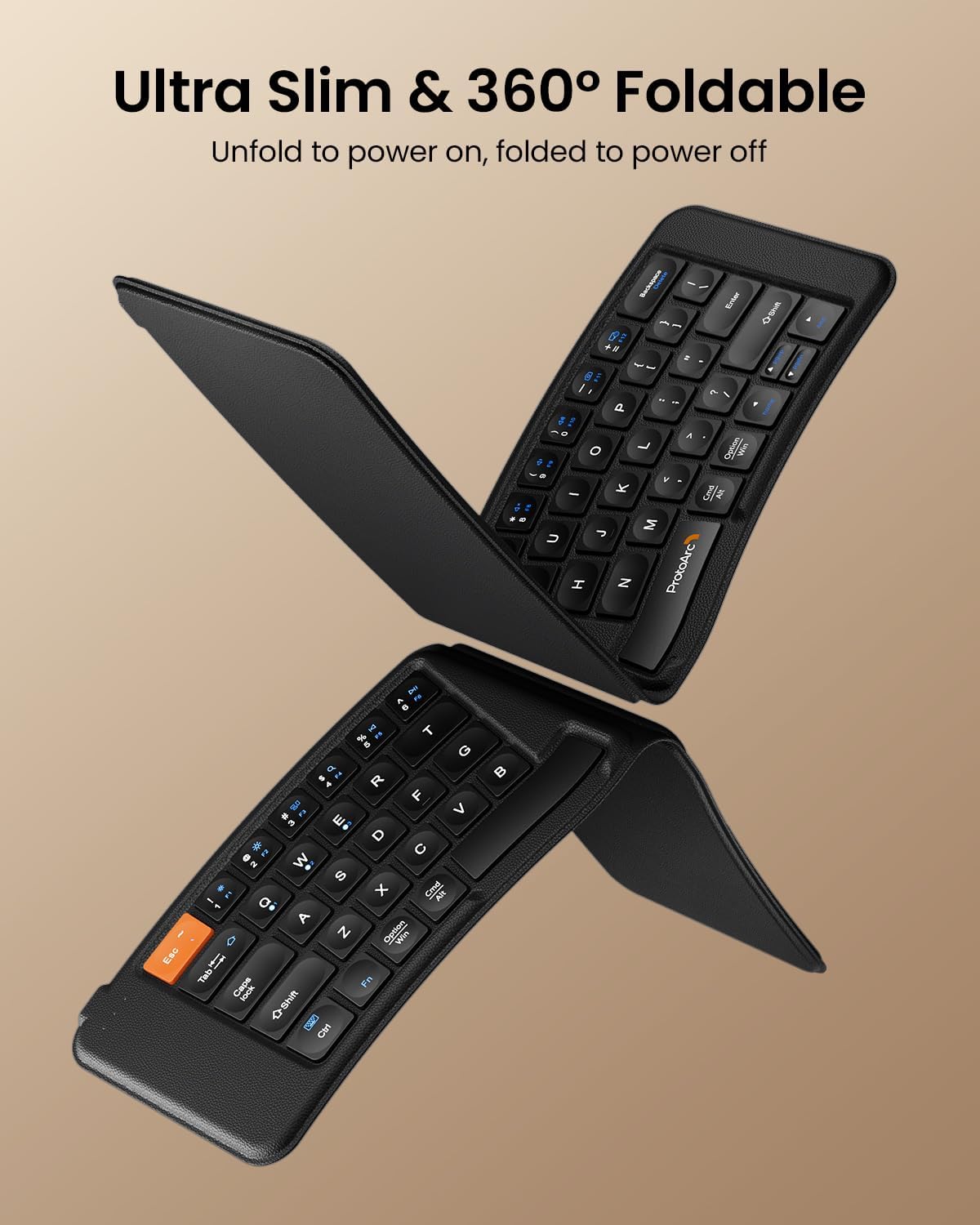
Image 2.2: The keyboard's ultra-slim and foldable design.
3. ప్యాకేజీ విషయాలు
దయచేసి ఈ క్రింది అంశాల కోసం ప్యాకేజీని తనిఖీ చేయండి:
- ProtoArc Ergonomic Foldable Keyboard XK03
- USB-C ఛార్జింగ్ కేబుల్
- వినియోగదారు మాన్యువల్ (ఈ పత్రం)
4. సెటప్
4.1 కీబోర్డ్ను ఛార్జ్ చేయడం
- కీబోర్డ్లో USB-C ఛార్జింగ్ పోర్ట్ను గుర్తించండి.
- Connect the provided USB-C cable to the keyboard and a power source (e.g., computer USB port, USB wall adapter).
- The charging indicator light will illuminate (typically red) during charging and turn off or change color when fully charged. A full charge takes approximately 2 hours.

Image 4.1: Connecting the USB-C charging cable to the keyboard.
4.2 పవర్ చేయడం ఆన్/ఆఫ్
The keyboard automatically powers on when unfolded and powers off when folded. Ensure the keyboard is fully unfolded for operation.

Image 4.2: The magnetic closure ensures the keyboard stays securely folded.
4.3 బ్లూటూత్ జత చేయడం
The ProtoArc XK03 keyboard supports connection to up to three Bluetooth devices.
- Unfold the keyboard to power it on. The Bluetooth indicator lights (BT1, BT2, BT3) will be visible.
- బ్లూటూత్ ఛానెల్ని ఎంచుకోండి: నొక్కండి Fn key simultaneously with BT1, BT2, లేదా BT3 to select a channel. The corresponding indicator will flash rapidly, indicating it is in pairing mode.
- మీ పరికరంలో బ్లూటూత్ను ప్రారంభించండి: Go to your device's Bluetooth settings (e.g., smartphone, tablet, laptop).
- కోసం వెతకండి పరికరాలు: Look for "ProtoArc XK03" in the list of available Bluetooth devices.
- కనెక్ట్ చేయండి: Select "ProtoArc XK03" to initiate pairing. Your device may prompt you to enter a code displayed on the screen. Type the code on the keyboard and press నమోదు చేయండి.
- ధృవీకరణ: Once paired, the indicator light for the selected channel will stop flashing and remain solid for a few seconds before turning off, indicating a successful connection.

Image 4.3: The keyboard connected to multiple devices via Bluetooth.

Image 4.4: Bluetooth indicator lights for multi-device pairing.
4.4 జత చేసిన పరికరాల మధ్య మారడం
To switch between devices that are already paired:
- నొక్కండి ఎఫ్ఎన్ + బిటి1, ఎఫ్ఎన్ + బిటి2, లేదా ఎఫ్ఎన్ + బిటి3 to instantly switch to the corresponding paired device.
5. ఆపరేటింగ్ సూచనలు
5.1 ప్రాథమిక టైపింగ్
The ProtoArc XK03 keyboard functions like a standard QWERTY keyboard. The ergonomic split design may require a brief adaptation period for some users.
5.2 మల్టీమీడియా ఫంక్షన్ కీలు
The keyboard includes multimedia function keys accessible by pressing the Fn key in combination with other keys. Refer to the diagram below for specific functions:

Image 5.1: Multimedia Function Keys layout.
- నొక్కండి Fn+F1-F10 to get numbers 1-0.
- నొక్కండి Fn + 'F1-F12' (blue icons) to activate multimedia functions (e.g., volume control, media playback).
- నొక్కండి Shift + 'F1-F12' to get symbols like !, @, #.
- నొక్కండి Fn + Shift + 'F1-F12' for F1-F12 functions.
5.3 ఆపరేటింగ్ సిస్టమ్ అనుకూలత
The keyboard is designed to work seamlessly with various operating systems. It automatically detects the connected OS (iOS, Android, Windows, Mac OS) and adjusts key functions accordingly. For specific OS-related key behaviors, refer to your device's operating system documentation.
6. నిర్వహణ
6.1 శుభ్రపరచడం
- కీబోర్డ్ను శుభ్రం చేయడానికి, ఉపరితలాన్ని మృదువైన, d వస్త్రంతో సున్నితంగా తుడవండి.amp గుడ్డ.
- Avoid using harsh chemicals, abrasive cleaners, or excessive moisture, as these can damage the keyboard's finish and internal components.
- కీల మధ్య శుభ్రం చేయడానికి, దుమ్ము మరియు చెత్తను తొలగించడానికి సంపీడన గాలిని ఉపయోగించండి.
6.2 నిల్వ
- When not in use, fold the keyboard to protect the keys and conserve battery life.
- Store the keyboard in a cool, dry place, away from direct sunlight and extreme temperatures.
6.3 బ్యాటరీ సంరక్షణ
- Charge the keyboard regularly, even if not in frequent use, to maintain battery health.
- బ్యాటరీని తరచుగా పూర్తిగా డిశ్చార్జ్ చేయడాన్ని నివారించండి.
- If the keyboard will not be used for an extended period, charge it to about 50% before storing.
7. ట్రబుల్షూటింగ్
7.1 Keyboard Not Pairing
- బ్యాటరీని తనిఖీ చేయండి: కీబోర్డ్ తగినంతగా ఛార్జ్ చేయబడిందని నిర్ధారించుకోండి.
- జత చేసే మోడ్ని తిరిగి నమోదు చేయండి: నొక్కండి ఎఫ్ఎన్ + బిటి1/బిటి2/బిటి3 to put the desired channel back into pairing mode (indicator will flash rapidly).
- పరికర బ్లూటూత్: Confirm Bluetooth is enabled on your device and it is discoverable.
- పరికరాన్ని మర్చిపో: If previously paired, try removing or "forgetting" the keyboard from your device's Bluetooth list and then re-pairing.
- పరికరాలను పునఃప్రారంభించండి: కీబోర్డ్ (మడతపెట్టడం మరియు విప్పడం ద్వారా) మరియు మీ హోస్ట్ పరికరం రెండింటినీ పునఃప్రారంభించండి.
7.2 కీలు స్పందించడం లేదు
- కనెక్షన్ని తనిఖీ చేయండి: Ensure the keyboard is actively connected to your device (the selected BT indicator should not be flashing). Switch channels if necessary.
- బ్యాటరీ స్థాయి: A low battery can cause intermittent key response. Charge the keyboard.
- జోక్యం: జోక్యాన్ని కలిగించే ఇతర వైర్లెస్ పరికరాల నుండి దూరంగా వెళ్లండి.
- పునఃప్రారంభించు: Fold and unfold the keyboard to restart it, then reconnect.
7.3 ఇన్పుట్ లాగ్ లేదా డిస్కనెక్షన్లు
- దూరం: Ensure the keyboard is within the effective Bluetooth range of your device (typically up to 10 meters).
- జోక్యం: Reduce potential interference from other electronic devices.
- బ్యాటరీ: Ensure the keyboard has adequate battery charge.
- పరికర లోడ్: If your device is under heavy load, it might affect Bluetooth performance.
8. స్పెసిఫికేషన్లు
| మోడల్ | XK03 |
| కనెక్టివిటీ టెక్నాలజీ | బ్లూటూత్ |
| అనుకూల పరికరాలు | Laptop, Smartphone, Tablet, iPad, iPhone |
| కీబోర్డ్ వివరణ | Foldable, Ergonomic Split Design |
| ప్రత్యేక లక్షణాలు | Ergonomic, Foldable, Portable, Rechargeable, Split Keyset Design |
| వస్తువు బరువు | 1.12 పౌండ్లు (సుమారు 508 గ్రాములు) |
| ప్యాకేజీ కొలతలు | 9.84 x 8.7 x 1.42 అంగుళాలు |
| బ్యాటరీ | 1 Nonstandard Battery (included), Rechargeable |
| స్టాండ్బై సమయం | 250 గంటలు |
| పూర్తి ఛార్జ్ సమయం | సుమారు 2 గంటలు |

Image 8.1: Keyboard dimensions.
9. వారంటీ సమాచారం
ProtoArc products are designed for reliability and performance. The ProtoArc XK03 Ergonomic Foldable Keyboard typically comes with a 2-year warranty from the date of purchase, covering manufacturing defects. Please retain your proof of purchase for warranty claims. For specific warranty terms and conditions, refer to the warranty card included with your product or visit the official ProtoArc webసైట్.
10. మద్దతు
If you encounter any issues or have questions regarding your ProtoArc Ergonomic Foldable Keyboard XK03 that are not addressed in this manual, please contact ProtoArc customer support. You can usually find contact information (email, phone, or support portal) on the official ProtoArc webసైట్ లేదా ఉత్పత్తి ప్యాకేజింగ్లో.
When contacting support, please have your product model (XK03) and purchase details readily available.


