పరిచయం
This manual provides detailed instructions for the setup, operation, and maintenance of your ATTACK SHARK X11 Lightweight Wireless Gaming Mouse. Please read this manual thoroughly before using the product to ensure optimal performance and longevity.
ఉత్పత్తి ముగిసిందిview
భాగాలు
- ATTACK SHARK X11 Wireless Gaming Mouse
- RGB ఛార్జింగ్ డాక్
- USB-C కేబుల్
- 2.4G USB రిసీవర్
కీ ఫీచర్లు
- ట్రై-మోడ్ కనెక్షన్: Supports 2.4G wireless, Bluetooth, and USB-C wired connections.
- PAW3311 Optical Sensor: High-performance sensor with up to 22000 DPI.
- RGB Backlight Charging Dock: Convenient charging with customizable RGB lighting.
- అల్ట్రాలైట్ డిజైన్: Weighs approximately 62g for comfortable extended use.
- HUYU Switch & TTC Encoder: Ensures precise clicks and long lifespan (20 million clicks).
- 5 ప్రోగ్రామబుల్ బటన్లు: Customizable via dedicated software.
ఉత్పత్తి రేఖాచిత్రం
Refer to the diagrams below for an overview of the mouse components and features.

Image: The ATTACK SHARK X11 Wireless Gaming Mouse shown with its RGB charging dock and USB receiver. The mouse is black with a blue LED indicator. The charging dock has an RGB light strip at its base.

చిత్రం: పేలినది view of the ATTACK SHARK X11 mouse, detailing its internal components including the lightweight material case, engineering curved keys, PCB, lithium battery, TTC encoder, HUYU white spots, PAW3311 sensors, and mouse bottom case.
సెటప్
మౌస్ ఛార్జింగ్
Before first use, fully charge the mouse using the provided USB-C cable and RGB charging dock.
- Connect the USB-C cable to the charging dock and a power source (e.g., computer USB port, USB wall adapter).
- Place the mouse onto the charging dock, ensuring the magnetic contacts align. The RGB lighting on the dock will indicate charging status.
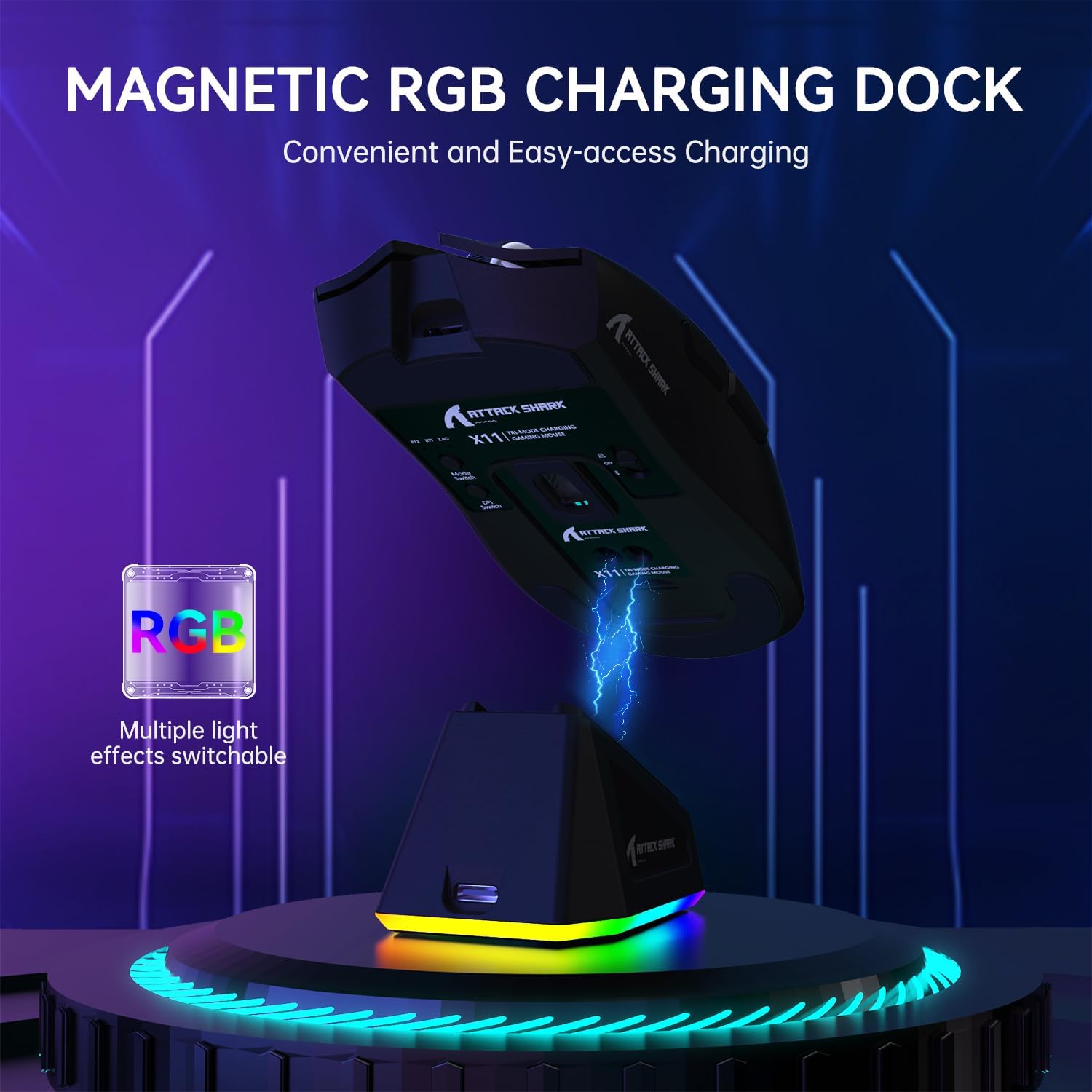
Image: The ATTACK SHARK X11 mouse magnetically attached to its RGB charging dock, illustrating the charging process.
మౌస్ని కనెక్ట్ చేస్తోంది
The ATTACK SHARK X11 offers three connection modes: 2.4G Wireless, Bluetooth, and USB-C Wired.
2.4G వైర్లెస్ కనెక్షన్
- Locate the 2.4G USB receiver at the bottom of the mouse.
- మీ కంప్యూటర్లో అందుబాటులో ఉన్న USB పోర్ట్కి USB రిసీవర్ని ప్లగ్ చేయండి.
- Switch the mode button on the bottom of the mouse to the 2.4G position.
- మౌస్ స్వయంచాలకంగా కనెక్ట్ అవ్వాలి. లేకపోతే, ట్రబుల్షూటింగ్ విభాగాన్ని చూడండి.
బ్లూటూత్ కనెక్షన్
- Switch the mode button on the bottom of the mouse to the Bluetooth (BT) position.
- మీ కంప్యూటర్ లేదా పరికరంలో, బ్లూటూత్ను ప్రారంభించి, కొత్త పరికరాల కోసం శోధించండి.
- Select "ATTACK SHARK X11" from the list of available devices to pair.
- For multiple Bluetooth devices (BT1/BT2/BT3), short press the BT switching key on the mouse to cycle through channels. Press and hold for 3 seconds to enter pairing mode for a new device.
USB-C వైర్డ్ కనెక్షన్
- Connect the USB-C cable directly from the mouse to a USB port on your computer.
- The mouse will automatically switch to wired mode and function as a plug-and-play device.

Image: The ATTACK SHARK X11 mouse connected wirelessly to a laptop via its 2.4GHz USB receiver, demonstrating tri-mode connectivity options.
ఆపరేటింగ్ సూచనలు
DPI సర్దుబాటు
The mouse features 6 adjustable DPI settings (800-1600-2400-3200-5000-22000). The DPI button is located on the bottom of the mouse. Each DPI setting is indicated by a different color light inside the mouse.
ప్రోగ్రామబుల్ బటన్లు
The ATTACK SHARK X11 has 5 programmable buttons. To customize these buttons, DPI settings, polling rate, LOD, shortcuts, and macros, download and install the official driver software from the ATTACK SHARK webసైట్.

Image: A screenshot of the ATTACK SHARK X11 mouse software interface, showing options for button settings, DPI adjustment, light settings, and polling rate, with a visual representation of the mouse and its programmable buttons.
RGB బ్యాక్లైట్ అనుకూలీకరణ
The RGB backlight on the charging dock can be customized. Refer to the driver software for detailed options or use the physical button on the dock (if available) to cycle through effects.
నిర్వహణ
క్లీనింగ్
మౌస్ను శుభ్రం చేయడానికి, మృదువైన, పొడి వస్త్రాన్ని ఉపయోగించండి. మొండి ధూళి కోసం, కొద్దిగా డి.amp మౌస్ లోపలికి ద్రవం రాకుండా చూసుకోవడానికి తేలికపాటి సబ్బు ఉన్న వస్త్రాన్ని ఉపయోగించవచ్చు. రాపిడి క్లీనర్లు లేదా ద్రావకాలను నివారించండి.
నిల్వ
ఎక్కువసేపు ఉపయోగంలో లేనప్పుడు ప్రత్యక్ష సూర్యకాంతి మరియు తీవ్రమైన ఉష్ణోగ్రతలకు దూరంగా చల్లని, పొడి ప్రదేశంలో మౌస్ను నిల్వ చేయండి.
బ్యాటరీ సంరక్షణ
To prolong battery life, avoid fully discharging the mouse frequently. Charge it regularly, especially if it will be stored for a long time.
ట్రబుల్షూటింగ్
| సమస్య | సాధ్యమైన కారణం | పరిష్కారం |
|---|---|---|
| మౌస్ స్పందించడం లేదు | Low battery; Incorrect connection mode; USB receiver not plugged in; Bluetooth not paired. | Charge the mouse; Ensure correct mode (2.4G/BT/Wired) is selected; Re-plug USB receiver; Re-pair Bluetooth. |
| జాప్యం లేదా అనియత కదలిక | జోక్యం; మురికి సెన్సార్; ఉపరితల సమస్యలు. | Move closer to receiver/device; Clean optical sensor; Use on a clean, non-reflective mouse pad. |
| సాఫ్ట్వేర్ మౌస్ను గుర్తించడం లేదు | Driver not installed correctly; Compatibility issues. | Reinstall driver software; Ensure mouse is connected via wired or 2.4G mode (Bluetooth may not be supported by software); Check compatibility (Windows XP/VISTA/7/8/10/MAC). |
స్పెసిఫికేషన్లు
- మోడల్: ATTACK SHARK X11
- కనెక్షన్ మోడ్లు: 2.4G వైర్లెస్, బ్లూటూత్ 5.2, USB-C వైర్డ్
- సెన్సార్: PAW3311 ఆప్టికల్ సెన్సార్
- DPI: 800-1600-2400-3200-5000-22000 (Adjustable)
- ట్రాకింగ్ వేగం: 300 ఐపిఎస్
- ప్రతిస్పందన రేటు: 1000Hz
- త్వరణం: 35G
- స్విచ్లు: HUYU Switch
- జీవితకాలంపై క్లిక్ చేయండి: 20 మిలియన్ క్లిక్లు
- బటన్లు: 5 ప్రోగ్రామబుల్ బటన్లు
- బరువు: సుమారు 62గ్రా
- అనుకూలత: Windows XP / VISTA / 7 / 8 / 10 / MAC
- ప్యాకేజీ కొలతలు: 7.01 x 4.53 x 2.05 అంగుళాలు
వారంటీ మరియు మద్దతు
For warranty information and technical support, please visit the official ATTACK SHARK webసైట్ లేదా వారి కస్టమర్ సర్వీస్ను సంప్రదించండి. వారంటీ క్లెయిమ్ల కోసం మీ కొనుగోలు రసీదును ఉంచండి.
అధికారిక Webసైట్: అమెజాన్లో ఎటాక్ షార్క్ స్టోర్
అదనపు వనరులు
అందించిన డేటాలో విక్రేత నుండి అధికారిక ఉత్పత్తి వీడియోలు అందుబాటులో లేవు.


