1. పరిచయం
The llano 2-in-1 LP-E17 Dual Fast Battery Charger (Model CS3) is a versatile power solution designed for Canon LP-E17 batteries and other USB-C powered devices. It features a built-in 12400mAh power bank, dual battery charging slots, PD3.0 and QC3.0 fast charging technology, and a digital display for easy power monitoring. This device is compatible with various Canon EOS models including R100, R50, RP, R10, R8, Rebel T8i, T7i, T6i, T6s, 77D, SL2, SL3, EOS M3, M5, M6, and 250D.
ముఖ్య లక్షణాలు:
- High-Capacity Power Bank: Integrated 12400mAh capacity to fully recharge up to 5 LP-E17 batteries or power other devices.
- డ్యూయల్ ఫాస్ట్ ఛార్జింగ్: Charges two LP-E17 batteries simultaneously in approximately 2 hours, utilizing PD3.0 and QC3.0 technology for up to 60% faster charging.
- విస్తృత అనుకూలత: Supports Canon LP-E17 batteries for models like EOS R100, R50, RP, R10, R8, Rebel T8i, T7i, T6i, T6s, 77D, SL2, SL3, EOS M3, M5, M6, 250D. Also functions as a power bank for phones, tablets, and other USB-C devices.
- విశ్వసనీయ రక్షణ: Ten layers of safety features, including thermal regulation, overcharge, over-current, short-circuit, and over-discharge prevention.
- Easy Power Monitoring: Clear digital display shows real-time power levels for the internal power bank and individual battery charging status.

Figure 1: llano 2-in-1 LP-E17 Dual Fast Battery Charger and Power Bank (Model CS3)
2. ఉత్పత్తి ముగిసిందిview
భాగాలు:
- Dual Battery Charging Slots (CH1, CH2)
- డిజిటల్ డిస్ప్లే స్క్రీన్
- పవర్ బటన్
- 2x USB-C Input/Output Ports

చిత్రం 2: పైగాview of the llano 2-in-1 Charger highlighting key features.
3. సెటప్
3.1 పవర్ బ్యాంక్ను ఛార్జ్ చేయడం
- Connect a USB-C cable to one of the 'IN/OUT' ports on the side of the charger.
- Plug the other end of the USB-C cable into a compatible PD 20W or QC3.0 wall adapter (not included).
- The digital display will show the charging progress of the internal 12400mAh power bank. A full charge takes approximately 2 hours.
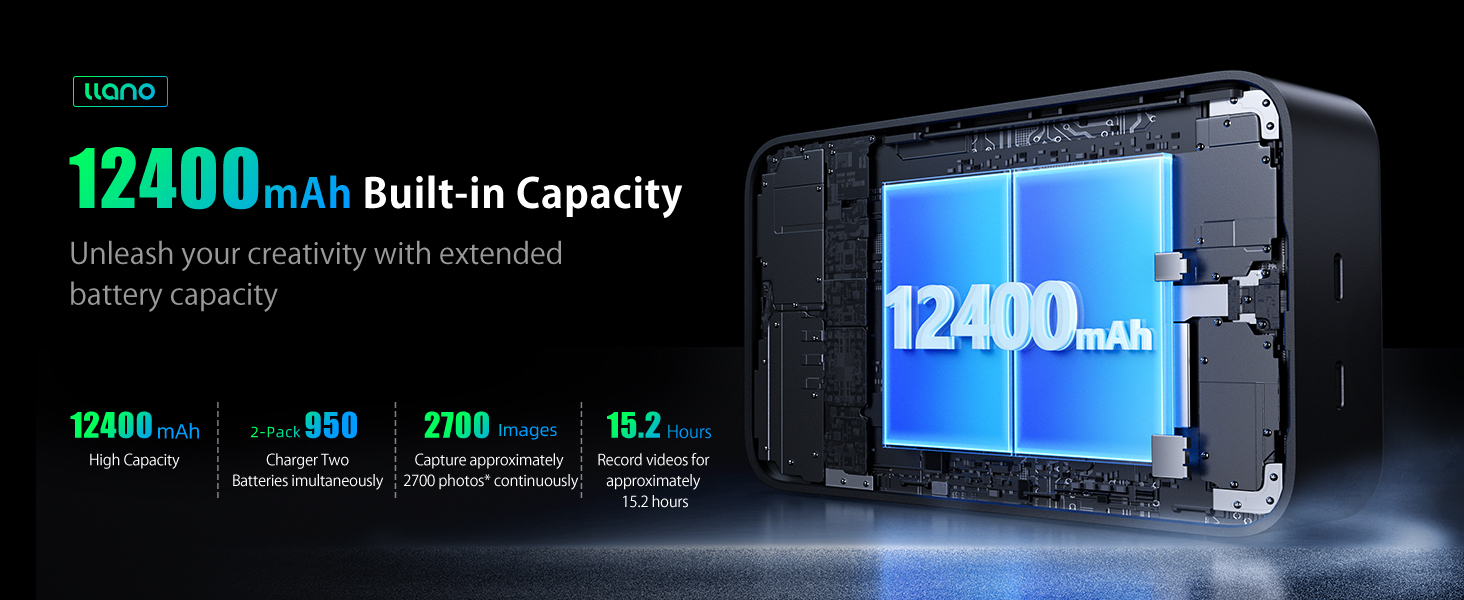
Figure 3: Charging the llano power bank using a PD 20W adapter.
3.2 Inserting Camera Batteries
- Locate the battery compartment cover on the top of the charger.
- Press the 'PUSH' button to open the cover.
- Insert up to two Canon LP-E17 batteries into the designated slots (CH1 and CH2), ensuring correct orientation.
- కవర్ను సురక్షితంగా మూసివేయండి.

Figure 4: Correctly inserting LP-E17 batteries into the charger.
Video 1: Demonstration of inserting batteries into the llano charger.
4. ఆపరేటింగ్ సూచనలు
4.1 Charging Camera Batteries
Once LP-E17 batteries are inserted and the cover is closed, the charger will automatically begin charging them. The digital display will show the charging status for each channel (CH1 and CH2) and the overall percentage of the internal power bank. Two LP-E17 batteries can be fully charged in approximately 2 hours.

Figure 5: Simultaneous charging of two LP-E17 batteries.
4.2 Using as a Power Bank for External Devices
The llano charger can also function as a power bank for other devices such as smartphones, tablets, and other USB-C compatible gadgets. Simply connect your device to one of the 'IN/OUT' USB-C ports using a suitable cable.

Figure 6: Charging a smartphone using the llano power bank function.
4.3 Monitoring Power Levels
The integrated digital display provides clear information:
- Main Percentage: Indicates the remaining charge of the internal 12400mAh power bank.
- CH1/CH2 Indicators: Show the charging status (25%/50%/75%/100%) of the batteries in each slot.
- Fast Charging Symbol: A green icon will appear when fast charging is active.

Figure 7: Digital display showing power bank and individual battery charge levels.
5. అనుకూలత
The llano CS3 charger is designed for Canon LP-E17 batteries and is compatible with the following camera models:
- Canon EOS R100
- Canon EOS R50
- Canon EOS RP
- Canon EOS R10
- Canon EOS R8
- Canon Rebel T8i
- Canon Rebel T7i
- Canon Rebel T6i
- Canon Rebel T6s
- కానన్ రెబెల్ SL2
- కానన్ రెబెల్ SL3
- Canon EOS M3
- Canon EOS M5
- Canon EOS M6
- Canon 77D
- Canon 250D
Additionally, the USB-C ports can charge various other devices, including but not limited to:
- iPhones (e.g., iPhone 15)
- Samsung Galaxy phones (e.g., Galaxy S23)
- iPads (e.g., iPad Pro 11")
- ఆపిల్ వాచ్
- ఎయిర్పాడ్లు

Figure 8: Compatibility chart for the llano CS3 charger.
6. భద్రతా లక్షణాలు
The llano CS3 charger incorporates ten layers of protection to ensure safe and efficient charging:
- ఓవర్ఛార్జ్ రక్షణ
- ఓవర్-కరెంట్ రక్షణ
- షార్ట్ సర్క్యూట్ రక్షణ
- థర్మల్ రక్షణ
- ఓవర్వోల్tagఇ రక్షణ
- ఓవర్-డిచ్ఛార్జ్ ప్రొటెక్షన్
- Intelligent Current Distribution
- మరియు మరిన్ని.

Figure 9: Sophisticated all-round protection system.
7. నిర్వహణ
- Keep the charger dry and avoid exposure to moisture or liquids.
- Avoid extreme temperatures. Store in a cool, dry place.
- మెత్తటి, పొడి గుడ్డతో బయటి భాగాన్ని శుభ్రం చేయండి. కఠినమైన రసాయనాలు లేదా రాపిడి పదార్థాలను ఉపయోగించవద్దు.
- Ensure battery slots and USB-C ports are free of dust and debris.
8. ట్రబుల్షూటింగ్
- Device not charging/powering on: Ensure the USB-C cable is securely connected to both the charger and the power source. Verify the wall adapter is functioning correctly. Press the power button to activate the charger.
- Camera batteries not charging: Check that the LP-E17 batteries are inserted correctly into their respective slots (CH1, CH2) with the contacts aligned. Ensure the battery compartment cover is fully closed.
- నెమ్మదిగా ఛార్జింగ్: For optimal charging speed, use a PD (Power Delivery) or QC (Quick Charge) compatible wall adapter. Standard USB chargers may result in slower charging times.
- Plastic surface feels sticky: Over time, some soft-touch plastic finishes may become sticky, especially with prolonged exposure to heat or certain chemicals. Clean the surface with a soft cloth lightly dampened with water or a mild, non-abrasive cleaner. Avoid direct sunlight for extended periods.
9. స్పెసిఫికేషన్లు
| ఫీచర్ | వివరాలు |
|---|---|
| మోడల్ సంఖ్య | CS3 |
| ఉత్పత్తి కొలతలు | 5.4 x 2.5 x 4.3 అంగుళాలు |
| వస్తువు బరువు | 1.43 పౌండ్లు |
| అంతర్గత బ్యాటరీ సామర్థ్యం | 12400mAh |
| అవుట్పుట్ వాల్యూమ్tage | 7.2 వోల్ట్లు |
| ఇన్పుట్ వాల్యూమ్tage | 12 వోల్ట్లు |
| USB-C అవుట్పుట్ | PD 20W గరిష్టం |
| రంగు | నలుపు |
10. వారంటీ మరియు మద్దతు
For product support, technical assistance, or warranty inquiries, please contact llano customer service through their official channels. Refer to the product packaging or llano's official webఅత్యంత తాజా సంప్రదింపు సమాచారం కోసం సైట్.


