ఉత్పత్తి ముగిసిందిview
The Alfred ZW2-PRO Z-Wave Plus Module is designed to integrate Z-Wave functionality into your existing Alfred ML2 or DB2S smart locks. This module allows for seamless control and monitoring of your smart lock within a Z-Wave smart home network.
ముఖ్య లక్షణాలు ఉన్నాయి:
- Adds Z-Wave functionality to Alfred ML2 or DB2S smart locks.
- Installs easily in the back of the ML2 or DB2S unit, below the batteries.
- Z-Wave connection works with various smart systems such as Vera/Ezlo, SmartThings, Hubitat, and others.
- Requires an ML2, DB2, or DB2-B lock (sold separately).
- Not compatible with DB1 series locks.
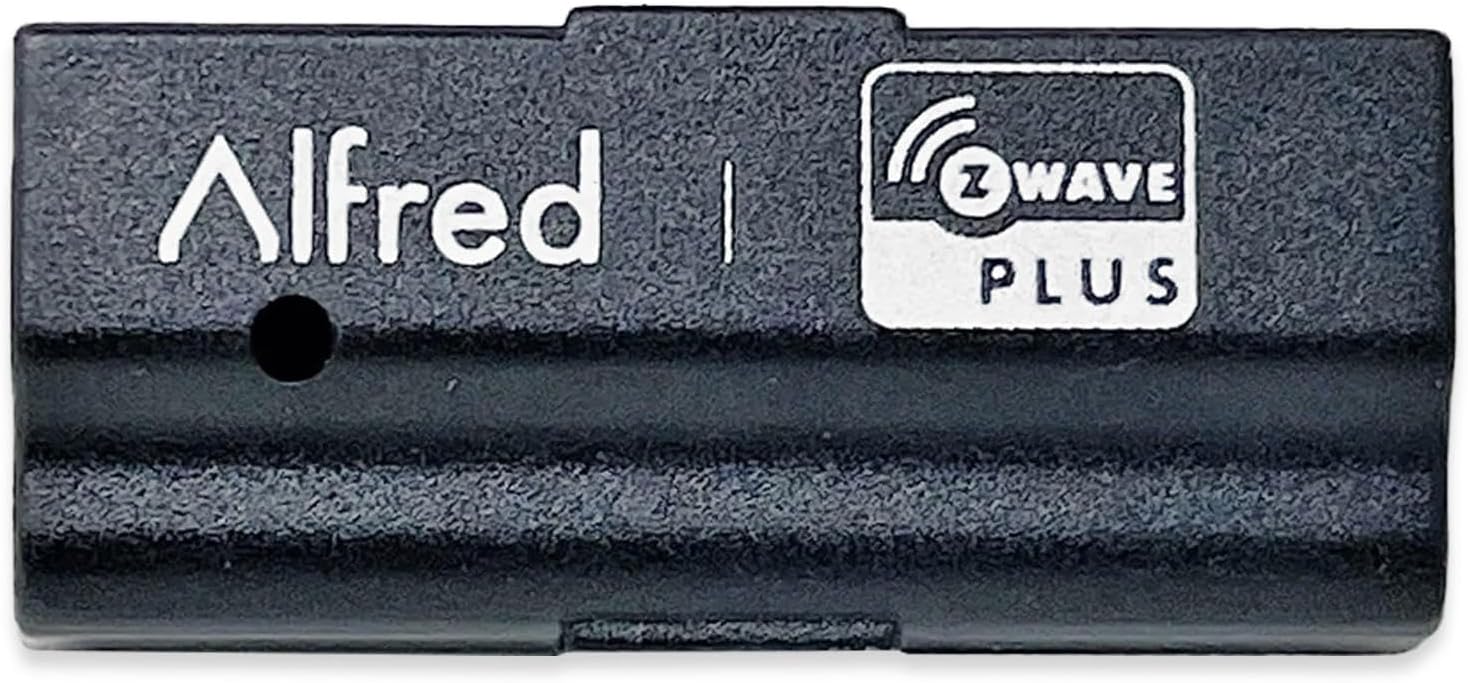
Image: The Alfred ZW2-PRO Z-Wave Plus Module, a compact black device with "Alfred" and "Z-Wave Plus" branding.
సంస్థాపన మరియు సెటప్
This section provides step-by-step instructions for installing the ZW2-PRO module into your compatible Alfred smart lock and integrating it with your Z-Wave network.
అవసరమైన వస్తువులు:
- Alfred ML2 or DB2S Smart Lock (sold separately)
- Alfred ZW2-PRO Z-Wave Plus Module
- Small Phillips head screwdriver (for battery cover, if applicable)
- Existing Z-Wave smart home hub/controller
ఇన్స్టాలేషన్ దశలు:
Prepare the Lock:
Ensure your Alfred ML2 or DB2S smart lock is powered off or remove the batteries to prevent accidental operation during installation. Locate the battery compartment on the interior side of the lock.
Locate Module Slot:
Below the battery compartment, you will find a dedicated slot for the Z-Wave module. This slot is specifically designed to fit the ZW2-PRO module.

Image: Diagram illustrating the insertion of the ZW2-PRO Z-Wave Plus Module into the designated slot within the Alfred smart lock's interior unit, below the battery compartment.
మాడ్యూల్ను చొప్పించండి:
Carefully align the ZW2-PRO module with the slot and gently push it in until it is fully seated. Ensure it clicks into place or feels securely connected. Do not force the module.
Reinstall Batteries:
Once the module is installed, reinsert the batteries into your smart lock. The lock should power on as usual.
Z-Wave Network Pairing:
After physical installation, the module needs to be paired with your Z-Wave smart home hub.
Initiate Inclusion Mode on Hub:
Refer to your Z-Wave hub's instruction manual to put it into "inclusion" or "add device" mode. This process varies by hub (e.g., Vera/Ezlo, SmartThings, Hubitat).
Activate Pairing on Lock:
On your Alfred smart lock, follow the specific instructions for initiating Z-Wave pairing. This typically involves entering a programming code and pressing a specific button or sequence on the lock's keypad. Consult your ML2 or DB2S lock's manual for exact steps.
జత చేయడాన్ని నిర్ధారించండి:
Your Z-Wave hub should detect the new module and add it to your network. The lock may provide an audible or visual confirmation of successful pairing. Name the device within your hub's interface for easy identification.
పరీక్ష కార్యాచరణ:
Once paired, test the lock's functionality through your Z-Wave hub. You should be able to lock and unlock the door remotely and receive status updates.
Operating the Z-Wave Module
The ZW2-PRO module enables remote control and monitoring of your Alfred smart lock via your Z-Wave network. All operations are performed through your Z-Wave smart home hub's interface or associated mobile application.
రిమోట్ లాక్/అన్లాక్:
- Access your Z-Wave hub's application or web ఇంటర్ఫేస్.
- Navigate to the device list and select your Alfred smart lock.
- Use the provided controls to remotely lock or unlock the door.
స్థితి పర్యవేక్షణ:
- The module provides real-time status updates to your Z-Wave hub, including lock/unlock status.
- Depending on your hub's capabilities, you may also receive notifications for access events (e.g., door locked/unlocked by keypad, manual turn).
Automation and Scenes:
- Integrate your Alfred smart lock into Z-Wave scenes and automations.
- Example: Automatically lock the door when you leave home, or unlock it when a specific user code is entered.
నిర్వహణ
The ZW2-PRO Z-Wave Plus Module requires minimal maintenance. Its operation is primarily dependent on the proper functioning of your Alfred smart lock and Z-Wave network.
- బ్యాటరీ భర్తీ: The module draws power from the smart lock. Ensure the batteries in your Alfred ML2 or DB2S lock are replaced regularly as per the lock's instructions to maintain module functionality.
- ఫర్మ్వేర్ నవీకరణలు: Any firmware updates for the ZW2-PRO module would typically be delivered through your Z-Wave hub, if supported. Consult your hub's documentation for information on device firmware updates.
- శుభ్రపరచడం: If the module needs cleaning, gently wipe it with a dry, soft cloth. Do not use liquid cleaners or abrasive materials.
ట్రబుల్షూటింగ్
If you encounter issues with your Alfred ZW2-PRO Z-Wave Plus Module, refer to the following common troubleshooting steps.
| సమస్య | సాధ్యమైన కారణం | పరిష్కారం |
|---|---|---|
| Module not detected by Z-Wave hub. |
|
|
| రిమోట్ కంట్రోల్ పనిచేయడం లేదు. |
|
|
| Lock functions normally, but Z-Wave features are absent. |
|
|
For further assistance, consult your Z-Wave hub's documentation or the Alfred smart lock's user manual.
స్పెసిఫికేషన్లు
| గుణం | వివరాలు |
|---|---|
| మోడల్ సంఖ్య | ZW2-PRO (Manufacturer Part #: ZW2-ML2) |
| అనుకూలత | Alfred ML2, DB2, DB2-B Smart Locks (Not compatible with DB1 series) |
| వైర్లెస్ టెక్నాలజీ | Z- వేవ్ 700 సిరీస్ |
| శక్తి మూలం | Powered by host smart lock |
| వస్తువు బరువు | ~6.1 ounces (Module only) |
| UPC | 628341330299 |
వారంటీ సమాచారం
The Alfred ZW2-PRO Z-Wave Plus Module comes with a 2-సంవత్సరం పరిమిత వారంటీ కొనుగోలు చేసిన తేదీ నుండి. ఈ వారంటీ సాధారణ ఉపయోగంలో మెటీరియల్స్ మరియు పనితనంలో లోపాలను కవర్ చేస్తుంది.
For full warranty terms and conditions, please refer to the official Alfred website or contact Alfred customer support.
మద్దతు మరియు సంప్రదించండి
If you require further assistance or have questions regarding your Alfred ZW2-PRO Z-Wave Plus Module, please contact Alfred customer support.
- Alfred Official Webసైట్: Visit the Alfred Store on Amazon
- కస్టమర్ సేవ: Refer to the Alfred website for contact methods (phone, email, support tickets).


