1. పరిచయం
This manual provides essential information for the safe and efficient operation of your Haier H65M95EUX 65-inch QD Mini LED 4K UHD Smart TV. Please read this manual thoroughly before using the product and retain it for future reference.
The Haier H65M95EUX is a 65-inch Smart TV featuring QD Mini LED technology for superior brightness and vibrant colors, 4K UHD resolution, and a 144 Hz refresh rate. It integrates Google TV for smart functionalities, Harman Kardon speakers for enhanced audio, and supports Dolby Atmos and Dolby Vision for an immersive viewing అనుభవం.
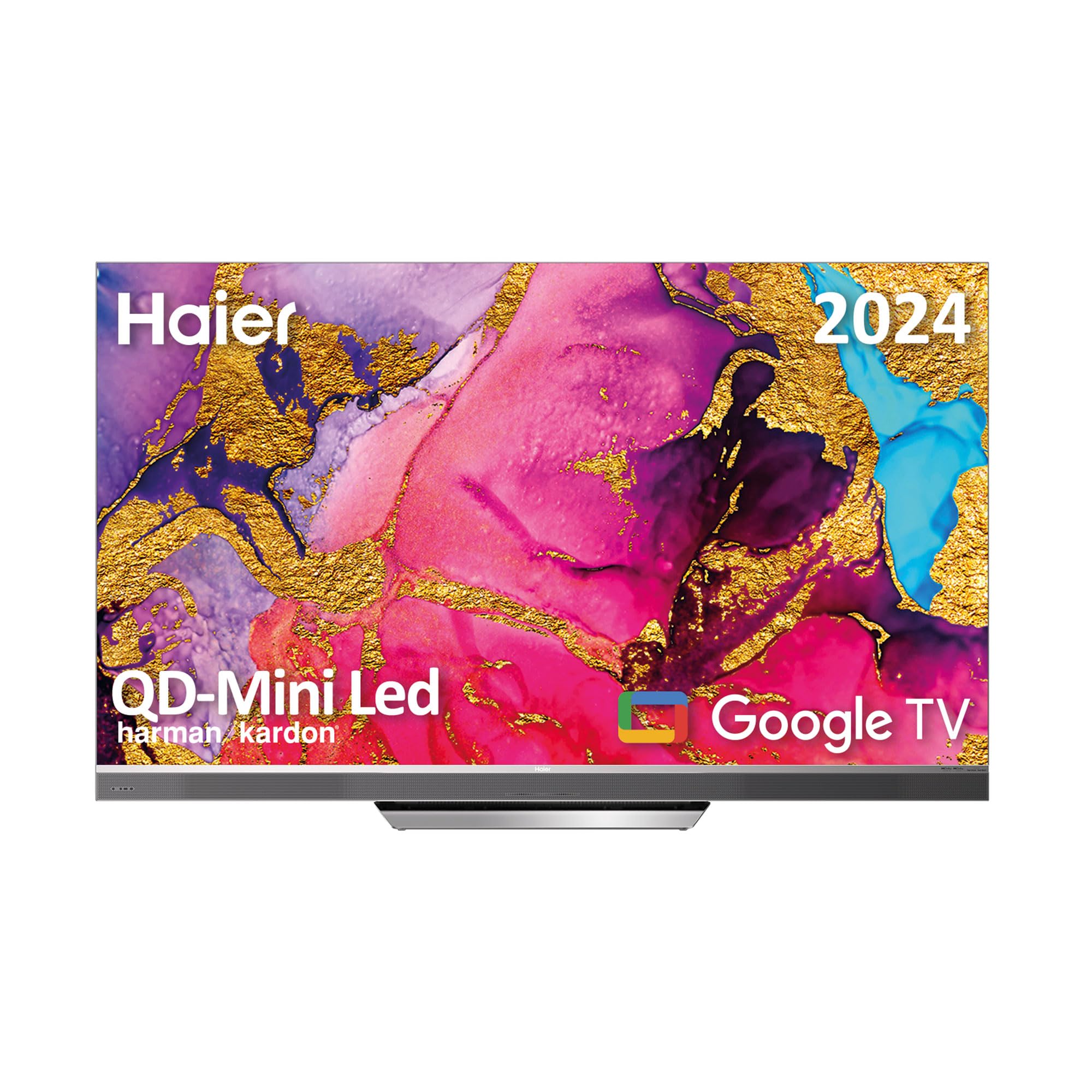
Image 1.1: Haier H65M95EUX 65-inch QD Mini LED 4K UHD Smart TV.
2. భద్రతా సమాచారం
అగ్ని ప్రమాదం, విద్యుత్ షాక్ మరియు గాయం ప్రమాదాన్ని తగ్గించడానికి ఈ టెలివిజన్ను ఉపయోగిస్తున్నప్పుడు ఎల్లప్పుడూ ప్రాథమిక భద్రతా జాగ్రత్తలను అనుసరించండి.
- శక్తి మూలం: లేబుల్పై సూచించిన విధంగా టీవీని AC పవర్ సోర్స్కు మాత్రమే కనెక్ట్ చేయండి.
- వెంటిలేషన్: సరైన వెంటిలేషన్ ఉండేలా చూసుకోండి. వెంటిలేషన్ ఓపెనింగ్లను బ్లాక్ చేయవద్దు.
- నీరు మరియు తేమ: టీవీని వర్షం లేదా తేమకు గురిచేయవద్దు. టీవీపై ద్రవాలతో నిండిన వస్తువులను ఉంచవద్దు.
- శుభ్రపరచడం: శుభ్రపరిచే ముందు టీవీని గోడ అవుట్లెట్ నుండి అన్ప్లగ్ చేయండి. మృదువైన, పొడి వస్త్రాన్ని ఉపయోగించండి. లిక్విడ్ క్లీనర్లను లేదా ఏరోసోల్ క్లీనర్లను ఉపయోగించవద్దు.
- ప్లేస్మెంట్: టీవీని స్థిరమైన, సమతల ఉపరితలంపై ఉంచండి. ప్రత్యక్ష సూర్యకాంతిలో లేదా ఉష్ణ వనరుల దగ్గర ఉంచకుండా ఉండండి.
- సర్వీసింగ్: ఈ ఉత్పత్తిని మీరే సేవ చేయడానికి ప్రయత్నించవద్దు. అర్హత కలిగిన సేవా సిబ్బందికి అన్ని సర్వీసులను చూడండి.
- పిల్లలు: Supervise children to ensure they do not play with the television.
3. ప్యాకేజీ విషయాలు
Verify that all items are present in the packaging before proceeding with the setup.
- Haier H65M95EUX 65-inch QD Mini LED 4K UHD Smart TV
- స్మార్ట్ రిమోట్ కంట్రోల్
- పవర్ కేబుల్
- టీవీ స్టాండ్ (బేస్)
- వినియోగదారు మాన్యువల్ (ఈ పత్రం)
- స్టాండ్ అసెంబ్లీ కోసం మరలు
4. సెటప్
4.1. స్టాండ్ అసెంబ్లింగ్
Place the TV screen face down on a soft, clean surface to prevent damage. Align the stand with the mounting holes on the bottom of the TV. Secure the stand using the provided screws. Ensure the stand is firmly attached before placing the TV upright.
4.2. వాల్ మౌంటింగ్ (ఐచ్ఛికం)
If you choose to wall mount your TV, refer to the instructions provided with your wall mount kit. Ensure the wall mount is compatible with VESA standards for a 65-inch TV and can support the weight of the television.
4.3. పరికరాలను కనెక్ట్ చేస్తోంది
Your Haier H65M95EUX TV offers various connectivity options.
- HDMI: Connect external devices such as Blu-ray players, gaming consoles, or set-top boxes to the HDMI 2.1 ports (x4).
- USB: Connect USB storage devices for media playback or software updates to the USB ports (x2).
- ఈథర్నెట్: స్థిరమైన వైర్డు ఇంటర్నెట్ కనెక్షన్ కోసం, LAN పోర్ట్కి ఈథర్నెట్ కేబుల్ను కనెక్ట్ చేయండి.
- Wi-Fi: For wireless internet, connect to your home network via the Wi-Fi settings in the TV menu.
- బ్లూటూత్: Pair Bluetooth-enabled devices like headphones or soundbars.
4.4. పవర్ కనెక్షన్
Connect the power cable to the TV's power input and then plug it into a wall outlet.
5. టీవీని ఆపరేట్ చేయడం
5.1. ప్రారంభ సెటప్ మరియు Google TV
Upon first power-on, the TV will guide you through the initial setup process. This includes language selection, network connection, and Google account sign-in. Google TV organizes your favorite content from various streaming services into one personalized interface.
- Google Play Store: Access over 10,000 applications, including popular streaming services like Disney+, YouTube, and Netflix.
- Chromecast అంతర్నిర్మిత: Cast content directly from your mobile device to the TV using compatible applications.
- Google అసిస్టెంట్: Use the integrated microphone on the Smart Remote Control to interact with the TV, search for content, and control smart home devices.
5.2. స్మార్ట్ రిమోట్ కంట్రోల్
The Smart Remote Control allows for intuitive navigation and voice commands. Refer to the remote's diagram (if provided separately) for button functions.
5.3. Audio and Video Settings
Your TV features advanced audio and video technologies for an enhanced viewing అనుభవం.
- QD Mini LED & 4K UHD: Enjoy sharp images with vibrant colors and brightness up to 2,000 nits.
- 144 Hz రిఫ్రెష్ రేట్: వేగవంతమైన కంటెంట్ మరియు గేమింగ్కు అనువైన, అల్ట్రా-స్మూత్ మోషన్ను అందిస్తుంది.
- హర్మాన్ కార్డాన్ స్పీకర్లు: Integrated 60W front speakers deliver clear and powerful sound.
- Dolby Atmos & Dolby Audio: Experience immersive, three-dimensional surround sound.
- Dolby Vision & HDR 10: Enhanced contrast and color accuracy for compatible content.
- DBX TV: Audio calibration technology for optimized sound performance.
6. నిర్వహణ
6.1. స్క్రీన్ను శుభ్రపరచడం
మెత్తటి, మెత్తటి బట్టతో స్క్రీన్ను సున్నితంగా తుడవండి. మొండి మరకల కోసం, కొద్దిగా dampen the cloth with water or a specialized screen cleaner (ensure it's safe for TV screens) and wipe gently. Do not apply pressure.
6.2. క్యాబినెట్ శుభ్రపరచడం
టీవీ క్యాబినెట్ను మృదువైన, పొడి గుడ్డతో తుడవండి. రాపిడి క్లీనర్లు లేదా ద్రావకాలను ఉపయోగించవద్దు.
6.3. సాఫ్ట్వేర్ నవీకరణలు
Your Google TV may receive automatic software updates. Ensure your TV is connected to the internet to receive these updates, which can improve performance and add new features. You can also manually check for updates in the TV settings.
7. ట్రబుల్షూటింగ్
కస్టమర్ సపోర్ట్ను సంప్రదించే ముందు, సాధారణ సమస్యలకు ఈ క్రింది పరిష్కారాలను ప్రయత్నించండి.
| సమస్య | సాధ్యమైన కారణం | పరిష్కారం |
|---|---|---|
| శక్తి లేదు | Power cable disconnected; Power outlet not working | Check power cable connection; Try a different outlet; Press power button on TV or remote. |
| చిత్రం లేదు, కానీ ధ్వని ఉంది | తప్పు ఇన్పుట్ సోర్స్; బ్యాక్లైట్ సమస్య | Press the "Input" button on the remote to select the correct source; Contact support if backlight is suspected. |
| శబ్దం లేదు, కానీ చిత్రం ఉంది | వాల్యూమ్ మ్యూట్ చేయబడింది లేదా చాలా తక్కువగా ఉంది; బాహ్య ఆడియో పరికరం సమస్య | Unmute or increase volume; Check connections to external audio devices; Select correct audio output in settings. |
| రిమోట్ కంట్రోల్ పనిచేయడం లేదు | బ్యాటరీలు అయిపోయాయి; రిమోట్ మరియు టీవీ మధ్య అడ్డంకి | Replace batteries; Remove any obstructions; Re-pair remote if it's a Bluetooth remote. |
| Wi-Fiకి కనెక్ట్ చేయడం సాధ్యపడదు | పాస్వర్డ్ తప్పు; రూటర్ సమస్య; టీవీ రూటర్ నుండి చాలా దూరంలో ఉంది. | Wi-Fi పాస్వర్డ్ను ధృవీకరించండి; రౌటర్ను పునఃప్రారంభించండి; టీవీని రౌటర్కు దగ్గరగా తరలించండి లేదా ఈథర్నెట్ ఉపయోగించండి. |
8. స్పెసిఫికేషన్లు
Detailed technical specifications for the Haier H65M95EUX Smart TV.
- మోడల్ సంఖ్య: 36200086
- స్క్రీన్ పరిమాణం: 65 అంగుళాలు
- ప్రదర్శన సాంకేతికత: QD Mini LED, 4K UHD
- రిజల్యూషన్: 3840 x 2160 (4K UHD)
- రిఫ్రెష్ రేట్: 144 Hz
- ప్రకాశం: 2,000 నిట్స్ వరకు
- ఆపరేటింగ్ సిస్టమ్: Google TV
- ఆడియో: Harman Kardon 60W Front Speakers, Dolby Atmos, Dolby Audio, DBX TV
- వీడియో: Dolby Vision, HDR 10
- కనెక్టివిటీ:
- HDMI 2.1 x 4
- USB x 2
- Wi-Fi
- బ్లూటూత్ 5.1
- ఈథర్నెట్ (LAN)
- ప్రత్యేక లక్షణాలు: Google Assistant (via Smart Remote), Chromecast Built-in, Frameless Design
- ఉత్పత్తి కొలతలు (స్టాండ్ లేకుండా): 144.8 cm (W) x 87.4 cm (H) x 7.7 cm (D)
- ఉత్పత్తి కొలతలు (స్టాండ్తో): 144.8 cm (W) x 91.2 cm (H) x 25.8 cm (D)
- రంగు: వెండి

Image 8.1: Haier H65M95EUX TV dimensions with and without stand.
9. వారంటీ మరియు మద్దతు
వారంటీ సమాచారం కోసం, దయచేసి మీ ఉత్పత్తితో చేర్చబడిన వారంటీ కార్డును చూడండి లేదా అధికారిక హైయర్ను సందర్శించండి. webసైట్.
If you encounter issues that cannot be resolved using the troubleshooting guide, please contact Haier customer support. Have your model number (H65M95EUX) and serial number ready when contacting support.
- తయారీదారు: హైయర్
- మోడల్: H65M95EUX
- ASIN: B0D53W4KDL
- ఆన్లైన్ మద్దతు: Visit Haier Official Webసైట్


