Boult Audio UFO Truly Wireless Earbuds User Manual
మోడల్: Z20
పరిచయం
Welcome to the user manual for your new Boult Audio UFO Truly Wireless Earbuds. These earbuds are designed to provide an immersive audio experience with advanced features for music, gaming, and calls. Please read this manual carefully to ensure proper setup, operation, and maintenance of your device.

Image: Boult Audio UFO Truly Wireless Earbuds and their charging case in White Opal color.
కీ ఫీచర్లు
- 13mm Rich Bass Audio Drivers: Experience powerful and clear audio with deep bass.
- 45ms Low Latency Gaming: Enjoy a seamless and responsive gaming experience with minimal audio delay.
- 48 Hours Total Playtime: ఎక్కువసేపు వినడానికి బ్యాటరీ లైఫ్ పెరుగుతుంది.
- Built-in Boult Amp యాప్ సపోర్ట్: Customize settings and personalize your audio experience.
- 4 Mics Environmental Noise Cancellation (ENC): Ensures clear call quality by reducing background noise.
- Breathing LEDs: Unique LED lighting for an enhanced gaming aesthetic.
- బ్లూటూత్ 5.3: Stable and efficient wireless connectivity with fast pairing.
- Customizable Touch Controls: Manage music, calls, and modes with intuitive touch gestures.

చిత్రం: ఒక కోల్లెజ్ షోasing key features including Bluetooth 5.3, 48 hours playtime, 13mm drivers, 45ms low latency, Quad Mic ENC, and Mode Sync LEDs.
ప్యాకేజీ విషయాలు
దయచేసి ఈ క్రింది అంశాల కోసం పెట్టెను ఎంచుకోండి:
- Boult Audio UFO Truly Wireless Earbuds (Left and Right)
- ఛార్జింగ్ కేసు
- USB ఛార్జింగ్ కేబుల్
- వినియోగదారు మాన్యువల్
- Additional Eartips (various sizes)
ప్రారంభ సెటప్
ఇయర్బడ్స్ మరియు కేస్ ఛార్జ్ అవుతోంది
మొదటిసారి ఉపయోగించే ముందు, ఇయర్బడ్లు మరియు ఛార్జింగ్ కేసును పూర్తిగా ఛార్జ్ చేయండి.
- ఇయర్బడ్లను ఛార్జింగ్ కేసులో ఉంచండి, అవి సరిగ్గా అమర్చబడి ఉన్నాయని నిర్ధారించుకోండి.
- Connect the USB charging cable to the charging port on the case and plug the other end into a compatible USB power source.
- The LED indicators on the case will show the charging status. Once fully charged, the indicators will change or turn off.

Image: Illustration of the earbuds and case with battery life indicators, showing 48 hours battery life and 120 hours standby time.
మీ పరికరంతో జత చేయడం
The earbuds feature fast pairing with Blink & Pair™ tech for quick connection.
- ఛార్జింగ్ కేస్ను తెరవండి. ఇయర్బడ్లు ఆటోమేటిక్గా జత చేసే మోడ్లోకి ప్రవేశిస్తాయి.
- మీ పరికరంలో (స్మార్ట్ఫోన్, టాబ్లెట్, మొదలైనవి), బ్లూటూత్ను ప్రారంభించండి.
- కోసం వెతకండి available Bluetooth devices and select "Boult Audio UFO" from the list.
- Once connected, you will hear a confirmation tone, and the earbuds' LED indicators will change.

Image: Depiction of the earbuds with a graphic indicating stable Bluetooth 5.3 connectivity and fast pairing technology.
వీడియో: ఒక అధికారిview of the Boult Audio UFO Wireless Earbuds, highlighting their features and design.
మీ ఇయర్బడ్లను ఆపరేట్ చేస్తోంది
టచ్ కంట్రోల్స్
The Boult Audio UFO earbuds feature intuitive touch controls for easy management of your audio and calls.
| చర్య | ఫంక్షన్ |
|---|---|
| సింగిల్ ట్యాప్ | Play/Pause, Receive Calls |
| రెండుసార్లు నొక్కండి | Next/Back Track, Call Receive |
| ట్రిపుల్ ట్యాప్ | వాల్యూమ్ డౌన్/వాల్యూమ్ అప్ |
| Four Taps | Activate Combat Mode (Gaming Mode) |

Image: A visual guide to the touch controls on the Boult Audio UFO earbuds, detailing single, double, triple, and four-tap functions.
Using the Boult Amp యాప్
Maximize your audio experience by downloading the Boult Amp App. The app allows you to customize touch controls, personalize your music with 6 built-in EQ modes, and view పరికరం వివరాలు.

Image: Screenshot of the Boult Amp App interface, showing options to customize touch controls and personalize music with EQ modes.
వాయిస్ అసిస్టెంట్
Activate your device's voice assistant (e.g., Google Assistant, Siri) by long-pressing the touch control area on either earbud. This allows for hands-free control and quick access to information.

Image: Illustration showing how to activate voice assistance on the earbuds by long-pressing the touch area.
ఆడియో పనితీరు
Supreme Bass Surge with 13mm Drivers
The Boult Audio UFO earbuds are equipped with 13mm drivers and BoomX™ technology, delivering a supreme bass surge for a rich and powerful audio experience across all genres.
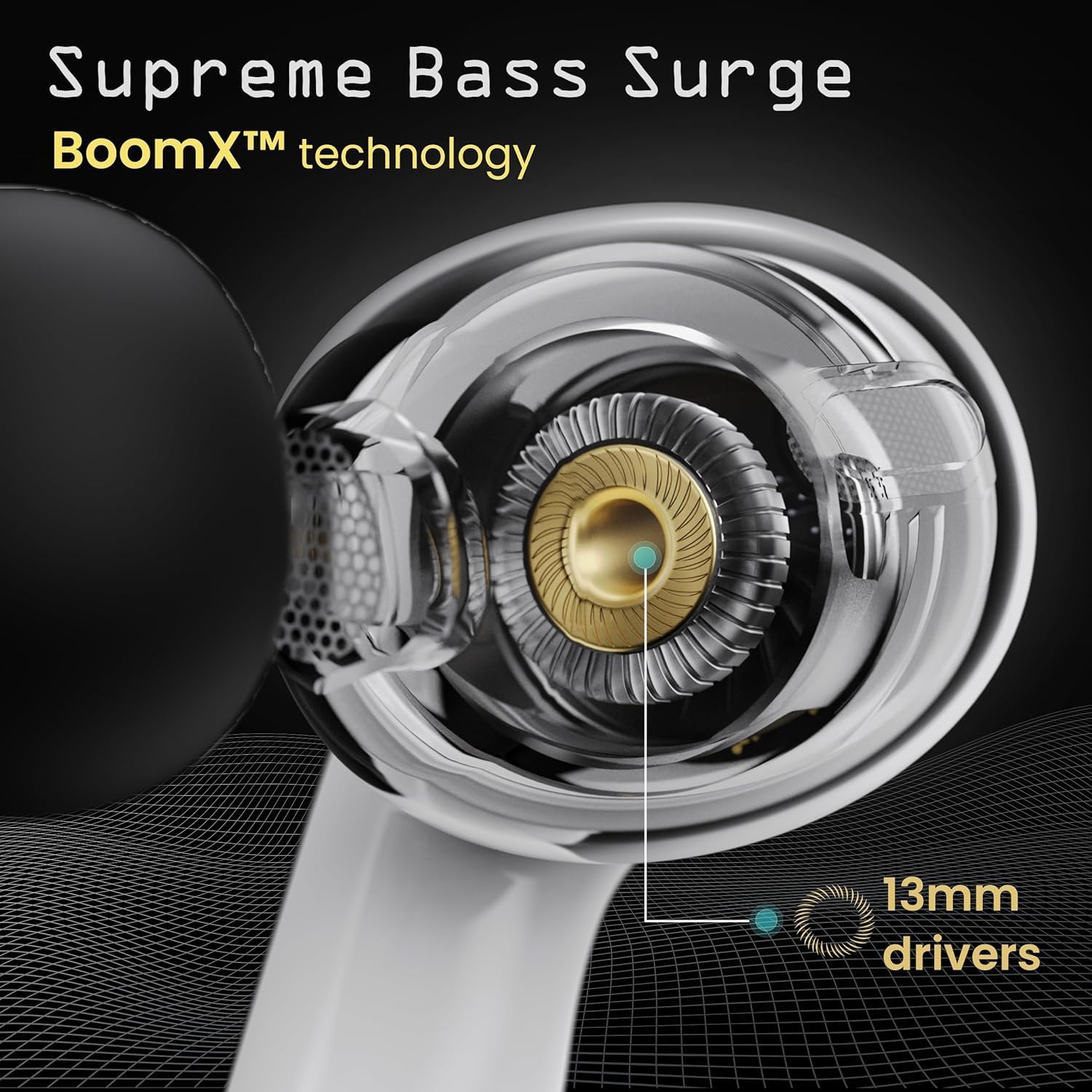
చిత్రం: క్లోజప్ view of the 13mm audio driver within the earbud, highlighting the BoomX™ technology for enhanced bass.
AI-powered Clarity and Call Quality
Experience HD call clarity with the integrated Quad Mic AI-ENC (Environmental Noise Cancellation) and Zen™ mode. This technology ensures your voice is crystal clear during calls, even in noisy environments, by effectively filtering out background distractions.
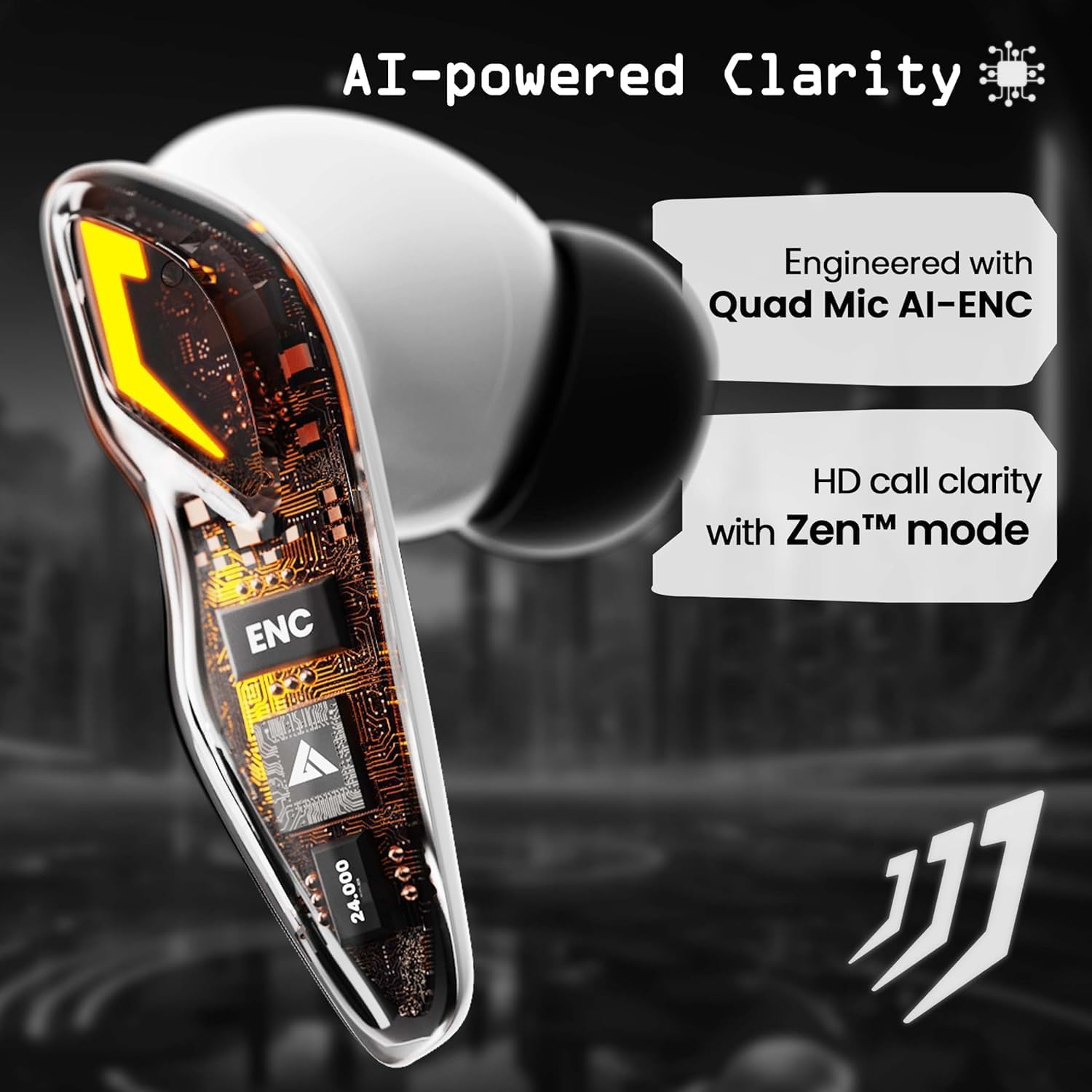
చిత్రం: వివరణాత్మకం view of the earbud's internal components, emphasizing the Quad Mic AI-ENC and Zen™ mode for clear communication.
సంరక్షణ మరియు నిర్వహణ
- శుభ్రపరచడం: ఇయర్బడ్లు మరియు ఛార్జింగ్ కేస్ను మృదువైన, పొడి, మెత్తటి బట్టతో క్రమం తప్పకుండా శుభ్రం చేయండి. రాపిడి క్లీనర్లను లేదా ద్రావకాలను ఉపయోగించవద్దు.
- నిల్వ: ఉపయోగంలో లేనప్పుడు, ఇయర్బడ్లను రక్షించడానికి మరియు వాటిని ఛార్జ్లో ఉంచడానికి వాటి ఛార్జింగ్ కేసులో నిల్వ చేయండి.
- నీటిని నివారించండి: While designed for daily use, avoid submerging the earbuds in water or exposing them to excessive moisture.
- ఉష్ణోగ్రత: Do not expose the earbuds to extreme temperatures (hot or cold) as this can affect battery life and performance.
ట్రబుల్షూటింగ్
| సమస్య | సాధ్యమైన పరిష్కారం |
|---|---|
| ఇయర్బడ్లు జత చేయడం లేదు | ఇయర్బడ్లు ఛార్జ్ అయ్యాయని నిర్ధారించుకోండి. మీ పరికరంలో బ్లూటూత్ను ఆఫ్ చేసి ఆన్ చేయండి. బ్లూటూత్ సెట్టింగ్లలో పరికరాన్ని మర్చిపోయి తిరిగి జత చేయండి. |
| ఒక ఇయర్బడ్ నుండి శబ్దం లేదు | Place both earbuds back in the case, close it, then open again. Check device's audio balance settings. |
| ఛార్జింగ్ కేసు ఛార్జింగ్ కాదు | Check the USB cable and power adapter. Ensure the charging port is clean and free of debris. |
| తక్కువ వాల్యూమ్ | Adjust volume on both earbuds and your connected device. Ensure eartips provide a good seal. |
| అడపాదడపా కనెక్షన్ | Ensure you are within the 10-meter wireless range. Avoid obstacles between earbuds and device. Reduce interference from other wireless devices. |
సాంకేతిక లక్షణాలు
| ఫీచర్ | స్పెసిఫికేషన్ |
|---|---|
| మోడల్ సంఖ్య | Z20 |
| ఆడియో డ్రైవర్ పరిమాణం | 13 మిల్లీమీటర్లు |
| ఆడియో లాటెన్సీ | 45 మిల్లీసెకన్లు |
| బ్యాటరీ లైఫ్ | 48 గంటలు (మొత్తం ఆట సమయం) |
| బ్లూటూత్ రేంజ్ | 10 మీటర్లు |
| వైర్లెస్ కమ్యూనికేషన్ టెక్నాలజీ | బ్లూటూత్ 5.3 |
| నాయిస్ కంట్రోల్ | పర్యావరణ శబ్దం రద్దు (ENC) |
| సిఫార్సు చేసిన ఉపయోగాలు | Music, Gaming, Calling |
| నియంత్రణ రకం | వాయిస్ కంట్రోల్, టచ్ కంట్రోల్ |
| తయారీదారు | బౌల్ట్ |
వారంటీ మరియు మద్దతు
For information regarding warranty coverage, technical support, or service inquiries, please refer to the warranty card included in your product packaging or visit the official Boult Audio webసైట్. సహాయం కోసం మీరు విక్రేతను నేరుగా కూడా సంప్రదించవచ్చు.


