1. ముఖ్యమైన భద్రతా సూచనలు
Read all instructions before using this humidifier. Failure to follow these instructions may result in electric shock, fire, or serious injury.
- ఎల్లప్పుడూ హ్యూమిడిఫైయర్ను గోడలు మరియు ఉపకరణాల నుండి కనీసం 12 అంగుళాలు (30 సెం.మీ.) దూరంలో ఉన్న దృఢమైన, చదునైన, జలనిరోధిత ఉపరితలంపై ఉంచండి.
- Do not place the humidifier near heat sources such as stoves, ovens, radiators, or computers.
- శుభ్రమైన, చల్లని కుళాయి నీరు లేదా డిస్టిల్డ్ వాటర్ మాత్రమే వాడండి. వేడి నీటిని వాడకండి.
- Never add essential oils directly into the water tank. Use the designated aroma box if available. Essential oils can damage the humidifier and void the warranty.
- Clean the humidifier regularly to prevent mineral buildup and bacterial growth.
- నీటిలో లేదా ఇతర ద్రవాలలో బేస్ ముంచవద్దు.
- హ్యూమిడిఫైయర్ నింపడానికి, శుభ్రం చేయడానికి లేదా తరలించడానికి ముందు దాన్ని అన్ప్లగ్ చేయండి.
- పిల్లలు మరియు పెంపుడు జంతువులకు దూరంగా ఉంచండి.
2. ఉత్పత్తి ముగిసిందిview
2.1 భాగాలు
The Dreo HM311 humidifier consists of a base unit, a transparent water tank, and a top cover with an adjustable mist nozzle.

మూర్తి 2.1: ముందు view of the Dreo HM311 humidifier, showing the transparent water tank and control panel.
2.2 నియంత్రణ ప్యానెల్
The control panel is located on the front of the base unit and features touch-sensitive buttons for various functions.
- పవర్ బటన్: Turns the humidifier on or off.
- లైట్ బటన్: Toggles the night light on/off and adjusts brightness levels.
- Night Mode Button: Activates sleep mode, turning off all lights and operating at the lowest mist level.
- పొగమంచు స్థాయి బటన్: Cycles through low, medium, and high mist output settings.

మూర్తి 2.2: Dimensions of the Dreo HM311 humidifier, illustrating its compact size.
3. సెటప్
- అన్ప్యాక్: అన్ని ప్యాకేజింగ్ మెటీరియల్లను జాగ్రత్తగా తీసివేసి, అన్ని భాగాలు ఉన్నాయని నిర్ధారించుకోండి.
- ప్లేస్మెంట్: Place the humidifier on a flat, stable, and waterproof surface. Ensure it is at least 12 inches (30 cm) away from walls, furniture, and electronic devices to prevent moisture damage.
- వాటర్ ట్యాంక్ నింపండి: Remove the top cover. Fill the water tank directly from the top with cool, clean tap water or distilled water. Do not exceed the 'MAX' fill line indicated on the tank.
- కవర్ భర్తీ చేయండి: Securely place the top cover back onto the water tank.
- ప్లగ్ ఇన్: Connect the power cord to a suitable electrical outlet. The humidifier will enter standby mode.

మూర్తి 3.1: Demonstrating the easy top-fill design of the humidifier.
4. ఆపరేటింగ్ సూచనలు
- పవర్ ఆన్/ఆఫ్: పవర్ బటన్ నొక్కండి (⏻ ⏻ తెలుగు) to turn the humidifier on. Press it again to turn it off.
- Adjust Mist Level: Press the Mist Level Button (∭) repeatedly to cycle through low, medium, and high mist output settings. The indicator lights will show the current level.
- రాత్రి కాంతి నియంత్రణ: లైట్ బటన్ నొక్కండి (☀ ☀ స్పెషలిస్ట్) to turn the night light on. Press again to adjust brightness or turn it off.
- రాత్రి మోడ్: Press the Night Mode Button (☾) to activate sleep mode. This will turn off all indicator lights and operate the humidifier at the lowest mist setting for undisturbed sleep. Press any button to exit night mode.
- Adjust Mist Direction: The mist nozzle on the top cover can be rotated to direct the mist in your desired direction.
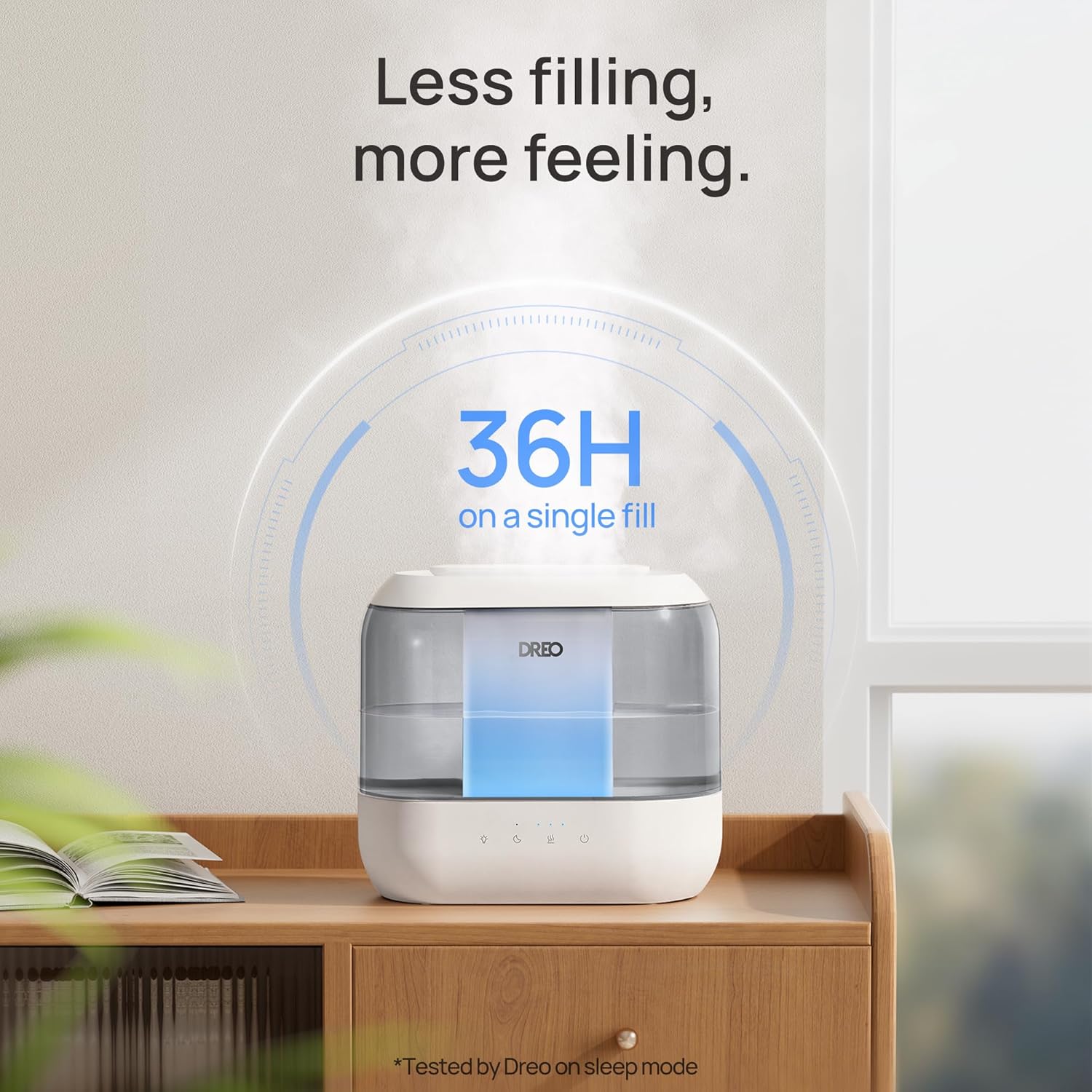
మూర్తి 4.1: The humidifier producing a visible mist, demonstrating its humidification capability.
5. నిర్వహణ మరియు శుభ్రపరచడం
Regular cleaning is crucial for maintaining the efficiency and longevity of your humidifier and preventing the growth of mold and bacteria.
5.1 రోజువారీ నిర్వహణ
- వాటర్ ట్యాంక్ మరియు బేస్ ని ప్రతిరోజూ ఖాళీ చేసి శుభ్రం చేయండి.
- Wipe down all surfaces with a clean, dry cloth.
5.2 వీక్లీ క్లీనింగ్
- అన్ప్లగ్: శుభ్రం చేసే ముందు ఎల్లప్పుడూ హ్యూమిడిఫైయర్ను అన్ప్లగ్ చేయండి.
- విడదీయండి: బేస్ నుండి టాప్ కవర్ మరియు వాటర్ ట్యాంక్ తొలగించండి.
- క్లీన్ ట్యాంక్: Fill the water tank halfway with water and add 2 tablespoons of white vinegar. Shake vigorously and let it sit for 30 minutes. Rinse thoroughly with clean water until the vinegar smell is gone.
- క్లీన్ బేస్: Gently wipe the inside of the base with a soft cloth or brush dipped in white vinegar. Pay attention to the nebulizer and water sensor. Ensure no water enters the air outlet or control panel area.
- కడిగి ఆరబెట్టండి: Rinse the base thoroughly with clean water. Dry all parts completely before reassembling or storing.
5.3 డీమినరలైజేషన్ కార్ట్రిడ్జ్
If using tap water, a demineralization cartridge (included) can help reduce white dust caused by hard water minerals. Replace the cartridge every 4-6 months or as needed, depending on water hardness and usage.
6. ట్రబుల్షూటింగ్
| సమస్య | సాధ్యమైన కారణం | పరిష్కారం |
|---|---|---|
| పొగమంచు లేదు లేదా తక్కువ పొగమంచు అవుట్పుట్ | Low water level; mineral buildup on nebulizer; clogged mist nozzle. | Refill water tank; clean the nebulizer and mist nozzle; ensure proper assembly. |
| బేస్ నుండి నీరు కారుతోంది | Overfilled water tank; improper placement of tank; damaged seal. | Do not fill above MAX line; ensure tank is seated correctly; contact support if seal is damaged. |
| హ్యూమిడిఫైయర్ చుట్టూ తెల్లటి దుమ్ము | గట్టి పంపు నీటిని ఉపయోగించడం. | Use distilled water or install a demineralization cartridge. |
| నియంత్రణలు స్పందించడం లేదు | Water in the electronics area; power issue. | Unplug and allow to dry completely (use a blow dryer on low if necessary); check power connection. |
7. స్పెసిఫికేషన్లు
- మోడల్ పేరు: HM311
- మోడల్ సంఖ్య: DR-HHM001
- బ్రాండ్: డ్రో
- సామర్థ్యం: 4 లీటర్లు
- రన్టైమ్: 36 గంటల వరకు (అత్యల్ప సెట్టింగ్లో)
- శబ్దం స్థాయి: 28dB Ultra-Quiet Operation
- ప్రత్యేక లక్షణాలు: Adjustable Humidity Control, Aroma Diffuser, Easy Top-Fill, Night Light
- రంగు: బూడిద రంగు
- అంతస్తు ప్రాంతం: 300 చదరపు అడుగులు
- ఆపరేషన్ మోడ్: అల్ట్రాసోనిక్
- ఉత్పత్తి కొలతలు: 5.51"డి x 11.02"వా x 10.16"హ
- వస్తువు బరువు: 3.12 పౌండ్లు
- వాల్యూమ్tage: 120 వోల్ట్లు
- వాట్tage: 26 వాట్-గంటలు
- చేర్చబడిన భాగాలు: Humidifier, Aroma Pad, Cleaning Guide, Cleaning Brush, Demineralization Cartridge, User Manual
8. వారంటీ మరియు మద్దతు
For warranty information or technical support, please refer to the warranty card included with your product or visit the official Dreo website. Our customer service team is available to assist you with any questions or concerns regarding your Dreo HM311 humidifier.