పరిచయం
Thank you for choosing the Ourlife WiFi Extender. This device is designed to expand your existing Wi-Fi network coverage, eliminate dead spots, and provide a stable, high-speed internet connection throughout your home or office. With a data transfer rate of up to 300Mbps on the 2.4GHz band, it is ideal for streaming, online gaming, and general internet use. This manual provides detailed instructions for setup, operation, and troubleshooting.
భద్రతా సమాచారం
- పరికరాన్ని నీరు లేదా తేమకు బహిర్గతం చేయవద్దు.
- పరికరాన్ని విడదీయడానికి లేదా మరమ్మతు చేయడానికి ప్రయత్నించవద్దు.
- Use only the power adapter provided or recommended by the manufacturer.
- పరికరాన్ని వేడి మూలాలు మరియు ప్రత్యక్ష సూర్యకాంతి నుండి దూరంగా ఉంచండి.
- వేడెక్కకుండా నిరోధించడానికి పరికరం చుట్టూ సరైన వెంటిలేషన్ ఉండేలా చూసుకోండి.
ప్యాకేజీ విషయాలు
దయచేసి ప్యాకేజీలోని విషయాలను జాగ్రత్తగా తనిఖీ చేయండి. ఏదైనా వస్తువు తప్పిపోయినా లేదా దెబ్బతిన్నా, మీ రిటైలర్ను సంప్రదించండి.
- Ourlife WiFi Extender (repeater body)
- వినియోగదారు మాన్యువల్
ఉత్పత్తి ముగిసిందిview
Ourlife WiFi Extender features a compact design with four high-gain external antennas for enhanced signal penetration and coverage. It includes an Ethernet port for wired connections.
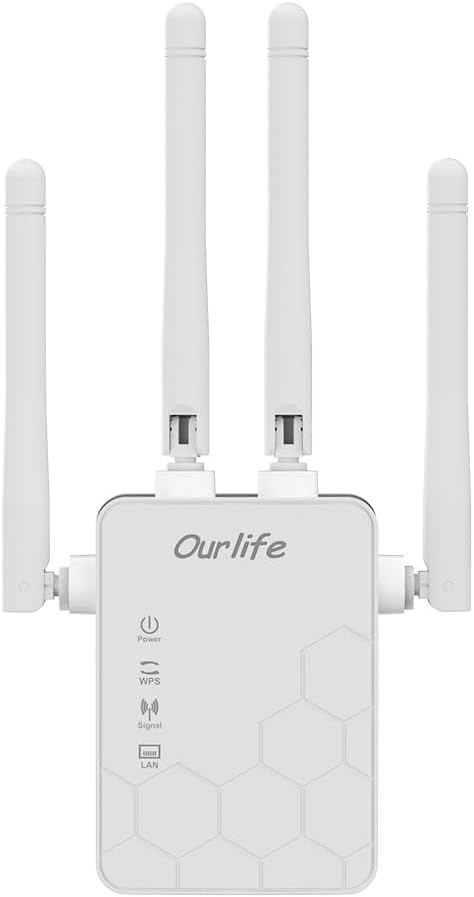
చిత్రం: ముందు భాగం view O యొక్కurlife WiFi Extender, showing the Ourlife logo, power indicator, WPS button, signal strength indicator, and LAN port indicator. Four external antennas are visible.
ముఖ్య భాగాలు:
- శక్తి సూచిక: పరికరం ఆన్ చేసినప్పుడు వెలుగుతుంది.
- WPS బటన్: అనుకూల రౌటర్లతో త్వరిత, ఒక-బటన్ సెటప్ కోసం ఉపయోగించబడుతుంది.
- సిగ్నల్ సూచిక: Shows the strength of the Wi-Fi signal received from the main router.
- LAN పోర్ట్: An Ethernet port for connecting wired devices or for setting up the extender in Access Point (AP) mode.
- బాహ్య యాంటెన్నాలు: Four adjustable antennas to optimize signal reception and transmission.

చిత్రం: వైపు view O యొక్కurlife WiFi Extender with dimensions. The device measures approximately 17.2cm/6.8in in height, 5.4cm/2.1in in width, and 3.3cm/1.3in in depth.
సెటప్
Ourlife WiFi Extender offers two primary setup methods: WPS (Wi-Fi Protected Setup) for quick connection, and manual setup via a web బ్రౌజర్.
Method 1: WPS Setup (Recommended for quick setup)
- పవర్ ఆన్: Plug the Ourlife WiFi Extender into an electrical outlet near your main Wi-Fi router. Wait for the Power indicator to light up.
- ఎక్స్టెండర్లో WPS నొక్కండి: Press the WPS button on the Ourlife WiFi Extender. The WPS indicator light will start blinking.
- రూటర్లో WPS నొక్కండి: Within 2 minutes, press the WPS button on your main Wi-Fi router.
- కనెక్షన్ కోసం వేచి ఉండండి: The WPS indicator on the extender will stop blinking and remain solid when the connection is established. The Signal indicator will also light up, indicating a successful connection.
- విస్తరిణిని మార్చు: Once connected, unplug the extender and move it to a location halfway between your router and the Wi-Fi dead zone. Ensure the Signal indicator shows a strong signal (usually green or multiple bars) for optimal performance.

Image: Visual representation of the four simple setup steps: 1. Unbox, 2. Plug it in, 3. Press the button (WPS), 4. And Pair (with router).
Method 2: Manual Setup via Web బ్రౌజర్
- పవర్ ఆన్: Plug the Ourlife WiFi Extender into an electrical outlet near your computer or mobile device.
- ఎక్స్టెండర్ యొక్క Wi-Fi కి కనెక్ట్ చేయండి: On your computer or mobile device, connect to the Wi-Fi network named "Ourlife_Extender" (or similar, check the label on the device). No password is required for the initial connection.
- తెరవండి Web బ్రౌజర్: తెరవండి a web browser (e.g., Chrome, Firefox, Safari) and enter the default IP address or domain name (e.g., 192.168.10.1 or reapeter.net) into the address bar. Refer to the device label or included mini-manual for the exact address.
- లాగిన్: డిఫాల్ట్ యూజర్నేమ్ మరియు పాస్వర్డ్ను నమోదు చేయండి (సాధారణంగా అడ్మిన్/అడ్మిన్).
- మోడ్ని ఎంచుకోండి: Choose "Repeater Mode" or "AP Mode" based on your needs.
- రిపీటర్ మోడ్: Extends your existing Wi-Fi network wirelessly.
- AP మోడ్ (యాక్సెస్ పాయింట్): Converts a wired internet connection into a wireless Wi-Fi hotspot. Connect an Ethernet cable from your router to the extender's LAN port.
- నెట్వర్క్ని కాన్ఫిగర్ చేయండి:
- For Repeater Mode: Select your main Wi-Fi network from the list, enter its password, and choose whether to keep the same SSID or create a new one for the extended network.
- For AP Mode: Set a new SSID (network name) and password for the Wi-Fi hotspot.
- సెట్టింగులను వర్తించు: Save the settings and wait for the extender to restart.
- విస్తరిణిని మార్చు: Once configured, unplug and relocate the extender to an optimal position.
ఆపరేటింగ్
After successful setup, the Ourlife WiFi Extender will operate automatically. The Signal indicator will provide visual feedback on the connection quality.
కనెక్ట్ చేసే పరికరాలు:
- వైర్లెస్ పరికరాలు: Connect your smartphones, tablets, laptops, and other Wi-Fi enabled devices to the extended Wi-Fi network (the SSID you configured during setup).
- Wired Devices (via LAN Port): If you are using the extender in Repeater mode, you can connect a wired device (e.g., desktop PC, smart TV, game console) to the extender's LAN port using an Ethernet cable to provide it with network access.
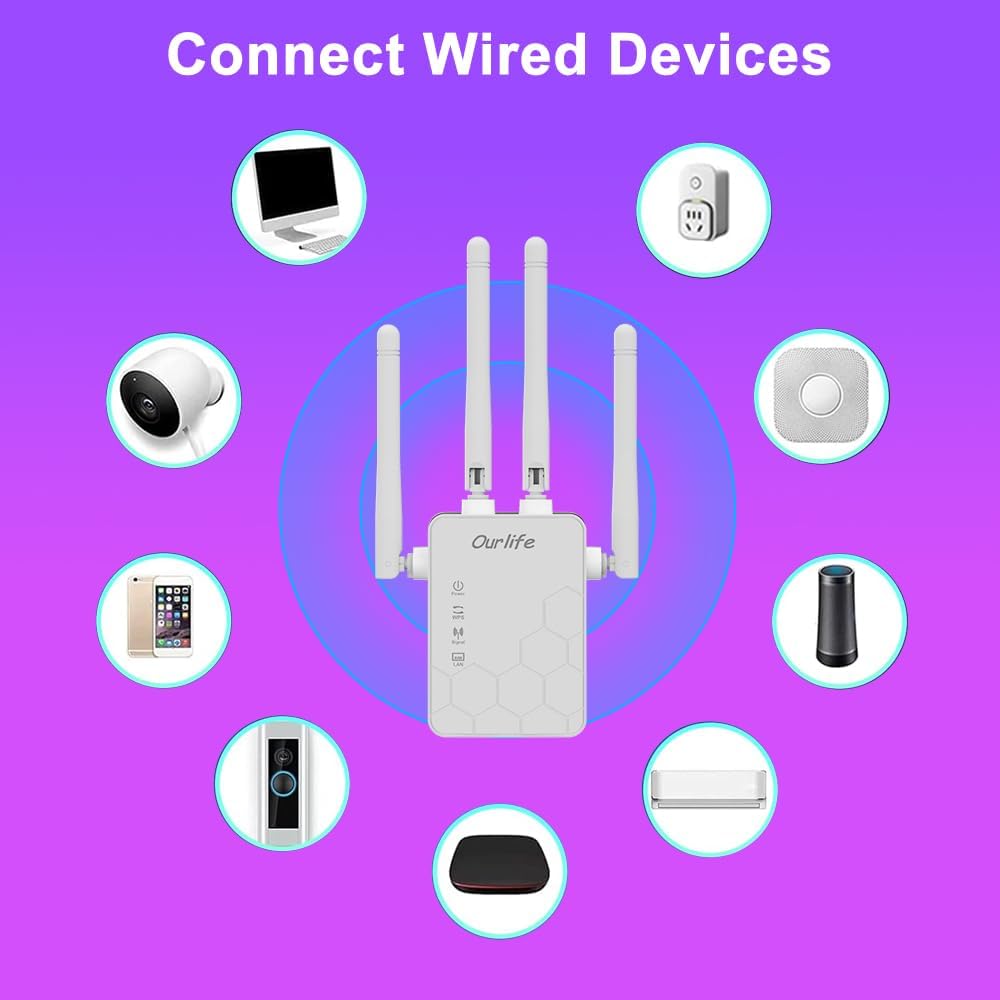
Image: Diagram showing various wired and wireless devices (e.g., desktop computer, smart plug, smart speaker, air conditioner, smart doorbell, security camera, smartphone) that can connect to the Ourlife WiFi Extender.

Image: The Ourlife WiFi Extender plugged into a wall outlet, with an Ethernet cable connected to its LAN port, illustrating its capability to provide a wired connection.
నిర్వహణ
Regular maintenance helps ensure the longevity and optimal performance of your Ourlife WiFi Extender.
- శుభ్రపరచడం: పరికరాన్ని శుభ్రం చేయడానికి మృదువైన, పొడి వస్త్రాన్ని ఉపయోగించండి. ద్రవ క్లీనర్లు లేదా ఏరోసోల్లను ఉపయోగించవద్దు.
- ఫర్మ్వేర్ నవీకరణలు: తయారీదారుని కాలానుగుణంగా తనిఖీ చేయండి website for firmware updates. Updating firmware can improve performance, add features, and fix bugs.
- పునartప్రారంభం: If you experience network issues, try restarting the extender by unplugging it from the power outlet for 10 seconds and then plugging it back in.
- సరైన ప్లేస్మెంట్: Ensure the extender is placed in an open area, away from large metal objects, concrete walls, and other electronic devices that may cause interference.
ట్రబుల్షూటింగ్
If you encounter issues with your Ourlife WiFi Extender, refer to the following common problems and solutions:
| సమస్య | సాధ్యమైన పరిష్కారం |
|---|---|
| ఎక్స్టెండర్ ఆన్ చేయడం లేదు. | ఎక్స్టెండర్ పనిచేసే ఎలక్ట్రికల్ అవుట్లెట్కి సురక్షితంగా ప్లగ్ చేయబడిందని నిర్ధారించుకోండి. వేరే అవుట్లెట్ని ప్రయత్నించండి. |
| Cannot connect to the extender's Wi-Fi for setup. | Ensure you are connecting to the correct default SSID (e.g., "Ourlife_Extender"). Try restarting the extender and your device. |
| WPS setup fails. | Ensure your router supports WPS. Press the WPS button on both devices within the 2-minute window. Try manual setup if WPS continues to fail. |
| No internet access after connecting to the extended network. | Check if your main router has internet access. Relocate the extender closer to your main router to ensure a strong signal (check Signal indicator). Reconfigure the extender. |
| Slow speeds on the extended network. | Relocate the extender to an optimal position where the Signal indicator shows a strong connection to the main router. Avoid placing it near interference sources. Ensure your main router is providing good speeds. |
| Forgot login password for web నిర్వహణ పేజీ. | Perform a factory reset on the extender (usually by pressing and holding a reset button for 5-10 seconds). This will revert all settings to default, including the login credentials. |
స్పెసిఫికేషన్లు
| ఫీచర్ | వివరాలు |
|---|---|
| బ్రాండ్ | Ourlఅయితే |
| మోడల్ | Ourlife WiFi Extender 300Mbps |
| ASIN | B0D7HB4DBC |
| డేటా బదిలీ రేటు | 300 Megabits Per Second (2.4GHz) |
| యాంటెన్నాలు | 4 High-Gain External Antennas |
| ఈథర్నెట్ పోర్ట్ | 1 x LAN పోర్ట్ |
| రంగు | తెలుపు |
| కనెక్టివిటీ | Wireless-N (802.11n/g/b) |
| భద్రతా ప్రోటోకాల్స్ | Supports Wireless Security (WPA/WPA2) |
| కొలతలు (సుమారుగా) | 17.2cm (H) x 5.4cm (W) x 3.3cm (D) |
వారంటీ మరియు మద్దతు
For warranty information and technical support, please refer to the documentation included with your purchase or visit the official Ourlఅయితే website. You can also contact Ourlife customer service directly for assistance with product setup, troubleshooting, or warranty claims.
Ourlife Store Link: Visit the Ourlife Store on Amazon


