1. ముఖ్యమైన భద్రతా సూచనలు
ఈ ఉపకరణాన్ని ఉపయోగించే ముందు దయచేసి అన్ని సూచనలను జాగ్రత్తగా చదవండి. భవిష్యత్తు సూచన కోసం ఈ మాన్యువల్ని ఉంచండి.
- వేడి ఉపరితలాలను తాకవద్దు. హ్యాండిల్స్ లేదా నాబ్లను ఉపయోగించండి.
- అగ్ని ప్రమాదం, విద్యుత్ షాక్ మరియు వ్యక్తులకు గాయం నుండి రక్షించడానికి, త్రాడు, ప్లగ్లు లేదా ఉపకరణాన్ని నీటిలో లేదా ఇతర ద్రవంలో ముంచవద్దు.
- ఏదైనా ఉపకరణాన్ని పిల్లలు లేదా సమీపంలో ఉపయోగించినప్పుడు నిశిత పర్యవేక్షణ అవసరం.
- ఉపయోగంలో లేనప్పుడు మరియు శుభ్రపరిచే ముందు అవుట్లెట్ నుండి అన్ప్లగ్ చేయండి. విడిభాగాలను ధరించడానికి లేదా తీయడానికి ముందు మరియు ఉపకరణాన్ని శుభ్రపరిచే ముందు చల్లబరచడానికి అనుమతించండి.
- దెబ్బతిన్న త్రాడు లేదా ప్లగ్తో లేదా ఉపకరణం పనిచేయకపోవడం లేదా ఏ విధంగానైనా దెబ్బతిన్న తర్వాత ఏ ఉపకరణాన్ని ఆపరేట్ చేయవద్దు. పరీక్ష, మరమ్మత్తు లేదా సర్దుబాటు కోసం కస్టమర్ సేవను సంప్రదించండి.
- ఉపకరణాల తయారీదారు సిఫార్సు చేయని అనుబంధ జోడింపులను ఉపయోగించడం వలన అగ్ని, విద్యుత్ షాక్ లేదా వ్యక్తులకు గాయం కావచ్చు.
- ఆరుబయట ఉపయోగించవద్దు.
- టేబుల్ లేదా కౌంటర్ అంచుపై త్రాడు వేలాడదీయవద్దు లేదా వేడి ఉపరితలాలను తాకవద్దు.
- వేడి గ్యాస్ లేదా ఎలక్ట్రిక్ బర్నర్ లేదా వేడిచేసిన ఓవెన్లో ఉంచవద్దు.
- ఎల్లప్పుడూ ముందుగా ఉపకరణానికి ప్లగ్ను అటాచ్ చేయండి, తర్వాత గోడ అవుట్లెట్లోకి త్రాడును ప్లగ్ చేయండి. డిస్కనెక్ట్ చేయడానికి, ఏదైనా నియంత్రణను "ఆఫ్"కి తిప్పండి, ఆపై గోడ అవుట్లెట్ నుండి ప్లగ్ను తీసివేయండి.
- ఉపకరణాన్ని ఉద్దేశించిన వినియోగానికి కాకుండా ఇతర వాటికి ఉపయోగించవద్దు.
- కేరాఫ్ ఈ ఉపకరణంతో మాత్రమే ఉపయోగం కోసం రూపొందించబడింది. ఇది ఎప్పటికీ శ్రేణి టాప్లో ఉపయోగించకూడదు.
- చల్లని లేదా తడి ఉపరితలంపై వేడి కేరాఫ్ను ఉంచవద్దు.
- పగిలిన కేరాఫ్ లేదా వదులుగా లేదా బలహీనమైన హ్యాండిల్ ఉన్న కేరాఫ్ను ఉపయోగించవద్దు.
- క్లీన్సర్లు, స్టీల్ ఉన్ని ప్యాడ్లు లేదా ఇతర రాపిడి పదార్థాలతో కేరాఫ్ను శుభ్రం చేయవద్దు.
2. ఉత్పత్తి ముగిసిందిview
The Taurus Verona 12 Filter Coffee Maker is designed for convenient and efficient coffee brewing. Familiarize yourself with its components:
- నీటి ట్యాంక్: Visible reservoir for water, with level markings.
- ఫిల్టర్ బాస్కెట్: Holds the reusable filter and coffee grounds.
- పునర్వినియోగ వడపోత: An eco-friendly alternative to paper filters, easy to clean.
- గ్లాస్ కేరాఫ్: Graduated, heat-resistant carafe for collecting brewed coffee.
- వార్మింగ్ ప్లేట్: Keeps coffee warm for up to 40 minutes after brewing.
- పవర్ బటన్: On/Off switch for operation.
- Dosing Spoon: For accurate measurement of coffee grounds.
- Stainless Steel Frontal: Enhances durability and aesthetic appeal.

This image displays the complete coffee maker unit, highlighting its sleek design and the glass carafe filled with freshly brewed coffee.

This image emphasizes the aesthetic features of the coffee maker, specifically the stainless steel accents and the durable glass carafe.

This image illustrates the reusable filter, a key component for brewing and an environmentally friendly feature of the coffee maker.
3. సెటప్
- అన్ప్యాకింగ్: Carefully remove all packaging materials from the coffee maker. Retain packaging for future transport or storage if needed.
- ప్రారంభ శుభ్రపరచడం: Before first use, wash the glass carafe, reusable filter, and filter basket in warm, soapy water. Rinse thoroughly and dry. Wipe the exterior of the appliance with a damp గుడ్డ.
- మొదటి బ్రూ సైకిల్ (క్లీనింగ్): Fill the water tank to the maximum level with cold water. Do not add coffee grounds. Place the empty filter basket with the reusable filter into position and close the lid. Place the empty carafe on the warming plate. Plug the appliance into a suitable power outlet and press the power button to start a brewing cycle. Allow the full cycle to complete. Discard the water from the carafe. This process cleans the internal components.
- ప్లేస్మెంట్: కాఫీ మేకర్ను కౌంటర్ అంచు నుండి దూరంగా, చదునైన, స్థిరమైన, వేడి-నిరోధక ఉపరితలంపై ఉంచండి. యూనిట్ చుట్టూ తగినంత వెంటిలేషన్ ఉందని నిర్ధారించుకోండి.
4. ఆపరేటింగ్ సూచనలు
కాఫీ బ్రూయింగ్
- వాటర్ ట్యాంక్ నింపండి: Open the lid and fill the water tank with fresh, cold water up to the desired level indicated by the markings on the side. The maximum capacity is 12 cups.
- కాఫీ గ్రౌండ్స్ జోడించండి: Place the reusable filter into the filter basket. Add the desired amount of ground coffee into the filter. A general guideline is one level scoop (using the provided dosing spoon) per cup, but adjust to your personal preference.
- స్థానం కేరాఫ్: గ్లాస్ కేరాఫ్ వార్మింగ్ ప్లేట్ మీద సరిగ్గా ఉంచబడిందని నిర్ధారించుకోండి.
- బ్రూయింగ్ ప్రారంభించండి: Close the lid securely. Plug the coffee maker into a power outlet. Press the power button to start the brewing process. The indicator light will illuminate.
- అందిస్తోంది: Once brewing is complete, the coffee maker will automatically switch to the "keep warm" function. You can pour coffee at any time during or after brewing.

This image demonstrates the process of filling the water tank, highlighting its visible design for easy monitoring of water levels.

This image shows the precise method of adding coffee grounds using the included dosing spoon, ensuring consistent flavor.
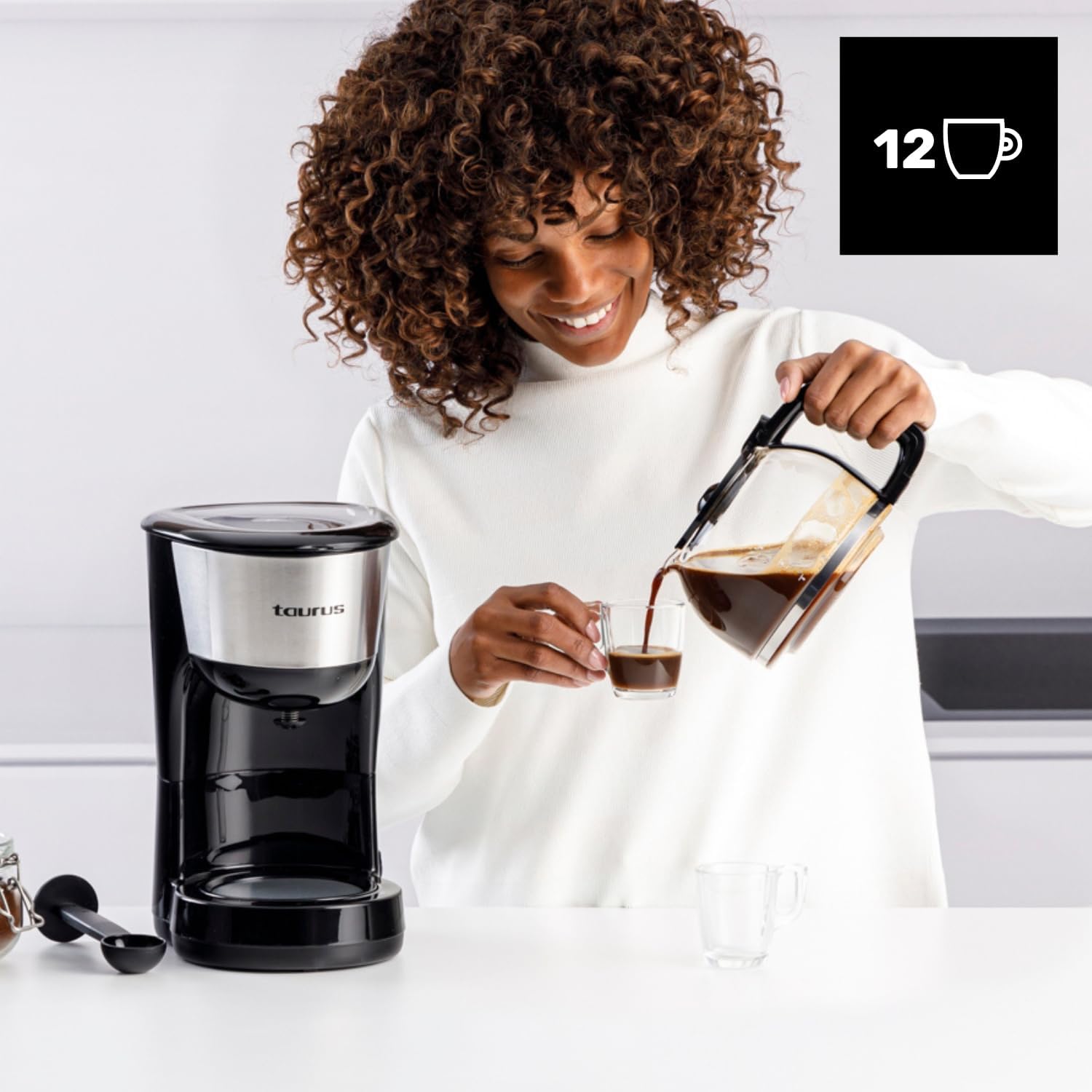
This image depicts the final step of the brewing process, showing coffee being served from the carafe.
వెచ్చని ఫంక్షన్ ఉంచండి
The warming plate will keep your coffee at an optimal serving temperature for approximately 40 minutes after brewing. After this period, the appliance will automatically shut off for safety and energy saving.

This image highlights the warming plate feature, ensuring your coffee remains hot and ready to enjoy.
5. శుభ్రపరచడం మరియు నిర్వహణ
క్రమం తప్పకుండా శుభ్రపరచడం వల్ల మీ కాఫీ మేకర్ యొక్క పనితీరు ఉత్తమంగా ఉంటుంది మరియు దాని జీవితకాలం పెరుగుతుంది.
రోజువారీ శుభ్రపరచడం
- అన్ప్లగ్: Always unplug the coffee maker from the power outlet and allow it to cool completely before cleaning.
- తిరస్కరించు మైదానాలు: Remove the filter basket and reusable filter. Discard used coffee grounds.
- వాష్ భాగాలు: Wash the glass carafe, reusable filter, and filter basket in warm, soapy water. Rinse thoroughly and dry. These parts are generally top-rack dishwasher safe, but hand washing is recommended for longevity.
- బాహ్య భాగాన్ని తుడవడం: కాఫీ మేకర్ యొక్క బాహ్య ఉపరితలాలను మృదువైన, d శుభ్రముపరచుతో తుడవండి.amp వస్త్రం. రాపిడి క్లీనర్లు లేదా స్కౌరింగ్ ప్యాడ్లను ఉపయోగించవద్దు. ప్రధాన యూనిట్ను నీటిలో లేదా మరే ఇతర ద్రవంలో ఎప్పుడూ ముంచండి.
descaling
కాలక్రమేణా మీ కాఫీ మేకర్లో ఖనిజ నిక్షేపాలు (లైమ్స్కేల్) పేరుకుపోవచ్చు, ఇది పనితీరు మరియు కాఫీ రుచిని ప్రభావితం చేస్తుంది. మీ ఉపకరణాన్ని ప్రతి 2-3 నెలలకు ఒకసారి లేదా మీకు గట్టి నీరు ఉంటే తరచుగా డీస్కేల్ చేయండి.
- డెస్కేలింగ్ సొల్యూషన్ సిద్ధం చేయండి: ఉత్పత్తి సూచనలను అనుసరించి, 1 భాగం తెల్ల వెనిగర్ను 2 భాగాల నీటితో కలపండి లేదా కాఫీ తయారీదారుల కోసం రూపొందించిన వాణిజ్య డెస్కేలింగ్ ద్రావణాన్ని ఉపయోగించండి.
- వాటర్ ట్యాంక్ నింపండి: Pour the descaling solution into the water tank up to the 12-cup mark.
- రన్ సైకిల్: Place the empty carafe on the warming plate. Start a brewing cycle without coffee grounds.
- Partial Brew: After about half of the solution has brewed through, turn off the coffee maker and let it stand for 15-20 minutes to allow the solution to work.
- పూర్తి చక్రం: కాఫీ తయారీ ప్రక్రియను పూర్తి చేయడానికి కాఫీ మేకర్ను తిరిగి ఆన్ చేయండి. కేరాఫ్ నుండి ద్రావణాన్ని తీసివేయండి.
- రిన్స్ సైకిల్స్: Run at least two full cycles with fresh, cold water to thoroughly rinse out any remaining descaling solution.
6. ట్రబుల్షూటింగ్
| సమస్య | సాధ్యమైన కారణం | పరిష్కారం |
|---|---|---|
| కాఫీ కాయదు. | Appliance not plugged in; power button not pressed; water tank empty. | Ensure the appliance is plugged in and the power button is pressed. Check if the water tank has enough water. |
| కాఫీ చాలా బలహీనంగా ఉంది. | Not enough coffee grounds; coffee grounds too coarse; too much water. | Increase the amount of coffee grounds. Use finer ground coffee. Ensure correct water-to-coffee ratio. |
| ఫిల్టర్ బుట్ట నుండి కాఫీ పొంగిపొర్లుతోంది. | Too many coffee grounds; filter basket not seated correctly; carafe not on warming plate. | Reduce coffee grounds. Ensure filter basket is properly in place. Verify carafe is correctly positioned on the warming plate. |
| కాఫీ రుచి చెడ్డది. | Appliance needs cleaning/descaling; stale coffee; incorrect water temperature. | Clean and descale the coffee maker. Use fresh coffee beans. Ensure fresh, cold water is used. |
7. స్పెసిఫికేషన్లు
- బ్రాండ్: వృషభం
- మోడల్: VERONA (DC1000XC)
- శక్తి: 1000 W
- వాల్యూమ్tage: 230 వి
- సామర్థ్యం: 12 కప్పులు
- కొలతలు (L x W x H): 25.8 x 18.5 x 32 సెం.మీ
- బరువు: 1.66 కిలోలు
- మెటీరియల్: స్టెయిన్లెస్ స్టీల్, ప్లాస్టిక్
- ప్రత్యేక లక్షణాలు: Pure Coffee Technology, Reusable Filter, Warming Plate (40 min auto-off)
8. వారంటీ మరియు మద్దతు
This Taurus appliance is covered by a manufacturer's warranty in accordance with the legal provisions in force in your country. For detailed information regarding warranty terms and conditions, please refer to the warranty card included with your product or visit the official Taurus webసైట్.
For technical support, spare parts, or any questions regarding the operation of your Taurus Verona 12 Filter Coffee Maker, please contact Taurus customer service. Contact details can typically be found on the official Taurus webసైట్ లేదా ఉత్పత్తి ప్యాకేజింగ్లో.
Always ensure you have your product model number (VERONA or DC1000XC) and purchase date available when contacting support.


