1. పరిచయం
Thank you for choosing the GHB VB603 3.2-inch Video Baby Monitor. This device is designed to provide you with peace of mind by allowing you to monitor your baby from another room. It features a clear video display, two-way audio communication, night vision, and temperature monitoring to ensure your baby's comfort and safety.
Please read this manual carefully before using the product to ensure proper operation and to keep it for future reference.
2. ప్యాకేజీ విషయాలు
Ensure all items are present in the package. If any items are missing or damaged, please contact your retailer.
- 1 x 3.2-inch Baby Monitor (Parent Unit)
- 1 x కెమెరా (బేబీ యూనిట్)
- 2 x పవర్ ఎడాప్టర్లు
- 1 x యూజర్ మాన్యువల్ (ఈ పత్రం)
3. ఉత్పత్తి లక్షణాలు
The GHB VB603 Video Baby Monitor comes equipped with several features to enhance your monitoring experience:
- 3.2-అంగుళాల రంగు LCD స్క్రీన్: ఒక స్పష్టమైన అందిస్తుంది view మీ శిశువు యొక్క.
- 2.4 GHz Wireless Technology: Ensures a stable and secure connection.
- ఆటోమేటిక్ ఇన్ఫ్రారెడ్ నైట్ విజన్: Allows clear monitoring in low-light conditions.
- రెండు-మార్గాల ఆడియో కమ్యూనికేషన్: Speak to your baby remotely.
- ఉష్ణోగ్రత పర్యవేక్షణ: Displays the room temperature where the baby unit is placed.
- VOX (వాయిస్ ఆపరేటెడ్ ఎక్స్ఛేంజ్) మోడ్: Screen activates automatically upon detecting sound, saving battery.
- 8 Built-in Lullabies: Soothe your baby to sleep.
- సుదీర్ఘ బ్యాటరీ జీవితం: Up to 10 hours in VOX mode for the parent unit.
- విస్తరించిన పరిధి: Up to 260 meters (approx. 850 feet) in open space.
4. సెటప్ గైడ్
4.1 పేరెంట్ యూనిట్ను ఛార్జ్ చేస్తోంది
Before first use, fully charge the parent unit for approximately 4 hours. The parent unit contains a rechargeable battery.
- Connect one power adapter to the parent unit's charging port.
- అడాప్టర్ యొక్క మరొక చివరను పవర్ అవుట్లెట్లోకి ప్లగ్ చేయండి.
- The charging indicator will illuminate. Once fully charged, the indicator may change color or turn off depending on the model.
4.2 బేబీ యూనిట్కు శక్తినివ్వడం
The baby unit (camera) requires continuous power to operate.
- Connect the second power adapter to the baby unit's power input.
- అడాప్టర్ యొక్క మరొక చివరను పవర్ అవుట్లెట్లోకి ప్లగ్ చేయండి.
- The power indicator on the baby unit will light up, indicating it is powered on.

Image: The baby unit (camera) and parent unit (monitor) are shown connected to their respective power adapters. The camera is positioned on a surface next to a baby's crib, emphasizing the need for it to be plugged in for continuous operation.
4.3 Placement of the Baby Unit (Camera)
For optimal monitoring, place the baby unit in a secure location that provides a clear view of your baby's crib or sleeping area. Ensure it is out of reach of the baby and that the power cord is not accessible.
- Place the camera at least 1 meter (3 feet) away from the baby.
- కెమెరాను ప్రత్యక్ష సూర్యకాంతిలో లేదా ఉష్ణ వనరుల దగ్గర ఉంచకుండా ఉండండి.
- Ensure the camera has a stable surface or is securely mounted.

Image: The GHB baby monitor parent unit and camera are displayed in the foreground, with a happy baby crawling in the background. This illustrates the product in its intended use environment.
5. ఆపరేటింగ్ సూచనలు
5.1 పవర్ ఆన్/ఆఫ్
- To turn on the parent unit, press and hold the power button until the screen illuminates.
- To turn off the parent unit, press and hold the power button until the screen turns off.
- The baby unit powers on automatically when connected to a power source.
5.2 Adjusting Volume and Brightness
- Use the volume buttons on the parent unit to increase or decrease the sound level.
- Access the menu settings to adjust screen brightness for optimal viewing.
5.3 Two-Way Talk Function
The two-way talk feature allows you to speak to your baby through the monitor.
- Press and hold the talk button on the parent unit.
- పేరెంట్ యూనిట్లోని మైక్రోఫోన్లో స్పష్టంగా మాట్లాడండి.
- మీ బిడ్డను మళ్లీ వినడానికి బటన్ను విడుదల చేయండి.
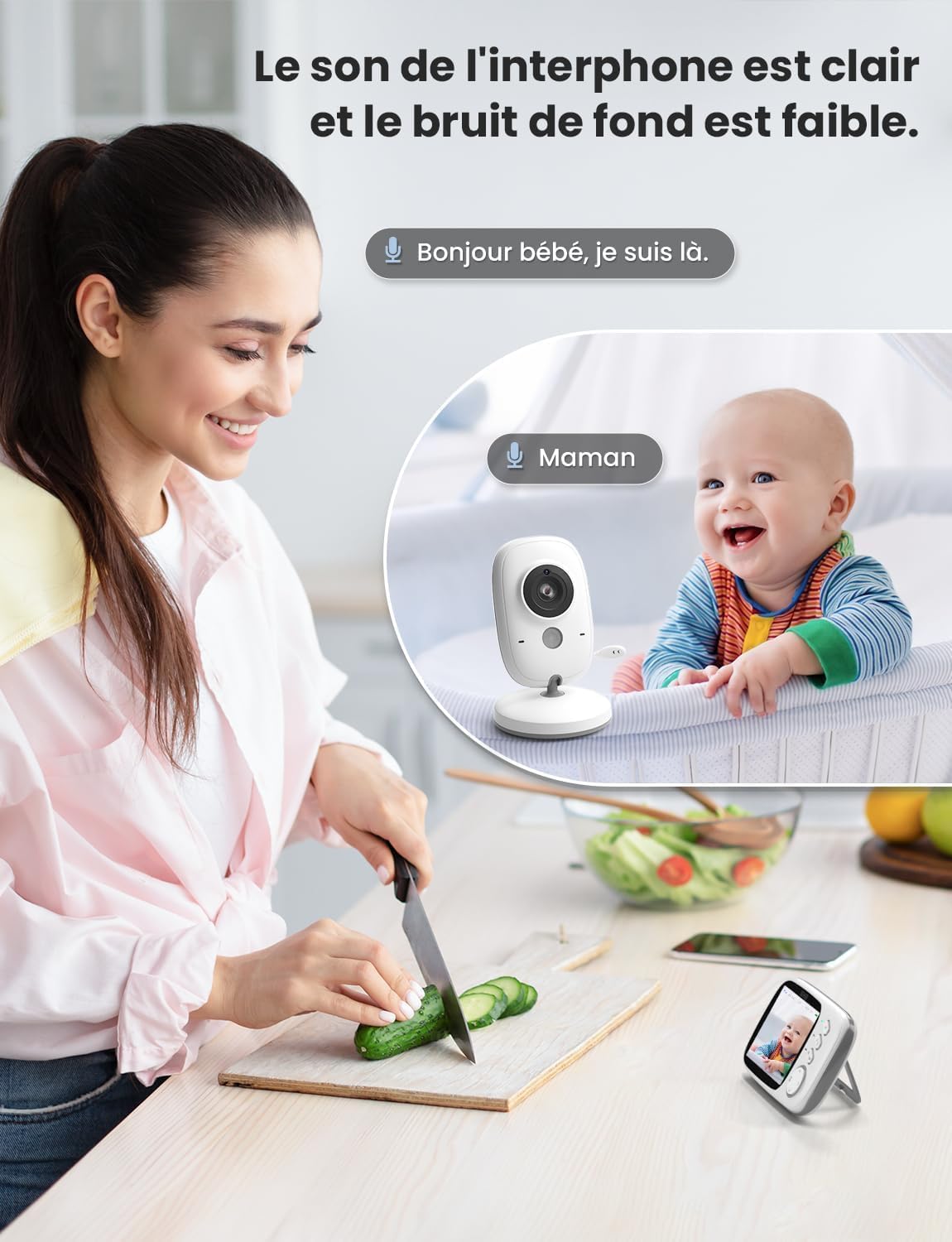
Image: A woman is shown in a kitchen setting, holding the parent unit and speaking into it, with a speech bubble indicating "Hello baby, I'm here." In the background, the baby unit is near a crib with a baby, and a speech bubble indicates "Mom." This visually represents the two-way audio communication feature.
5.4 Playing Lullabies
You can play built-in lullabies to help soothe your baby.
- Navigate to the lullaby option in the parent unit's menu.
- Select a lullaby to play.
- You can usually adjust the volume or stop the lullaby from the menu.
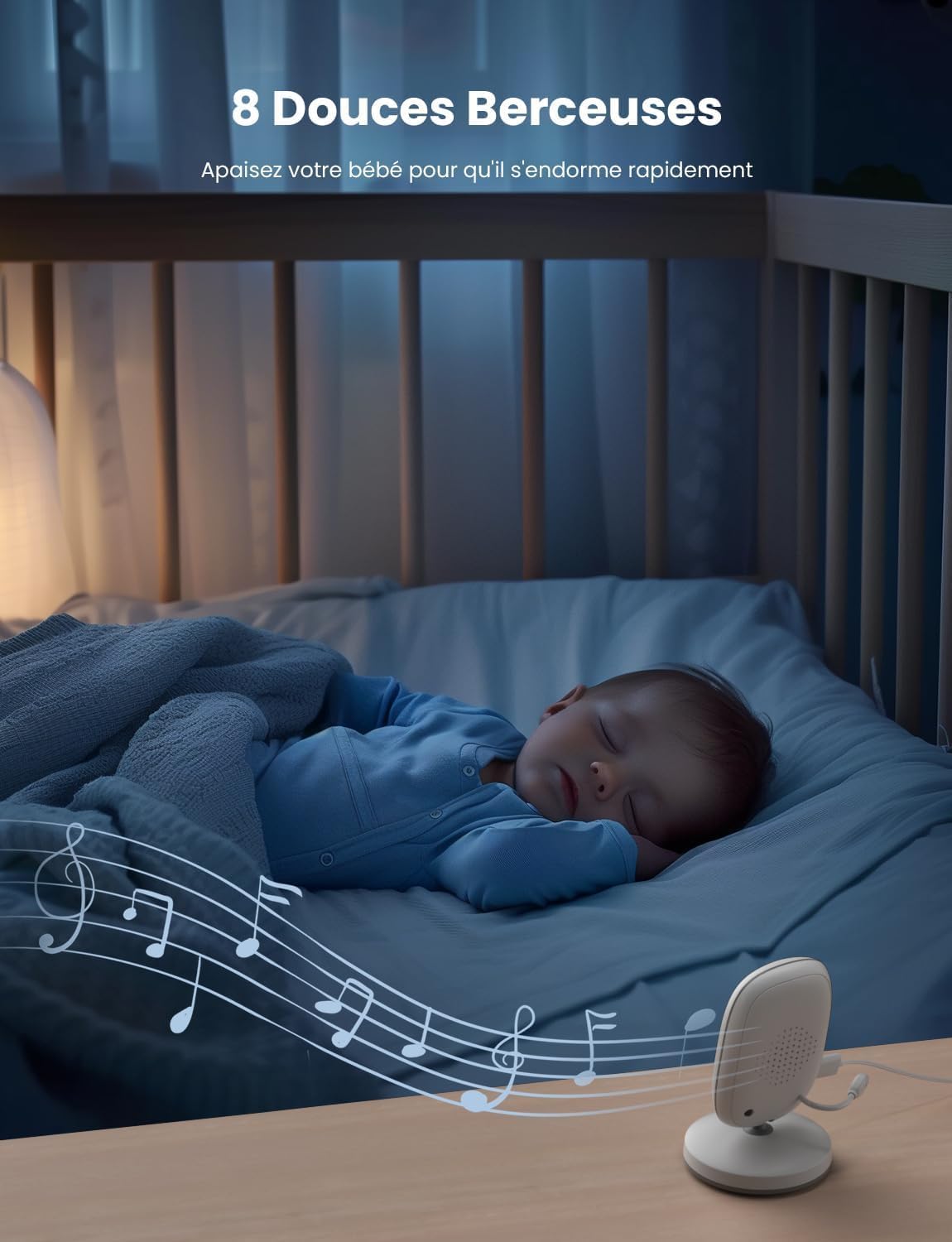
Image: A baby is sleeping peacefully in a crib, with the baby unit placed nearby. Musical notes are depicted emanating from the baby unit, illustrating the 8 built-in lullabies feature designed to help the baby fall asleep.
5.5 VOX (Voice Operated Exchange) Mode
VOX mode conserves battery by turning off the parent unit screen when no sound is detected. The screen will automatically turn on when sound is picked up by the baby unit.
- Access the VOX settings in the parent unit's menu.
- Enable VOX mode and adjust the sensitivity level as desired.

Image: Two panels illustrate the VOX energy-saving mode. The top panel shows a baby sleeping and the parent unit screen off, indicating no sound. The bottom panel shows a baby awake and smiling, with the parent unit screen on, indicating sound detection and screen activation.
5.6 ఉష్ణోగ్రత పర్యవేక్షణ
The baby unit includes a temperature sensor that displays the room temperature on the parent unit.
- The current temperature is typically displayed on the parent unit's screen interface.
- Monitor the temperature to ensure your baby's room is comfortable.

Image: The top panel shows the baby unit near a sleeping baby, with an icon indicating real-time ambient temperature detection. The bottom panel shows the parent unit displaying the temperature (26.5°C) on its screen, demonstrating the temperature monitoring feature.
5.7 Automatic Night Vision
బేబీ యూనిట్ తక్కువ కాంతి పరిస్థితుల్లో ఇన్ఫ్రారెడ్ నైట్ విజన్ను స్వయంచాలకంగా సక్రియం చేస్తుంది, పేరెంట్ యూనిట్పై స్పష్టమైన నలుపు మరియు తెలుపు చిత్రాన్ని అందిస్తుంది.
6. నిర్వహణ
6.1 శుభ్రపరచడం
- Wipe the units with a dry, soft, lint-free cloth.
- శుభ్రపరిచే ఏజెంట్లు లేదా ద్రావకాలు ఉపయోగించవద్దు.
6.2 Battery Care (Parent Unit)
- బ్యాటరీ జీవితకాలాన్ని పొడిగించడానికి, బ్యాటరీని తరచుగా పూర్తిగా డిశ్చార్జ్ చేయకుండా ఉండండి.
- If storing the unit for an extended period, charge it periodically.
7. ట్రబుల్షూటింగ్
If you encounter issues with your GHB VB603 baby monitor, please refer to the following common problems and solutions:
| సమస్య | సాధ్యమైన కారణం | పరిష్కారం |
|---|---|---|
| పేరెంట్ యూనిట్లో చిత్రం/ధ్వని లేదు | యూనిట్లు ఆన్ చేయబడవు లేదా పరిధికి దూరంగా ఉండవు. | Ensure both units are powered on and within range. Check power connections. |
| చిత్ర నాణ్యత తక్కువగా ఉంది | Low light, interference, or camera lens is dirty. | Ensure adequate lighting or night vision is active. Move units away from other electronic devices. Clean the camera lens. |
| స్టాటిక్ లేదా జోక్యం | సమీపంలోని ఇతర 2.4 GHz పరికరాలు. | Move the baby monitor away from Wi-Fi routers, cordless phones, or microwaves. |
| మాతృ యూనిట్ బ్యాటరీ త్వరగా అయిపోతుంది | Screen is constantly on, or battery is old. | Activate VOX mode. Reduce screen brightness. Ensure the battery is fully charged. |
| ద్విముఖ చర్చ పనిచేయదు | Talk button not pressed, or volume too low. | Press and hold the talk button firmly. Increase parent unit volume. |
8. స్పెసిఫికేషన్లు
| ఫీచర్ | వివరాలు |
|---|---|
| మోడల్ సంఖ్య | VB603 |
| స్క్రీన్ పరిమాణం | 3.2 అంగుళాల LCD |
| కనెక్టివిటీ టెక్నాలజీ | 2.4 GHz Wireless (FHSS) |
| పేరెంట్ యూనిట్ బ్యాటరీ | 750 mAh లిథియం-అయాన్ (చేర్చబడింది) |
| నైట్ విజన్ | ఇన్ఫ్రారెడ్ |
| రెండు-మార్గం ఆడియో | అవును |
| ఉష్ణోగ్రత సెన్సార్ | అవును |
| లాలబీస్ | 8 అంతర్నిర్మిత |
| VOX మోడ్ | అవును |
| ఆపరేటింగ్ రేంజ్ | 260మీ వరకు (బహిరంగ స్థలం) |
| ఉత్పత్తి కొలతలు (L x W x H) | 18 x 14 x 7 సెం.మీ |
| ఉత్పత్తి బరువు | 470 గ్రాములు |
| సిఫార్సు ఉపయోగం | Baby monitoring, indoor security |
| నీటి నిరోధక స్థాయి | జలనిరోధిత కాదు |
9. వారంటీ మరియు మద్దతు
GHB products are designed and manufactured to the highest quality standards. For information regarding warranty coverage, please refer to the warranty card included with your purchase or contact your retailer.
If you have any questions or require technical assistance, please contact GHB customer support through the contact information provided on your product packaging or the official GHB webసైట్.


