1. పరిచయం
This manual provides detailed instructions for the installation, operation, and maintenance of your AINAVI 10-inch Car Radio Stereo GPS Navigation System. Please read this manual thoroughly before use to ensure proper functionality and to maximize your experience with the device.

Figure 1: AINAVI 10-inch Car Radio Stereo main interface.
2. అనుకూలత
This in-dash navigation system is compatible with various Jeep and Chrysler models. Please verify your vehicle's compatibility before installation.
- జీప్: Wrangler/Unlimited (2007-2018), Compass (2009-2016), Patriot (2009-2016), Grand Cherokee (2005-2011), Liberty (2008-2011), Commander (2008-2011)
- క్రిస్లర్: Sebring (2007-2010), Town & Country (2007-2010), Grand Caravan (2011-2014), Charger (2008-2010)
- డాడ్జ్: Ram Pickup 1500/2500/3500 (2009-2012)

Figure 2: Visual comparison of the dashboard before and after installing the AINAVI unit.
3. Setup: What's Included
ప్యాకేజీ కింది భాగాలను కలిగి ఉంటుంది:
- 10-inch Head Unit with Frame
- రేడియో యాంటెన్నా అడాప్టర్
- GPS యాంటెన్నా
- USB & Audio Cables
- AHD 1080P బ్యాకప్ కెమెరా
- బాహ్య మైక్రోఫోన్
- వినియోగదారు మాన్యువల్

చిత్రం 3: ప్యాకేజీలో చేర్చబడిన అన్ని భాగాలు.
4. సంస్థాపన
The AINAVI system is designed for plug-and-play installation for compatible models. It includes an in-dash head unit, wiring harness cables, a CANbus decoder, and a frame panel. No modification of existing vehicle components is typically required. Ensure all connections are secure before reassembling the dashboard.
4.1. సాధారణ సంస్థాపనా దశలు
- Carefully remove the existing car radio and dashboard trim using appropriate tools.
- Connect the provided wiring harnesses to the vehicle's existing wiring.
- Connect the GPS antenna, external microphone, and rearview కెమెరా (వర్తిస్తే).
- Mount the new AINAVI head unit into the dashboard opening.
- డాష్బోర్డ్ను పూర్తిగా తిరిగి అమర్చే ముందు యూనిట్ యొక్క కార్యాచరణను పరీక్షించండి.
- డాష్బోర్డ్ ట్రిమ్ను తిరిగి ఇన్స్టాల్ చేయండి.
Video 1: Installation process for the AINAVI car stereo in a Jeep Wrangler.
వీడియో 2: ముగిసిందిview of the installed AINAVI unit and its features.
5. ఆపరేటింగ్ సూచనలు
5.1. కార్ప్లే & ఆండ్రాయిడ్ ఆటో
The unit features built-in wireless and wired CarPlay, and built-in USB connection Android Auto. This allows for seamless integration with your smartphone for GPS navigation, calls, messages, and music playback. Activate voice commands by saying "Hey Siri" or "Hey Google" directly from the head unit.

Figure 4: CarPlay and Android Auto interfaces.
Video 3: Demonstration of CarPlay and Android Auto functionality.
5.2. GPS నావిగేషన్
The system includes a built-in GPS module and supports map software from the Google Play application market. This allows for accurate real-time navigation and traffic information.
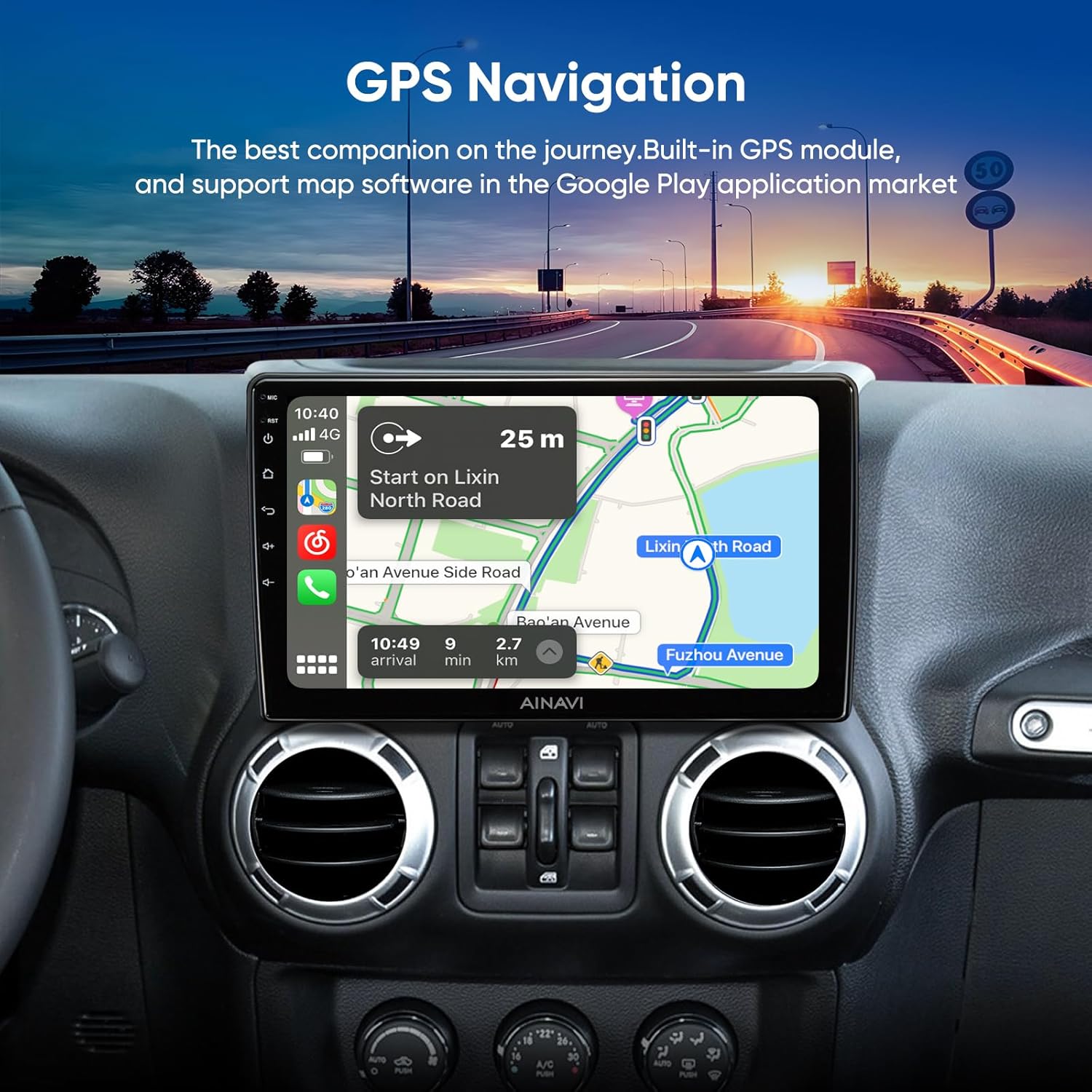
చిత్రం 5: GPS నావిగేషన్ ఇంటర్ఫేస్.
Video 4: Google Earth and Google Maps functionality on the stereo.
5.3. మీడియా ప్లేబ్యాక్
The unit supports 1080P video playback and various audio formats. You can access music and video files through USB or streaming services.
Video 5: Demonstration of 1080P video player and color key panel light settings.
5.4 కనెక్టివిటీ
The system supports 5G (2.4GHz & 5GHz) WiFi for faster network speeds and a smooth APP environment. Bluetooth connectivity is also available for hands-free calling and audio streaming.

Figure 6: WiFi and Bluetooth connection options.
Video 6: USB network connection and mirror projection function.
5.5. Sound Settings (DSP)
A built-in Digital Sound Processor (DSP) with Time Correction and a 48-band EQ allows for precise audio customization. You can adjust the sound field position and fine-tune audio output for optimal sound quality.

Figure 7: DSP and Equalizer settings.
Video 7: Pro DSP and split screen features demonstration.
5.6. Split Screen & Mirroring
The unit supports split-screen functionality, allowing two applications to run simultaneously. Mobile phone mirroring (Tlink) is available for both iPhone (Airplay) and Android devices, projecting your phone's screen onto the head unit.

Figure 8: Split Screen Mode and Steering Wheel Control.

Figure 9: Mobile Phone Mirroring (Tlink).
5.7. స్టీరింగ్ వీల్ కంట్రోల్ (SWC)
The system supports factory steering wheel controls, allowing you to manage audio and other functions without taking your hands off the wheel.
5.8. వెనుకview కెమెరా
An AHD 1080P rearview camera is included, offering a 170-degree wide-angle view and waterproof design. This assists in reducing blind spots and enhances safety during reversing maneuvers.

Figure 10: 1080P Rearview కెమెరా డిస్ప్లే.
6. నిర్వహణ
To ensure the longevity and optimal performance of your AINAVI car stereo, follow these maintenance guidelines:
- శుభ్రపరచడం: టచ్స్క్రీన్ మరియు యూనిట్ బాహ్య భాగాన్ని శుభ్రం చేయడానికి మృదువైన, పొడి వస్త్రాన్ని ఉపయోగించండి. రాపిడి క్లీనర్లు లేదా ద్రావకాలను నివారించండి.
- సాఫ్ట్వేర్ అప్డేట్లు: Periodically check for and install software updates to ensure the system has the latest features and bug fixes.
- పర్యావరణ పరిస్థితులు: యూనిట్ను తీవ్రమైన ఉష్ణోగ్రతలు, ఎక్కువసేపు ప్రత్యక్ష సూర్యకాంతి లేదా అధిక తేమకు గురిచేయకుండా ఉండండి.
- కేబుల్ నిర్వహణ: అన్ని కేబుల్స్ సురక్షితంగా కనెక్ట్ చేయబడ్డాయని మరియు పించ్ చేయబడలేదని లేదా దెబ్బతినకుండా చూసుకోండి.
7. ట్రబుల్షూటింగ్
If you encounter issues with your AINAVI car stereo, refer to the following common troubleshooting tips:
- శక్తి లేదు: Check all power connections and vehicle fuses. Ensure the unit is properly installed.
- శబ్దం లేదు/అడపాదడపా శబ్దం: Verify speaker connections. If using an aftermarket amplifier, ensure it is correctly wired and compatible. Some users reported intermittent sound issues; check manufacturer FAQs or contact support if persistent.
- టచ్స్క్రీన్ స్పందించడం లేదు: Ensure the screen is clean. If unresponsive, try restarting the unit. Some users reported needing a longer touch than normal; this can depend on the number of running apps.
- బ్లూటూత్/కార్ప్లే/ఆండ్రాయిడ్ ఆటో కనెక్టివిటీ సమస్యలు: Ensure your phone's Bluetooth is on and discoverable. For wired connections, check the USB cable. Re-pair devices if necessary.
- Mirroring Function Not Working: Verify the correct app is installed on your phone and the connection method (wired/wireless) is correctly configured.
- GPS సిగ్నల్ నష్టం: Ensure the GPS antenna is installed in a clear location with an unobstructed view ఆకాశం యొక్క.
For complex issues, please contact technical support.
8. స్పెసిఫికేషన్లు
| ఫీచర్ | వివరాలు |
|---|---|
| వస్తువు బరువు | 4.22 పౌండ్లు |
| ప్యాకేజీ కొలతలు | 13.82 x 9.65 x 5.31 అంగుళాలు |
| ప్రదర్శన పరిమాణం | 10.2 అంగుళాలు |
| రిజల్యూషన్ | 1280x720 |
| ఆపరేటింగ్ సిస్టమ్ | ఆండ్రాయిడ్ 12 OS |
| RAM | 2GB |
| ROM | 64GB |
| కనెక్టివిటీ టెక్నాలజీ | 5G & 2.4G Wi-Fi, Bluetooth, USB, Wireless and wired CarPlay & Android Auto |
| మ్యాప్ రకం | Europe, North America, Worldwide |
| ఆడియో అవుట్పుట్ మోడ్ | సరౌండ్ స్టీరియో |
| ప్రత్యేక లక్షణాలు | Android Mirroring+Airplay, Built-In Bluetooth, Touchscreen, AM RDS Radio, Panel light, 2 USB (4Pin+6Pin), 48EQ (Sound Point Control)+Premium DSP, QLED Touch Screen, Split Screen Function, Equalizer, Music Streaming, RCA, Subwoofer, Spotify, Rear View Camera Input, Built-In Wi-Fi, Support original backup camera |
9. వారంటీ & సపోర్ట్
ఉత్పత్తి a తో వస్తుంది 12 Months Manufacturer Guarantee.
For professional technical support, please contact us via Amazon email. We aim to reply as soon as possible to assist with any inquiries or installation support.

Figure 11: How to contact support for assistance.

