పరిచయం
ఈ మాన్యువల్ బ్లాక్ కోసం సమగ్ర సూచనలను అందిస్తుందిview BL9000 5G Rugged Smartphone. It covers essential information regarding setup, operation, maintenance, and troubleshooting to ensure optimal performance and longevity of your device. The BL9000 is designed for durability and high performance, featuring advanced mobile technology in a robust form factor.

Figure 1: Blackview BL9000 5G Rugged Smartphone and accessories.
పెట్టెలో ఏముంది
Upon unboxing your Blackview BL9000, please verify that all the following items are included:
- నలుపుview BL9000 5G Rugged Smartphone
- 120W ఛార్జర్
- యుఎస్బి టైప్ సి కేబుల్
- సిమ్ ట్రే ఎజెక్టర్ సాధనం
ప్రారంభ సెటప్
1 SIM కార్డ్లను చొప్పించడం
- పరికరం వైపున SIM కార్డ్ ట్రేని గుర్తించండి.
- Insert the SIM Tray Ejector Tool into the small hole next to the tray and press gently until the tray pops out.
- మీ నానో-సిమ్ కార్డులను ట్రేలోని నిర్దేశించిన స్లాట్లలో ఉంచండి. బంగారు కాంటాక్ట్లు క్రిందికి ఉండేలా చూసుకోండి.
- ట్రేని ఫోన్లోకి క్లిక్ అయ్యే వరకు జాగ్రత్తగా మళ్లీ చొప్పించండి.
2. ప్రారంభ ఛార్జింగ్
Before first use, it is recommended to fully charge your Blackview BL9000. బ్లాక్.
- Connect the 120W Charger to a power outlet.
- Connect the USB Type C Cable to the charger and then to the phone's charging port.
- The phone supports 120W fast charging, allowing a full charge in approximately 46 minutes.

Figure 2: Fast Charging Capability.
మీ పరికరాన్ని ఆపరేట్ చేస్తోంది
Main Display and Interaction
The BL9000 features a 6.78-inch FHD+ display with a 2.4K (1080*2460) resolution and a 120Hz dynamic refresh rate. This ensures smooth visuals and responsive touch interactions. The screen brightness reaches up to 500 nits for clear visibility in various lighting conditions.

Figure 3: Main Display Features.

Figure 4: Dynamic Refresh Rate in action.
సెకండరీ డిస్ప్లే
The BL9000 features a 1.32-inch functional rear screen. This secondary display provides quick access to essential information and notifications without needing to unlock the main screen.
- సమయం మరియు తేదీ: View current time and date at a glance.
- నోటిఫికేషన్లు: See incoming calls, messages, and app alerts.
- సంగీత నియంత్రణ: Manage media playback directly from the rear screen.
- అనుకూలీకరణ: Personalize the display with different watch faces, signatures, and backgrounds.

Figure 5: Secondary Display Functionality.

Figure 6: Personalizing the Secondary Display.
కెమెరా సిస్టమ్
The BL9000 is equipped with a versatile camera system for high-quality photography and videography.
- వెనుక కెమెరా: 50MP ISOCELL GN5 OIS Anti-shake main camera.
- Wide-angle/Macro Camera: 13MP for expansive landscapes or detailed close-ups.
- ముందు కెమెరా: 50MP for high-resolution selfies.
- వీడియో రికార్డింగ్: Supports 4K HD+ video recording.
- ఫీచర్లు: Includes OIS Anti-shake for stable shots, 4K Video Beauty Mode, Panorama Mode 2.0, and Underwater Camera mode.

చిత్రం 7: కెమెరా వ్యవస్థ ముగిసిందిview.

Figure 8: OIS Anti-shake Technology.
పనితీరు మరియు నిల్వ
The BL9000 is powered by the MTK Dimensity 8020 5G chipset, ensuring smooth performance for demanding applications and games.
- ప్రాసెసర్: 2.6GHz MTK Dimensity 8020 5G chipset.
- RAM: 24GB (12GB physical + 12GB virtual) for seamless multitasking.
- ROM: 512GB internal storage for ample space for apps, media, and files.

Figure 9: Processor, RAM, and ROM Configuration.
బ్యాటరీ మరియు ఛార్జింగ్
The device is equipped with a large 8800mAh battery, providing extended usage times.
- బ్యాటరీ కెపాసిటీ: 8800mAh.
- స్టాండ్బై సమయం: 384 గంటల వరకు.
- సంగీతం ప్లేబ్యాక్: 35 గంటల వరకు.
- సాధారణ ఉపయోగం: 12 గంటల వరకు.
- ఫాస్ట్ ఛార్జింగ్: 120W Super Fast Charge, fully charged in approximately 46 minutes.
- OTG: 5W OTG capability allows the phone to act as a power bank for other devices.

చిత్రం 10: బ్యాటరీ జీవితకాలం ముగిసిందిview.
Audio and Software
Experience immersive audio and a user-friendly operating system.
- స్పీకర్లు: Advanced 1216 speakers with BOX design and Harman audio technology for rich sound.
- ఆపరేటింగ్ సిస్టమ్: Android 13 with Doke OS 4.0, offering enhanced personalization and features like EasyShare, Atomized Memory 2.0, and Focus Mode.

Figure 11: Doke OS 4.0 Features.

Figure 12: Harman Audio Integration.
కనెక్టివిటీ మరియు నావిగేషన్
The BL9000 offers robust connectivity options and precise navigation.
- నెట్వర్క్ అనుకూలత: Supports 5G, 4G LTE-FDD, LTE-TDD, 3G WCDMA, and 2G GSM networks. Compatible with T-Mobile, Movistar, Claro, Telcel, Bell, and other GSM carriers. (Note: Not compatible with AT&T, Cricket, Verizon, Sprint, Boost Mobile, Straight Talk).
- వైర్లెస్: WiFi 6 and Bluetooth 5.1 for stable and fast connections.
- నావిగేషన్: GPS+Beidou+Glonass+Galileo for accurate positioning.
- NFC: For convenient payments and file బదిలీలు.

Figure 13: Connectivity and Security Features.

Figure 14: Supported Network Bands.
Security and Accessibility
- అన్లాక్ పద్ధతులు: Fingerprint and Face ID for quick and secure access.
- Glove Mode: Allows operation of the touchscreen while wearing gloves, useful in cold environments.
నిర్వహణ మరియు మన్నిక
ది బ్లాక్view BL9000 is built to withstand harsh conditions, adhering to military-grade standards.
- జలనిరోధిత: IP68/IP69K certified, withstands submersion up to 1.5 meters for 30 minutes.
- డ్రాప్ ప్రూఫ్: MIL-STD-810H military-grade certification, withstands drops from up to 5 meters.
- ఉష్ణోగ్రత నిరోధకత: Operates in extreme temperatures from -40°C to +80°C.
- స్క్రీన్ రక్షణ: Corning Gorilla Glass for enhanced resistance against cracks and scratches.

Figure 15: Durability and Ruggedness Features.

Figure 16: IP68/IP69K Waterproofness.
ట్రబుల్షూటింగ్
This section addresses common issues you might encounter with your Blackview BL9000. బ్లాక్.
| సమస్య | సాధ్యమైన కారణం | పరిష్కారం |
|---|---|---|
| ఫోన్ పవర్ ఆన్ అవ్వడం లేదు. | తక్కువ బ్యాటరీ; సాఫ్ట్వేర్ క్రాష్. | Charge the phone for at least 10 minutes. If still unresponsive, perform a forced restart by holding the Power button for 10-15 seconds. |
| నెట్వర్క్ సిగ్నల్ సరిగా లేదు లేదా సర్వీస్ లేదు. | SIM card not properly inserted; out of network coverage; incompatible carrier. | Ensure SIM card is correctly inserted. Move to an area with better network coverage. Verify your carrier is compatible with the BL9000's network bands. (Not compatible with AT&T, Cricket, Verizon, Sprint, Boost Mobile, Straight Talk). |
| బ్యాటరీ త్వరగా అయిపోతుంది. | Too many background apps; high screen brightness; intensive usage. | Close unused apps. Reduce screen brightness. Enable battery saver mode. Limit usage of power-intensive applications. |
| టచ్స్క్రీన్ స్పందించలేదు. | తాత్కాలిక సాఫ్ట్వేర్ లోపం; స్క్రీన్ ప్రొటెక్టర్ జోక్యం. | Restart the phone. Ensure screen is clean and dry. If using a screen protector, ensure it is properly applied and not interfering. |
స్పెసిఫికేషన్లు
Detailed technical specifications for the Blackview BL9000 5G Rugged Smartphone.
| మోడల్ పేరు | 5G Rugged Smartphone BL9000 |
| కొలతలు | 7.07 x 3.25 x 0.67 అంగుళాలు |
| వస్తువు బరువు | 14.4 ఔన్సులు |
| ఆపరేటింగ్ సిస్టమ్ | Android 13.0 (Doke OS 4.0) |
| ప్రాసెసర్ | MTK Dimensity 8020 5G Chipset (2.6GHz) |
| RAM | 24 GB (12GB భౌతిక + 12GB వర్చువల్) |
| అంతర్గత నిల్వ | 512 GB |
| ప్రధాన స్క్రీన్ పరిమాణం | 6.78 అంగుళాలు |
| ప్రధాన స్క్రీన్ రిజల్యూషన్ | 2460*1080 (2.4K FHD+) |
| రిఫ్రెష్ రేట్ | 120 Hz |
| ద్వితీయ స్క్రీన్ పరిమాణం | 1.32 అంగుళాలు |
| వెనుక కెమెరా | 50MP ISOCELL GN5 OIS Anti-shake + 13MP Wide-angle/Macro |
| ఫ్రంట్ కెమెరా | 50MP |
| బ్యాటరీ కెపాసిటీ | 8800 mAh |
| ఛార్జింగ్ | 120W Fast Charging, 5W OTG Reverse Charging |
| కనెక్టివిటీ | 5G, WiFi 6, Bluetooth 5.1, NFC |
| నావిగేషన్ | GPS+Beidou+Glonass+Galileo |
| మన్నిక | IP68/IP69K Waterproof, MIL-STD-810H Drop-proof, Corning Gorilla Glass |
| రంగు | నలుపు |
వారంటీ మరియు మద్దతు
నలుపుview is committed to providing high-quality products and excellent customer service.
- వారంటీ: అంతా నలుపుview cell phones come with a 2-year guarantee. This includes a 24-month free repair warranty and lifetime technician support from the Blackview Official Flagship Store.
- సంప్రదించండి: For any issues or support inquiries, please contact Blackview customer service through their official channels or the point of purchase.
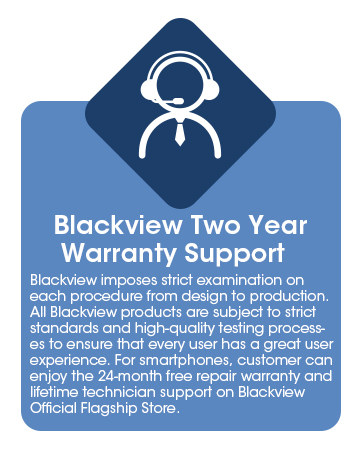
Figure 17: Blackview వారంటీ సమాచారం.


