పరిచయం
Thank you for choosing Boult Q Over Ear Bluetooth Headphones. This manual provides essential information for setting up, operating, maintaining, and troubleshooting your new headphones. Please read it thoroughly to ensure optimal performance and longevity of your device.

Image: Boult Q Over Ear Bluetooth Headphones in Beige, showcasing the sleek design and comfortable earcups.
పెట్టెలో ఏముంది
Your Boult Q Headphones package should contain the following items:
- Q Headphones
- టైప్-సి ఫాస్ట్ ఛార్జింగ్ కేబుల్
- వినియోగదారు మాన్యువల్
- వారంటీ కార్డ్
ఉత్పత్తి ముగిసిందిview
The Boult Q headphones are designed for an immersive audio experience with advanced features. Familiarize yourself with the key components:
- 40mm Bass Drivers: Deliver deep, rich bass and clear audio.
- Zen™ ENC Mic: Ensures crystal-clear calls by reducing background noise.
- సులభమైన నియంత్రణలు: Intuitive buttons for volume, playback, and calls.
- ఫోల్డబుల్ డిజైన్: For easy portability and storage.
- మెమరీ ఫోమ్ ఇయర్ కుషన్లు: Provide comfort for extended listening sessions.

Image: An infographic highlighting key features of the Boult Q headphones, including 40mm bass drivers, BT v5.4, ENC calling, 70 hours battery, and EQ modes.

Image: Close-up of Boult Q headphones showing memory foam ear cushions, emphasizing comfort.
సెటప్
మీ హెడ్ఫోన్లను ఛార్జ్ చేస్తోంది
Before first use, fully charge your Boult Q headphones. Use the provided Type-C Fast Charging Cable.
- Connect the Type-C end of the cable to the charging port on the headphones.
- USB-A ఎండ్ను అనుకూలమైన USB పవర్ అడాప్టర్ (చేర్చబడలేదు) లేదా కంప్యూటర్ యొక్క USB పోర్ట్కి కనెక్ట్ చేయండి.
- The LED indicator will show charging status. A full charge takes approximately 60 minutes.
10 నిమిషాల ఛార్జ్ 10 గంటల వరకు ప్లే టైమ్ను అందిస్తుంది.

Image: Boult Q headphones illustrating 70 hours total battery backup and fast charging capability (10 mins charge = 10 hours playtime).
బ్లూటూత్ పెయిరింగ్
Pair your Boult Q headphones with your device for wireless audio.
- హెడ్ఫోన్లు పవర్ ఆఫ్లో ఉన్నాయని నిర్ధారించుకోండి.
- జత చేసే మోడ్ను సూచిస్తూ, LED సూచిక నీలం మరియు ఎరుపు రంగుల్లో మెరిసే వరకు పవర్ బటన్ను నొక్కి పట్టుకోండి.
- మీ పరికరంలో (స్మార్ట్ఫోన్, టాబ్లెట్, ల్యాప్టాప్), బ్లూటూత్ను ప్రారంభించి, అందుబాటులో ఉన్న పరికరాల కోసం శోధించండి.
- Select "Boult Q" from the list of found devices.
- కనెక్ట్ చేసిన తర్వాత, మోడల్ ఆధారంగా LED సూచిక ఘన నీలం లేదా ఆఫ్ అవుతుంది.
The headphones feature Bluetooth 5.4 for stable connections and faster pairing with 'Blink & Pair' technology.
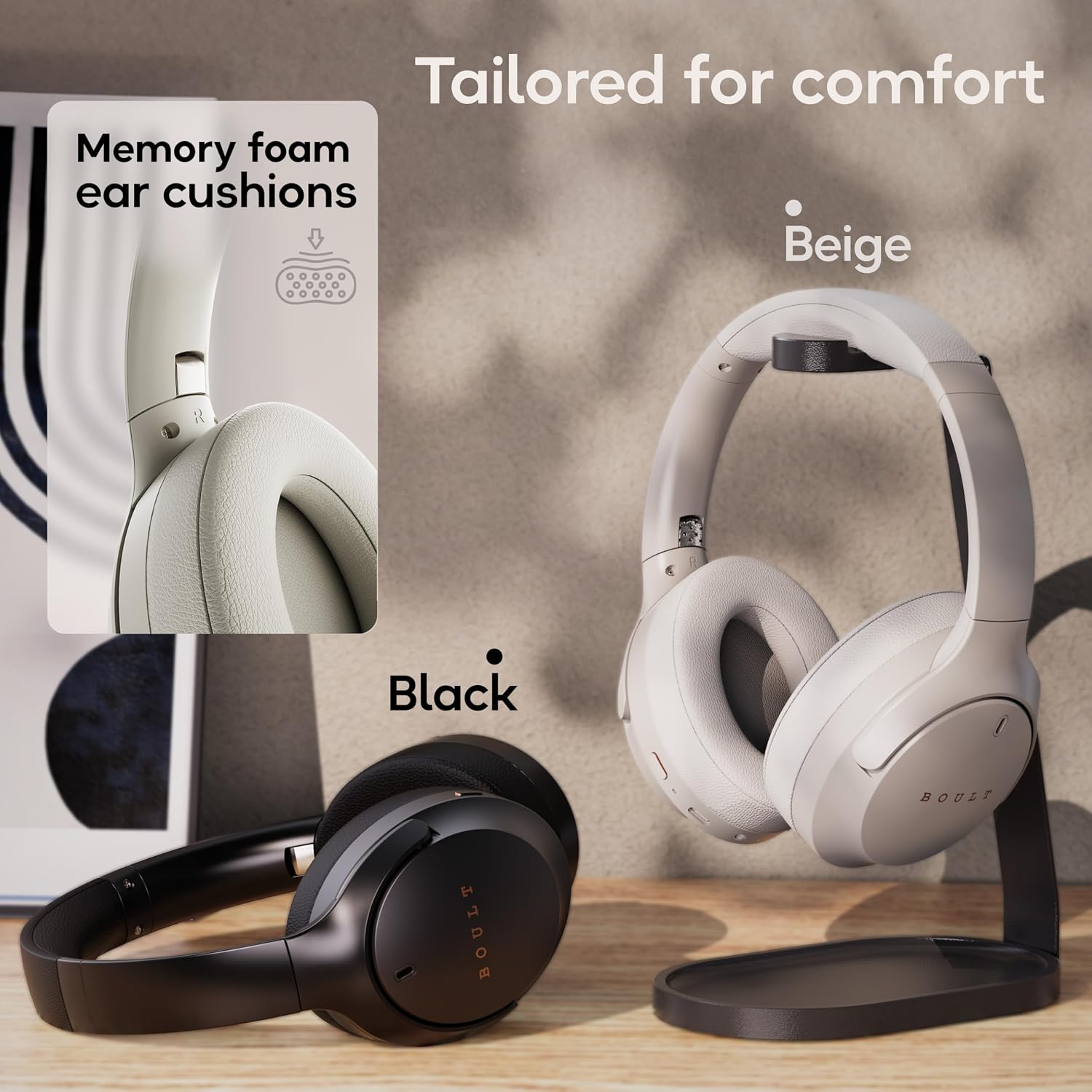
Image: Boult Q headphones highlighting Bluetooth 5.4 connectivity and 'Blink & Pair' for effortless and fast pairing.
మీ హెడ్ఫోన్లను ఆపరేట్ చేస్తోంది
పవర్ ఆన్/ఆఫ్
- పవర్ ఆన్: పవర్ బటన్ను 3 సెకన్ల పాటు నొక్కి పట్టుకోండి.
- పవర్ ఆఫ్: పవర్ బటన్ను 5 సెకన్ల పాటు నొక్కి పట్టుకోండి.
మ్యూజిక్ ప్లేబ్యాక్
- ప్లే/పాజ్: మల్టీ-ఫంక్షన్ బటన్ను ఒకసారి నొక్కండి.
- తదుపరి ట్రాక్: మల్టీ-ఫంక్షన్ బటన్ను రెండుసార్లు నొక్కండి.
- మునుపటి ట్రాక్: మల్టీ-ఫంక్షన్ బటన్ను మూడుసార్లు నొక్కండి.
- ధ్వని పెంచు: '+' బటన్ను షార్ట్ ప్రెస్ చేయండి.
- వాల్యూమ్ డౌన్: '-' బటన్ను షార్ట్ ప్రెస్ చేయండి.
EQ మోడ్లు
Customize your audio experience with 4 distinct EQ modes:
- బాస్: Enhances low frequencies for powerful sound.
- రాక్: Optimized for rock music with punchy drums and guitars.
- పాప్: బ్యాలెన్స్డ్ సౌండ్ ప్రోfile suitable for pop music.
- స్వరం: Emphasizes vocal clarity for podcasts and audiobooks.
Switch between modes using the dedicated EQ button.

Image: Boult Q headphones illustrating the four available EQ modes: Bass, Rock, Pop, and Vocal.
పిలుస్తోంది
The Zen™ ENC Mic ensures clear communication during calls.
- సమాధానం/ముగింపు కాల్: మల్టీ-ఫంక్షన్ బటన్ను ఒకసారి నొక్కండి.
- కాల్ని తిరస్కరించండి: మల్టీ-ఫంక్షన్ బటన్ను 2 సెకన్ల పాటు నొక్కి ఉంచండి.

Image: Close-up of Boult Q headphones highlighting the Zen™ ENC Mic for unmatched clarity in calls.
AUX Option (Wired Mode)
Connect your headphones via the AUX cable for wired listening, even when the battery is low or if you prefer a wired connection.
- Insert one end of a 3.5mm audio cable (not included) into the AUX port on the headphones.
- Connect the other end to your audio source's 3.5mm jack.

Image: Boult Q headphones demonstrating seamless switching between wired and wireless playback options.
వాయిస్ అసిస్టెంట్
Activate your device's voice assistant (Google Assistant, Siri, etc.) directly from your headphones.
- వాయిస్ అసిస్టెంట్ను సక్రియం చేయండి: మల్టీ-ఫంక్షన్ బటన్ను 2 సెకన్ల పాటు నొక్కి ఉంచండి.
Combat™ Gaming Mode
Experience ultra-low latency of 60ms for an enhanced gaming experience.
- గేమింగ్ మోడ్ను యాక్టివేట్ చేయండి: Refer to the specific button combination in your quick start guide or product packaging.

Image: Boult Q headphones showcasing Combat™ Gaming Mode with 60ms ultra-low latency, ideal for mobile gaming.
Dual Device DSP
Benefit from Dual Stream DSP technology for simultaneous dual instruction audio processing, ensuring swift and synchronous audio transfer. This feature provides adaptive audio equalization for a finely tuned listening experience.

Image: Boult Q headphones illustrating 16-bit simultaneous dual-audio processing with Dual Stream™ DSP for seamless VoIP calls and adaptive audio equalization.
నిర్వహణ
To ensure the longevity and optimal performance of your Boult Q headphones, follow these maintenance guidelines:
- శుభ్రపరచడం: హెడ్ఫోన్లను మృదువైన, పొడి వస్త్రంతో తుడవండి. కఠినమైన రసాయనాలు లేదా రాపిడి పదార్థాలను ఉపయోగించవద్దు.
- నిల్వ: When not in use, store the headphones in a cool, dry place, away from direct sunlight and extreme temperatures. Utilize the foldable design for compact storage.
- నీటి నిరోధకత: The headphones are IPX5 rated, meaning they are sweatproof, water-resistant, and splashproof. Avoid submerging them in water or exposing them to heavy rain.

Image: Boult Q headphones highlighting IPX5 rating for sweatproof, water-resistant, and splashproof protection, along with Voice Assistant compatibility.
ట్రబుల్షూటింగ్
If you encounter issues with your Boult Q headphones, refer to the following common solutions:
- శక్తి లేదు: హెడ్ఫోన్లు పూర్తిగా ఛార్జ్ అయ్యాయని నిర్ధారించుకోండి. పవర్ సోర్స్కి కనెక్ట్ చేసి, ఛార్జింగ్ ఇండికేటర్ను తనిఖీ చేయండి.
- జత చేయలేము:
- Ensure Bluetooth is enabled on your device and the headphones are in pairing mode (flashing blue/red LED).
- హెడ్ఫోన్లను మీ పరికరానికి దగ్గరగా తరలించండి.
- Forget/remove "Boult Q" from your device's Bluetooth list and try pairing again.
- హెడ్ఫోన్లు మరియు మీ పరికరం రెండింటినీ రీస్టార్ట్ చేయండి.
- ధ్వని లేదు:
- హెడ్ఫోన్లు మరియు మీ కనెక్ట్ చేయబడిన పరికరం రెండింటిలోనూ వాల్యూమ్ స్థాయిలను తనిఖీ చేయండి.
- హెడ్ఫోన్లు సరిగ్గా జత చేయబడి కనెక్ట్ అయ్యాయని నిర్ధారించుకోండి.
- If using AUX, ensure the cable is fully inserted and functional.
- పేలవమైన కాల్ నాణ్యత:
- మైక్రోఫోన్ అడ్డుపడకుండా చూసుకోండి.
- నేపథ్య శబ్దాన్ని తగ్గించడానికి నిశ్శబ్ద వాతావరణానికి వెళ్లండి.
- మీ పరికరం నెట్వర్క్ సిగ్నల్ను తనిఖీ చేయండి.
- అడపాదడపా కనెక్షన్:
- హెడ్ఫోన్లు మరియు మీ పరికరం మధ్య ఎటువంటి అడ్డంకులు లేవని నిర్ధారించుకోండి.
- Keep within the 10-meter Bluetooth range.
- బలమైన విద్యుదయస్కాంత జోక్యాన్ని నివారించండి.
స్పెసిఫికేషన్లు
| ఫీచర్ | స్పెసిఫికేషన్ |
|---|---|
| మోడల్ పేరు | Boult Q |
| కనెక్టివిటీ టెక్నాలజీ | వైర్లెస్, బ్లూటూత్ |
| బ్లూటూత్ వెర్షన్ | 5.4 |
| బ్లూటూత్ రేంజ్ | 10 మీటర్లు |
| ఆడియో డ్రైవర్ పరిమాణం | 40 మిల్లీమీటర్లు |
| ఆట సమయం | 70 గంటల వరకు |
| ఛార్జింగ్ సమయం | 60 నిమిషాలు |
| హెడ్ఫోన్స్ జాక్ | టైప్-సి ఫాస్ట్ ఛార్జింగ్ జాక్ |
| నీటి నిరోధక స్థాయి | IPX5 (వాటర్ రెసిస్టెంట్) |
| వస్తువు బరువు | 205 గ్రాములు |
| నియంత్రణ రకం | Touch, Voice, Button |
| నాయిస్ కంట్రోల్ | నిష్క్రియ శబ్దం రద్దు |
| అనుకూల పరికరాలు | Cellphones, Gaming Consoles, Tablets, iPhone, Laptops, Desktops, Android |
వారంటీ & మద్దతు
Your Boult Q Over Ear Bluetooth Headphones come with a 1 సంవత్సరం వారంటీ కొనుగోలు చేసిన తేదీ నుండి.
To avail of the extended warranty and for any support queries, please register your product on the official Boult website. For further assistance, refer to the contact information provided on your warranty card or visit the Boult support page online.
వారంటీ క్లెయిమ్ల కోసం దయచేసి మీ కొనుగోలు రసీదుని ఉంచుకోండి.


