1. ఉత్పత్తి ముగిసిందిview
The ENDGAME GEAR OP1w 4k Wireless Gaming Mouse is engineered for high-performance gaming, offering precision and speed for competitive play. It features a 4000Hz wireless polling rate, a PixArt PAW3395 optical sensor, and Kailh GX switches for responsive and accurate control.

చిత్రం: పై నుండి క్రిందికి view of the ENDGAME GEAR OP1w 4k Wireless Gaming Mouse in black, showcasing its ergonomic shape and primary buttons.
- 4000Hz పోలింగ్ రేటు: Provides real-time precision for demanding gaming scenarios.
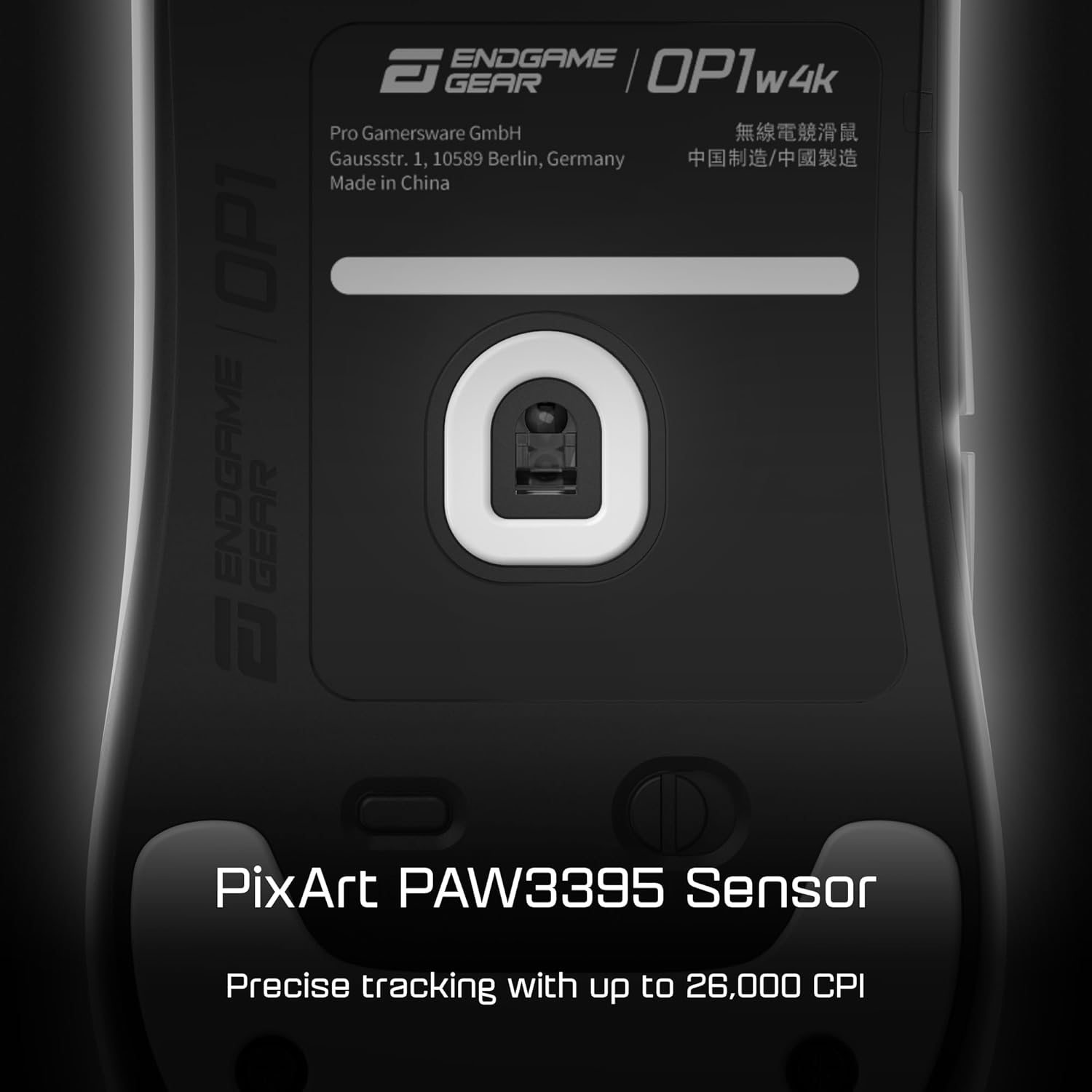
- PixArt PAW3395 సెన్సార్: Offers up to 26,000 CPI, 650 IPS, and 50G acceleration for ultra-smooth and precise tracking.
- Kailh GX Switches: Ensures lightning-fast accuracy and a crisp, tactile click response.
- తేలికపాటి డిజైన్: Weighs approximately 58.5g, designed for comfort and control, especially for claw grip users.
- Customizable Power Settings: Allows optimization of battery life without compromising performance.
2. సెటప్ గైడ్
2.1 ప్యాకేజీ విషయాలు
కొనసాగే ముందు, అన్ని భాగాలు ఉన్నాయని నిర్ధారించుకోండి:
- ENDGAME GEAR OP1w 4k వైర్లెస్ గేమింగ్ మౌస్
- Wireless Receiver (Dongle)
- USB-C ఛార్జింగ్/డేటా కేబుల్
- వినియోగదారు మాన్యువల్ (ఈ పత్రం)
2.2 ప్రారంభ ఛార్జింగ్
- Connect the supplied USB-C cable to the mouse's charging port.
- Connect the other end of the USB-C cable to an available USB port on your computer or a USB wall adapter.
- Allow the mouse to charge fully before first use. The LED indicator on the mouse will typically change color or turn off when fully charged.
2.3 మౌస్ను కనెక్ట్ చేయడం
- Insert the wireless receiver (dongle) into an available USB port on your computer.
- మౌస్ కింద ఉన్న పవర్ స్విచ్ని ఉపయోగించి మౌస్ను ఆన్ చేయండి.
- Your computer should automatically detect and install the necessary drivers. If not, proceed to the software installation step.

Image: The underside of the OP1w 4k mouse, highlighting the PixArt PAW3395 sensor and the power/mode switch for wireless operation.
2.4 సాఫ్ట్వేర్ ఇన్స్టాలేషన్
For full customization and advanced features, download the official ENDGAME GEAR software:
- Visit the official ENDGAME GEAR webసైట్: www.endgamegear.com/downloads
- Locate and download the software for the OP1w 4k Wireless Gaming Mouse.
- సాఫ్ట్వేర్ను ఇన్స్టాల్ చేయడానికి ఆన్-స్క్రీన్ సూచనలను అనుసరించండి.
- Once installed, launch the software to configure DPI settings, polling rate, button assignments, and other performance parameters.
3. ఆపరేషన్
3.1 ప్రాథమిక విధులు
- ఎడమ క్లిక్ (బటన్ 1): ప్రాథమిక చర్య.
- కుడి క్లిక్ (బటన్ 2): ద్వితీయ చర్య/సందర్భ మెనూ.
- Scroll Wheel (Button 3): పైకి/క్రిందికి స్క్రోల్ చేయండి, మధ్యలో క్లిక్ చేయండి.
- Side Buttons (Buttons 4 & 5): Typically assigned as Forward/Backward in web బ్రౌజర్లు లేదా సాఫ్ట్వేర్లో అనుకూలీకరించదగినవి.
చిత్రం: క్లోజప్ view of the mouse's primary buttons, highlighting the Kailh GX switches for precise clicks.
3.2 DPI సర్దుబాటు
The mouse features a dedicated DPI button (often on the underside or programmable via software) to cycle through preset DPI levels. Use the ENDGAME GEAR software to customize these levels to your preference.
3.3 పోలింగ్ రేటు
The OP1w 4k supports up to a 4000Hz wireless polling rate. This setting can be adjusted via the ENDGAME GEAR software. A higher polling rate provides more frequent updates to your computer, resulting in smoother and more responsive cursor movement, especially noticeable on high refresh rate monitors.

Image: The OP1w 4k mouse positioned next to its wireless dongle, emphasizing its 4000Hz wireless polling rate capability for rapid response times.
3.4 బ్యాటరీ నిర్వహణ
The mouse is equipped with a rechargeable Lithium Ion battery. Monitor the battery level through the ENDGAME GEAR software or the mouse's LED indicator. Connect the USB-C cable to charge when the battery is low.
4. నిర్వహణ
4.1 శుభ్రపరచడం
- Ensure the mouse is turned off and disconnected from any power source.
- కొద్దిగా మెత్తని, మెత్తని బట్టను ఉపయోగించండి dampమౌస్ ఉపరితలాన్ని తుడవడానికి నీరు లేదా తేలికపాటి శుభ్రపరిచే ద్రావణంతో నానబెట్టండి.
- ఆప్టికల్ సెన్సార్ కోసం, ఒక కాటన్ శుభ్రముపరచును తేలికగా ఉపయోగించండి dampened with isopropyl alcohol to gently clean the sensor lens. Avoid excessive moisture.
- కఠినమైన రసాయనాలు, అబ్రాసివ్లు లేదా ద్రావకాలను ఉపయోగించవద్దు.
4.2 బ్యాటరీ సంరక్షణ
- బ్యాటరీని తరచుగా పూర్తిగా డిశ్చార్జ్ చేయడాన్ని నివారించండి.
- ఎక్కువసేపు ఉపయోగంలో లేనప్పుడు మౌస్ను చల్లని, పొడి ప్రదేశంలో నిల్వ చేయండి.
- If storing for a long time, charge the battery to approximately 50% to prolong its lifespan.
5. ట్రబుల్షూటింగ్
| సమస్య | సాధ్యమైన పరిష్కారం |
|---|---|
| మౌస్ స్పందించడం లేదు |
|
| Intermittent connection/lag |
|
| Buttons not working correctly |
|
| సాఫ్ట్వేర్ మౌస్ను గుర్తించడం లేదు |
|
6. సాంకేతిక లక్షణాలు
| ఫీచర్ | వివరాలు |
|---|---|
| మోడల్ సంఖ్య | EGG-OP1W4K-BLK |
| కనెక్టివిటీ | Wireless (Radio Frequency), USB (for charging/wired mode) |
| సెన్సార్ | PixArt PAW3395 Optical Sensor |
| Max CPI/DPI | 26,000 |
| మాక్స్ ఐపిఎస్ | 650 |
| మాక్స్ త్వరణం | 50G |
| పోలింగ్ రేటు | Up to 4000Hz Wireless |
| స్విచ్లు | Kailh GX Switches |
| బరువు | సుమారు 58.5 గ్రా (2.06 ఔన్సులు) |
| కొలతలు | 4.65 x 14.65 x 0.04 inches (Note: These dimensions appear to be for packaging, not the mouse itself.) |
| బ్యాటరీ రకం | 1 లిథియం అయాన్ బ్యాటరీ (చేర్చబడింది) |
| ప్రత్యేక లక్షణాలు | 4k Polling, Lightweight, Low Click Latency |
Note: Product dimensions provided in source data (4.65 x 14.65 x 0.04 inches) appear to be incorrect for a mouse and may refer to packaging. Actual mouse dimensions are typically smaller.
7. వారంటీ మరియు మద్దతు
7.1 వారంటీ సమాచారం
ENDGAME GEAR products are covered by a limited manufacturer's warranty. The specific terms and duration of the warranty may vary by region and product. Please retain your proof of purchase for warranty claims.
For detailed warranty information, please visit the official ENDGAME GEAR webసైట్ లేదా వారి కస్టమర్ సపోర్ట్ని సంప్రదించండి.
7.2 కస్టమర్ మద్దతు
If you encounter any issues not covered in this manual or require further assistance, please contact ENDGAME GEAR customer support:
- Webసైట్: www.endgamegear.com/support
- ఇమెయిల్: అధికారిక పేజీలోని మద్దతు విభాగాన్ని చూడండి. webసంప్రదింపు ఇమెయిల్ కోసం సైట్.
- ఆన్లైన్ వనరులు: Check the ENDGAME GEAR website for FAQs, driver updates, and community forums.


