1. పరిచయం
మీ కొత్త పరికరం కోసం యూజర్ మాన్యువల్కు స్వాగతం. CUBOT KINGKONG ES Rugged Smartphone. This device is engineered for durability and performance, featuring an ఆండ్రాయిడ్ 14 operating system, a robust 5100mAh బ్యాటరీ, మరియు ఎ 6.56-inch HD+ display. It is designed to withstand challenging environments with IP68/IP69K water and dust resistance మరియు MIL-STD-810H certification. This manual provides essential information on setting up, operating, maintaining, and troubleshooting your smartphone.

చిత్రం 1.1: ముగిసిందిview of the CUBOT KINGKONG ES Rugged Smartphone highlighting its robust design and key specifications like 16GB RAM, 128GB ROM, 48MP camera, and 5100mAh battery.
2. భద్రతా సమాచారం
సురక్షితమైన మరియు సరైన ఆపరేషన్ను నిర్ధారించుకోవడానికి మీ పరికరాన్ని ఉపయోగించే ముందు దయచేసి ఈ విభాగాన్ని జాగ్రత్తగా చదవండి.
- బ్యాటరీ భద్రత: Do not attempt to replace the internal battery yourself. Use only CUBOT-approved chargers and cables. Avoid exposing the battery to extreme temperatures or direct sunlight.
- నీరు మరియు ధూళి నిరోధకత: While the device is IP68/IP69K rated, ensure all ports are securely closed before exposure to water or dust. Avoid prolonged submersion or high-pressure water jets. If the device gets wet, dry it thoroughly before charging.
- ఉష్ణోగ్రత: Operate the device within a temperature range of -35°C to 75°C. Extreme temperatures can affect performance and battery life.
- పారవేయడం: Dispose of the device and its battery responsibly according to local regulations. Do not dispose of in household waste.
3. ప్యాకేజీ విషయాలు
మీ ప్యాకేజీ కింది అంశాలను కలిగి ఉందని ధృవీకరించండి:
- CUBOT KINGKONG ES Smartphone
- USB టైప్-సి కేబుల్
- పవర్ అడాప్టర్
- SIM ఎజెక్ట్ సాధనం
- వినియోగదారు మాన్యువల్ (ఈ పత్రం)
4 పరికర లేఅవుట్
Familiarize yourself with the physical components of your CUBOT KINGKONG ES smartphone.

Image 4.1: Front, back, and side views of the CUBOT KINGKONG ES, showing button placement and camera module.
- ముందు: 6.56-inch HD+ display, 16MP front camera.
- కుడి వైపు: Power button, Volume Up/Down buttons.
- ఎడమ వైపు: SIM/TF card tray.
- వెనుకకు: 48MP main camera, 2MP macro camera, LED flash, CUBOT branding.
- దిగువ: USB టైప్-సి పోర్ట్.
5. సెటప్
5.1. SIM/TF కార్డ్ ఇన్స్టాలేషన్
To use cellular services and expand storage, install your SIM and/or TF (microSD) cards.
- పరికరం యొక్క ఎడమ వైపున SIM కార్డ్ ట్రేని గుర్తించండి.
- ట్రే పక్కన ఉన్న చిన్న రంధ్రంలోకి సిమ్ ఎజెక్ట్ సాధనాన్ని చొప్పించి, ట్రే బయటకు వచ్చే వరకు గట్టిగా నొక్కండి.
- ట్రేని జాగ్రత్తగా బయటకు తీయండి.
- Place your Nano-SIM card(s) and/or TF card into the designated slots on the tray, ensuring the gold contacts face down. The device supports Dual Nano SIM or one Nano SIM and one TF card.
- Gently push the tray back into the slot until it is flush with the device's side.

Image 5.1: Diagram showing the correct placement of SIM and TF cards in the tray.
5.2. ప్రారంభ పవర్ ఆన్ మరియు కాన్ఫిగరేషన్
After installing your cards, you can power on and set up your device.
- నొక్కండి మరియు పట్టుకోండి పవర్ బటన్ on the right side until the CUBOT logo appears.
- మీ భాషను ఎంచుకోవడానికి, Wi-Fi నెట్వర్క్కి కనెక్ట్ చేయడానికి, మీ Google ఖాతాను సెటప్ చేయడానికి మరియు ఇతర ప్రారంభ సెట్టింగ్లను కాన్ఫిగర్ చేయడానికి ఆన్-స్క్రీన్ ప్రాంప్ట్లను అనుసరించండి.
6. మీ పరికరాన్ని ఆపరేట్ చేయడం
6.1. ప్రాథమిక నావిగేషన్
The CUBOT KINGKONG ES uses standard Android gestures for navigation:
- నొక్కండి: ఒక అంశాన్ని ఎంచుకోండి లేదా యాప్ను తెరవండి.
- స్వైప్: స్క్రీన్లు లేదా జాబితాల ద్వారా స్క్రోల్ చేయండి.
- చిటికెడు: ఫోటోలను జూమ్ ఇన్ లేదా అవుట్ చేయండి మరియు web పేజీలు.
- లాంగ్ ప్రెస్: సందర్భోచిత మెనూలను యాక్సెస్ చేయండి లేదా చిహ్నాలను తరలించండి.
6.2. కాల్లు మరియు సందేశం
కాల్ చేయడానికి, తెరవండి ఫోన్ app and dial the number or select a contact. To send a message, open the సందేశాలు app and compose your text.
6.3. కెమెరా ఆపరేషన్
Your device is equipped with a 48MP ప్రధాన కెమెరా, a 16MP ఫ్రంట్ కెమెరా, మరియు ఎ 2MP మాక్రో కెమెరా for versatile photography.
- తెరవండి కెమెరా అనువర్తనం.
- మీకు కావలసిన మోడ్ను ఎంచుకోండి (ఫోటో, వీడియో, పోర్ట్రెయిట్, మాక్రో, మొదలైనవి).
- చిత్రాన్ని క్యాప్చర్ చేయడానికి లేదా వీడియో రికార్డింగ్ ప్రారంభించడానికి/ఆపడానికి షట్టర్ బటన్ను నొక్కండి.

Image 6.1: Details of the CUBOT KINGKONG ES camera system, highlighting the 48MP main camera and 2MP macro camera capabilities.
6.4 కనెక్టివిటీ
ఈ పరికరం వివిధ కనెక్టివిటీ ఎంపికలకు మద్దతు ఇస్తుంది:
- Wi-Fi: ఇంటర్నెట్ యాక్సెస్ కోసం వైర్లెస్ నెట్వర్క్లకు కనెక్ట్ అవ్వండి.
- బ్లూటూత్: Pair with wireless headphones, speakers, or other devices.
- GPS: Utilize global positioning for navigation and location services. The device supports GPS, GLONASS, Galileo, and Beidou for enhanced accuracy.
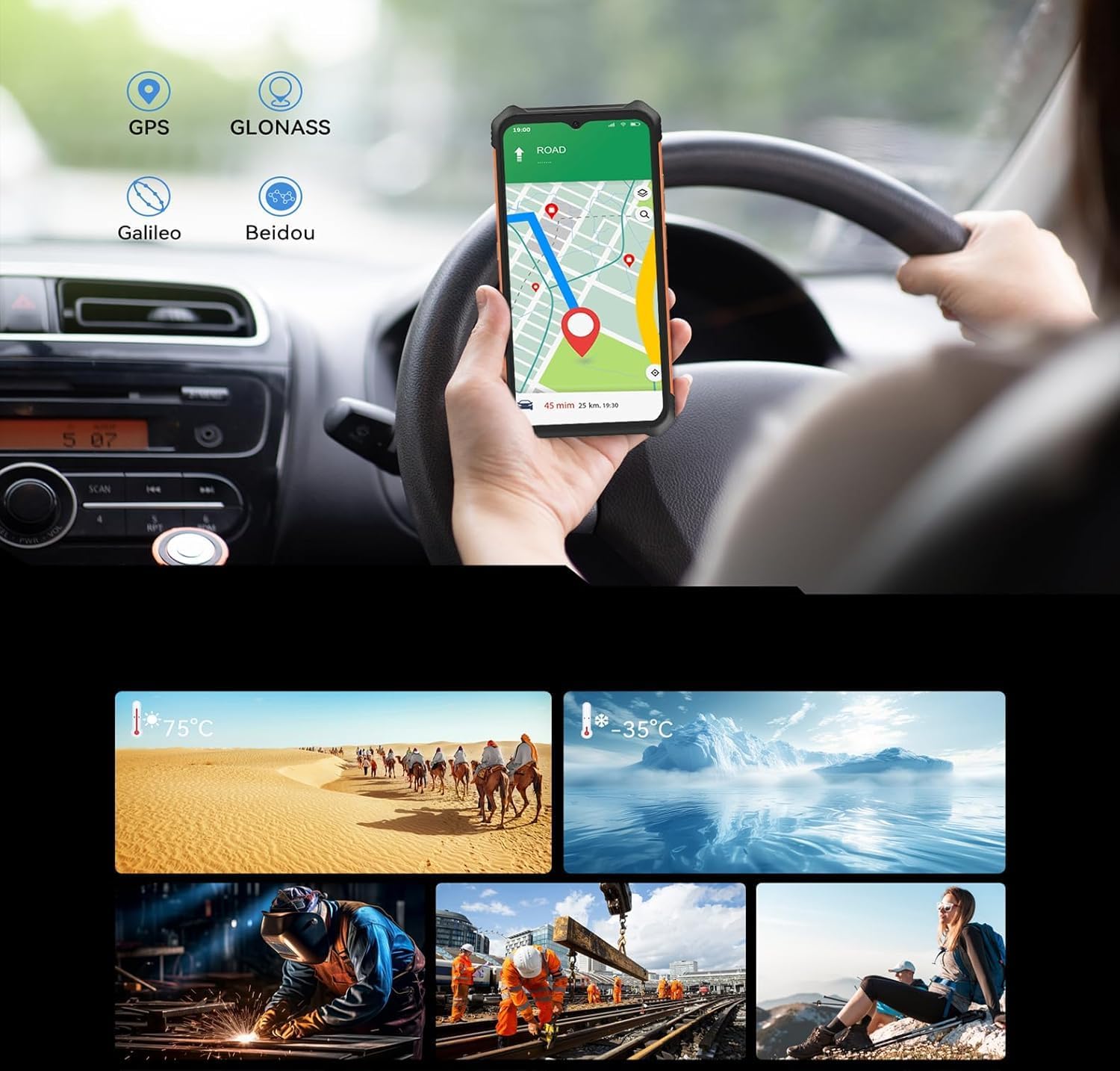
Image 6.2: The CUBOT KINGKONG ES displaying a navigation map, illustrating its GPS capabilities.
6.5. బ్యాటరీ నిర్వహణ
ది 5100mAh బ్యాటరీ provides extended usage. To charge, connect the USB Type-C cable to the device and the power adapter to a wall outlet.
- To optimize battery life, reduce screen brightness, disable unused features like Bluetooth or GPS, and close background applications.
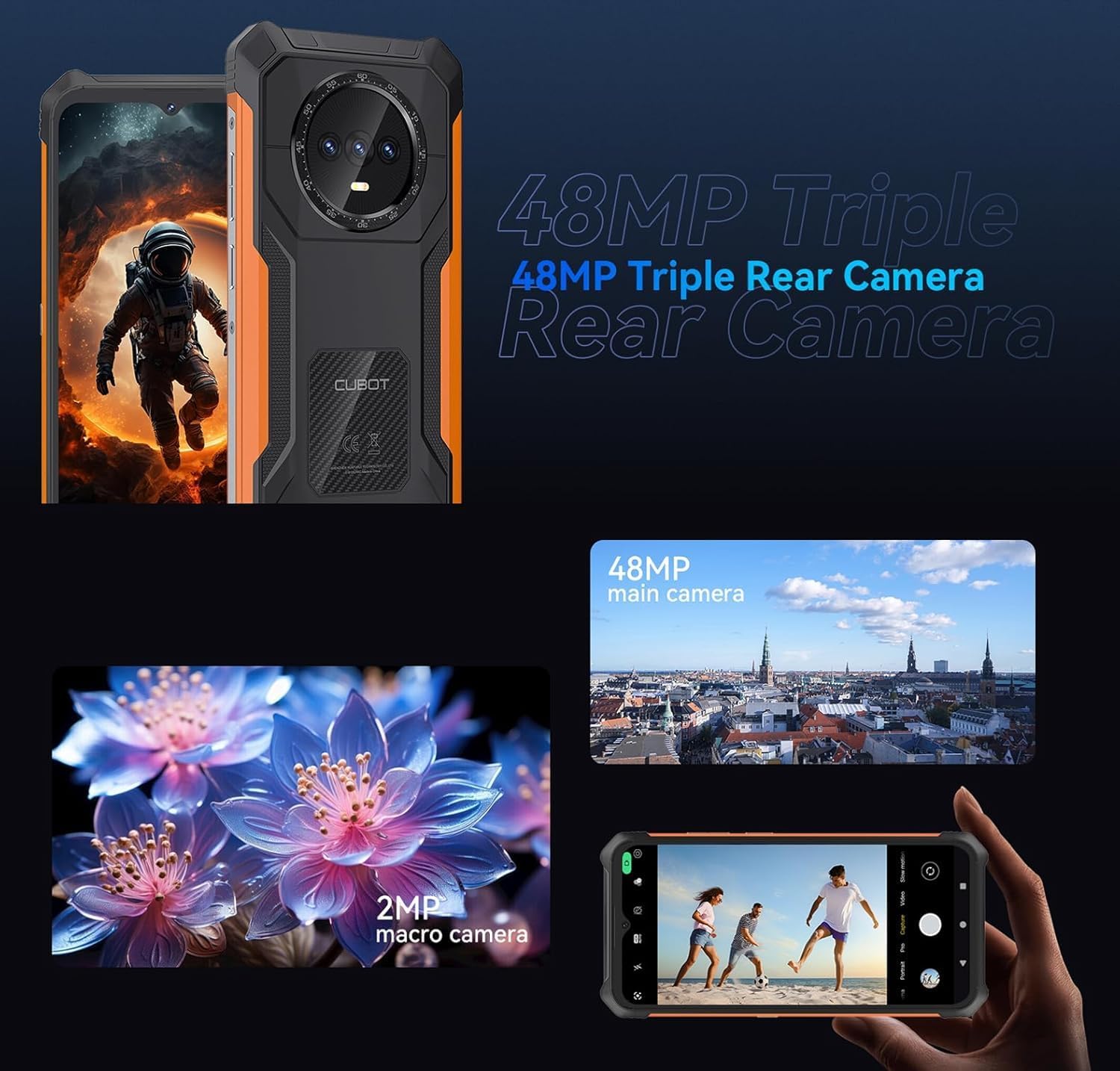
Image 6.3: An illustration of the 5100mAh battery's endurance, showing estimated hours for standby, calling, music playback, and video playback.
6.6. దృఢమైన లక్షణాలు
The CUBOT KINGKONG ES is built to endure with IP68/IP69K ratings for water and dust resistance, and MIL-STD-810H certification for shock and extreme conditions.
- Ensure all port covers are sealed tightly before exposing the device to water or dusty environments.
- Avoid dropping the device from excessive heights, despite its rugged design.
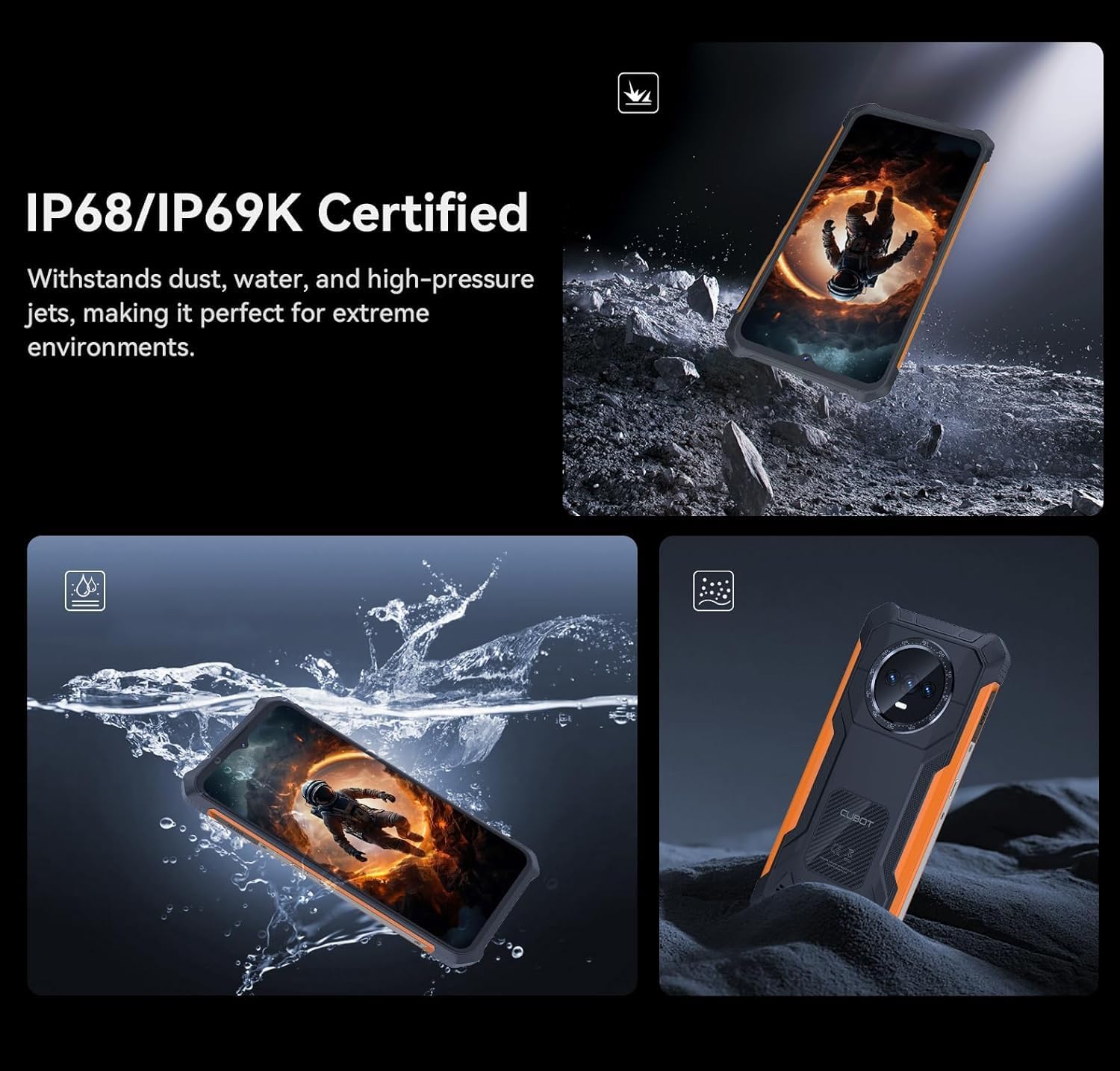
Image 6.4: The CUBOT KINGKONG ES submerged in water and covered in dust, illustrating its IP68/IP69K certified resistance.

Image 6.5: Collage showing the CUBOT KINGKONG ES being used in diverse extreme conditions, from desert heat to icy cold, and various demanding work or outdoor environments.
7. నిర్వహణ
7.1. మీ పరికరాన్ని శుభ్రపరచడం
To clean your smartphone, use a soft, lint-free cloth. For stubborn dirt, a slightly damp వస్త్రాన్ని ఉపయోగించవచ్చు. కఠినమైన రసాయనాలు లేదా రాపిడి పదార్థాలను నివారించండి.
7.2. సాఫ్ట్వేర్ నవీకరణలు
సరైన పనితీరు, భద్రత మరియు కొత్త ఫీచర్లకు ప్రాప్యతను నిర్ధారించుకోవడానికి సాఫ్ట్వేర్ నవీకరణలను క్రమం తప్పకుండా తనిఖీ చేసి, ఇన్స్టాల్ చేయండి. వెళ్ళండి సెట్టింగ్లు > సిస్టమ్ > సిస్టమ్ అప్డేట్ నవీకరణల కోసం తనిఖీ చేయడానికి.
8. ట్రబుల్షూటింగ్
ఈ విభాగం మీరు ఎదుర్కొనే సాధారణ సమస్యలను పరిష్కరిస్తుంది.
- పరికరం ఆన్ చేయడం లేదు: బ్యాటరీ ఛార్జ్ అయ్యిందని నిర్ధారించుకోండి. ఛార్జర్ను కనెక్ట్ చేసి, మళ్లీ పవర్ ఆన్ చేయడానికి ప్రయత్నించే ముందు కొన్ని నిమిషాలు వేచి ఉండండి. సమస్య కొనసాగితే, పవర్ బటన్ను 10-15 సెకన్ల పాటు నొక్కి ఉంచడం ద్వారా బలవంతంగా రీస్టార్ట్ చేయండి.
- పేలవమైన నెట్వర్క్ సిగ్నల్: Check if your SIM card is correctly inserted. Move to an area with better network coverage. Restart the device.
- బ్యాటరీ త్వరగా ఖాళీ అవుతోంది: Close unused apps running in the background. Reduce screen brightness. Disable Wi-Fi, Bluetooth, or GPS when not in use. Check battery usage in Settings to identify power-hungry apps.
- స్క్రీన్ స్పందించడం లేదు: Perform a forced restart. If the screen remains unresponsive, contact customer support.
- Water/Dust exposure issues: If the device has been exposed to water, ensure all ports are dry before charging. If functionality is affected, power off the device and allow it to dry completely.
9. స్పెసిఫికేషన్లు
Key technical specifications for the CUBOT KINGKONG ES:
| ఫీచర్ | స్పెసిఫికేషన్ |
|---|---|
| మోడల్ పేరు | Kingkong ES |
| ఆపరేటింగ్ సిస్టమ్ | ఆండ్రాయిడ్ 14 |
| ప్రాసెసర్ | T606 Octa-core (1.6 GHz) |
| RAM | 6 GB (Extendable to 10 GB) |
| అంతర్గత నిల్వ | 128 GB |
| విస్తరించదగిన నిల్వ | Up to 1 TB (TF Card) |
| స్క్రీన్ పరిమాణం | 6.56 అంగుళాలు |
| రిజల్యూషన్ | 720 x 1612 HD+ |
| రిఫ్రెష్ రేట్ | 90 Hz |
| ప్రధాన కెమెరా | 48 ఎంపీ |
| ఫ్రంట్ కెమెరా | 16 ఎంపీ |
| మాక్రో కెమెరా | 2 ఎంపీ |
| బ్యాటరీ కెపాసిటీ | 5100 mAh |
| నీరు/దుమ్ము నిరోధకత | IP68/IP69K |
| మన్నిక ప్రమాణం | MIL-STD-810H |
| సిమ్ కార్డ్ మద్దతు | డ్యూయల్ నానో సిమ్ |
| కొలతలు | 20.8 x 18.6 x 3.7 సెం.మీ (ప్యాకేజీ) |
| బరువు | 510 గ్రా (ప్యాకేజీ) |
10. వారంటీ మరియు మద్దతు
Your CUBOT KINGKONG ES smartphone comes with a standard manufacturer's warranty. For specific warranty terms and conditions, please refer to the warranty card included in your package or visit the official CUBOT website. For technical support or service inquiries, please contact CUBOT customer service through their official channels.


