1. పరిచయం
Thank you for choosing the OHAYO Portable Bluetooth Speaker. This manual provides essential information for setting up, operating, and maintaining your speaker to ensure optimal performance. Designed for both indoor and outdoor use, this speaker delivers exceptional audio quality with its 15W loud stereo sound, IPX7 waterproof rating, and versatile connectivity options.
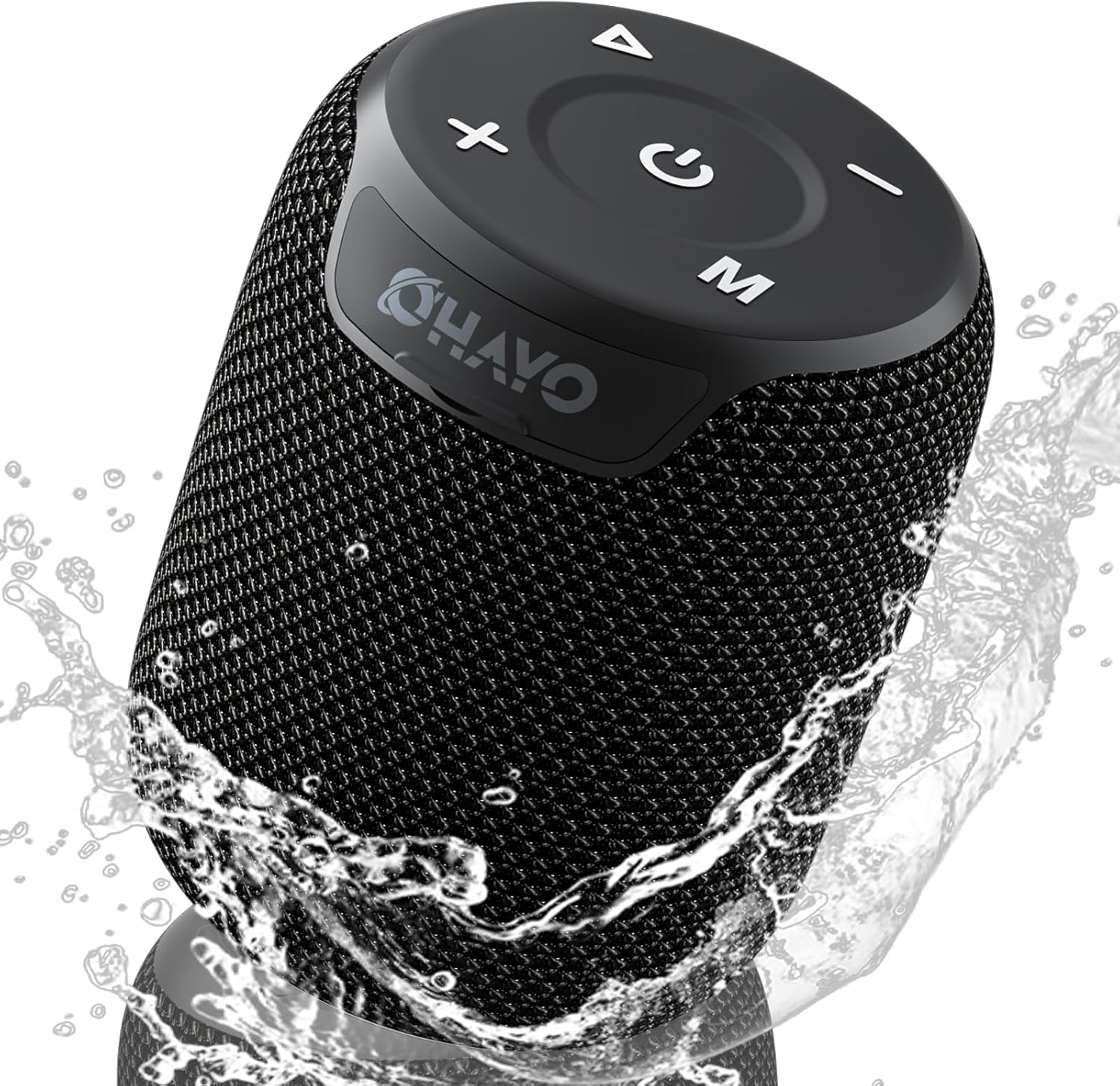
Image: The OHAYO Portable Bluetooth Speaker, showcasing its compact design and IPX7 waterproof capability with water splashing around it.
2. ఉత్పత్తి ముగిసిందిview
2.1 ముఖ్య లక్షణాలు
- Exceptional Audio Performance: Features a 60mm mid-high speaker and a 65mm bass diaphragm for clear treble and rich bass.
- IPX7 జలనిరోధిత: Fully submersible up to 3 feet for 30 minutes, resistant to rain, dust, snow, and spills.
- బ్లూటూత్ V5.3: Ensures quick pairing and stable connection with automatic re-connection.
- TWS జత: Connect two speakers for synchronized, immersive stereo sound.
- బహుముఖ ప్లేబ్యాక్: Supports Bluetooth, TF cards, and 3.5mm AUX input.
- సుదీర్ఘ ఆట సమయం: Up to 18 hours of music playback on a single charge.
- అంతర్నిర్మిత మైక్రోఫోన్: For high-quality, hands-free calls.
- పోర్టబుల్ డిజైన్: Compact, lightweight, and includes a handy lanyard for easy carrying.

చిత్రం: పేలినది view of the speaker's internal components highlighting the 60mm mid-high speaker and 65mm bass diaphragm, alongside icons representing key features like Aux-in, HD Mic, Hand-free Call, IPX7 Waterproof, Bluetooth 5.3, Micro SD support, and 16 hours of playtime.
2.2 నియంత్రణలు మరియు పోర్ట్లు
The OHAYO speaker features intuitive controls located on the top panel and essential ports for connectivity.

చిత్రం: వివరణాత్మక view of the speaker's top panel, showcasing the sleek black design with bold white buttons for power, volume control, mode selection, and track navigation.
- పవర్ బటన్: పవర్ ఆన్/ఆఫ్ చేయడానికి నొక్కి పట్టుకోండి.
- వాల్యూమ్ అప్ (+): వాల్యూమ్ పెంచండి.
- వాల్యూమ్ డౌన్ (-): వాల్యూమ్ తగ్గించండి.
- ప్లే/పాజ్ బటన్: ఆడియోను ప్లే చేయండి లేదా పాజ్ చేయండి.
- మోడ్ (M) బటన్: Switch between Bluetooth, AUX, and TF Card modes.
- USB-C ఛార్జింగ్ పోర్ట్: స్పీకర్ను ఛార్జ్ చేసినందుకు.
- AUX-ఇన్ పోర్ట్: వైర్డు ఆడియో కనెక్షన్ కోసం.
- TF కార్డ్ స్లాట్: For playing music directly from a Micro SD card.
3. ప్రారంభించడం
3.1 స్పీకర్ను ఛార్జ్ చేయడం
Before first use, fully charge the speaker. Use the provided Type-C charging cable.
- Connect the Type-C end of the cable to the speaker's charging port.
- USB-A ఎండ్ను అనుకూలమైన USB పవర్ అడాప్టర్ (చేర్చబడలేదు) లేదా కంప్యూటర్ యొక్క USB పోర్ట్కి కనెక్ట్ చేయండి.
- ఛార్జింగ్ ఇండికేటర్ లైట్ వెలుగుతుంది. పూర్తిగా ఛార్జ్ కావడానికి దాదాపు 3 గంటలు పడుతుంది.
- The indicator light will change or turn off once charging is complete.

Image: The OHAYO speaker connected to a USB-C charging cable, illustrating its fast charging capability and long battery life.
3.2 పవర్ చేయడం ఆన్/ఆఫ్
- పవర్ ఆన్ చేయడానికి: Press and hold the Power button for 2-3 seconds until you hear an audible prompt and the indicator light turns on.
- పవర్ ఆఫ్ చేయడానికి: Press and hold the Power button for 2-3 seconds until you hear an audible prompt and the indicator light turns off.
4 కనెక్టివిటీ
4.1 బ్లూటూత్ జత చేయడం
The speaker will automatically enter Bluetooth pairing mode when powered on for the first time or if no device is connected.
- Ensure the speaker is powered on and in Bluetooth mode (blue indicator light blinking).
- మీ పరికరంలో (స్మార్ట్ఫోన్, టాబ్లెట్, ల్యాప్టాప్), బ్లూటూత్ను ప్రారంభించి, అందుబాటులో ఉన్న పరికరాల కోసం శోధించండి.
- Select "OHAYO X2" from the list of devices.
- Once connected, the speaker will emit a confirmation sound, and the blue indicator light will remain solid.
- The speaker will automatically reconnect to the last paired device when powered on, if the device's Bluetooth is active and within range.
4.2 ట్రూ వైర్లెస్ స్టీరియో (TWS) జత చేయడం
You can pair two OHAYO X2 speakers together for a true stereo sound experience.
- Ensure both OHAYO X2 speakers are powered on and not connected to any Bluetooth device.
- On one speaker (this will be the primary speaker), double-press the Power button. You will hear a prompt indicating TWS pairing mode.
- రెండు స్పీకర్లు స్వయంచాలకంగా ఒకదానికొకటి శోధించి కనెక్ట్ అవుతాయి. కనెక్ట్ అయిన తర్వాత, మీరు నిర్ధారణ ధ్వనిని వింటారు.
- Now, connect your device to the primary speaker via Bluetooth as described in Section 4.1. The audio will play through both speakers in stereo.

Image: Two OHAYO Portable Bluetooth Speakers wirelessly connected to a laptop, demonstrating the True Wireless Stereo (TWS) pairing feature for an immersive audio experience.
4.3 AUX-in Mode
Use the 3.5mm AUX input for wired connection to devices without Bluetooth.
- Connect one end of a 3.5mm audio cable (not included) to the speaker's AUX-in port.
- మరొక చివరను మీ పరికరం యొక్క ఆడియో అవుట్పుట్ జాక్కి కనెక్ట్ చేయండి.
- The speaker will automatically switch to AUX mode. If not, press the 'M' (Mode) button to select AUX mode.
4.4 TF Card Mode
Play music directly from a Micro SD (TF) card.
- Insert a Micro SD (TF) card with MP3 audio fileTF కార్డ్ స్లాట్లోకి లు.
- The speaker will automatically switch to TF Card mode and begin playing music. If not, press the 'M' (Mode) button to select TF Card mode.
5. మీ స్పీకర్ను ఆపరేట్ చేయడం
5.1 మ్యూజిక్ ప్లేబ్యాక్
- ప్లే/పాజ్: ప్లే/పాజ్ బటన్ను ఒకసారి నొక్కండి.
- తదుపరి ట్రాక్: వాల్యూమ్ అప్ (+) బటన్ను నొక్కి పట్టుకోండి.
- మునుపటి ట్రాక్: వాల్యూమ్ డౌన్ (-) బటన్ను నొక్కి పట్టుకోండి.
- వాల్యూమ్ నియంత్రణ: వాల్యూమ్ అప్ (+) లేదా వాల్యూమ్ డౌన్ (-) బటన్లను షార్ట్ ప్రెస్ చేయండి.
5.2 హ్యాండ్స్-ఫ్రీ కాలింగ్
When connected via Bluetooth, you can use the speaker for hands-free calls.
- సమాధానం కాల్: ప్లే/పాజ్ బటన్ను ఒకసారి నొక్కండి.
- కాల్ ముగించు: కాల్ సమయంలో ప్లే/పాజ్ బటన్ను ఒకసారి నొక్కండి.
- కాల్ని తిరస్కరించండి: ప్లే/పాజ్ బటన్ను 2 సెకన్ల పాటు నొక్కి, పట్టుకోండి.
- చివరి నంబర్ని మళ్లీ డయల్ చేయండి: ప్లే/పాజ్ బటన్ను రెండుసార్లు నొక్కండి.
6. సంరక్షణ మరియు నిర్వహణ
Proper care ensures the longevity of your OHAYO Portable Bluetooth Speaker.
6.1 వాటర్ప్రూఫింగ్ (IPX7)
The speaker is IPX7 waterproof, meaning it can be submerged in water up to 1 meter (3 feet) for up to 30 minutes. Ensure the charging port cover is securely closed before exposing the speaker to water.

Image: A person submerged in water, holding the OHAYO speaker, demonstrating its fully IPX7 waterproof capability and seamless, enclosed design.
6.2 శుభ్రపరచడం
- స్పీకర్ను మెత్తగా తుడవండి, డిamp గుడ్డ.
- రాపిడి క్లీనర్లు, ఆల్కహాల్ లేదా రసాయన ద్రావకాలను ఉపయోగించవద్దు.
- Ensure the speaker is dry before charging.
6.3 నిల్వ
- Store the speaker in a cool, dry place away from extreme temperatures.
- ప్రత్యక్ష సూర్యకాంతికి ఎక్కువసేపు గురికాకుండా ఉండండి.
7. ట్రబుల్షూటింగ్
If you encounter issues with your speaker, please refer to the following common problems and solutions.
| సమస్య | సాధ్యమైన కారణం | పరిష్కారం |
|---|---|---|
| స్పీకర్ ఆన్ అవ్వదు. | బ్యాటరీ తక్కువగా ఉంది; పవర్ బటన్ను ఎక్కువసేపు నొక్కి ఉంచలేదు. | స్పీకర్ను పూర్తిగా ఛార్జ్ చేయండి. పవర్ బటన్ను 2-3 సెకన్ల పాటు నొక్కి పట్టుకోండి. |
| బ్లూటూత్ ద్వారా జత చేయడం సాధ్యం కాదు. | స్పీకర్ జత చేసే మోడ్లో లేదు; పరికరం బ్లూటూత్ ఆఫ్లో ఉంది; స్పీకర్ నుండి చాలా దూరంలో ఉంది. | Ensure speaker is in Bluetooth pairing mode (blinking blue light). Turn on Bluetooth on your device. Move device closer to speaker (within 33 feet/10 meters). |
| శబ్దం లేదు. | Volume too low; Incorrect mode selected; Device not playing audio. | Increase speaker and device volume. Press 'M' button to select correct mode (Bluetooth, AUX, TF Card). Ensure audio is playing on your device. |
| TWS జత చేయడం విఫలమైంది. | Speakers already connected to another device; Incorrect pairing steps. | Disconnect both speakers from any Bluetooth devices. Follow TWS pairing steps carefully (Section 4.2). |
| తక్కువ ధ్వని నాణ్యత. | Low battery; Obstructions between speaker and device; Source audio quality. | Charge the speaker. Reduce distance or remove obstructions. Try a different audio source. |
8. స్పెసిఫికేషన్లు
Detailed technical specifications for the OHAYO Portable Bluetooth Speaker.
| ఫీచర్ | వివరాలు |
|---|---|
| మోడల్ పేరు | X2 |
| బ్రాండ్ | ఓహాయో |
| స్పీకర్ రకం | అవుట్డోర్ |
| కనెక్టివిటీ టెక్నాలజీ | బ్లూటూత్ |
| వైర్లెస్ కమ్యూనికేషన్ టెక్నాలజీ | బ్లూటూత్ V5.3 |
| స్పీకర్ గరిష్ట అవుట్పుట్ పవర్ | 15 వాట్స్ |
| ఆడియో డ్రైవర్ రకం | Dynamic Driver (60mm mid-high, 65mm bass diaphragm) |
| ఫ్రీక్వెన్సీ రెస్పాన్స్ | 20 KHz (typical range for portable speakers) |
| ఆడియో అవుట్పుట్ మోడ్ | Stereo (with TWS pairing) |
| జలనిరోధిత రేటింగ్ | IPX7 |
| బ్యాటరీ లైఫ్ | 16-18 గంటల వరకు |
| బ్యాటరీ కెపాసిటీ | 3300 mAh |
| ఛార్జింగ్ సమయం | సుమారు 3 గంటలు |
| శక్తి మూలం | బ్యాటరీ ఆధారితమైనది |
| ఉత్పత్తి కొలతలు | 3.97"డి x 3.97"వా x 4.8"హ |
| వస్తువు బరువు | 14.9 ఔన్సులు |
| నియంత్రణ పద్ధతి | Touch (buttons on top) |
| అనుకూల పరికరాలు | Laptop, Smartphone, Tablet, Television |
| మెటీరియల్ | Other (durable mesh and plastic) |
9. వారంటీ మరియు మద్దతు
9.1 వారంటీ సమాచారం
The OHAYO Portable Bluetooth Speaker comes with a పరిమిత వారంటీ. Please retain your proof of purchase for warranty claims. For specific terms and conditions, refer to the warranty card included in your product packaging or contact customer support.
9.2 కస్టమర్ మద్దతు
For any questions, technical assistance, or warranty inquiries, please contact OHAYO customer support. We offer 24-hour customer support and easy, hassle-free returns & replacements. Support Extended Term of Service is also available.
సంప్రదింపు సమాచారం: Please refer to the contact details provided on the product packaging or the official OHAYO webసైట్.


