పరిచయం
Thank you for choosing BUGANI True Wireless Earbuds. This manual provides detailed instructions on how to set up, operate, and maintain your earbuds to ensure the best possible audio experience. Please read this manual carefully before use and keep it for future reference.

Image: BUGANI True Wireless Earbuds and their charging case.
పెట్టెలో ఏముంది
Your BUGANI True Wireless Earbuds package should contain the following items:
- 1 x BUGANI B09 Wireless Earbuds
- 1 x USB-C ఛార్జింగ్ కేబుల్
- 3 x Different Sizes of Eartips (S, M, L)
- 3 x Different Sizes of Silicone Earwings (S, M, L)
- 1 x యూజర్ మాన్యువల్ (ఈ పత్రం)
ఉత్పత్తి ముగిసిందిview మరియు ముఖ్య లక్షణాలు
The BUGANI B09 earbuds are designed for superior sound and user convenience. Here are some of their main features:
Immersive Sound Quality & Extra Deep Bass
Experience rich, powerful audio with oversized 10mm dynamic drivers. These earbuds deliver enhanced bass, clear trebles, and balanced mids for an immersive listening experience across music, movies, and games.

చిత్రం: పేలినది view of the earbud, highlighting its internal audio components and dynamic driver for superior sound.
ENC Enhanced Crystal-Clear Calls
Equipped with a BUGANI intelligent noise reduction algorithm and built-in dual microphones, these earbuds precisely pick up your voice while effectively blocking out background noise. This ensures clear communication during calls, video chats, and live sessions.

Image: A woman smiling while wearing the earbuds, illustrating their use for crystal-clear calls with the microphone highlighted.
Extended Playtime & IPX6 Water-Resistant
Enjoy up to 6 hours of listening on a single charge, with the compact charging case providing an additional 3 charges for a total of 24 hours of playtime. The IPX6 water-resistant rating protects your earbuds from sweat, splashes, and light rain, making them ideal for workouts and outdoor activities. Note: Do not submerge in water.

Image: The earbuds in their charging case, illustrating the 24-hour total playtime with the case and 6 hours on a single charge.

Image: A woman exercising, demonstrating the IPX6 waterproof and sweatproof capabilities of the earbuds.
Lightweight & Comfortable Fit
Designed ergonomically, these earbuds ensure comfortable wear for extended periods. They come with three sizes of ear tips and earwings (S, M, L) to help you find the perfect, secure fit for optimal sound performance.

Image: An earbud shown in an ear, alongside various ear tip and earwing sizes to illustrate the customizable and secure fit.
Bluetooth 5.3 and One-Step Pairing
Featuring the latest Bluetooth 5.3 technology, the earbuds offer improved transmission speed and a low-latency listening experience. They automatically connect to your device quickly after the initial pairing, thanks to their memory function.

Image: Earbuds and their charging case positioned near a smartphone and laptop, illustrating the one-step pairing process and wide compatibility.
సెటప్
ఇయర్బడ్స్ను ఛార్జ్ చేయడం మరియు ఛార్జింగ్ కేస్
మొదటిసారి ఉపయోగించే ముందు, ఇయర్బడ్లు మరియు ఛార్జింగ్ కేసు రెండింటినీ పూర్తిగా ఛార్జ్ చేయండి.
- ఇయర్బడ్లను ఛార్జింగ్ కేసులో ఉంచండి. అవి వాటి సంబంధిత స్లాట్లలో సరిగ్గా అమర్చబడ్డాయని నిర్ధారించుకోండి (ఎడమవైపు L, కుడివైపు R).
- Connect the USB-C charging cable to the charging port on the case and the other end to a USB power adapter (not included) or a computer's USB port.
- ఛార్జింగ్ కేస్లోని ఇండికేటర్ లైట్లు ఛార్జింగ్ స్థితిని చూపుతాయి. పూర్తిగా ఛార్జ్ అయిన తర్వాత, లైట్లు పూర్తయినట్లు సూచిస్తాయి లేదా ఆపివేయబడతాయి.
- కేసును పూర్తిగా ఛార్జ్ చేయడానికి దాదాపు 1.5 గంటలు పడుతుంది.
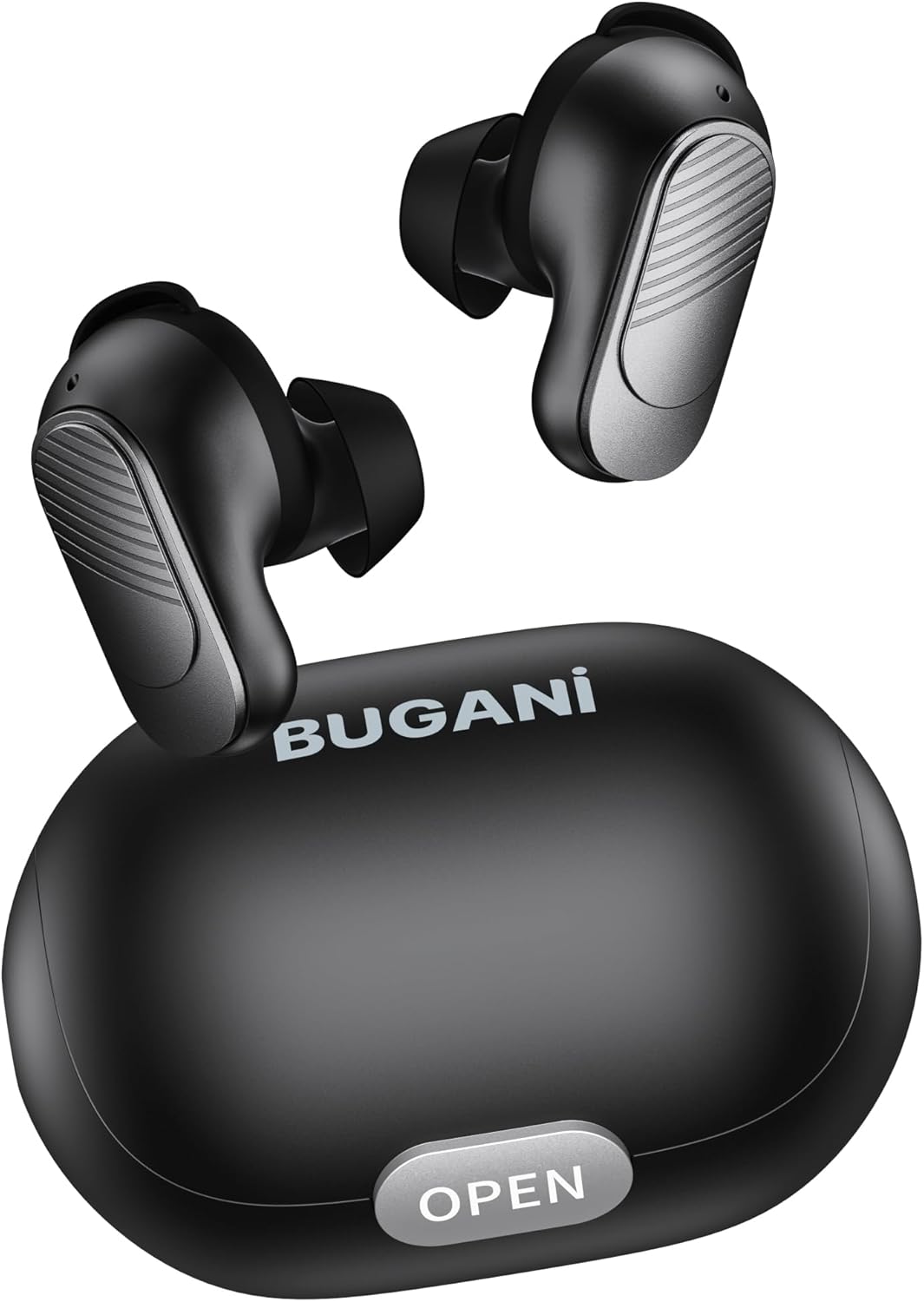
Image: The BUGANI earbuds placed inside their open charging case, ready for charging.
మీ పరికరంతో జత చేయడం
Follow these steps for initial pairing:
- ఇయర్బడ్లు ఛార్జ్ అయ్యాయని నిర్ధారించుకోండి.
- ఛార్జింగ్ కేస్ను తెరవండి. ఇయర్బడ్లు ఆటోమేటిక్గా పవర్ ఆన్ అయి, జత చేసే మోడ్లోకి ప్రవేశిస్తాయి.
- మీ స్మార్ట్ఫోన్ లేదా బ్లూటూత్-ప్రారంభించబడిన పరికరంలో, బ్లూటూత్ సెట్టింగ్లకు వెళ్లి బ్లూటూత్ను ఆన్ చేయండి.
- కోసం వెతకండి available devices. Select "BUGANI B09" from the list.
- కనెక్ట్ చేసిన తర్వాత, మీరు నిర్ధారణ టోన్ వింటారు మరియు ఇయర్బడ్ల సూచిక లైట్లు మారుతాయి.
- తదుపరి ఉపయోగాల కోసం, ఇయర్బడ్లను కేస్ నుండి బయటకు తీసినప్పుడు అవి చివరిగా జత చేసిన పరికరానికి స్వయంచాలకంగా కనెక్ట్ అవుతాయి.
మీ ఇయర్బడ్లను ఆపరేట్ చేస్తోంది
టచ్ కంట్రోల్స్
The BUGANI B09 earbuds feature intuitive touch controls on each earbud. Refer to the diagram below for specific functions:

Image: A visual guide detailing the touch control functions for the BUGANI earbuds, including power, playback, call management, volume, and voice assistant.
- పవర్ ఆన్: L/R Long press for 3 seconds.
- పవర్ ఆఫ్: L/R Long press for 5 seconds.
- ప్లే/పాజ్: L/R Touch 1 quickly.
- తదుపరి పాట: R Touch 2 quickly.
- మునుపటి పాట: L Touch 2 quickly.
- ధ్వని పెంచు: R Touch 3 quickly.
- వాల్యూమ్ డౌన్: L Touch 3 quickly.
- సమాధానం కాల్: L/R Touch 1 quickly.
- హాంగ్ అప్ కాల్: L/R Touch 1 quickly.
- కాల్ని తిరస్కరించండి: L/R Touch 2 quickly.
- వాయిస్ అసిస్టెంట్: L/R Long press for 2 seconds.
- రీసెట్: L & R Touch 5 quickly.
నిర్వహణ
To ensure the longevity and optimal performance of your BUGANI earbuds, follow these maintenance guidelines:
- శుభ్రపరచడం: ఇయర్బడ్లు మరియు ఛార్జింగ్ కేసును మృదువైన, పొడి, మెత్తటి బట్టతో క్రమం తప్పకుండా శుభ్రం చేయండి. కఠినమైన రసాయనాలు లేదా రాపిడి పదార్థాలను ఉపయోగించవద్దు.
- చెవి చిట్కాలు: ప్రకటనతో చెవి చివరలను కాలానుగుణంగా తీసివేసి శుభ్రం చేయండి.amp గుడ్డ. తిరిగి అతికించే ముందు అవి పూర్తిగా పొడిగా ఉన్నాయని నిర్ధారించుకోండి.
- ఛార్జింగ్ పోర్ట్: USB-C ఛార్జింగ్ పోర్ట్ను దుమ్ము మరియు చెత్త లేకుండా ఉంచండి.
- నిల్వ: ఉపయోగంలో లేనప్పుడు, ఇయర్బడ్లను దుమ్ము మరియు నష్టం నుండి రక్షించడానికి వాటి ఛార్జింగ్ కేసులో నిల్వ చేయండి.
- విపరీతమైన పరిస్థితులను నివారించండి: ఇయర్బడ్లను తీవ్రమైన ఉష్ణోగ్రతలు, అధిక తేమ లేదా ప్రత్యక్ష సూర్యకాంతికి ఎక్కువసేపు బహిర్గతం చేయవద్దు.
- నీటి బహిర్గతం: While IPX6 water-resistant, avoid submerging the earbuds in water. Dry them thoroughly if they get wet from sweat or splashes.
ట్రబుల్షూటింగ్
If you encounter any issues with your BUGANI earbuds, try the following solutions:
- ఇయర్బడ్లు జత కావడం లేదు:
- రెండు ఇయర్బడ్లు ఛార్జ్ అయ్యాయని నిర్ధారించుకోండి.
- మీ పరికరంలో బ్లూటూత్ను ఆఫ్ చేసి, ఆపై దాన్ని తిరిగి ఆన్ చేయండి.
- Forget/delete "BUGANI B09" from your device's Bluetooth list and try pairing again.
- Perform a factory reset on the earbuds (refer to 'Reset' in Touch Controls section).
- ఒకే ఒక ఇయర్బడ్ పనిచేస్తోంది:
- రెండు ఇయర్బడ్లను తిరిగి ఛార్జింగ్ కేసులో ఉంచండి, మూత మూసివేసి, కొన్ని సెకన్లు వేచి ఉండి, ఆపై వాటిని మళ్ళీ బయటకు తీయండి.
- రెండు ఇయర్బడ్లు ఛార్జ్ అయ్యాయని నిర్ధారించుకోండి.
- ఫ్యాక్టరీ రీసెట్ను అమలు చేయండి.
- శబ్దం లేదు లేదా తక్కువ వాల్యూమ్:
- మీ పరికరం మరియు ఇయర్బడ్లు రెండింటిలోనూ వాల్యూమ్ను సర్దుబాటు చేయండి.
- ఇయర్బడ్లు మీ పరికరానికి సరిగ్గా కనెక్ట్ అయ్యాయని నిర్ధారించుకోండి.
- ఇయర్బడ్ మెష్ నుండి ఏవైనా చెత్తను శుభ్రం చేయండి.
- ఛార్జింగ్ సమస్యలు:
- ఛార్జింగ్ కేబుల్ మరియు అడాప్టర్ దెబ్బతిన్నాయో లేదో తనిఖీ చేయండి.
- కేసుపై ఛార్జింగ్ పోర్ట్ శుభ్రంగా ఉందని నిర్ధారించుకోండి.
- ఛార్జింగ్ కేసులో ఇయర్బడ్లు సరిగ్గా అమర్చబడ్డాయని నిర్ధారించుకోండి.
If the issue persists after trying these steps, please contact BUGANI customer support.
స్పెసిఫికేషన్లు
| ఫీచర్ | వివరాలు |
|---|---|
| మోడల్ పేరు | బుగాని B09 |
| కనెక్టివిటీ టెక్నాలజీ | వైర్లెస్ (బ్లూటూత్ 5.3) |
| చెవి ప్లేస్మెంట్ | చెవిలో |
| ఆడియో డ్రైవర్ రకం | డైనమిక్ డ్రైవర్ (10మి.మీ) |
| బ్యాటరీ లైఫ్ (ఇయర్బడ్స్) | 6 గంటల వరకు |
| మొత్తం ప్లేటైమ్ (కేస్తో సహా) | 24 గంటల వరకు |
| ఛార్జింగ్ సమయం (కేస్) | సుమారు 1.5 గంటలు |
| నీటి నిరోధక స్థాయి | IPX6 (వాటర్ రెసిస్టెంట్) |
| నియంత్రణ రకం | టచ్ కంట్రోల్ |
| మైక్రోఫోన్లు | Built-in 2 mics with ENC Noise Cancelling |
| బరువు | 4.2 ounces (total item weight) |
| మెటీరియల్ | ప్లాస్టిక్ |
వారంటీ మరియు మద్దతు
BUGANI products are designed for reliability and performance. For warranty information and customer support, please refer to the warranty card included in your package or visit the official BUGANI website. If you have any questions or require assistance, do not hesitate to contact our support team.
Thank you for choosing BUGANI.


