1. పరిచయం
Welcome to the world of Thomson Smart TVs. This manual provides essential information for setting up, operating, and maintaining your new Thomson 32-inch Full HD Google Smart TV, model 32FG2S14. This television combines a vibrant Full HD display with the intelligent features of Google TV, offering personalized content, voice control, and immersive Dolby Audio.
Please read this manual thoroughly before using your TV and keep it for future reference.
2. భద్రతా సమాచారం
ముఖ్యమైన భద్రతా సూచనలు
- విద్యుత్ సరఫరా: టీవీ సరైన వాల్యూమ్తో పవర్ అవుట్లెట్కి కనెక్ట్ చేయబడిందని నిర్ధారించుకోండి.tagఇ. పవర్ స్ట్రిప్లను ఓవర్లోడ్ చేయవద్దు.
- వెంటిలేషన్: Allow adequate space around the TV for proper ventilation. Do not block ventilation openings.
- నీరు మరియు తేమ: టీవీని వర్షం లేదా తేమకు గురిచేయవద్దు. టీవీపై కుండీల వంటి ద్రవాలతో నిండిన వస్తువులను ఉంచవద్దు.
- శుభ్రపరచడం: శుభ్రం చేసే ముందు టీవీని అన్ప్లగ్ చేయండి. మృదువైన, పొడి వస్త్రాన్ని ఉపయోగించండి. లిక్విడ్ క్లీనర్లను లేదా ఏరోసోల్ క్లీనర్లను ఉపయోగించవద్దు.
- ప్లేస్మెంట్: టీవీని స్థిరమైన, సమతల ఉపరితలంపై ఉంచండి. ప్రత్యక్ష సూర్యకాంతిలో లేదా ఉష్ణ వనరుల దగ్గర ఉంచకుండా ఉండండి.
- సర్వీసింగ్: టీవీని మీరే సర్వీసింగ్ చేయడానికి ప్రయత్నించవద్దు. అన్ని సర్వీసింగ్లను అర్హత కలిగిన సర్వీస్ సిబ్బందికి సూచించండి.
3. ప్యాకేజీ విషయాలు
పెట్టెలో అన్ని అంశాలు ఉన్నాయని నిర్ధారించుకోండి:
- Thomson 32-inch Full HD Google Smart TV
- రిమోట్ కంట్రోల్
- పవర్ కేబుల్
- టీవీ స్టాండ్లు (2 ముక్కలు)
- స్టాండ్ల కోసం స్క్రూలు
- వినియోగదారు మాన్యువల్ (ఈ పత్రం)

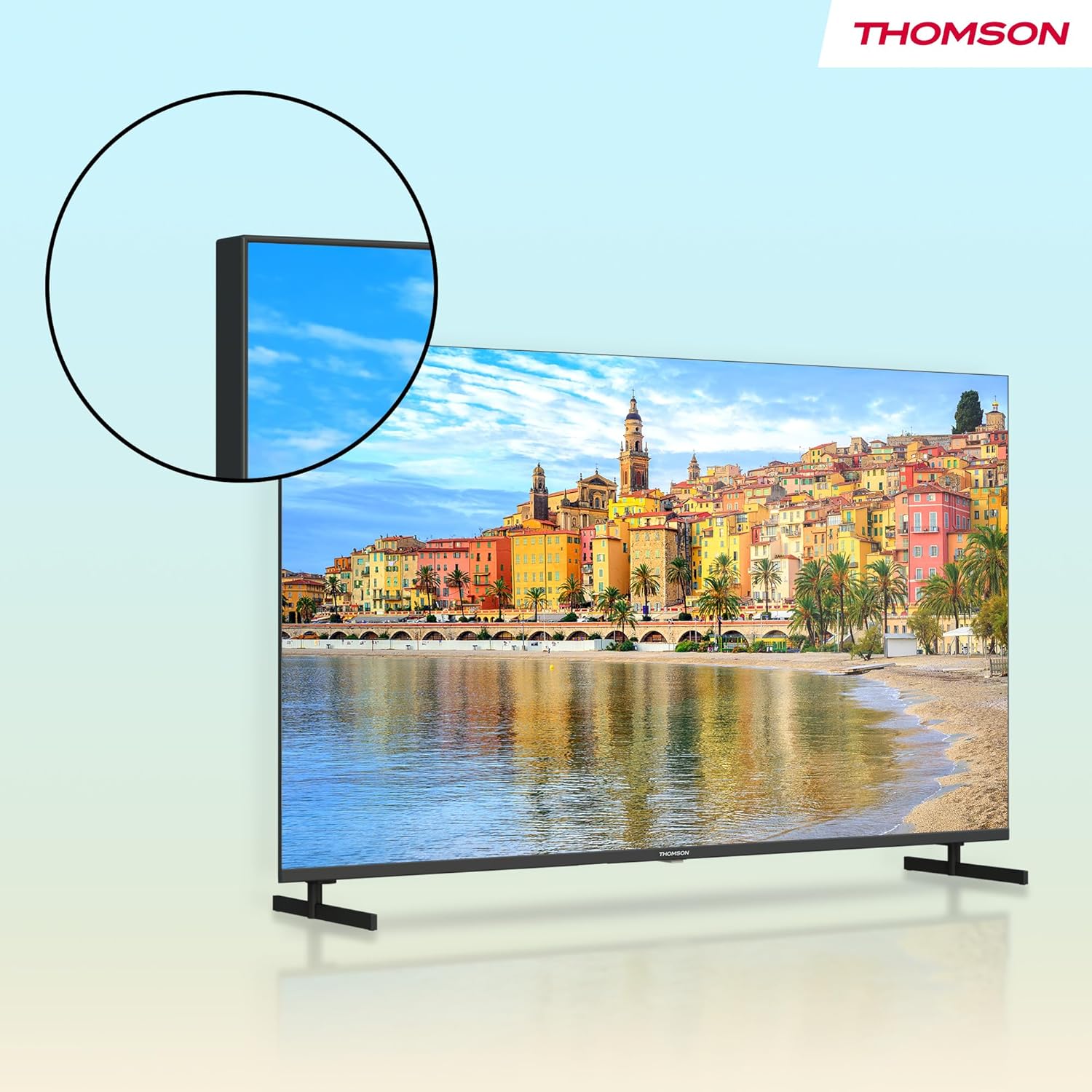
మూర్తి 3.1: ముందు view of the Thomson 32-inch Full HD Google Smart TV.

Figure 3.2: The included remote control for your Thomson Smart TV.
4. సెటప్
4.1 స్టాండ్లను అటాచ్ చేయడం
- స్క్రీన్ దెబ్బతినకుండా ఉండటానికి టీవీ ముఖాన్ని మృదువైన, చదునైన ఉపరితలంపై జాగ్రత్తగా ఉంచండి.
- ప్రతి స్టాండ్ను టీవీ దిగువన ఉన్న సంబంధిత స్లాట్లతో సమలేఖనం చేయండి.
- అందించిన స్క్రూలను ఉపయోగించి స్టాండ్లను భద్రపరచండి. అవి గట్టిగా బిగించబడ్డాయని నిర్ధారించుకోండి.

Figure 4.1: TV dimensions and stand placement for the 32-inch model.
4.2 వాల్ మౌంటింగ్ (ఐచ్ఛికం)
If you choose to wall mount your TV, ensure you use a VESA-compatible wall mount kit (not included) that supports the TV's weight and size. Follow the instructions provided with your wall mount kit. Always consult a professional for wall mounting to ensure safety.
4.3 కనెక్ట్ పవర్
Connect the power cable to the TV's power input and then to a suitable wall outlet. The TV will enter standby mode.
4.4 ప్రారంభ పవర్ ఆన్ మరియు కాన్ఫిగరేషన్
Press the power button on the remote control or the TV. The TV will guide you through the initial setup process, which includes:
- భాష ఎంపిక
- నెట్వర్క్ కనెక్షన్ (Wi-Fi లేదా ఈథర్నెట్)
- Google account sign-in (optional, but recommended for full Google TV features)
- Channel scanning for DVB-T2/C/S2

Figure 4.2: The Google TV home screen during initial setup or normal operation.
5. కనెక్షన్లు
బాహ్య పరికరాలను కనెక్ట్ చేస్తోంది
Your Thomson TV offers various ports for connecting external devices:
- HDMI: Connect Blu-ray players, game consoles, or other HDMI-enabled devices. Your TV features HDMI 1.4 with ARC support.
- USB 2.0: మీడియాను ప్లే చేయడానికి USB నిల్వ పరికరాలను కనెక్ట్ చేయడానికి files.
- DVB-T2/C/S2 (Antenna/Satellite): Connect your terrestrial antenna or satellite dish for digital TV reception.
- CI+ స్లాట్: Insert a CI+ module with a smart card for encrypted channels.
- LAN (ఈథర్నెట్): వైర్డు ఇంటర్నెట్ కనెక్షన్ కోసం.
- AV IN: కాంపోజిట్ వీడియో మరియు స్టీరియో ఆడియో కేబుల్లను ఉపయోగించి పాత పరికరాలను కనెక్ట్ చేయడానికి.
- Digital Optical Audio Out: బాహ్య ఆడియో సిస్టమ్లు లేదా సౌండ్బార్లకు కనెక్ట్ చేయడానికి.

చిత్రం 5.1: వెనుక view of the TV with labeled connection ports.
మూర్తి 5.2: వివరంగా view of the TV's connectivity options.
6. మీ టీవీని ఆపరేట్ చేయడం
6.1 రిమోట్ కంట్రోల్ విధులు
రిమోట్ కంట్రోల్ టీవీ ఫీచర్లను నావిగేట్ చేయడానికి మిమ్మల్ని అనుమతిస్తుంది. కీలక విధులు:
- పవర్ బటన్: టీవీని ఆన్/ఆఫ్ చేస్తుంది లేదా స్టాండ్బైకి మారుస్తుంది.
- సంఖ్యా బటన్లు: ప్రత్యక్ష ఛానెల్ ఎంపిక.
- వాల్యూమ్ +/-: వాల్యూమ్ స్థాయిని సర్దుబాటు చేస్తుంది.
- ఛానెల్ +/-: టీవీ ఛానళ్లు మారుస్తాడు.
- గూగుల్ అసిస్టెంట్ బటన్: కంటెంట్ను శోధించడం, స్మార్ట్ హోమ్ పరికరాలను నియంత్రించడం మరియు మరిన్నింటి కోసం వాయిస్ నియంత్రణను సక్రియం చేస్తుంది.
- నావిగేషన్ ప్యాడ్ (దిశాత్మక బటన్లు & సరే): మెనూలను నావిగేట్ చేసి, ఎంపికలను ఎంచుకుంటుంది.
- బ్యాక్లిట్ బటన్లు: Allows for easy navigation in low-light conditions.
- యాప్ షార్ట్కట్ బటన్లు: Quick access to popular streaming services like Netflix, Prime Video, YouTube, and Disney+.
- స్టార్ బటన్: Customizable shortcut to your favorite app or function.

Figure 6.1: Using the Google Assistant voice control on the remote.
6.2 గూగుల్ టీవీ ఇంటర్ఫేస్
Google TV organizes movies, shows, live TV, and more from your apps and subscriptions into one place. It provides personalized recommendations based on your viewing habits and allows for multiple user profiles.
- హోమ్ స్క్రీన్: సిఫార్సు చేయబడిన కంటెంట్, ఇన్స్టాల్ చేయబడిన యాప్లు మరియు సెట్టింగ్లను యాక్సెస్ చేయండి.
- యాప్లు: Google Play Store నుండి అప్లికేషన్లను డౌన్లోడ్ చేసుకోండి మరియు నిర్వహించండి.
- లైబ్రరీ: మీరు కొనుగోలు చేసిన లేదా అద్దెకు తీసుకున్న కంటెంట్ను యాక్సెస్ చేయండి.
6.3 Using Google Cast
Google Cast allows you to stream content (photos, videos, music) from your compatible smartphone, tablet, or computer directly to your TV screen. Ensure your device and TV are connected to the same Wi-Fi network, then tap the Cast icon in a compatible app.

Figure 6.2: Google Cast allows seamless streaming from your devices.
6.4 Triple Tuner (DVB-T2/C/S2)
Your TV is equipped with a triple tuner, allowing reception of digital terrestrial (DVB-T2), cable (DVB-C), and satellite (DVB-S2) signals without an external set-top box. Use the channel scanning function in the settings menu to find available channels.
7. Audio and Video Settings
7.1 చిత్ర సెట్టింగ్లు
మీ ఆప్టిమైజ్ చేయడానికి చిత్ర సెట్టింగ్లను సర్దుబాటు చేయండి viewఅనుభవం:
- చిత్ర మోడ్: Select from predefined modes (e.g., Standard, Vivid, Movie, Game) or customize your own.
- ప్రకాశం: చిత్రం యొక్క మొత్తం తేలిక లేదా చీకటిని సర్దుబాటు చేయండి.
- కాంట్రాస్ట్: చిత్రంలోని ప్రకాశవంతమైన మరియు చీకటి భాగాల మధ్య వ్యత్యాసాన్ని నియంత్రిస్తుంది.
- రంగు: రంగుల తీవ్రతను సర్దుబాటు చేస్తుంది.
- పదును: చిత్రంలోని వస్తువుల అంచులను పెంచుతుంది.
7.2 సౌండ్ సెట్టింగ్లు
Enhance your audio experience with various sound settings:
- డాల్బీ ఆడియో: Experience dynamic and immersive sound with clear dialogue and rich details.
- సౌండ్ మోడ్: Choose from modes like Standard, Music, Movie, Speech, or customize with an equalizer.
- బ్యాలెన్స్: Adjust the volume balance between left and right speakers.
- డిజిటల్ ఆడియో అవుట్: Configure the output format for external audio systems.

Figure 7.1: Enjoy enhanced audio with Dolby Audio technology.
8. నిర్వహణ
సంరక్షణ మరియు శుభ్రపరచడం
- స్క్రీన్ క్లీనింగ్: మెత్తటి, మెత్తటి బట్టతో స్క్రీన్ను సున్నితంగా తుడవండి. మొండి మరకల కోసం, కొద్దిగా dampనీటితో వస్త్రాన్ని లేదా ప్రత్యేకమైన స్క్రీన్ క్లీనర్ను ఉపయోగించండి (స్క్రీన్కు నేరుగా కాకుండా వస్త్రానికి వర్తించండి).
- క్యాబినెట్ క్లీనింగ్: టీవీ క్యాబినెట్ను మృదువైన, పొడి వస్త్రంతో తుడవండి.
- రసాయనాలను నివారించండి: Do not use strong detergents, abrasive cleaners, or solvents as they can damage the TV's finish.
- శుభ్రపరిచే ముందు అన్ప్లగ్ చేయండి: శుభ్రపరిచే ముందు టీవీని ఎల్లప్పుడూ పవర్ అవుట్లెట్ నుండి అన్ప్లగ్ చేయండి.
9. ట్రబుల్షూటింగ్
సాధారణ సమస్యలు మరియు పరిష్కారాలు
| సమస్య | సాధ్యమైన పరిష్కారం |
|---|---|
| శక్తి లేదు | పవర్ కేబుల్ టీవీకి మరియు వాల్ అవుట్లెట్కి సురక్షితంగా కనెక్ట్ చేయబడిందో లేదో తనిఖీ చేయండి. వేరే అవుట్లెట్ని ప్రయత్నించండి. |
| చిత్రం లేదు, కానీ ధ్వని ఉంది | సరైన ఇన్పుట్ సోర్స్ ఎంచుకోబడిందని నిర్ధారించుకోండి. బాహ్య పరికరాలకు కేబుల్ కనెక్షన్లను తనిఖీ చేయండి. |
| శబ్దం లేదు, కానీ చిత్రం ఉంది | Check volume level and mute status. Verify audio output settings if using external speakers. |
| రిమోట్ కంట్రోల్ పనిచేయడం లేదు | Replace batteries. Ensure there are no obstructions between the remote and the TV. Re-pair the Bluetooth remote if necessary. |
| Wi-Fiకి కనెక్ట్ చేయడం సాధ్యపడదు | మీ రూటర్ మరియు మోడెమ్ను తనిఖీ చేయండి. Wi-Fi పాస్వర్డ్ సరైనదని నిర్ధారించుకోండి. టీవీ మరియు రూటర్ను పునఃప్రారంభించడానికి ప్రయత్నించండి. |
| యాప్లు నెమ్మదిగా లేదా స్పందించడం లేదు | Close unused apps. Clear app cache in settings. Ensure a stable internet connection. Restart the TV. |
10. స్పెసిఫికేషన్లు
Technical Specifications (Model: 32FG2S14)
- స్క్రీన్ పరిమాణం: 32 పోలిసి (81 సెం.మీ)
- రిజల్యూషన్: పూర్తి HD (1920x1080p)
- ప్రదర్శన సాంకేతికత: LED, Direct LED
- రిఫ్రెష్ రేట్: 60 Hz
- కారక నిష్పత్తి: 16:9
- స్మార్ట్ టీవీ ప్లాట్ఫారమ్: Google TV
- ప్రత్యేక లక్షణాలు: Google TV, Voice Control, Streaming Services, Google Cast, HDR10
- ఆడియో టెక్నాలజీ: డాల్బీ ఆడియో
- కనెక్టివిటీ: Wi-Fi, Bluetooth 5.1, HDMI (multiple ports, including ARC), USB 2.0, Triple-Tuner (DVB-T2/C/S2), CI+, LAN, AV IN, Digital Optical Audio Out
- Product Dimensions (with stands): Approximately 72 cm (W) x 46 cm (H) x 15 cm (D)
- బరువు: సుమారు 4.5 కిలోలు

Figure 10.1: Product data sheet with detailed technical specifications.
11. వారంటీ మరియు మద్దతు
వారంటీ సమాచారం
Thomson products are designed and manufactured to high-quality standards. This product is covered by a 3-year warranty from the date of purchase, covering manufacturing defects. Please retain your proof of purchase for warranty claims.
The warranty does not cover damage caused by misuse, accidents, unauthorized modifications, or normal wear and tear. For detailed warranty terms and conditions, please refer to the warranty card included with your product or visit the official Thomson support webసైట్.
కస్టమర్ మద్దతు
If you encounter any issues that cannot be resolved using the troubleshooting guide in this manual, or if you require further assistance, please contact Thomson customer support. Contact details can typically be found on the official Thomson webసైట్ లేదా మీ వారంటీ కార్డులో.


