1. పరిచయం మరియు ఉత్పత్తి ముగిసిందిview
This manual provides detailed instructions for the setup, operation, and maintenance of your ZEBRONICS Juke BAR 4100 Soundbar. Please read this manual thoroughly before using the product to ensure proper functionality and to maximize your audio experience.

Image 1.1: The ZEBRONICS Juke BAR 4100 Soundbar and its accompanying subwoofer, shown with the remote control. The soundbar is a long, slender unit, and the subwoofer is a compact, cube-shaped speaker.
ముఖ్య లక్షణాలు:
- డైనమిక్ అవుట్పుట్: 200W RMS total power (90W subwoofer, 110W soundbar).
- బహుళ కనెక్టివిటీ: Bluetooth v5.0, HDMI (ARC), Optical, USB, and AUX inputs.
- శక్తివంతమైన డ్రైవర్లు: Soundbar features 4 x 5.71 cm drivers; subwoofer features a single 16.51 cm driver for enhanced bass.
- వర్చువల్ 5.1 సరౌండ్ సౌండ్: Creates an immersive, multi-channel audio environment.
- గోడకు అమర్చదగినది: Designed for flexible placement and space efficiency.
- LED డిస్ప్లే: Provides clear status, volume, and connectivity mode information.
2. పెట్టెలో ఏముంది
అన్ని వస్తువులను జాగ్రత్తగా అన్ప్యాక్ చేయండి మరియు మీరు ఈ క్రింది భాగాలను అందుకున్నారని నిర్ధారించుకోండి:
- సౌండ్ బార్ - 1 యూనిట్
- Subwoofer - 1 unit
- రిమోట్ కంట్రోల్ - 1 యూనిట్
- Input Cable - 1 unit
- QR కోడ్ గైడ్ - 1 యూనిట్
3. సెటప్ సూచనలు
3.1 ప్లేస్మెంట్
For optimal audio performance, place the soundbar centrally below your television. The subwoofer can be placed on the floor near the soundbar, ideally in a corner for enhanced bass response.

Image 3.1: The soundbar positioned below a television, with the subwoofer on the floor to the left, illustrating a typical home theater setup.
3.2 వాల్ మౌంటు
The soundbar is designed to be wall-mountable. Use appropriate wall mounting hardware (not included) and follow the instructions provided in the QR Code Guide for secure installation. Ensure the wall can support the weight of the soundbar.
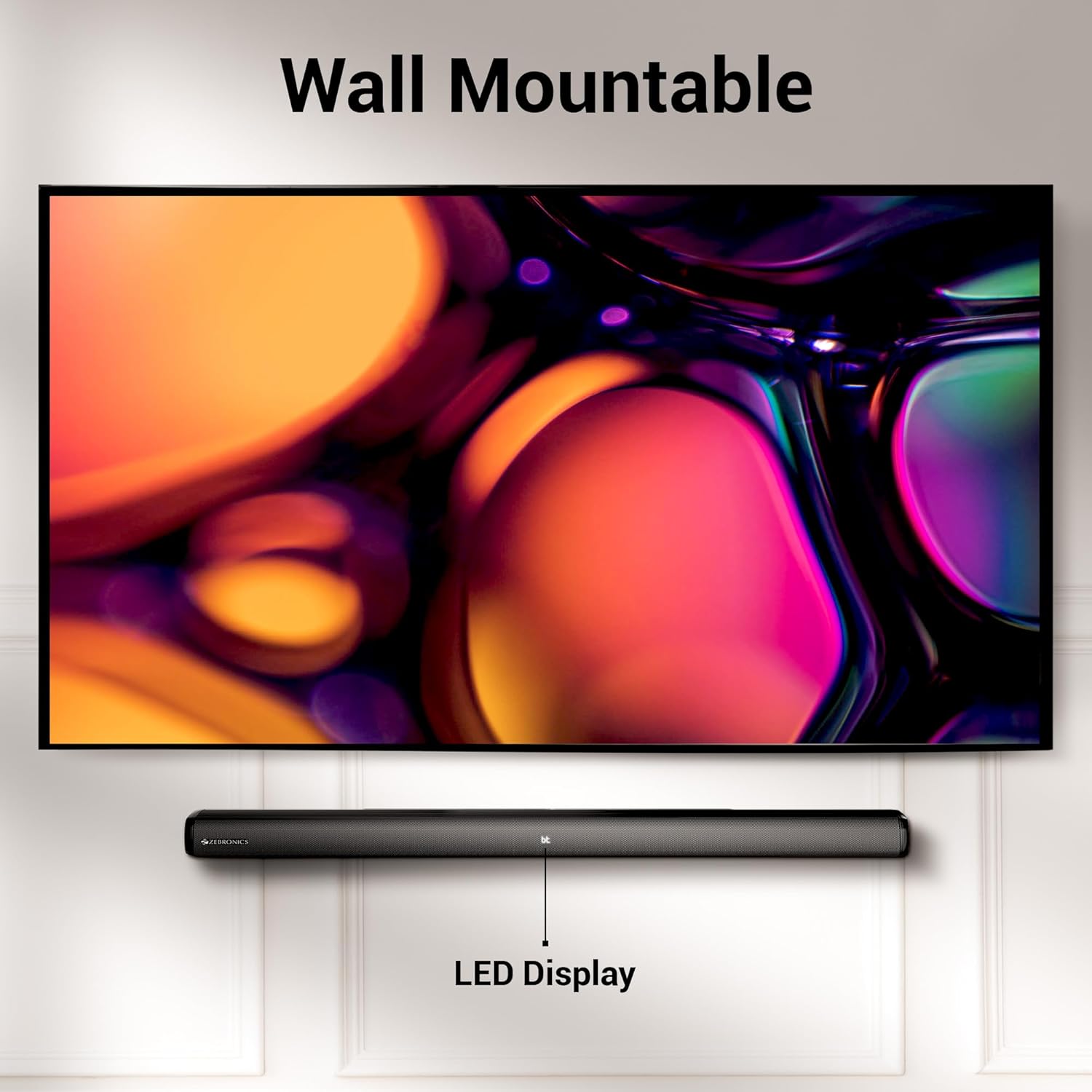
Image 3.2: The soundbar mounted on a wall beneath a television, demonstrating its wall-mountable design and integrated LED display.
3.3 సబ్ వూఫర్ను కనెక్ట్ చేయడం
Connect the subwoofer to the soundbar using the provided input cable. Ensure the connection is secure.
3.4 పవర్ కనెక్షన్
Connect the power cables for both the soundbar and the subwoofer to a suitable power outlet. The LED display on the soundbar will illuminate.
4. ఆపరేటింగ్ సూచనలు
4.1 పవర్ ఆన్/ఆఫ్
నొక్కండి శక్తి యూనిట్ను ఆన్ లేదా ఆఫ్ చేయడానికి సౌండ్బార్ లేదా రిమోట్ కంట్రోల్లోని బటన్.
4.2 మోడ్ ఎంపిక
నొక్కండి మోడ్ button on the soundbar or the remote control to cycle through available input modes: Bluetooth (BT), HDMI (ARC), Optical (OPT), USB, and AUX. The selected mode will be indicated on the LED display.
4.3 వాల్యూమ్ నియంత్రణ
ఉపయోగించండి వాల్యూమ్ + మరియు వాల్యూమ్ - వాల్యూమ్ స్థాయిని సర్దుబాటు చేయడానికి సౌండ్బార్ లేదా రిమోట్ కంట్రోల్లోని బటన్లను నొక్కండి.
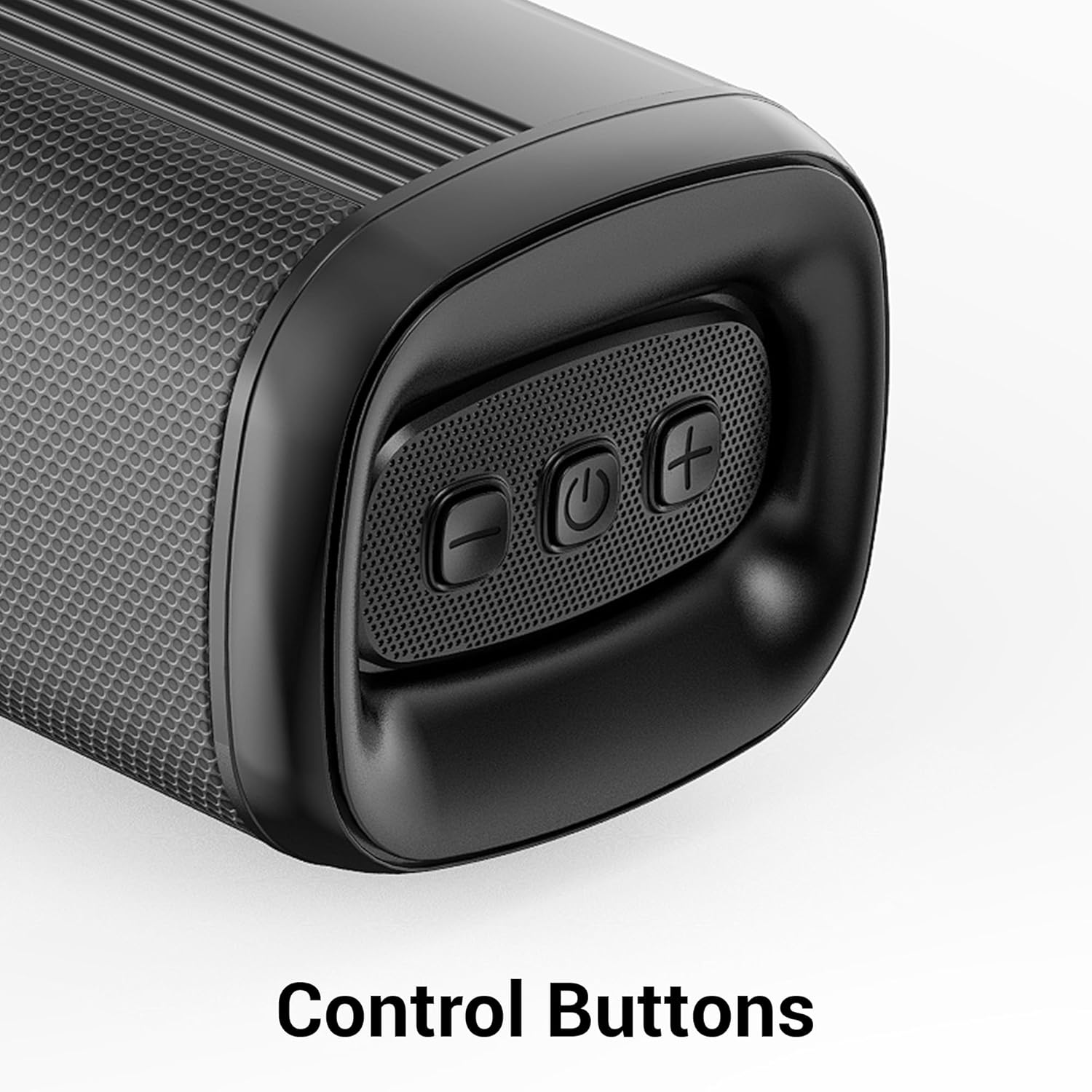
చిత్రం 4.1: క్లోజప్ view of the control buttons on the soundbar, including volume down, power, and volume up.
5 కనెక్టివిటీ
The ZEB-Juke Bar 4100 offers multiple connectivity options for various devices.

Image 5.1: The soundbar with an overlay indicating its multi-connectivity features: Bluetooth v5.0, TV (ARC), Optical IN, USB, and AUX.
5.1 Bluetooth (BT) Connection
- సౌండ్బార్ను ఆన్ చేసి, BT mode. The LED display will show "BT" and flash, indicating pairing mode.
- Enable Bluetooth on your mobile device or computer and search for "ZEB-JUKE BAR 4100".
- Select the soundbar from the list of available devices to pair. Once connected, the "BT" indicator will stop flashing.
5.2 HDMI (ARC) కనెక్షన్
- నుండి HDMI కేబుల్ను కనెక్ట్ చేయండి HDMI ARC port on the soundbar to the HDMI ARC మీ టెలివిజన్లోని పోర్ట్.
- ఎంచుకోండి HDMI ARC సౌండ్బార్లో మోడ్.
- మీ టీవీ ఆడియో అవుట్పుట్ HDMI ARC లేదా బాహ్య స్పీకర్లకు సెట్ చేయబడిందని నిర్ధారించుకోండి.
5.3 Optical (OPT) Connection
- Connect an optical cable from the ఆప్టికల్ IN port on the soundbar to the optical output port on your television or audio source.
- ఎంచుకోండి OPT సౌండ్బార్లో మోడ్.
- మీ టీవీ ఆడియో అవుట్పుట్ ఆప్టికల్ లేదా బాహ్య స్పీకర్లకు సెట్ చేయబడిందని నిర్ధారించుకోండి.
5.4 USB ప్లేబ్యాక్
- ఆడియోను కలిగి ఉన్న USB ఫ్లాష్ డ్రైవ్ను చొప్పించండి fileలోకి లు USB సౌండ్బార్లోని పోర్ట్.
- ఎంచుకోండి USB mode. The soundbar will automatically begin playing audio files.
- Use the remote control to navigate tracks (Play/Pause, Next/Previous).
5.5 AUX కనెక్షన్
- Connect a 3.5mm audio cable from the AUX IN port on the soundbar to the audio output of your device (e.g., smartphone, MP3 player).
- ఎంచుకోండి AUX సౌండ్బార్లో మోడ్.
6. నిర్వహణ
మీ సౌండ్బార్ యొక్క దీర్ఘాయువు మరియు సరైన పనితీరును నిర్ధారించడానికి, ఈ నిర్వహణ మార్గదర్శకాలను అనుసరించండి:
- శుభ్రపరచడం: సౌండ్బార్ మరియు సబ్ వూఫర్ ఉపరితలాలను శుభ్రం చేయడానికి మృదువైన, పొడి వస్త్రాన్ని ఉపయోగించండి. ద్రవ క్లీనర్లను లేదా రాపిడి పదార్థాలను ఉపయోగించవద్దు.
- వెంటిలేషన్: Ensure proper ventilation around the units. Do not block any ventilation openings.
- పర్యావరణం: Avoid exposing the soundbar to extreme temperatures, humidity, or direct sunlight. Keep it away from water and other liquids.
- శక్తి: Disconnect the power cable from the wall outlet if the unit will not be used for an extended period.
7. ట్రబుల్షూటింగ్
If you encounter any issues with your ZEBRONICS Juke BAR 4100 Soundbar, refer to the following common problems and solutions:
| సమస్య | సాధ్యమైన కారణం | పరిష్కారం |
|---|---|---|
| శక్తి లేదు | పవర్ కేబుల్ కనెక్ట్ కాలేదు; పవర్ అవుట్లెట్ యాక్టివ్గా లేదు. | Ensure power cables are securely connected and the power outlet is functioning. |
| శబ్దం లేదు | Incorrect input mode selected; volume too low; audio cable not connected properly. | Select the correct input mode (BT, HDMI, OPT, USB, AUX). Increase volume. Check all audio cable connections. Ensure TV audio output is set correctly. |
| బ్లూటూత్ జత చేయడం విఫలమైంది | సౌండ్బార్ జత చేసే మోడ్లో లేదు; పరికరం చాలా దూరంలో ఉంది; జోక్యం. | Ensure soundbar is in BT mode and "BT" is flashing. Move device closer to the soundbar. Turn off other Bluetooth devices to reduce interference. |
| రిమోట్ కంట్రోల్ పనిచేయడం లేదు | బ్యాటరీలు అయిపోయాయి; రిమోట్ మరియు సౌండ్బార్ మధ్య అడ్డంకి. | Replace remote control batteries. Ensure no objects are blocking the remote's signal path to the soundbar's sensor. |
8. స్పెసిఫికేషన్లు
Technical specifications for the ZEBRONICS Juke BAR 4100 Soundbar:
- మోడల్ పేరు: ZEB-JUKE బార్ 4100
- మొత్తం అవుట్పుట్ పవర్: 200 Watts RMS (Soundbar: 110W, Subwoofer: 90W)
- స్పీకర్ రకం: Soundbar with external Subwoofer
- సరౌండ్ సౌండ్ ఛానెల్ కాన్ఫిగరేషన్: వర్చువల్ 5.1
- సౌండ్ బార్ డ్రైవర్లు: 4 x 5.71 సెం.మీ
- సబ్ వూఫర్ డ్రైవర్: 1 x 16.51 సెం.మీ
- కనెక్టివిటీ టెక్నాలజీ: Bluetooth v5.0, HDMI (ARC), Optical, USB, Auxiliary
- బ్లూటూత్ పరిధి: 10 మీటర్ వరకు
- ఫ్రీక్వెన్సీ రెస్పాన్స్: 45 Hz (minimum, as per data)
- మౌంటు రకం: వాల్ మౌంటబుల్
- నియంత్రణ పద్ధతి: రిమోట్ కంట్రోల్, ఆన్-యూనిట్ బటన్లు
- Product Dimensions (Combined unit): 30.6D x 19W x 36.7H సెంటీమీటర్లు
- వస్తువు బరువు: 6 కిలోలు
- శక్తి మూలం: కార్డెడ్ ఎలక్ట్రిక్
- చేర్చబడిన భాగాలు: Sound Bar, Subwoofer, Remote, Input cable, QR code guide
9. వారంటీ మరియు మద్దతు
The ZEBRONICS Juke BAR 4100 Soundbar comes with a limited warranty. Please refer to the warranty card included in your package for specific terms and conditions.
For technical assistance, troubleshooting, or warranty claims, please contact ZEBRONICS customer support. Contact details can typically be found on the official ZEBRONICS webసైట్ లేదా చేర్చబడిన డాక్యుమెంటేషన్లో.
మీరు అధికారిని కూడా సందర్శించవచ్చు Amazonలో ZEBRONICS స్టోర్ మరిన్ని ఉత్పత్తి సమాచారం మరియు మద్దతు వనరుల కోసం.


