1. పరిచయం
This manual provides essential information for the safe and effective use of your Masterplug Mode 2 EV Charging Cable. Designed for electric and hybrid vehicles, this cable offers a convenient and reliable charging solution. Please read this manual thoroughly before first use and retain it for future reference.

Image 1.1: Masterplug EV Charging Cable (10 Metres)
2. ఉత్పత్తి లక్షణాలు
- Safe and Intelligent Mode 2 Charging: Charges all compatible plug-in electric cars and vehicles.
- విస్తృత ఆపరేటింగ్ ఉష్ణోగ్రత: Functions reliably in temperatures ranging from -25°C to +40°C.
- Weather and Dust Proof: Control box is IP66 rated when connected to a vehicle and IP55 when not in use, ensuring durability in various conditions.
- LCD Charging Status Display: Provides real-time information on charging status, voltage, current, power, and duration.
- Integrated Safety Protection: Features built-in protection for PEN faults, over/under voltage, thermal overload, and 30mA AC and 6mA DC RCD.
- Efficient Charging Power: 10 డెలివరీ చేస్తుంది Amp/2.4 kW, providing an average of 8 miles per charging hour.
- ఆటోమేటిక్ షట్-ఆఫ్: Charging stops automatically when the vehicle is fully charged.

Image 2.1: Mode 2 - Type 2 to 3 Pin Plug Configuration
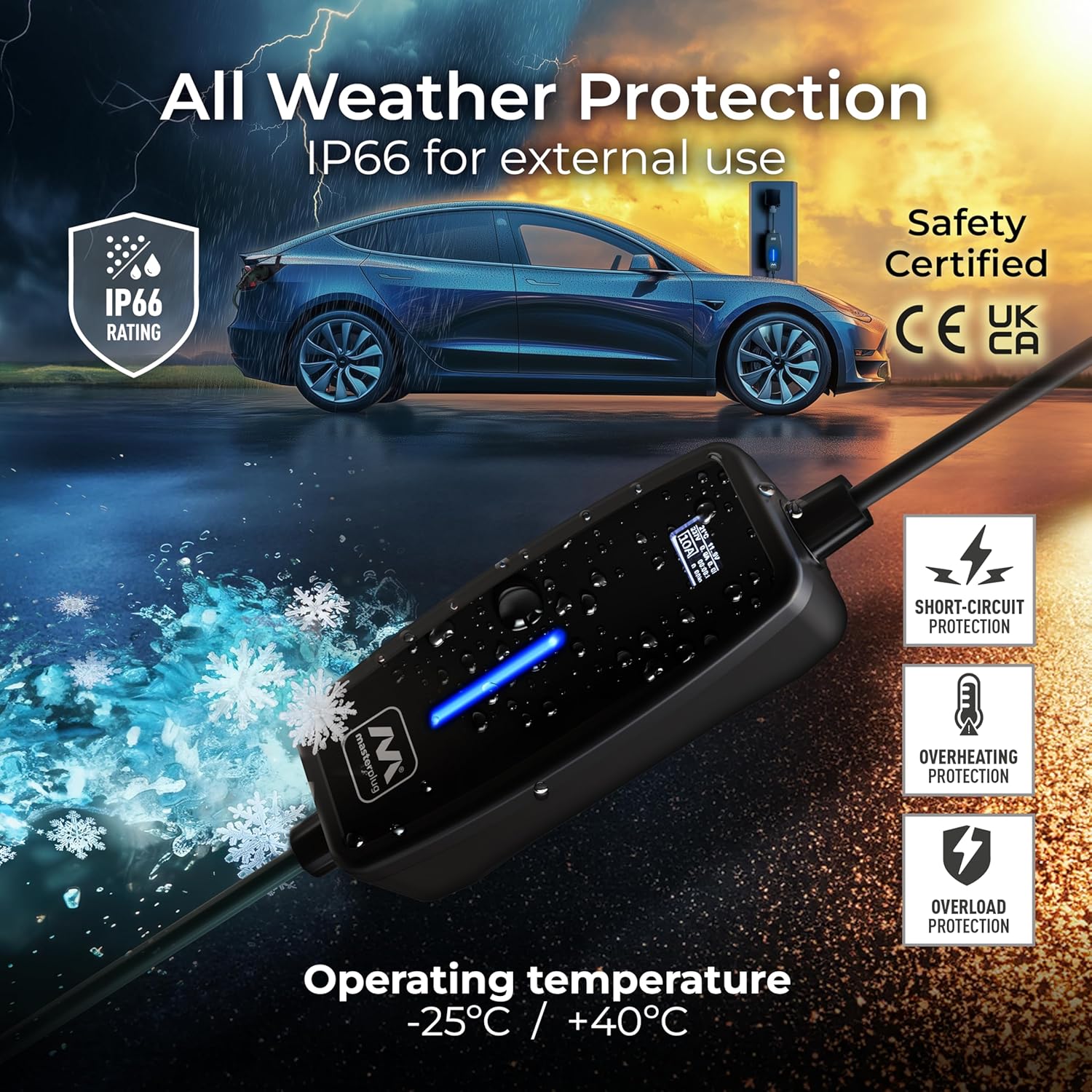
Image 2.2: All Weather Protection (IP66 Rated)
3. సెటప్
- కేబుల్ తనిఖీ చేయండి: Before each use, visually inspect the charging cable, plugs, and control box for any signs of damage, wear, or foreign objects. Do not use if any damage is observed.
- శక్తి మూలం: Ensure the 3-pin UK plug is connected to a suitable, dedicated EV-rated 13A socket. It is highly recommended to use an outdoor socket specifically designed for EV charging, such as the Masterplug WP21 (sold separately), for safety and weather resistance. Do not use extension leads or adapters.
- వాహన తయారీ: Ensure your electric or hybrid vehicle is parked safely and switched off.

Image 3.1: Recommended EV Rated Socket Connection
4. ఆపరేటింగ్ సూచనలు
- శక్తికి కనెక్ట్ చేయండి: Plug the 3-pin UK plug into the EV-rated wall socket. The control box LCD display will illuminate, indicating readiness.
- వాహనానికి కనెక్ట్ చేయండి: Insert the Type 2 connector firmly into your vehicle's charging port. Ensure it clicks into place.
- ఛార్జింగ్ ప్రారంభించండి: The charging process should begin automatically. The LCD display on the control box will show real-time charging data, including current temperature, voltagఇ, ప్రస్తుత (Amps), power (kW), charging duration, and accumulated energy (kWh). The indicator light on the control box will typically show a solid green or blue light during active charging.
- మానిటర్ ఛార్జింగ్: Periodically check the LCD display to monitor the charging progress.
- ఛార్జింగ్ పూర్తి: The cable will automatically stop charging when the vehicle's battery is full. The LCD display will indicate charging completion, and the indicator light may change color or turn off.
- వాహనం నుండి డిస్కనెక్ట్ చేయండి: Once charging is complete, safely disconnect the Type 2 connector from your vehicle's charging port.
- పవర్ నుండి డిస్కనెక్ట్ చేయండి: Unplug the 3-pin UK plug from the wall socket.
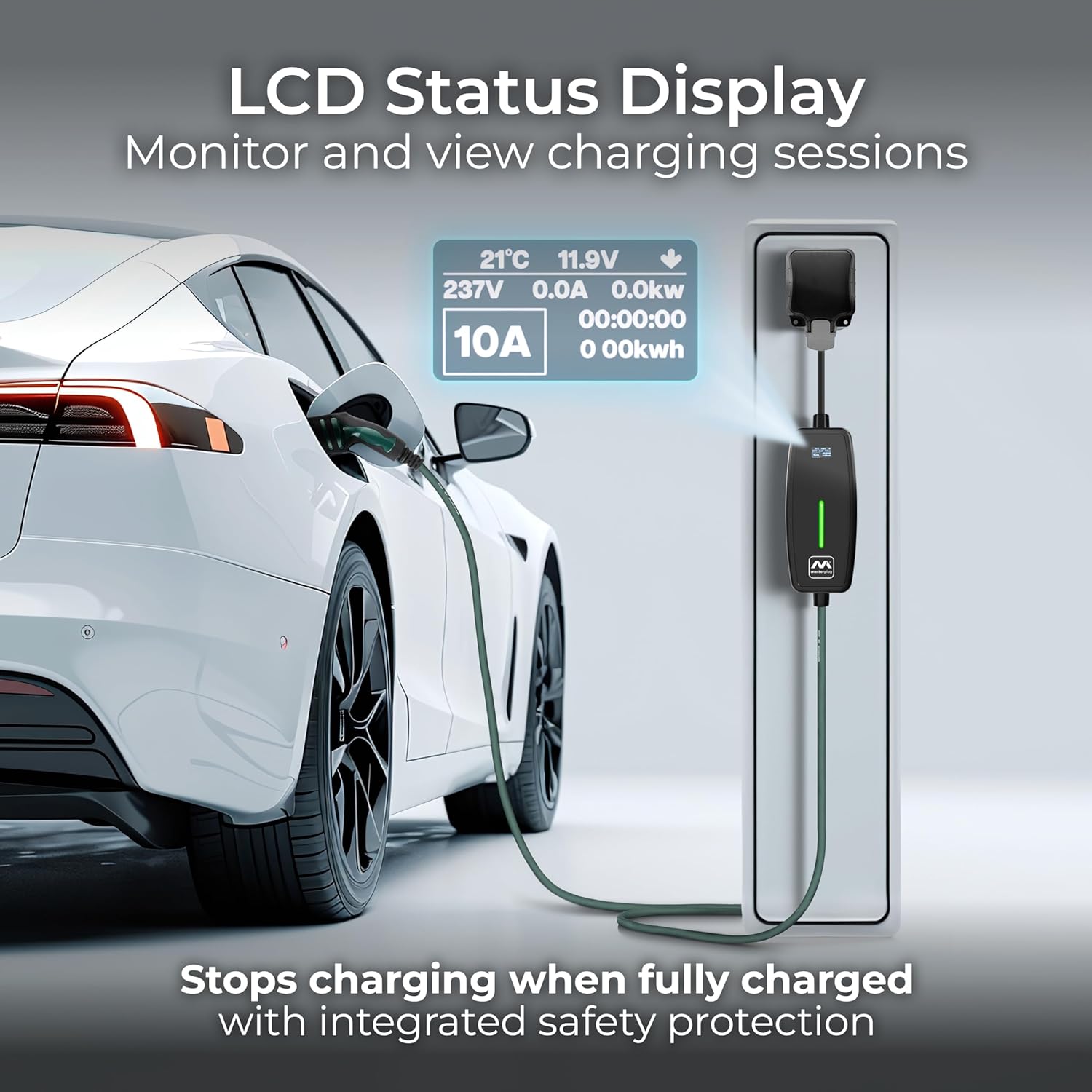
Image 4.1: LCD Status Display during Charging

Image 4.2: Charging in Progress
5. నిర్వహణ
- శుభ్రపరచడం: Clean the cable and control box with a soft, dry cloth. Do not use abrasive cleaners or solvents. Ensure all connectors are free from dust and moisture before use.
- నిల్వ: Store the charging cable in a dry, cool place, away from direct sunlight and extreme temperatures. Coil the cable neatly to prevent kinks or damage.
- సాధారణ తనిఖీ: Periodically inspect the cable, plugs, and control box for any signs of damage, such as cuts, cracks, or discoloration. If any damage is found, discontinue use immediately and contact customer support.
6. ట్రబుల్షూటింగ్
| సమస్య | సాధ్యమైన కారణం | పరిష్కారం |
|---|---|---|
| కేబుల్ ఛార్జ్ కావడం లేదు | Cable not fully plugged in; Vehicle charging port issue; Power supply issue; Safety protection activated. | Ensure both ends are securely connected. Check vehicle's charging system. Verify wall socket has power. Check LCD for error codes (if any) and refer to safety features. Unplug and re-plug. |
| LCD డిస్ప్లే పని చేయడం లేదు | No power to the unit; Internal fault. | Ensure the 3-pin plug is securely connected to a live socket. If still not working, contact customer support. |
| అనుకోకుండా ఛార్జింగ్ ఆగిపోతుంది | Vehicle fully charged; Safety protection activated (e.g., over/under voltage, thermal overload, PEN fault, RCD trip). | Check vehicle's battery status. If not full, check LCD for error messages. Disconnect and reconnect. If issue persists, consult a qualified electrician or contact customer support. |
| Cable or control box feels hot | Normal operation (slight warmth); Overload or fault. | A slight warmth is normal. If it feels excessively hot or smells burnt, immediately disconnect from power and vehicle. This indicates a potential thermal overload or fault. Do not use and contact customer support. |
7. స్పెసిఫికేషన్లు
| ఫీచర్ | స్పెసిఫికేషన్ |
|---|---|
| ఉత్పత్తి కొలతలు | 30 x 35 x 9 సెం.మీ |
| బరువు | 2.43 కిలోలు |
| మోడల్ సంఖ్య | EVCM221010-MP |
| బ్రాండ్ | మాస్టర్ప్లగ్ |
| రంగు | బూడిద రంగు |
| కేబుల్ పొడవు | 10 మీటర్లు |
| అవుట్పుట్ వాల్యూమ్tage | 2.4E+2 వోల్ట్లు (DC) |
| ఛార్జింగ్ కరెంట్ | 10 Amp |
| ఛార్జింగ్ పవర్ | 2.4 kW |
| ప్రవేశ రక్షణ (IP) రేటింగ్ | IP66 (connected), IP55 (unconnected) |
| ఆపరేటింగ్ ఉష్ణోగ్రత | -25°C నుండి +40°C |
| భద్రతా వర్తింపు | CE, UK EV standards BS1363/EV |
8. వారంటీ మరియు మద్దతు
Masterplug provides a 1-సంవత్సరం తయారీదారు వారంటీ against faulty materials and workmanship for this product. This warranty ensures peace of mind regarding the quality and reliability of your charging cable.
For warranty claims, technical support, or any questions not covered in this manual, please contact Masterplug customer service through their official website or the retailer from whom the product was purchased. Please have your product model number and purchase details ready when contacting support.


