1. ఉత్పత్తి ముగిసిందిview
The SEHMUA 4G LTE Cellular Trail Camera is a versatile and robust surveillance solution designed for remote monitoring. Featuring 2K HD video quality, a 360-degree panoramic view, and PIR night vision, it captures detailed footage day and night. Powered by an 8W solar panel and a 7800mAh battery, it offers extended operation without external power. Its cellular connectivity ensures real-time alerts and live video access via the UBOX app, making it ideal for woods, farms, and cabins.

Image 1.1: The SEHMUA 4G LTE Cellular Trail Camera, showcasing its camouflage design and integrated solar panel for continuous power.
ముఖ్య లక్షణాలు:
- 2K HD Video Quality: స్పష్టమైన మరియు వివరణాత్మక foo ని సంగ్రహిస్తుందిtage.
- 360 ° పనోరమిక్ View: సమగ్ర ప్రాంత కవరేజ్ కోసం 355° పాన్ మరియు 120° టిల్ట్ను అందిస్తుంది.
- సౌర శక్తితో: Equipped with an 8W solar panel and a 7800mAh battery for up to 365 days of operation.
- సెల్యులార్ కనెక్టివిటీ: Compatible with major US carriers (Verizon, T-Mobile, AT&T) for remote access.
- PIR Night Vision: Provides clear imaging in low-light conditions.
- 0.2S Trigger Time: Rapid motion detection for capturing fast-moving subjects.
- IP65 జలనిరోధిత: వివిధ వాతావరణ పరిస్థితులలో బహిరంగ ఉపయోగం కోసం మన్నికైన డిజైన్.
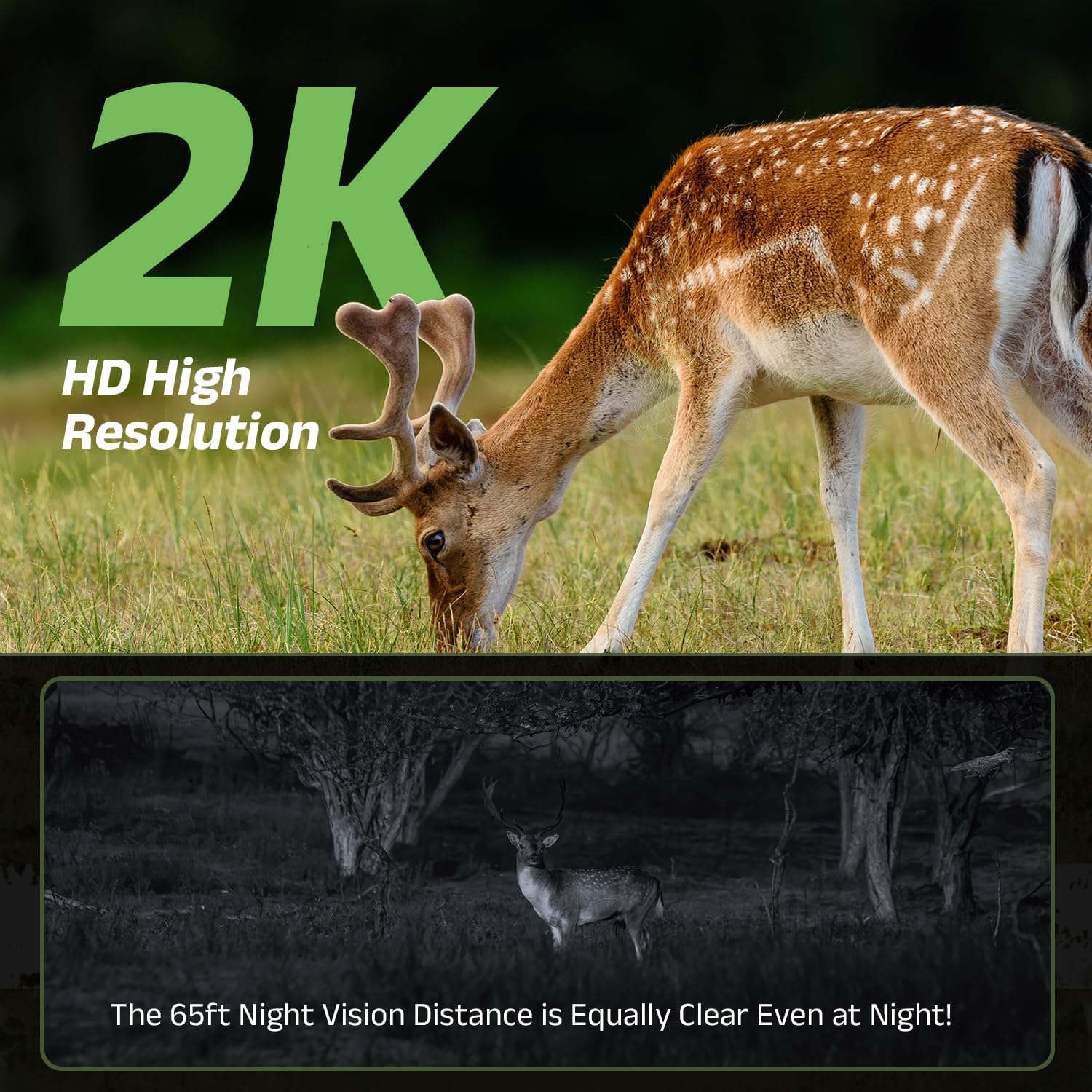
Image 1.2: Demonstration of 2K HD High Resolution, showing a clear image of a deer in daylight and a clear night vision image of a deer at 65ft.

Image 1.3: The camera mounted on a tree, highlighting its 8W solar panel and 7800mAh battery, enabling up to 365 days of continuous operation.

చిత్రం 1.4: కెమెరా యొక్క 360-డిగ్రీల పనోరమిక్ యొక్క దృశ్య ప్రాతినిధ్యం view, illustrating its ability to cover a wide area with 355° pan and 120° tilt.

Image 1.5: An illustration of the camera's rapid 0.2-second trigger time, capturing fast-moving subjects like a cheetah, with an example UBox app notification for motion detection.
2. ప్యాకింగ్ జాబితా
దయచేసి మీ ప్యాకేజీలో అన్ని భాగాలు ఉన్నాయని ధృవీకరించండి:

Image 2.1: Contents of the product package, including the camera, solar panel, and accessories.
- ట్రయల్ కెమెరా
- పట్టీ
- కెమెరా బ్రాకెట్
- Solar Panel Screw Pack
- Camera Screw Pack
- ఛార్జింగ్ కేబుల్
- సోలార్ ప్యానెల్ బ్రాకెట్
- స్క్రూడ్రైవర్
- సోలార్ ప్యానెల్
- పొజిషనింగ్ స్టిక్కర్
- వినియోగదారు మాన్యువల్
3. సెటప్ గైడ్
3.1 Initial Charging and Battery Installation
- Ensure the camera's internal battery is fully charged before first use. Connect the provided charging cable to the camera and a suitable power source.
- The camera requires 1 C battery (included). Open the battery compartment and insert the battery, ensuring correct polarity.
3.2 SIM Card Activation and Installation
The camera comes with a built-in SIM card for cellular connectivity. Please follow the instructions provided with your specific cellular plan to activate the SIM card and ensure data service is enabled. This camera is compatible with major US carriers like Verizon, T-Mobile, and AT&T.
3.3 App Download and Camera Pairing
- డౌన్లోడ్ చేయండి UBOX మీ స్మార్ట్ఫోన్ యాప్ స్టోర్ (iOS లేదా Android) నుండి అప్లికేషన్.
- ఖాతాను సృష్టించండి మరియు లాగిన్ చేయండి.
- మీ కెమెరాను జోడించడానికి యాప్లోని సూచనలను అనుసరించండి. ఇందులో సాధారణంగా కెమెరాలోని QR కోడ్ను స్కాన్ చేయడం లేదా దాని IDని మాన్యువల్గా నమోదు చేయడం జరుగుతుంది.
- Ensure your camera is powered on and within range of a cellular signal during the pairing process.
3.4 కెమెరా మరియు సోలార్ ప్యానెల్ను అమర్చడం
Choose a location with good cellular signal and direct sunlight exposure for the solar panel.
- Attach the camera bracket to the desired mounting surface (e.g., tree, pole, wall) using the provided screws or strap.
- Secure the camera to the bracket.
- Mount the solar panel using its bracket in a position that maximizes sun exposure throughout the day.
- Connect the solar panel's charging cable to the camera's charging port.
4. ఆపరేటింగ్ సూచనలు
4.1 ప్రత్యక్ష ప్రసారం View మరియు రికార్డింగ్
- Open the UBOX app on your smartphone.
- Select your camera from the device list to access the live video feed.
- ప్రత్యక్ష ప్రసారం నుండి view interface, you can manually initiate video recording or capture still images.
4.2 పాన్ మరియు టిల్ట్ నియంత్రణ
The camera supports 355° horizontal pan and 120° vertical tilt for a full 360-degree view.
- లైవ్లో ఉండగా view within the UBOX app, use the on-screen controls to adjust the camera's viewing కోణం.
4.3 మోషన్ డిటెక్షన్ మరియు హెచ్చరికలు
- The camera utilizes PIR (Passive Infrared) technology for accurate motion detection.
- When motion is detected, the camera will automatically begin recording and send an instant notification to your UBOX app.
- You can adjust motion detection sensitivity settings within the app to minimize false alerts.
౪.౧.౧౦ నైట్ విజన్
తక్కువ కాంతి పరిస్థితుల్లో కెమెరా స్వయంచాలకంగా నైట్ విజన్ మోడ్కి మారుతుంది, స్పష్టమైన నలుపు-తెలుపు దృశ్యాలను అందిస్తుంది.tage.
5. నిర్వహణ
5.1 Solar Panel Cleaning
To ensure optimal charging efficiency, periodically clean the surface of the solar panel. Dust, dirt, leaves, or snow can reduce its effectiveness. Use a soft, damp cloth to gently wipe the panel.
5.2 బ్యాటరీ ఆరోగ్యం
The camera's 7800mAh battery is designed for long-term use. Monitor the battery level via the UBOX app. While the solar panel provides continuous charging, extreme weather or prolonged periods without sunlight may require supplemental charging via the USB cable.
5.3 సాధారణ సంరక్షణ
Although the camera is IP65 waterproof, avoid submerging it in water. Regularly check the mounting hardware to ensure the camera remains securely in place, especially after strong winds or storms.
6. ట్రబుల్షూటింగ్
6.1 No Live View / Offline Camera
- Check Cellular Signal: Ensure the camera is in an area with adequate 4G LTE coverage.
- బ్యాటరీ స్థాయిని తనిఖీ చేయండి: Verify the camera has sufficient power via the UBOX app or by checking the charging indicator.
- కెమెరాను పునఃప్రారంభించండి: Power off the camera, wait a few seconds, and power it back on.
- యాప్ కనెక్షన్: మీ స్మార్ట్ఫోన్కు స్థిరమైన ఇంటర్నెట్ కనెక్షన్ ఉందని నిర్ధారించుకోండి.
6.2 Poor Image/Video Quality
- క్లీన్ లెన్స్: Gently wipe the camera lens with a soft, clean cloth to remove any dirt or smudges.
- లైటింగ్ పరిస్థితులు: Ensure adequate lighting during the day. For night vision, ensure no obstructions are blocking the IR lights.
- యాప్ సెట్టింగ్లు: Verify that the video resolution setting in the UBOX app is set to 2K HD.
6.3 మోషన్ డిటెక్షన్ సమస్యలు
- సున్నితత్వాన్ని సర్దుబాటు చేయండి: Increase or decrease PIR sensitivity in the UBOX app settings.
- ప్లేస్మెంట్: Ensure the camera is positioned correctly to capture motion in the desired area, avoiding direct sunlight or heat sources that might cause false triggers.
6.4 బ్యాటరీ ఛార్జ్ కావడం లేదు
- సోలార్ ప్యానెల్ ఎక్స్పోజర్: Ensure the solar panel receives direct sunlight for several hours daily.
- కేబుల్ కనెక్షన్: Check that the solar panel cable is securely connected to the camera.
- ప్యానెల్ శుభ్రత: Clean the solar panel surface as described in the Maintenance section.
7. స్పెసిఫికేషన్లు
| ఫీచర్ | వివరాలు |
|---|---|
| మోడల్ పేరు | ZC-YT05 |
| బ్రాండ్ | SEHMUA |
| వీడియో రిజల్యూషన్ | 2K HD |
| కనెక్టివిటీ టెక్నాలజీ | Wireless (Cellular) |
| కనెక్టివిటీ ప్రోటోకాల్ | సెల్యులార్ |
| శక్తి మూలం | సోలార్ పవర్డ్ |
| బ్యాటరీ కెపాసిటీ | 7800mAh |
| సౌర ఫలక శక్తి | 8W |
| కంట్రోలర్ రకం | APP Control (UBOX) |
| పాన్ యాంగిల్ | 355° |
| టిల్ట్ యాంగిల్ | 120° |
| ట్రిగ్గర్ సమయం | 0.2S |
| ప్రత్యేక ఫీచర్ | IP65 Waterproof, PIR Night Vision |
| రంగు | Camouflage Green |
| వస్తువు బరువు | 3.19 పౌండ్లు |
| ప్యాకేజీ కొలతలు | 9.53 x 7.05 x 6.06 అంగుళాలు |
| బ్యాటరీలు అవసరం | Yes (1 C battery included) |
| సిఫార్సు చేసిన ఉపయోగాలు | అవుట్డోర్ సెక్యూరిటీ |
8. వారంటీ మరియు మద్దతు
8.1 వారంటీ సమాచారం
Specific warranty details for your SEHMUA 4G LTE Cellular Trail Camera are typically provided with your purchase documentation or can be found on the official SEHMUA webవారంటీ క్లెయిమ్ల కోసం దయచేసి మీ కొనుగోలు రుజువును మీ వద్ద ఉంచుకోండి.
8.2 కస్టమర్ మద్దతు
For technical assistance, troubleshooting beyond this manual, or inquiries regarding your product, please refer to the contact information provided with your product packaging or visit the official SEHMUA support website. Ensure you have your model number (ZC-YT05) and purchase details ready when contacting support.


