పరిచయం
This manual provides detailed instructions for the Phomemo PM-248-WF WiFi Thermal Label Printer. It covers initial setup, operational procedures, maintenance guidelines, and troubleshooting steps to ensure optimal performance and longevity of your device. Please read this manual thoroughly before using the printer.

Image: The Phomemo PM-248-WF printer demonstrating its WiFi capability with a printed label.
ప్యాకేజీ విషయాలు
క్రింద జాబితా చేయబడిన అన్ని అంశాలు మీ ప్యాకేజీలో చేర్చబడ్డాయని ధృవీకరించండి. ఏవైనా అంశాలు తప్పిపోయినా లేదా దెబ్బతిన్నా, దయచేసి కస్టమర్ మద్దతును సంప్రదించండి.
- 1x Phomemo 248-WF Wi-Fi Label Printer
- 1x Power Cord & Adapter
- 1x USB కేబుల్
- 1x USB-C అడాప్టర్
- 1x యూజర్ గైడ్
- 10 sheets of 4x6 Label Paper

Image: A visual representation of all components included in the Phomemo 248-WF product package.
ప్రారంభించడం: సెటప్
1. పవర్ కనెక్షన్
- పవర్ అడాప్టర్ను ప్రింటర్ పవర్ పోర్ట్కు కనెక్ట్ చేయండి.
- పవర్ కార్డ్ను ప్రామాణిక ఎలక్ట్రికల్ అవుట్లెట్లోకి ప్లగ్ చేయండి.
- Press the power button to turn on the printer. The indicator light will illuminate.
2. లేబుల్లను లోడ్ చేస్తోంది
- ప్రింటర్ కవర్ను తెరవండి.
- Adjust the label guides to match the width of your labels (supports 1 to 4.6 inches).
- Insert the labels with the print side facing up. Ensure the labels are fed smoothly into the printer.
- ప్రింటర్ కవర్ను మూసివేయండి. ప్రింటర్ స్వయంచాలకంగా లేబుల్ పరిమాణాన్ని గుర్తించి క్రమాంకనం చేస్తుంది.

Image: The printer's adjustable label guides, accommodating various label widths.
3. Software Installation & Connectivity
Mobile Device Setup (Labelife App)
- Download the "Labelife" app from the App Store (iOS) or Google Play Store (Android).
- మీ ఫోన్లో బ్లూటూత్ మరియు Wi-Fi ప్రారంభించబడ్డాయని నిర్ధారించుకోండి.
- Open the Labelife app and connect to the printer (PM-248-WF).
- Follow the in-app instructions for network configuration, entering your Wi-Fi password when prompted.
- Once connected, you can import and print labels directly from the app.

Image: Step-by-step guide for connecting the printer via the Labelife mobile application.
Computer Setup (Printer Setting Tool)
- Download the Printer Setting Tool for Windows or macOS from the official Phomemo webసైట్ లేదా aimotech.com/labelife/analysis.html.
- Connect your computer to the printer via the provided USB cable.
- Launch the Printer Setting Tool. Select your Wi-Fi network and enter the password to configure the printer's Wi-Fi connection.
- After initial Wi-Fi setup, the printer will automatically connect to the configured network upon power-on. USB connection is also available for printing.

Image: Instructions for configuring the printer's Wi-Fi network using the computer-based Printer Setting Tool.
Wireless (Wi-Fi) Connection
The PM-248-WF supports 5GHz Wi-Fi for stable and fast wireless printing from iOS, Android, iPad, macOS, and Windows devices. Ensure your device is connected to the same Wi-Fi network as the printer.
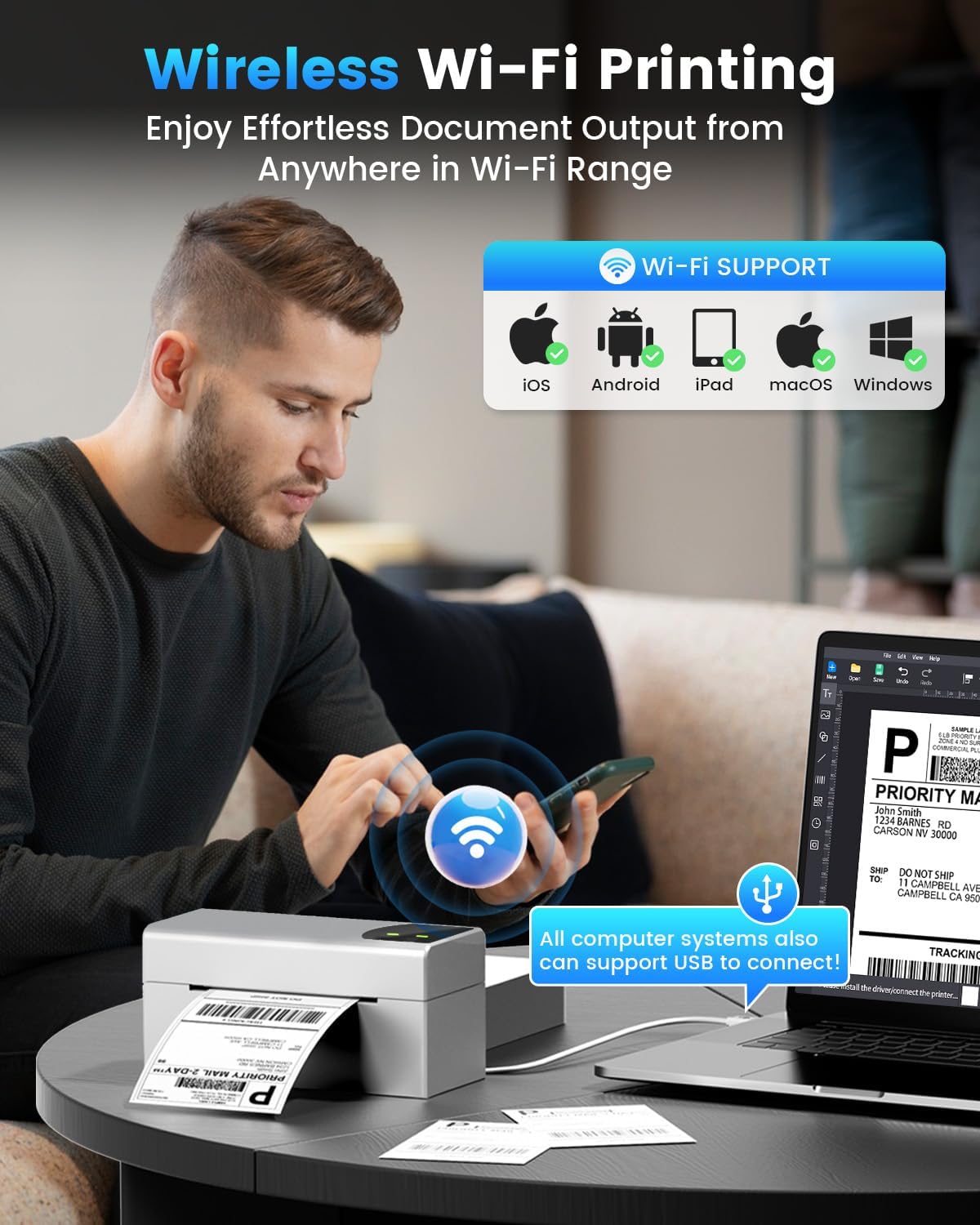
Image: Demonstrates wireless printing from various devices to the Phomemo printer.
USB కనెక్షన్
For direct connection, use the provided USB cable. The printer is compatible with ChromeOS, Linux, macOS, and Windows systems via USB. This offers an alternative to wireless printing.
ఆపరేషన్
1. ప్రింటింగ్ లేబుల్స్
Once the printer is set up and labels are loaded, you can initiate printing from your connected device or computer. The printer features a speed of 150 mm/s, capable of producing up to 72 sheets of 4x6 labels per minute with 203 DPI resolution.

Image: The printer's high-speed printing capability, highlighting its efficiency.
2. Supported Platforms and Label Types
The Phomemo PM-248-WF is compatible with major shipping platforms and marketplaces, including FedEx, UPS, USPS, ShipStation, Shopify, Amazon, Etsy, eBay, and more. It supports various label sizes from 1 to 4.6 inches, allowing for printing of shipping labels, barcodes, product labels, and custom stickers.

Image: The printer's broad compatibility with various e-commerce and shipping platforms.

Image: Printer in use for shipping packages.

Image: Printer used for custom labels on jars.
నిర్వహణ
Regular maintenance ensures the longevity and performance of your thermal label printer.
- ప్రింట్ హెడ్ క్లీనింగ్: తేలికగా కాటన్ శుభ్రముపరచు ఉపయోగించండి dampened with isopropyl alcohol to gently wipe the print head. Ensure the printer is off and cooled down before cleaning. Allow it to dry completely before use.
- ప్లేటెన్ రోలర్ను శుభ్రపరచడం: Rotate the platen roller and wipe it with a damp cloth to remove any dust or adhesive residue.
- బాహ్య క్లీనింగ్: Wipe the exterior of the printer with a soft, dry cloth. Avoid using harsh chemicals or abrasive cleaners.
- No Ink or Toner Required: As a thermal printer, it does not require ink cartridges or toner, simplifying maintenance.
ట్రబుల్షూటింగ్
సాధారణ సమస్యలు మరియు వాటి పరిష్కారాల కోసం క్రింది పట్టికను చూడండి.
| సమస్య | సాధ్యమైన కారణం | పరిష్కారం |
|---|---|---|
| ప్రింటర్ ఆన్ కావడం లేదు | విద్యుత్ కేబుల్ డిస్కనెక్ట్ చేయబడింది; విద్యుత్ అవుట్లెట్ సమస్య | Check power cable connections; try a different outlet. |
| Cannot connect via Wi-Fi | Incorrect Wi-Fi password; printer not on same network; 5GHz compatibility issue | Verify Wi-Fi password; ensure printer and device are on the same 5GHz network; reconfigure Wi-Fi using the app or computer tool. |
| Printer not detected by computer/app | Software not installed; USB cable issue; Bluetooth/Wi-Fi off | Install Labelife app or Printer Setting Tool; check USB cable connection; ensure Bluetooth/Wi-Fi is enabled on your device. |
| ప్రింట్ నాణ్యత బాగాలేదు (మసకగా, అస్పష్టంగా) | Print head dirty; low-quality labels; incorrect print density settings | Clean the print head; use high-quality thermal labels; adjust print density in software settings. |
| లేబుల్స్ సరిగ్గా ఫీడ్ కావడం లేదు | Labels loaded incorrectly; label guides not adjusted; paper sensor issue | Reload labels correctly (print side up); adjust label guides snugly; clean paper sensor if accessible. |
| ప్రింటర్ ఉద్యోగం మధ్యలో ముద్రణను నిలిపివేసింది | Connectivity interruption; out of labels; overheating | Check Wi-Fi/USB connection; replace label roll; allow printer to cool down. |
సాంకేతిక లక్షణాలు
| ఫీచర్ | స్పెసిఫికేషన్ |
|---|---|
| మోడల్ పేరు | PM-248-WF |
| ప్రింటింగ్ టెక్నాలజీ | థర్మల్ |
| కనెక్టివిటీ టెక్నాలజీ | USB, Wi-Fi (5GHz) |
| గరిష్ట ముద్రణ వేగం (మోనోక్రోమ్) | 150 mm/s (72 sheets of 4x6 labels per minute) |
| గరిష్ట ముద్రణ రిజల్యూషన్ | 203 DPI |
| గరిష్ట మీడియా పరిమాణం | 4 x 6 అంగుళాలు |
| మద్దతు ఉన్న లేబుల్ వెడల్పులు | 1" - 4.6" |
| అనుకూల పరికరాలు | iOS, Android, iPad, macOS, Windows (Wi-Fi); ChromeOS, Linux, macOS, Windows (USB) |
| ఉత్పత్తి కొలతలు | 7.16"డి x 3.54"వా x 3.5"హ |
| వస్తువు బరువు | 1.58 పౌండ్లు |
| ప్రత్యేక లక్షణాలు | Portable, Wireless Wi-Fi & USB Connection, No Ink, Auto Detection, Auto Paper Return, Intelligent Self-Test |
వారంటీ మరియు మద్దతు
The Phomemo PM-248-WF Thermal Label Printer comes with a limited warranty. For specific details regarding warranty coverage and duration, please refer to the warranty card included in your package or visit the official Phomemo webసైట్.
For technical assistance, troubleshooting, or any product-related inquiries, please contact Phomemo customer support. Contact information can typically be found in the user guide or on the manufacturer's webసైట్.


