1. పరిచయం
The RØDE Wireless GO III (Gen 3) is a compact wireless microphone system designed for capturing high-quality audio across various content creation applications. This system features advanced technologies such as intelligent GainAssist and 32-bit float on-board recording, ensuring pristine audio capture in diverse environments. It utilizes RØDE’s Series IV 2.4GHz digital transmission for stable, long-range wireless connectivity.
ముఖ్య లక్షణాలు ఉన్నాయి:
- Series IV 2.4 GHz Digital Transmission: Provides crystal-clear, stable audio with best-in-class range and 128-bit encryption.
- 32-bit Float On-board Recording: Over 40 hours of internal recording capacity (32 GB) allows for recovery of clipped or quiet audio files.
- Intelligent GainAssist Technology: Ensures optimal audio levels with flexible output gain control and a safety channel for direct-to-camera recording.
- యూనివర్సల్ అనుకూలత: Connects seamlessly with cameras, smartphones, and computers via USB-C and locking 3.5mm outputs.
- సమగ్ర ఉపకరణాలు: Includes 3.5mm TRS, USB-C, and Lightning cables, a charging hub, furry windshields, and a carry pouch.

2. పెట్టెలో ఏముంది
The RØDE Wireless GO III system includes the following components:
- 2 x Wireless GO III Transmitters (TX)
- 1 x Wireless GO III Receiver (RX)
- 1 x SC33 ఛార్జింగ్ హబ్
- 1 x SC2 TRS to TRS Cable (3.5mm)
- 1 x SC21 USB-C నుండి లైట్నింగ్ కేబుల్
- 1 x SC22 USB-C నుండి USB-C కేబుల్
- 3 x ఫర్రి విండ్షీల్డ్లు
- 1 x క్యారీ పర్సు

3. సెటప్
3.1. Charging the Units
Before initial use, fully charge all transmitter and receiver units using the provided SC33 Charging Hub and USB-C cable. Connect the charging hub to a USB power source. The battery indicators on each unit will show charging status.
3.2. పవర్ చేయడం మరియు జత చేయడం
Press and hold the power button on each transmitter and the receiver to turn them on. The units are pre-paired from the factory. If re-pairing is needed, refer to the full RØDE Connect software manual.
3.3. పరికరాలకు కనెక్ట్ చేయడం
The Wireless GO III offers universal compatibility with various devices:
- కెమెరాలు: Use the supplied 3.5mm TRS to TRS cable to connect the receiver's 3.5mm output to your camera's microphone input.
- స్మార్ట్ఫోన్లు (iOS): Use the supplied USB-C to Lightning cable to connect the receiver's USB-C output to your iPhone.
- Smartphones (Android) & Computers: Use the supplied USB-C to USB-C cable to connect the receiver's USB-C output to your Android phone or computer.


4. ఆపరేటింగ్ సూచనలు
4.1. On-board Recording (32-bit Float)
Each transmitter features 32 GB of internal memory, allowing for over 40 hours of 32-bit float on-board recording. This feature provides a backup recording directly on the transmitter, which can be invaluable for recovering audio that may have been too loud (clipped) or too quiet during the main recording. To initiate or stop on-board recording, use the dedicated record button on the transmitter.
4.2. GainAssist and Level Control
The intelligent GainAssist technology automatically adjusts audio levels to prevent clipping and ensure a consistent output. The receiver also provides flexible output gain control, allowing manual adjustment of the audio signal sent to your recording device. A safety channel feature records a secondary track at a lower gain, providing an additional safeguard against unexpected loud audio peaks.
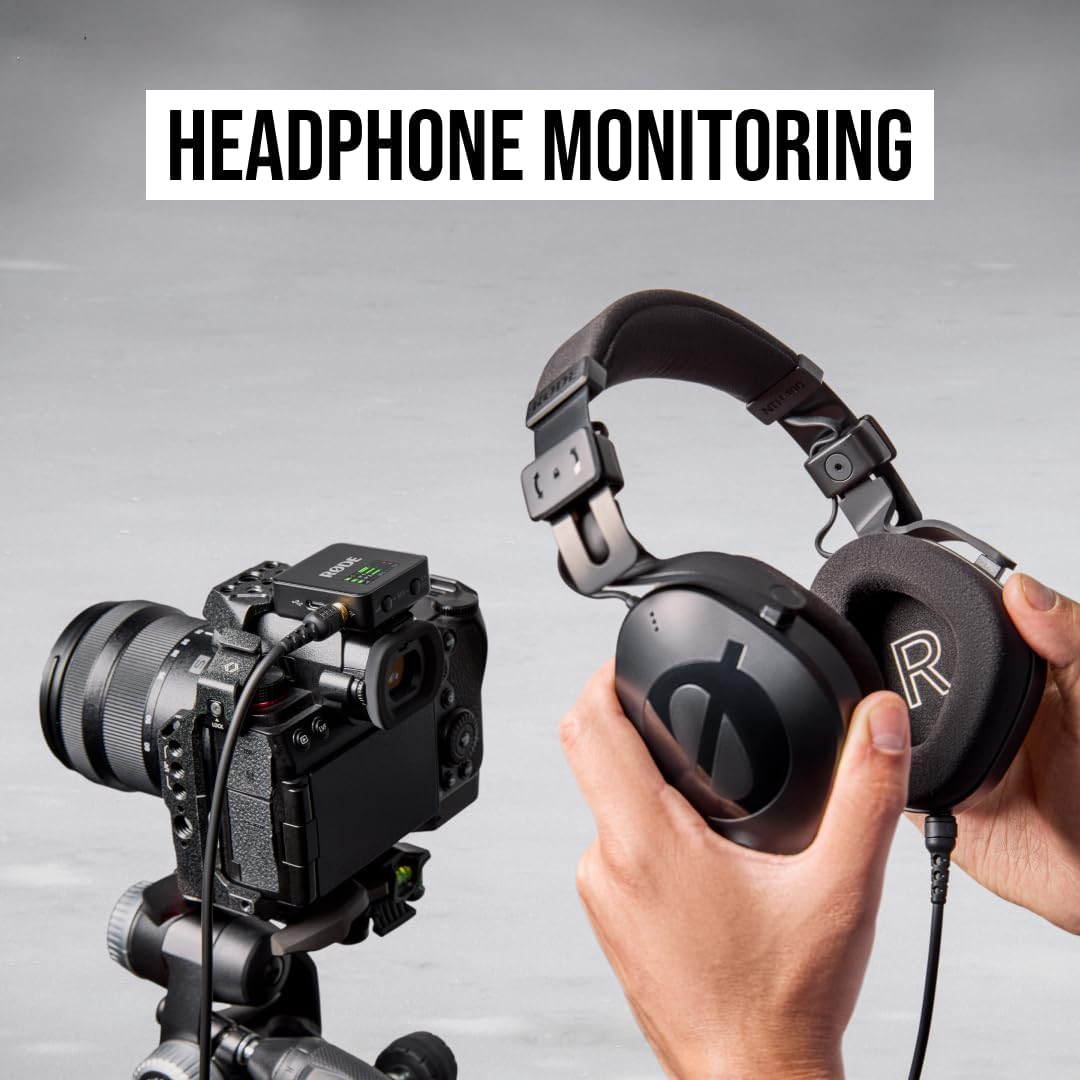
4.3. హెడ్ఫోన్ మానిటరింగ్
The receiver includes a TRRS jack, enabling real-time headphone monitoring of your audio. This allows you to listen to the captured sound as it is being recorded, ensuring optimal audio quality and detecting any potential issues immediately.

4.4. ఫర్రి విండ్షీల్డ్లను ఉపయోగించడం
Attach the provided furry windshields to the transmitters when recording outdoors or in windy conditions. These windshields effectively reduce wind noise, improving the clarity of your audio recordings.
5. నిర్వహణ
5.1. శుభ్రపరచడం
Wipe the units with a soft, dry cloth. Avoid using harsh chemicals or abrasive materials, which can damage the finish or internal components.
5.2. బ్యాటరీ సంరక్షణ
To maximize battery life, avoid fully discharging the units regularly. Store them in a cool, dry place when not in use. The system features 'Plug-in Power Detect' which can help optimize battery usage when connected to a power source.

5.3. నిల్వ
When transporting or storing the Wireless GO III, use the provided carry pouch to protect the units and accessories from dust and physical damage.
6. ట్రబుల్షూటింగ్
If you encounter issues with your RØDE Wireless GO III system, consider the following common solutions:
- ఆడియో అవుట్పుట్ లేదు: Ensure all units are powered on and fully charged. Verify that cables are securely connected to both the receiver and your recording device. Check the audio input settings on your camera, smartphone, or computer.
- జోక్యం/పేలవమైన సిగ్నల్: Ensure the transmitter and receiver are within the specified operating range. Avoid obstructions between the units. Check for other 2.4GHz devices that might be causing interference.
- రికార్డింగ్ సమస్యలు: Confirm that the on-board recording feature is activated on the transmitter. Ensure sufficient internal memory is available.
- బ్యాటరీ ఛార్జింగ్ లేదు: Verify that the charging hub is properly connected to a power source and that the USB-C cable is securely attached to the units.
For more detailed troubleshooting or persistent issues, please refer to the official RØDE support resources.
7. స్పెసిఫికేషన్లు
| ఫీచర్ | వివరాలు |
|---|---|
| బ్రాండ్ | రైడ్ |
| మోడల్ పేరు | Wireless GO 3 |
| అంశం మోడల్ సంఖ్య | WIGOGEN3 |
| UPC | 698813010462 |
| మైక్రోఫోన్ ఫారమ్ ఫ్యాక్టర్ | Lavalier, Mini |
| ధ్రువ నమూనా | ఏకదిశాత్మక |
| కనెక్టివిటీ టెక్నాలజీ | USB |
| కనెక్టర్ రకం | USB టైప్-C |
| అనుకూల పరికరాలు | కెమెరా, పర్సనల్ కంప్యూటర్, స్మార్ట్ఫోన్ |
| ప్రత్యేక ఫీచర్ | నాయిస్ తగ్గింపు |
| శక్తి మూలం | Battery Powered (1 P76 battery required) |
| ఛానెల్ల సంఖ్య | 2 |
| సిగ్నల్-టు-శబ్ద నిష్పత్తి | 72 డిబి |
| వస్తువు బరువు | 300 గ్రాములు (10.6 ఔన్సులు) |
| ఉత్పత్తి కొలతలు (L x W x H) | 1.81 x 1.73 x 0.79 అంగుళాలు |
| మెటీరియల్ | ప్లాస్టిక్ |
| రంగు | నలుపు |
8. వారంటీ మరియు మద్దతు
The RØDE Wireless GO III (Gen 3) is manufactured by RØDE. For detailed warranty information, product registration, and technical support, please visit the official RØDE webసైట్. మీరు అదనపు వనరులు మరియు తరచుగా అడిగే ప్రశ్నలను కూడా ఇక్కడ కనుగొనవచ్చు RØDE Store on Amazon.


