పరిచయం
Thank you for choosing the Kamon K40 Wireless Earbuds. These earbuds are designed to provide a high-quality audio experience with advanced features such as Bluetooth 5.3 connectivity, AI Environmental Noise Cancellation (ENC), smart touch controls, and a portable charging case with an LED display. This manual will guide you through the setup, operation, and maintenance of your new earbuds to ensure optimal performance.

Image: Kamon K40 Wireless Earbuds in their charging case, displaying battery levels on the LED screen.
ప్యాకేజీ విషయాలు
దయచేసి మీ ప్యాకేజీలో అన్ని అంశాలు ఉన్నాయని ధృవీకరించండి:
- 2 Wireless Earbuds (Left and Right)
- 1 LED Display Charging Case
- 1 USB-C ఛార్జింగ్ కేబుల్
- 3 జతల సిలికాన్ చెవి చిట్కాలు (S/M/L)
- 1 వినియోగదారు మాన్యువల్
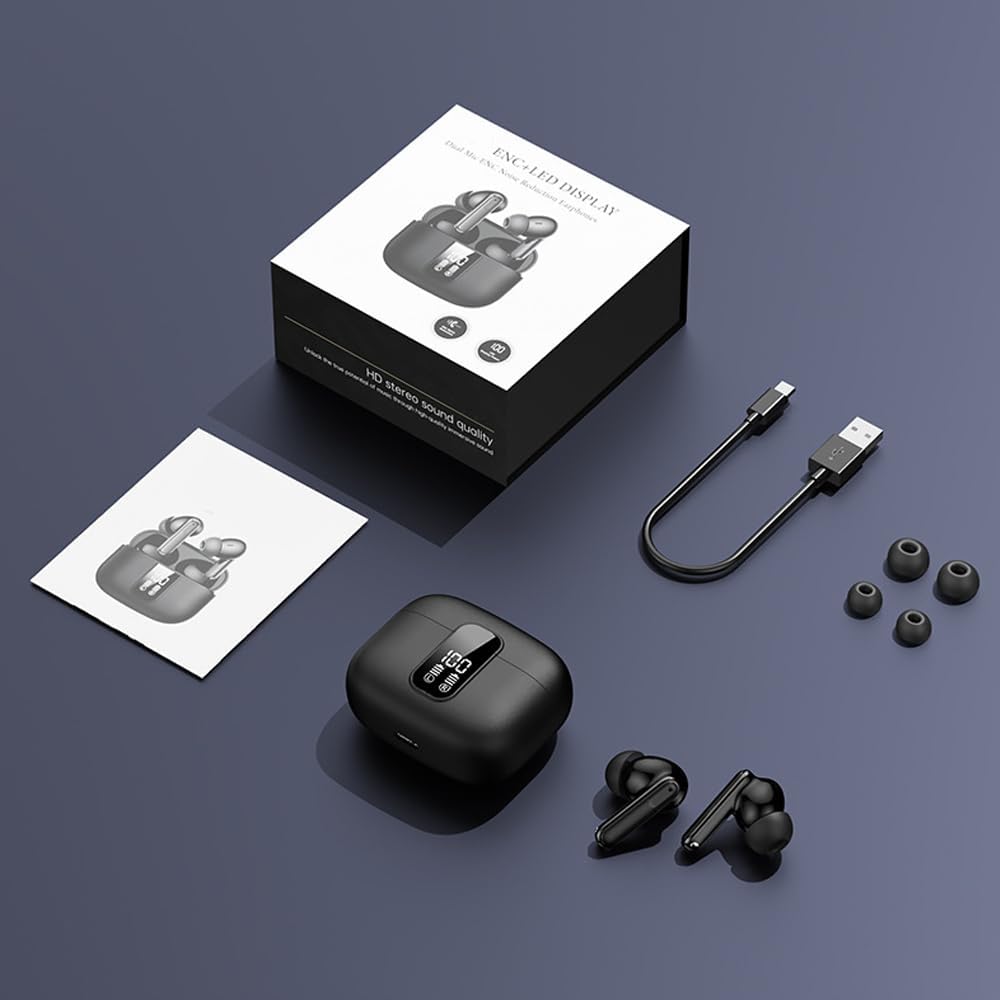
Image: All components included in the Kamon K40 Wireless Earbuds package: earbuds, charging case, USB-C cable, and three sizes of ear tips.
ఉత్పత్తి ముగిసిందిview
The Kamon K40 earbuds feature an ergonomic in-ear design for secure and comfortable fit. The charging case includes an LED display to show battery levels for both the case and individual earbuds. Key features include:
- బ్లూటూత్ 5.3: Provides stable and fast wireless connection up to 15 meters.
- AI ENC Noise Reduction: Enhances call clarity by filtering ambient noise.
- స్మార్ట్ టచ్ కంట్రోల్: Intuitive controls for music, calls, and voice assistant.
- సుదీర్ఘ ఆట సమయం: Up to 5 hours per charge, extended to 20 hours total with the charging case.
- జలనిరోధిత డిజైన్: Resistant to sweat and light rain, suitable for workouts.
- HiFi Stereo Bass: Equipped with 13mm speakers for immersive audio.

Image: The Kamon K40 charging case open, revealing the earbuds and an LED display indicating the charge percentage and individual earbud battery status.
సెటప్
1. ఇయర్బడ్లు మరియు కేస్ను ఛార్జ్ చేయడం
మొదటిసారి ఉపయోగించే ముందు, ఇయర్బడ్లు మరియు ఛార్జింగ్ కేసును పూర్తిగా ఛార్జ్ చేయండి.
- ఇయర్బడ్లను ఛార్జింగ్ కేసులో ఉంచండి. అవి సరిగ్గా అమర్చబడ్డాయని నిర్ధారించుకోండి; ఇయర్బడ్లపై LED సూచికలు వెలుగుతాయి.
- USB-C ఛార్జింగ్ కేబుల్ను కేస్లోని ఛార్జింగ్ పోర్ట్కు మరియు మరొక చివరను USB పవర్ అడాప్టర్కి (చేర్చబడలేదు) కనెక్ట్ చేయండి.
- The LED display on the case will show the charging progress. A full charge for the case takes approximately 1.5 hours.
Video: An official product video demonstrating the features of the Kamon K40 Wireless Earbuds, including charging and touch controls.
2. మీ పరికరంతో జత చేయడం
The Kamon K40 earbuds feature one-step pairing for convenience.
- Open the charging case. The earbuds will automatically enter pairing mode, indicated by flashing lights (if applicable, refer to specific earbud light patterns).
- మీ పరికరంలో (స్మార్ట్ఫోన్, టాబ్లెట్, ల్యాప్టాప్), బ్లూటూత్ను ప్రారంభించండి.
- కోసం వెతకండి అందుబాటులో ఉన్న బ్లూటూత్ పరికరాలను గుర్తించి, జాబితా నుండి "K40" ఎంచుకోండి.
- Once connected, you will hear a confirmation tone, and the earbuds' indicator lights will stop flashing.
ఇయర్బడ్లను కేస్ నుండి తీసివేసినప్పుడు, పరికరంలో బ్లూటూత్ ప్రారంభించబడితే, అవి చివరిగా జత చేసిన పరికరానికి స్వయంచాలకంగా తిరిగి కనెక్ట్ అవుతాయి.
3. ఇయర్బడ్స్ ధరించడం
For optimal sound quality and comfort, choose the correct size ear tips and ensure a proper fit.
- Select the silicone ear tips that best fit your ear canal. Experiment with different sizes (S/M/L) for the most secure and comfortable seal.
- Gently insert each earbud into your ear canal and twist slightly to secure it. The ergonomic design helps them stay in place during various activities.

Image: A Kamon K40 Wireless Earbud correctly positioned in a human ear, demonstrating its ergonomic fit.
ఆపరేటింగ్ సూచనలు
స్మార్ట్ టచ్ నియంత్రణలు
The Kamon K40 earbuds feature intuitive touch controls on each earbud. The following table outlines the functions:

Image: A visual guide to the smart touch controls on the Kamon K40 earbuds, detailing actions for various taps and holds.
| చర్య | ఫంక్షన్ |
|---|---|
| Hold for 3 seconds (either earbud) | ఆన్ చేయండి |
| Tap & Hold for 3 seconds (either earbud) | ఆఫ్ చేయండి |
| సింగిల్ ట్యాప్ (L/R) | Play/Pause Music / Answer/End Call |
| Double click left earbud | మునుపటి ట్రాక్ |
| Double click right earbud | తదుపరి ట్రాక్ |
| ఎడమ ఇయర్బడ్ను మూడుసార్లు నొక్కండి | వాల్యూమ్ + |
| కుడివైపు ఇయర్బడ్ని మూడుసార్లు నొక్కండి | వాల్యూమ్ - |
| Four strikes (L/R) | వాయిస్ అసిస్టెంట్ని యాక్టివేట్ చేయండి |
| Tap & Hold for 1.5 seconds (either earbud) | కాల్ని తిరస్కరించండి |
| FTouch (either earbud) | Transparent/ANC Mode - Normal Mode Switch |
మాస్టర్-స్లేవ్ స్విచ్
The Kamon K40 earbuds support a master-slave switch function, allowing you to use either earbud independently or both simultaneously. This provides flexibility for various scenarios, such as taking calls with one earbud while the other charges, or sharing audio with a friend.
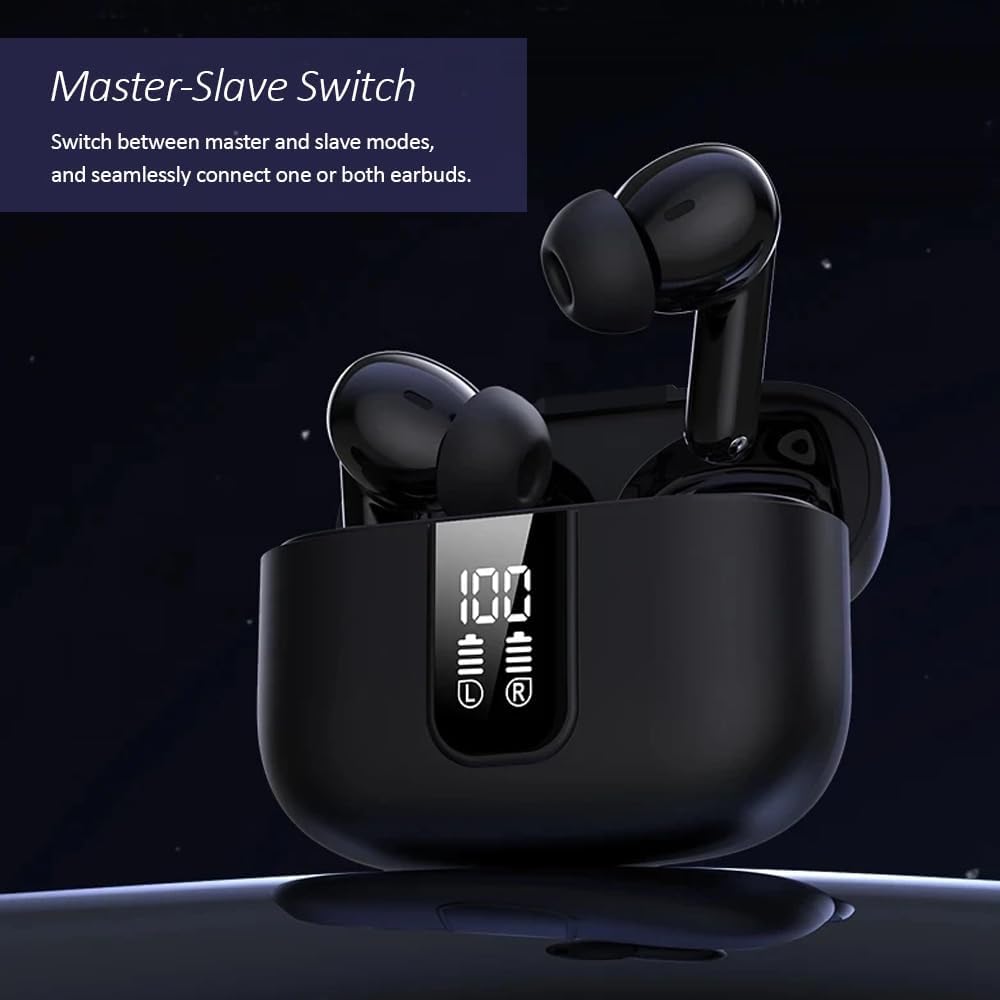
Image: The Kamon K40 earbuds in their charging case, highlighting the ability to use either earbud independently or together.
నిర్వహణ
క్లీనింగ్
- ఇయర్బడ్లు మరియు ఛార్జింగ్ కేసును మృదువైన, పొడి, మెత్తటి బట్టతో క్రమం తప్పకుండా శుభ్రం చేయండి.
- చెవుల చివరలను తీసివేసి, తేలికపాటి సబ్బు మరియు నీటితో శుభ్రం చేసి, తిరిగి అతికించే ముందు పూర్తిగా ఆరబెట్టండి.
- Use a cotton swab to gently clean the charging contacts on both the earbuds and inside the case.
నిల్వ
- ఉపయోగంలో లేనప్పుడు, ఇయర్బడ్లను రక్షించడానికి మరియు వాటిని ఛార్జ్లో ఉంచడానికి ఎల్లప్పుడూ వాటి ఛార్జింగ్ కేసులో నిల్వ చేయండి.
- పరికరాన్ని చల్లని, పొడి ప్రదేశంలో, తీవ్రమైన ఉష్ణోగ్రతలు మరియు ప్రత్యక్ష సూర్యకాంతి నుండి దూరంగా నిల్వ చేయండి.
ట్రబుల్షూటింగ్
ఇయర్బడ్లు జత కావడం/కనెక్ట్ కావడం లేదు
- రెండు ఇయర్బడ్లు ఛార్జ్ అయ్యాయని నిర్ధారించుకోండి.
- మీ పరికరంలో బ్లూటూత్ను ఆఫ్ చేసి, ఆపై దాన్ని తిరిగి ఆన్ చేయండి.
- మీ పరికరం యొక్క బ్లూటూత్ జాబితా నుండి "K40"ని మర్చిపోయి/తొలగించి, మళ్ళీ జత చేయడానికి ప్రయత్నించండి.
- రెండు ఇయర్బడ్లను తిరిగి ఛార్జింగ్ కేసులో ఉంచండి, మూత మూసివేసి, కొన్ని సెకన్లు వేచి ఉండండి, ఆపై జత చేసే మోడ్ను తిరిగి ప్రారంభించడానికి మూతను తెరవండి.
ధ్వని లేదా తక్కువ వాల్యూమ్ లేదు
- మీ పరికరం మరియు ఇయర్బడ్లు రెండింటిలోనూ వాల్యూమ్ స్థాయిని తనిఖీ చేయండి.
- Ensure the earbuds are properly seated in your ears and the ear tips provide a good seal.
- ఇయర్బడ్ స్పీకర్ల నుండి ఏవైనా చెత్తను శుభ్రం చేయండి.
- మీ పరికరానికి ఇయర్బడ్లను మళ్లీ కనెక్ట్ చేయండి.
ఛార్జింగ్ సమస్యలు
- USB-C కేబుల్ కేస్ మరియు పవర్ సోర్స్ రెండింటికీ సురక్షితంగా కనెక్ట్ చేయబడిందని నిర్ధారించుకోండి.
- వేరే USB-C కేబుల్ లేదా పవర్ అడాప్టర్ని ప్రయత్నించండి.
- ఇయర్బడ్లపై మరియు కేస్ లోపల ఛార్జింగ్ కాంటాక్ట్లను శుభ్రం చేయండి.
స్పెసిఫికేషన్లు
| ఫీచర్ | వివరాలు |
|---|---|
| మోడల్ పేరు | K40 |
| బ్రాండ్ | కమోన్ |
| కనెక్టివిటీ టెక్నాలజీ | వైర్లెస్ (బ్లూటూత్) |
| బ్లూటూత్ వెర్షన్ | 5.3 |
| బ్లూటూత్ రేంజ్ | 15 మీటర్లు |
| నాయిస్ కంట్రోల్ | పర్యావరణ శబ్దం రద్దు (ENC) |
| నియంత్రణ రకం | స్మార్ట్ టచ్ కంట్రోల్ |
| చెవి ప్లేస్మెంట్ | చెవిలో |
| బ్యాటరీ లైఫ్ (ఇయర్బడ్స్) | 5 గంటల వరకు |
| మొత్తం ప్లేటైమ్ (కేస్తో సహా) | 20 గంటల వరకు |
| ఛార్జింగ్ ఇంటర్ఫేస్ | USB-C |
| నీటి నిరోధక స్థాయి | జలనిరోధిత |
| ఆడియో డ్రైవర్ రకం | సమతుల్య ఆర్మేచర్ డ్రైవర్ |
| వస్తువు బరువు | 2 ఔన్సులు |
| మెటీరియల్ | యాక్రిలోనిట్రైల్ బుటాడిన్ స్టైరీన్ (ABS) |
| అనుకూల పరికరాలు | Cellphones, Tablets, Laptops, Televisions |
భద్రతా సమాచారం
- ఉత్పత్తిని విడదీయవద్దు లేదా సవరించవద్దు.
- ఇయర్బడ్లు మరియు ఛార్జింగ్ కేసును నీరు, తేమ మరియు తీవ్రమైన ఉష్ణోగ్రతల నుండి దూరంగా ఉంచండి.
- వినికిడి దెబ్బతినకుండా నిరోధించడానికి అధిక వాల్యూమ్ స్థాయిలకు ఎక్కువసేపు బహిర్గతం చేయకుండా ఉండండి.
- పిల్లలు మరియు పెంపుడు జంతువులకు దూరంగా ఉంచండి.
- అందించిన ఛార్జింగ్ కేబుల్ లేదా సర్టిఫైడ్ దానికి సమానమైన దాన్ని మాత్రమే ఉపయోగించండి.
వారంటీ మరియు మద్దతు
Kamon products are designed for reliability and performance. For warranty information, technical support, or customer service inquiries, please refer to the contact details provided with your purchase or visit the official Kamon webవారంటీ క్లెయిమ్ల కోసం దయచేసి మీ కొనుగోలు రుజువును మీ వద్ద ఉంచుకోండి.


