1. పరిచయం
This manual provides comprehensive instructions for the CUBOT X1 Smart Watch. Please read this manual carefully before using your device to ensure proper operation and to maximize its features. The CUBOT X1 is designed for durability and smart functionality, suitable for various activities.

Image: The CUBOT X1 Smart Watch displaying its blue digital interface with time, battery, and activity metrics.
2. పెట్టెలో ఏముంది
ప్యాకేజీని తెరిచినప్పుడు, కింది అంశాలన్నీ ఉన్నాయని నిర్ధారించుకోండి:
- CUBOT X1 Smart Watch
- ఛార్జింగ్ కేబుల్
- వినియోగదారు మాన్యువల్ (ఈ పత్రం)
3. సెటప్
3.1. పరికరాన్ని ఛార్జ్ చేస్తోంది
Before initial use, fully charge your CUBOT X1 Smart Watch. The device features an 850 mAh battery, providing an average life of up to 100 days on standby and 20-30 days of work time. A full charge typically takes approximately 2 hours.
- ఛార్జింగ్ కేబుల్ను వాచ్ వెనుక భాగంలో ఉన్న ఛార్జింగ్ పోర్ట్కు కనెక్ట్ చేయండి.
- Connect the other end of the charging cable to a USB power adapter (not included) or a computer's USB port.
- The watch display will indicate charging status. Ensure the watch is fully charged before disconnecting.

Image: The CUBOT X1 Smart Watch screen showing "Charge completed" with a lightning bolt icon, indicating the 850mAh battery capacity and standby/work times.
3.2. మీ స్మార్ట్ఫోన్తో జత చేయడం
To unlock the full potential of your CUBOT X1 Smart Watch, pair it with your smartphone via Bluetooth. The watch is compatible with both Android and iOS operating systems.
- Download the official CUBOT companion application from your smartphone's app store (Google Play Store for Android, Apple App Store for iOS).
- మీ స్మార్ట్ఫోన్లో బ్లూటూత్ ప్రారంభించబడిందని నిర్ధారించుకోండి.
- Open the CUBOT application and follow the on-screen instructions to search for and connect to your CUBOT X1 Smart Watch.
- మీ స్మార్ట్ఫోన్ మరియు వాచ్ రెండింటిలోనూ జత చేసే అభ్యర్థనను నిర్ధారించండి.
4. ఆపరేటింగ్ సూచనలు
4.1. ప్రాథమిక నావిగేషన్
The CUBOT X1 Smart Watch features both buttons and a touchscreen for navigation. Use the touchscreen for swiping and tapping, and the side buttons for quick access to functions such as power and menu navigation.
4.2. Customizing the Interface
Personalize your watch experience with multiple watch faces and display options. The intuitive controls allow for easy customization of the user interface.
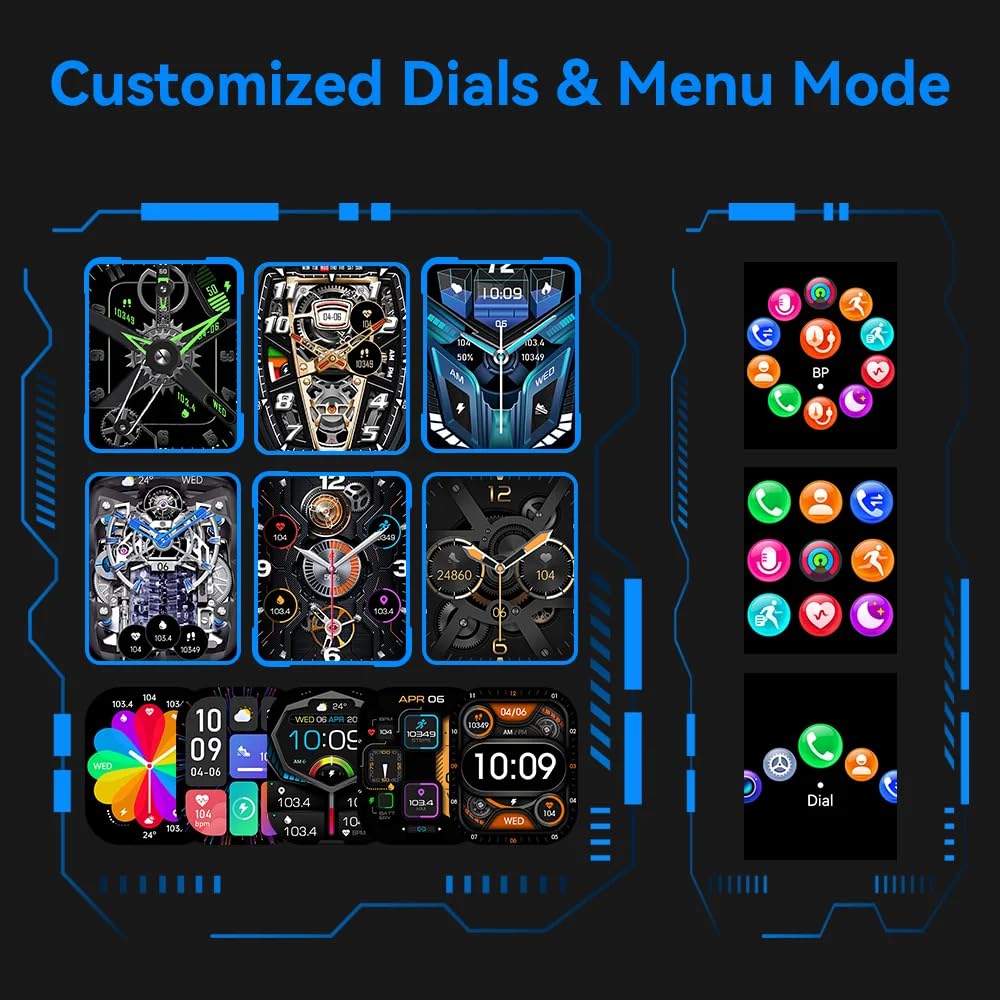
Image: A visual representation of various customizable watch faces and different menu display modes available on the CUBOT X1 Smart Watch.
4.3. Health Assessment System
The CUBOT X1 Smart Watch includes a comprehensive health assessment system to monitor various vital statistics. Access these features through the watch's menu.
- హృదయ స్పందన రేటు: Monitor your heart rate in real-time.
- రక్త ఆక్సిజన్: మీ రక్త ఆక్సిజన్ సంతృప్త స్థాయిలను కొలవండి.
- రక్తపోటు: Track your blood pressure readings.
- శ్వాస శిక్షణ: విశ్రాంతి కోసం గైడెడ్ శ్వాస వ్యాయామాలు.
- స్లీప్ మానిటరింగ్: Analyze your sleep patterns and quality.
- Female Ovulation Period: Track and predict female physiological cycles.

Image: Six individual screens of the CUBOT X1 Smart Watch showing data for Heart Rate, Blood Oxygen, Blood Pressure, Breath Training, Sleep, and Female Ovulation Period tracking.
4.4. Multiple Sports Modes
The CUBOT X1 Smart Watch serves as your training partner with over 100 sports modes. Select the appropriate mode for your activity to accurately track your performance and metrics.
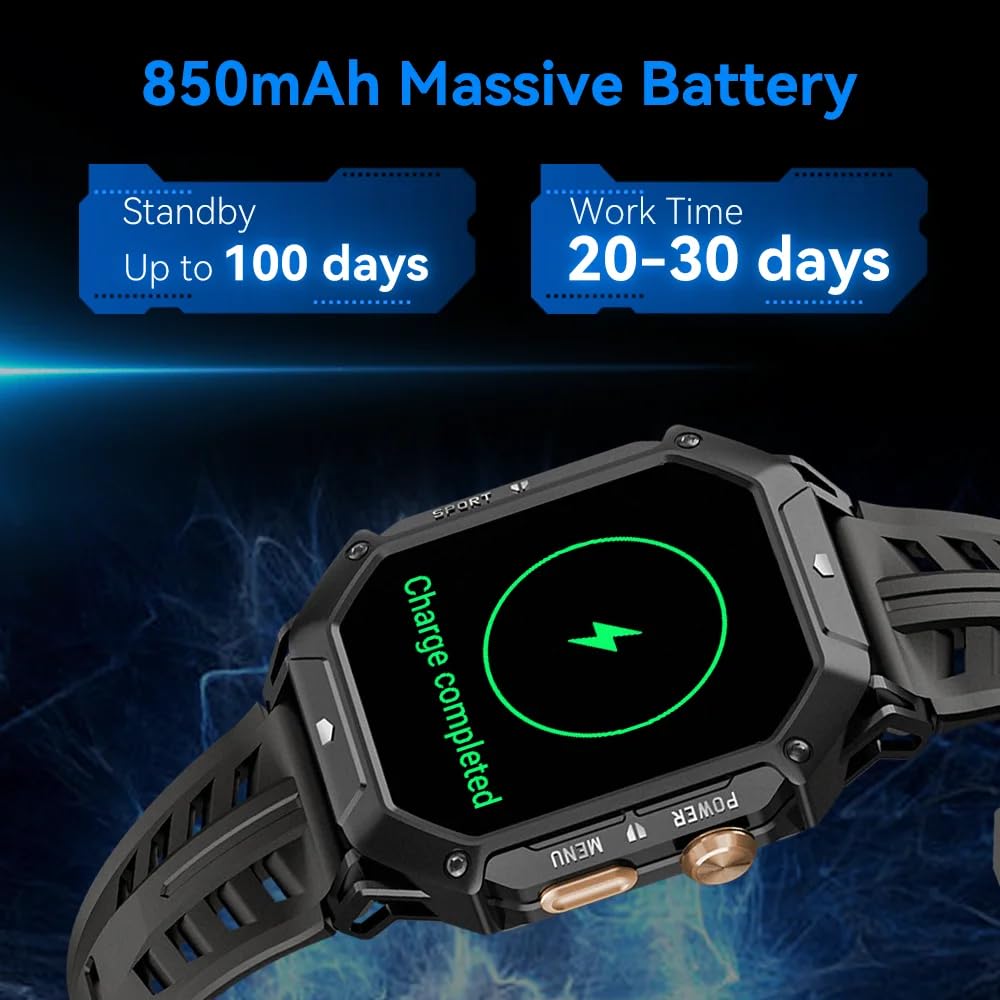
Image: A grid of small icons depicting various sports and activities, illustrating the "100+ Sports modes" feature of the CUBOT X1 Smart Watch.
4.5. అధునాతన ఫీచర్లు
The CUBOT X1 Smart Watch integrates several advanced features for enhanced utility:
- బ్లూటూత్ కాల్: మీ స్మార్ట్ఫోన్కి కనెక్ట్ అయినప్పుడు మీ వాచ్ నుండి నేరుగా కాల్లు చేయండి మరియు స్వీకరించండి.
- 2 ATM వాటర్ప్రూఫ్: The watch is resistant to water up to 2 atmospheres, suitable for activities like swimming and showering, but not deep diving.
- Compass Navigation: Utilize the built-in compass for directional guidance.
- బేరోమీటర్: Supports measurement of current air pressure and altitude.

Image: A composite image showing four key features of the CUBOT X1 Smart Watch: a user making a Bluetooth call, the watch being used during swimming (2 ATM waterproof), the compass navigation display, and the barometer displaying air pressure and altitude.
5. నిర్వహణ
Proper maintenance ensures the longevity and optimal performance of your CUBOT X1 Smart Watch.
- శుభ్రపరచడం: వాచ్ స్క్రీన్ మరియు స్ట్రాప్ను మెత్తటి, పొడి గుడ్డతో క్రమం తప్పకుండా తుడవండి. మొండి ధూళి కోసం, కొద్దిగా d ఉపయోగించండి.amp cloth and mild soap, then rinse and dry thoroughly. Avoid harsh chemicals.
- నీటి బహిర్గతం: While the watch is 2 ATM waterproof, avoid prolonged exposure to hot water, steam, or high-pressure water jets. Dry the watch completely after exposure to water.
- ఉష్ణోగ్రత: గడియారాన్ని ఎక్కువసేపు తీవ్రమైన ఉష్ణోగ్రతలకు (చాలా వేడిగా లేదా చాలా చల్లగా) బహిర్గతం చేయవద్దు, ఎందుకంటే ఇది బ్యాటరీ జీవితకాలం మరియు అంతర్గత భాగాలను ప్రభావితం చేస్తుంది.
- ఛార్జింగ్: Use only the provided charging cable. Avoid overcharging the battery.
6. ట్రబుల్షూటింగ్
If you encounter issues with your CUBOT X1 Smart Watch, refer to the following common solutions:
- గడియారం ఆన్ కావడం లేదు: వాచ్ పూర్తిగా ఛార్జ్ అయ్యిందని నిర్ధారించుకోండి. కనీసం 30 నిమిషాలు దానిని ఛార్జర్కి కనెక్ట్ చేయండి.
- స్మార్ట్ఫోన్తో జత చేయలేము:
- మీ స్మార్ట్ఫోన్ మరియు వాచ్లో బ్లూటూత్ ప్రారంభించబడిందని నిర్ధారించుకోండి.
- వాచ్ మీ ఫోన్ బ్లూటూత్ పరిధిలో ఉందని నిర్ధారించుకోండి.
- మీ వాచ్ మరియు స్మార్ట్ఫోన్ రెండింటినీ రీస్టార్ట్ చేయండి.
- Clear the Bluetooth cache on your phone (Android) or forget the device and try pairing again (iOS/Android).
- సరికాని ఆరోగ్య డేటా: మీ మణికట్టు మీద వాచ్ గట్టిగా ధరించేలా చూసుకోండి, మరీ బిగుతుగా లేదా మరీ వదులుగా ఉండకూడదు. సెన్సార్లను క్రమం తప్పకుండా శుభ్రం చేయండి.
- స్క్రీన్ స్పందించడం లేదు: Try restarting the watch by pressing and holding the power button. If unresponsive, allow the battery to drain completely and then recharge.
మరింత సహాయం కోసం, దయచేసి కస్టమర్ మద్దతును సంప్రదించండి.
7. స్పెసిఫికేషన్లు
| ఫీచర్ | వివరాలు |
|---|---|
| బ్రాండ్ | CUBOT |
| మోడల్ | X1 |
| అంశం మోడల్ సంఖ్య | X1 |
| ఆపరేటింగ్ సిస్టమ్ | ఆండ్రాయిడ్, iOS |
| అనుకూల పరికరాలు | స్మార్ట్ఫోన్ |
| ప్రత్యేక లక్షణాలు | Digital Display, Fitness Tracking, Rugged Design, Shock Resistant, Water Resistant |
| స్టాండింగ్ స్క్రీన్ డిస్ప్లే సైజు | 1.91 అంగుళాలు |
| ప్రదర్శన రకం | డిజిటల్ |
| బ్యాటరీ సగటు జీవితం | 100 రోజులు (స్టాండ్బై) |
| ఛార్జింగ్ సమయం | 2 గంటలు |
| బ్యాటరీ కెపాసిటీ | 850 Amp గంటలు (mAh) |
| బ్యాటరీ సెల్ కంపోజిషన్ | లిథియం పాలిమర్ |
| వైర్లెస్ రకం | బ్లూటూత్ |
| కనెక్టర్ రకం | బ్లూటూత్, GPS |
| పరికర ఇంటర్ఫేస్ - ప్రాథమికం | బటన్లు, టచ్స్క్రీన్ |
| వస్తువు బరువు | 85 గ్రా |
| మూలం దేశం | చైనా |
8. వారంటీ మరియు మద్దతు
The CUBOT X1 Smart Watch comes with a standard manufacturer's warranty. For specific warranty terms and conditions, please refer to the documentation included with your purchase or contact the seller.
For product support, inquiries, or warranty claims, you may contact the importer/packer:
PandoraBiz
Khokla Busty, Jaigaon, West Bengal - 736182
సంప్రదింపు సంఖ్య: +91 96793 37014
ఇమెయిల్: hi@pandorabiz.com


