పరిచయం
Thank you for choosing the SOAR NBA Wireless Boombox Speaker. This manual provides essential information for the safe and effective use of your new speaker. Designed for the ultimate sports experience, this boombox delivers dynamic sound and features to amplify your game day celebrations. Please read this manual thoroughly before operating the device and retain it for future reference.

చిత్రం: ముందు భాగం view of the SOAR NBA Wireless Boombox Speaker, showcasing the Philadelphia 76ers logo and vibrant LED light show.

Image: A user enjoying the SOAR NBA Wireless Boombox Speaker outdoors on a basketball court.
భద్రతా సమాచారం
సురక్షితమైన ఆపరేషన్ను నిర్ధారించడానికి మరియు నష్టాన్ని నివారించడానికి, దయచేసి ఈ క్రింది జాగ్రత్తలను గమనించండి:
- స్పీకర్ను తీవ్రమైన ఉష్ణోగ్రతలు, ప్రత్యక్ష సూర్యకాంతి లేదా అధిక తేమకు గురిచేయవద్దు.
- స్పీకర్ను వదలివేయడం లేదా బలమైన ప్రభావాలకు గురిచేయడం మానుకోండి.
- పరికరాన్ని మీరే విడదీయవద్దు, మరమ్మత్తు చేయవద్దు లేదా సవరించవద్దు. అన్ని సర్వీసింగ్లను అర్హత కలిగిన సిబ్బందికి సూచించండి.
- Keep the speaker away from water or other liquids.
- పేర్కొన్న ఛార్జింగ్ కేబుల్ మరియు పవర్ అడాప్టర్ను మాత్రమే ఉపయోగించండి.
- స్పీకర్ను మృదువైన, పొడి గుడ్డతో శుభ్రం చేయండి. రాపిడి క్లీనర్లను ఉపయోగించవద్దు.
ప్యాకేజీ విషయాలు
ప్యాకేజీలో అన్ని అంశాలు ఉన్నాయని నిర్ధారించుకోండి:
- SOAR NBA Wireless Boombox Speaker
- USB ఛార్జింగ్ కేబుల్
- సహాయక ఆడియో కేబుల్
- వినియోగదారు మాన్యువల్
ఉత్పత్తి ముగిసిందిview
Familiarize yourself with the various parts and controls of your SOAR NBA Wireless Boombox Speaker.

చిత్రం: ముందు భాగం view of the speaker, highlighting the team logo and speaker grilles.

చిత్రం: వివరణాత్మకం view of the control panel, including AUX, Micro SD, USB, DC IN ports, and control buttons.
కంట్రోల్ ప్యానెల్ ఫీచర్లు:
- పవర్ బటన్: స్పీకర్ను ఆన్/ఆఫ్ చేస్తుంది.
- మోడ్ బటన్: Switches between Bluetooth, FM Radio, AUX, USB, and TF Card modes.
- ప్లే/పాజ్ బటన్: ఆడియో ప్లేబ్యాక్ను నియంత్రిస్తుంది.
- Previous/Volume Down Button: Skips to the previous track or decreases volume.
- Next/Volume Up Button: Skips to the next track or increases volume.
- AUX ఇన్పుట్: 3.5mm కేబుల్ ద్వారా బాహ్య ఆడియో పరికరాలను కనెక్ట్ చేయడానికి.
- మైక్రో SD కార్డ్ స్లాట్: మైక్రో SD కార్డ్ నుండి ఆడియో ప్లే చేయడానికి.
- USB పోర్ట్: USB డ్రైవ్ నుండి ఆడియో ప్లే చేయడానికి.
- పోర్ట్ లో DC: స్పీకర్ను ఛార్జ్ చేసినందుకు.
- మైక్రోఫోన్ ఇన్పుట్: బాహ్య మైక్రోఫోన్ను కనెక్ట్ చేయడం కోసం.
సెటప్
1. స్పీకర్ను ఛార్జింగ్
Before first use, fully charge the speaker. Connect the provided USB charging cable to the DC IN port on the speaker and the other end to a USB power adapter (not included) or a computer's USB port. The charging indicator light will illuminate during charging and turn off when fully charged. A full charge provides up to 8 hours of playback.
2. పవర్ చేయడం ఆన్/ఆఫ్
నొక్కండి మరియు పట్టుకోండి పవర్ బటన్ for a few seconds to turn the speaker on or off. A voice prompt will indicate the power status.
3. బ్లూటూత్ పెయిరింగ్
మీ స్పీకర్ను బ్లూటూత్-ప్రారంభించబడిన పరికరానికి కనెక్ట్ చేయడానికి:
- స్పీకర్ను ఆన్ చేయండి. ఇది స్వయంచాలకంగా బ్లూటూత్ జత చేసే మోడ్లోకి ప్రవేశిస్తుంది, ఇది వాయిస్ ప్రాంప్ట్ ద్వారా సూచించబడుతుంది.
- మీ మొబైల్ పరికరంలో (స్మార్ట్ఫోన్, టాబ్లెట్, మొదలైనవి) బ్లూటూత్ను ప్రారంభించండి.
- కోసం వెతకండి "SOAR Boombox" in the list of available Bluetooth devices.
- Select "SOAR Boombox" to connect. Once paired, a voice prompt will confirm the connection.
The speaker will automatically reconnect to the last paired device if it's within range and Bluetooth is enabled.

Image: Speaker connected via Bluetooth to a smartphone, ready for audio playback.
4. సహాయక (AUX) ఇన్పుట్
Connect non-Bluetooth devices using the provided 3.5mm auxiliary cable. Insert one end into the AUX input port on the speaker and the other end into the audio output jack of your device. The speaker will automatically switch to AUX mode, or you can manually select it using the మోడ్ బటన్.
5. మైక్రోఫోన్ ఇన్పుట్
For karaoke or announcements, connect a microphone (not included) to the microphone input jack on the speaker.
6. FM రేడియో ఆపరేషన్
అంతర్నిర్మిత FM రేడియోను ఉపయోగించడానికి:
- నొక్కండి మోడ్ బటన్ FM రేడియో మోడ్కి మారడానికి.
- నొక్కండి ప్లే/పాజ్ బటన్ అందుబాటులో ఉన్న FM స్టేషన్లను స్వయంచాలకంగా స్కాన్ చేసి సేవ్ చేయడానికి.
- ఉపయోగించండి మునుపటి/వాల్యూమ్ డౌన్ మరియు తదుపరి / వాల్యూమ్ అప్ సేవ్ చేసిన స్టేషన్ల మధ్య నావిగేట్ చేయడానికి బటన్లు.
7. USB/TF కార్డ్ ప్లేబ్యాక్
Insert a USB flash drive or a TF (Micro SD) card containing MP3 audio files into the respective port. The speaker will automatically detect the media and begin playback. Use the playback controls to manage your music.
8. Syncing Two Speakers (TWS Function)
For an enhanced stereo sound experience, you can pair two SOAR NBA Wireless Boombox Speakers together:
- రెండు స్పీకర్లు ఆన్లో ఉన్నాయని మరియు ఏ బ్లూటూత్ పరికరానికి కనెక్ట్ కాలేదని నిర్ధారించుకోండి.
- ఒక స్పీకర్పై (ఇది ప్రాథమిక స్పీకర్ అవుతుంది), రెండుసార్లు నొక్కండి మోడ్ బటన్ or a dedicated TWS button (if available) to initiate TWS pairing. A voice prompt will indicate it's searching.
- The two speakers will automatically connect to each other. A voice prompt will confirm successful TWS pairing.
- Now, connect your mobile device to the primary speaker via Bluetooth as described in step 3. Audio will play in stereo through both speakers.

Image: Illustration of two speakers syncing together for stereo sound, with a smartphone connected to one.
స్పీకర్ ఆపరేటింగ్
ప్లేబ్యాక్ నియంత్రణలు
- ప్లే/పాజ్: నొక్కండి ప్లే/పాజ్ బటన్ ఆడియోను ప్లే చేయడానికి లేదా పాజ్ చేయడానికి.
- తదుపరి ట్రాక్: షార్ట్ ప్రెస్ ది తదుపరి/వాల్యూమ్ అప్ బటన్ తదుపరి ట్రాక్కి వెళ్లడానికి.
- మునుపటి ట్రాక్: షార్ట్ ప్రెస్ ది మునుపటి/వాల్యూమ్ డౌన్ బటన్ మునుపటి ట్రాక్కి వెళ్లడానికి.
వాల్యూమ్ సర్దుబాటు
- వాల్యూమ్ పెంచండి: నొక్కండి మరియు పట్టుకోండి తదుపరి/వాల్యూమ్ అప్ బటన్.
- వాల్యూమ్ తగ్గించండి: నొక్కండి మరియు పట్టుకోండి మునుపటి/వాల్యూమ్ డౌన్ బటన్.
LED లైట్ షో
The speaker features an integrated RGB LED light show that syncs with the music. This feature is automatically active when the speaker is on. There is no specific button to control the light show; it operates automatically.
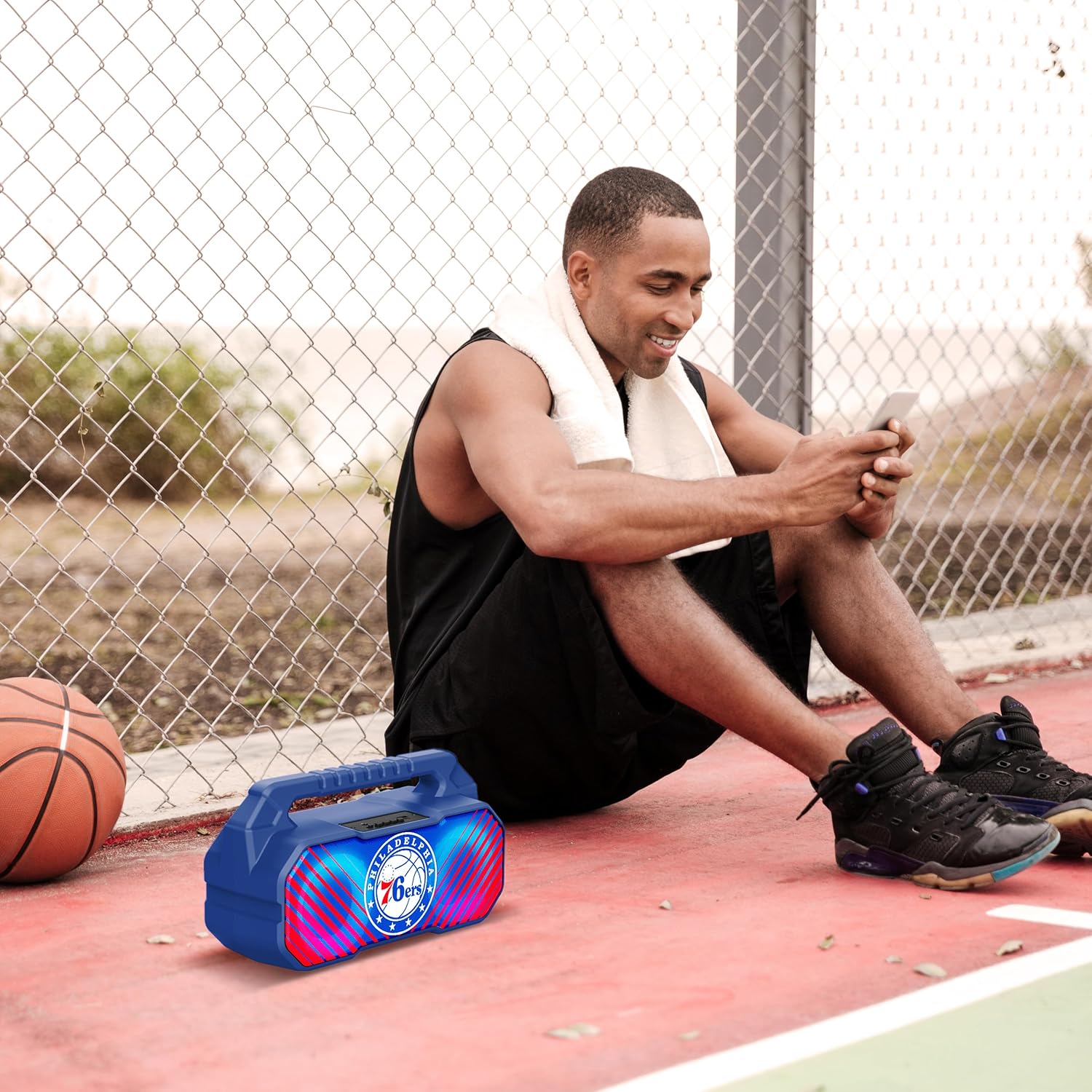
Image: The speaker's LED light show in action during a gathering, creating an ambient effect.
నిర్వహణ
Proper care will extend the life of your speaker:
- శుభ్రపరచడం: Wipe the speaker with a soft, dry, lint-free cloth. Do not use liquid cleaners, aerosols, or solvents.
- నిల్వ: ఎక్కువసేపు ఉపయోగంలో లేనప్పుడు, స్పీకర్ను చల్లని, పొడి ప్రదేశంలో, ప్రత్యక్ష సూర్యకాంతి మరియు తీవ్రమైన ఉష్ణోగ్రతలకు దూరంగా నిల్వ చేయండి.
- బ్యాటరీ సంరక్షణ: బ్యాటరీ ఆరోగ్యాన్ని కాపాడుకోవడానికి, స్పీకర్ను క్రమం తప్పకుండా ఉపయోగించకపోతే కనీసం మూడు నెలలకు ఒకసారి ఛార్జ్ చేయండి.
ట్రబుల్షూటింగ్
మీ స్పీకర్తో మీకు సమస్యలు ఎదురైతే, ఈ క్రింది సాధారణ సమస్యలు మరియు పరిష్కారాలను చూడండి:
| సమస్య | సాధ్యమైన కారణం | పరిష్కారం |
|---|---|---|
| స్పీకర్ ఆన్ చేయలేదు. | బ్యాటరీ తక్కువగా ఉంది లేదా అయిపోయింది. | స్పీకర్ను పూర్తిగా ఛార్జ్ చేయండి. |
| శబ్దం లేదు. | Volume is too low; incorrect mode selected; device not paired correctly. | వాల్యూమ్ పెంచండి; సరైన ఇన్పుట్ను ఎంచుకోవడానికి మోడ్ బటన్ను నొక్కండి; బ్లూటూత్ పరికరాన్ని తిరిగి జత చేయండి. |
| బ్లూటూత్ కనెక్షన్ అస్థిరంగా ఉంది. | పరికరం స్పీకర్ నుండి చాలా దూరంలో ఉంది; జోక్యం. | Move device closer to speaker (within 33 feet/10 meters); avoid obstacles. |
| FM రేడియో రిసెప్షన్ పేలవంగా ఉంది. | బలహీనమైన సిగ్నల్; పర్యావరణ జోక్యం. | Relocate the speaker; re-scan for stations. |
| TWS జత చేయడం విఫలమైంది. | స్పీకర్లు ఇప్పటికే మరొక పరికరానికి కనెక్ట్ చేయబడ్డాయి; జత చేసే విధానం తప్పు. | Ensure both speakers are disconnected from other devices; follow TWS pairing steps precisely. |
స్పెసిఫికేషన్లు
Key technical specifications for the SOAR NBA Wireless Boombox Speaker:
| ఫీచర్ | వివరాలు |
|---|---|
| మోడల్ పేరు | Wireless BoomBox Speaker |
| పార్ట్ నంబర్ | NBA-BBX-PHI |
| అవుట్పుట్ పవర్ | 10 Watts (2 x 5-Watt speakers) |
| బ్లూటూత్ వెర్షన్ | బ్లూటూత్ 5.0 |
| బ్యాటరీ లైఫ్ | 8 గంటల వరకు |
| కొలతలు (L x W x H) | 13.5 x 7.5 x 5.3 అంగుళాలు |
| బరువు | 1.11 కిలోలు |
| మెటీరియల్ | ప్లాస్టిక్ |
| చేర్చబడిన భాగాలు | Built-In Microphone (referring to microphone input capability) |
| UPC | 192129179047 |

Image: Dimensional drawing of the speaker, indicating its width and height.

Image: Internal component view, emphasizing the 10W speaker drivers and various features like Bluetooth 5.0, FM Radio, AUX input, and LED lights.
వారంటీ మరియు మద్దతు
The SOAR NBA Wireless Boombox Speaker comes with a 1 సంవత్సరాల పరిమిత వారంటీ కొనుగోలు చేసిన తేదీ నుండి. ఈ వారంటీ సాధారణ ఉపయోగంలో మెటీరియల్స్ మరియు పనితనంలో తయారీ లోపాలను కవర్ చేస్తుంది.
The warranty does not cover damage caused by misuse, accident, unauthorized modification, or external causes such as drops or liquid exposure.
For warranty claims or technical support, please contact the manufacturer, Prime Brands Group Inc., or refer to the contact information provided on the product packaging or the official SOAR website. Please have your proof of purchase and product model number ready when contacting support.
Manufacturer: Prime Brands Group Inc.


