1. పరిచయం
This manual provides essential information for the installation, configuration, and operation of your SANNCE 5MP PoE Security System. This system includes an 8-channel 6MP Surveillance NVR and 8 units of 5MP HD Weatherproof Dome Cameras, along with a pre-installed 2TB HDD for storage. Please read these instructions carefully before use to ensure proper functionality and safety.

Figure 1: SANNCE 5MP PoE Security System components.
2. పెట్టెలో ఏముంది
క్రింద జాబితా చేయబడిన అన్ని వస్తువులు మీ ప్యాకేజీలో చేర్చబడ్డాయని ధృవీకరించండి:
- NVR (Network Video Recorder) x 1
- 5MP Dome Camera x 8
- 2TB HDD (Pre-installed) x 1
- పవర్ అడాప్టర్ x 1
- USB మౌస్ x 1
- User Manual for NVR x 1
- User Manual for Camera x 4
- డ్రిల్ టెంప్లేట్ x 4
- 24-Hour Video Surveillance Wall Sticker x 4
- Waterproof Lid x 4
- Mounting Screw Bags x 4
- 1.8M HDMI కేబుల్ x 1
- 1M Network Cable x 1
- 18M Network Cable x 2
- 30M Network Cable x 2
వీడియో 1: అన్బాక్సింగ్ మరియు మరిన్నిview of the SANNCE 5MP PoE Security System components.

Figure 2: All included accessories and main units.
3. సెటప్ సూచనలు
3.1 Initial NVR Connections
- Connect the USB mouse to an available USB port on the NVR.
- అందించిన HDMI కేబుల్ ఉపయోగించి NVRని మానిటర్కి కనెక్ట్ చేయండి.
- Connect the NVR's LAN port to your router using an Ethernet cable to ensure Internet access.
- Connect the power adapter to the NVR's DC 48V input and then to a power outlet.
- Power on the NVR using the switch on the back panel.
3.2 Camera Connections (PoE)
The SANNCE PoE system simplifies installation by transmitting both power and data through a single Ethernet cable. Connect each 5MP Dome Camera to the PoE ports on the NVR using the provided network cables.

Figure 3: Simplified PoE connection for cameras.
3.3 NVR Activation and Initial Setup
Upon first boot, the NVR will guide you through a quick setup wizard. Follow the on-screen prompts to:
- మీకు ఇష్టమైన భాషను ఎంచుకోండి.
- Set a strong password for the administrator account.
- Configure network settings (DHCP is usually recommended for automatic setup).
- Format the pre-installed 2TB HDD if prompted.
- The NVR will automatically detect and configure the connected PoE cameras.
Video 2: Step-by-step guide on connecting the PoE CCTV system and initial NVR setup.
3.4 Mobile App Setup for Remote Access
రిమోట్ కోసం viewing and control, download the SANNCE mobile application from your device's app store. Follow these steps:
- Install the SANNCE app on your smartphone or tablet.
- ఖాతాను సృష్టించండి మరియు లాగిన్ చేయండి.
- Add your NVR device by scanning the QR code displayed on the NVR's monitor during setup, or by manually entering the device ID.
- జోడించిన తర్వాత, మీరు view live feeds, access playback, and configure settings remotely.

Figure 4: Multi-device login and viewసామర్థ్యాలు.
4. ఆపరేటింగ్ సూచనలు
4.1 ప్రత్యక్ష ప్రసారం View మరియు ప్లేబ్యాక్
Access live video feeds from all connected cameras via the NVR's monitor, desktop client, or mobile app. The system supports smart playback, allowing you to easily review రికార్డ్ చేసిన footage based on events or specific timeframes.
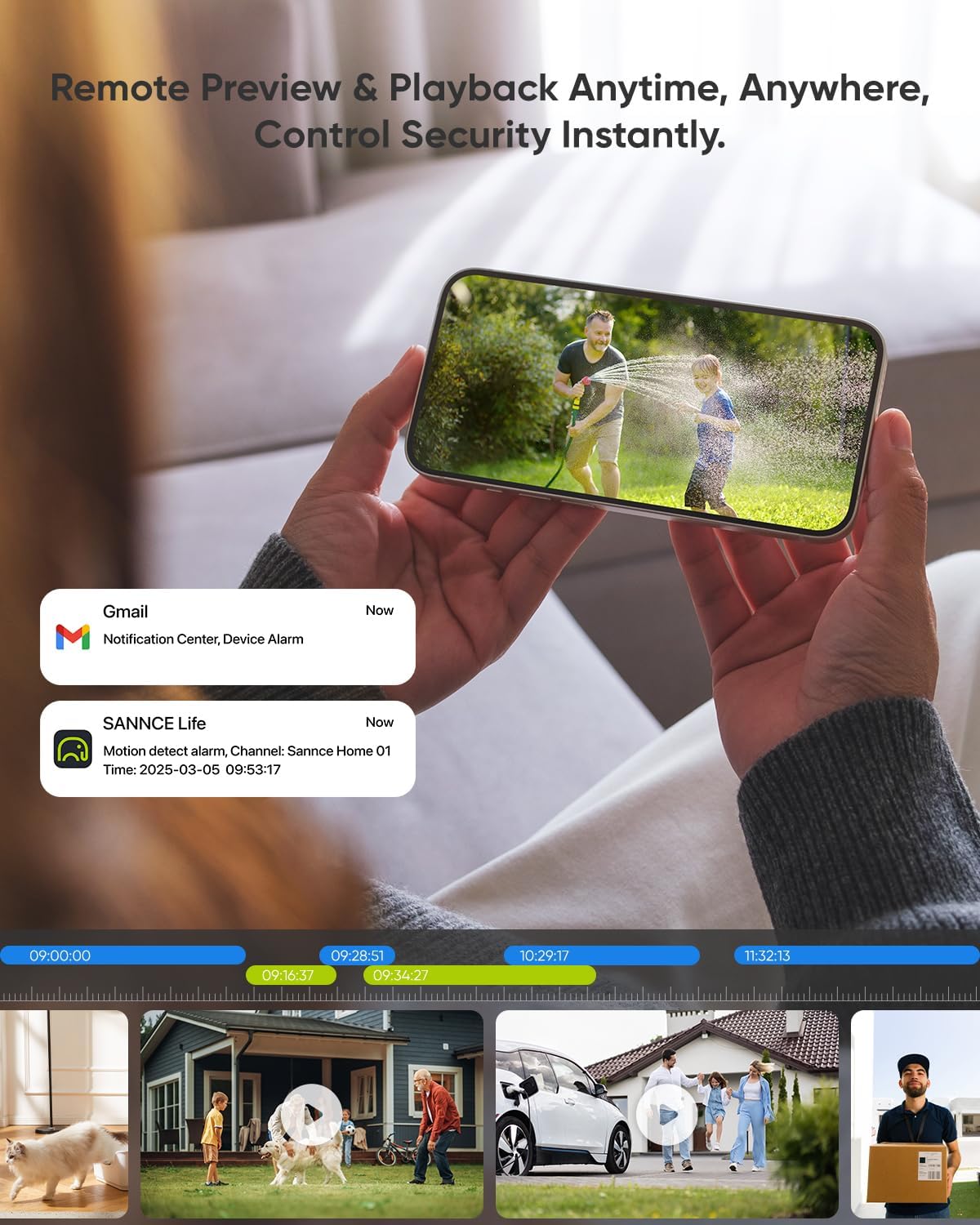
Figure 5: Remote preview మరియు ప్లేబ్యాక్ ఇంటర్ఫేస్.
4.2 Smart Human/Vehicle Detection
The system features an upgraded AI algorithm for accurate human and vehicle detection, significantly reducing false alarms caused by environmental factors. Motion Detection 2.0 ensures you are only alerted to relevant activities.

Figure 6: AI-Powered Human/Vehicle Detection.
౪.౧.౧౦ నైట్ విజన్
Equipped with Smart IR LED technology, the dome cameras provide clear night vision up to 100ft (30m). This ensures continuous monitoring even in low-light or complete darkness.

Figure 7: Enhanced night vision clarity.
4.4 H.265 Video Compression
The system utilizes S+265/H.265 video compression technology, which efficiently saves up to 75% of recording space compared to older standards. This allows for extended recording times on the 2TB HDD.

Figure 8: H.265 video compression for efficient storage.
5. నిర్వహణ
5.1 Hard Drive (HDD) Management
The NVR comes with a pre-installed 2TB HDD. For optimal performance, ensure the HDD is properly connected and formatted. Regularly check the HDD status through the NVR's system settings.
Video 3: Instructions for troubleshooting 'HDD not found' issues.
5.2 కెమెరా సంరక్షణ
The 5MP Dome Cameras are IP67 weatherproof, designed to withstand various environmental conditions. Periodically clean the camera lenses to ensure clear image quality. Be aware that insects like spiders may build webs near the lens, which can obstruct the view; regular cleaning is recommended.

Figure 9: IP67 Weatherproof rating for outdoor use.
6. ట్రబుల్షూటింగ్
6.1 HDD Not Found
If the NVR displays an 'HDD not found' error, first ensure the NVR is powered off. Carefully open the NVR casing and check that the SATA data and power cables are securely connected to the HDD. Re-secure any loose connections. If the issue persists, the HDD may need replacement.
Video 4: Detailed steps to troubleshoot 'HDD not found' issues.
6.2 Camera Connectivity Issues / Resetting a Camera
If a camera is not displaying video or experiencing connectivity problems, ensure its PoE connection to the NVR is secure. If the problem continues, you may need to reset the camera. Locate the reset button (often on the camera's cable or inside a weatherproof cover) and press and hold it for 6-10 seconds while the camera is powered on.
Video 5: Instructions on how to reset a camera.
6.3 Remote Access Problems
If you experience difficulty connecting to the system via the mobile app, ensure your NVR has a stable internet connection and that the app is updated to the latest version. Verify that the device ID and password entered in the app are correct.
7. స్పెసిఫికేషన్లు
| ఫీచర్ | వివరాలు |
|---|---|
| బ్రాండ్ | SANNCE |
| మోడల్ సంఖ్య | N98PBM2-58EW |
| కనెక్టివిటీ టెక్నాలజీ | పో |
| వీడియో క్యాప్చర్ రిజల్యూషన్ | 6MP (NVR), 5MP (Cameras) |
| ఛానెల్ల సంఖ్య | 8 |
| ప్రత్యేక ఫీచర్ | PoE Support, Smart Human/Vehicle Detection, H.265 Video Compression, Smart IR LED, APP Push Alert, Remote Access |
| నిల్వ | 2TB HDD (Pre-installed) |
| నైట్ విజన్ రేంజ్ | 100 అడుగులు |
| Viewing యాంగిల్ | 110 డిగ్రీలు |
| వాతావరణ నిరోధక రేటింగ్ | IP67 |
| ఫ్రేమ్ రేట్ | 30 fps |
| అంశం కొలతలు L x W x H | 10 x 2 x 2.7 అంగుళాలు |
| వస్తువు బరువు | 21 పౌండ్లు |
8. వారంటీ మరియు మద్దతు
For product support, technical assistance, or warranty inquiries, please contact SANNCE customer service. Refer to the contact information provided in your Quick Start Guide or visit the official SANNCE webసైట్.


