పరిచయం
Thank you for choosing the Haier 55S800QT-P 55-inch 4K Ultra HD Smart QLED Google TV. This manual provides essential information for the safe and efficient use of your new television. Please read these instructions thoroughly before operating the device and retain them for future reference.
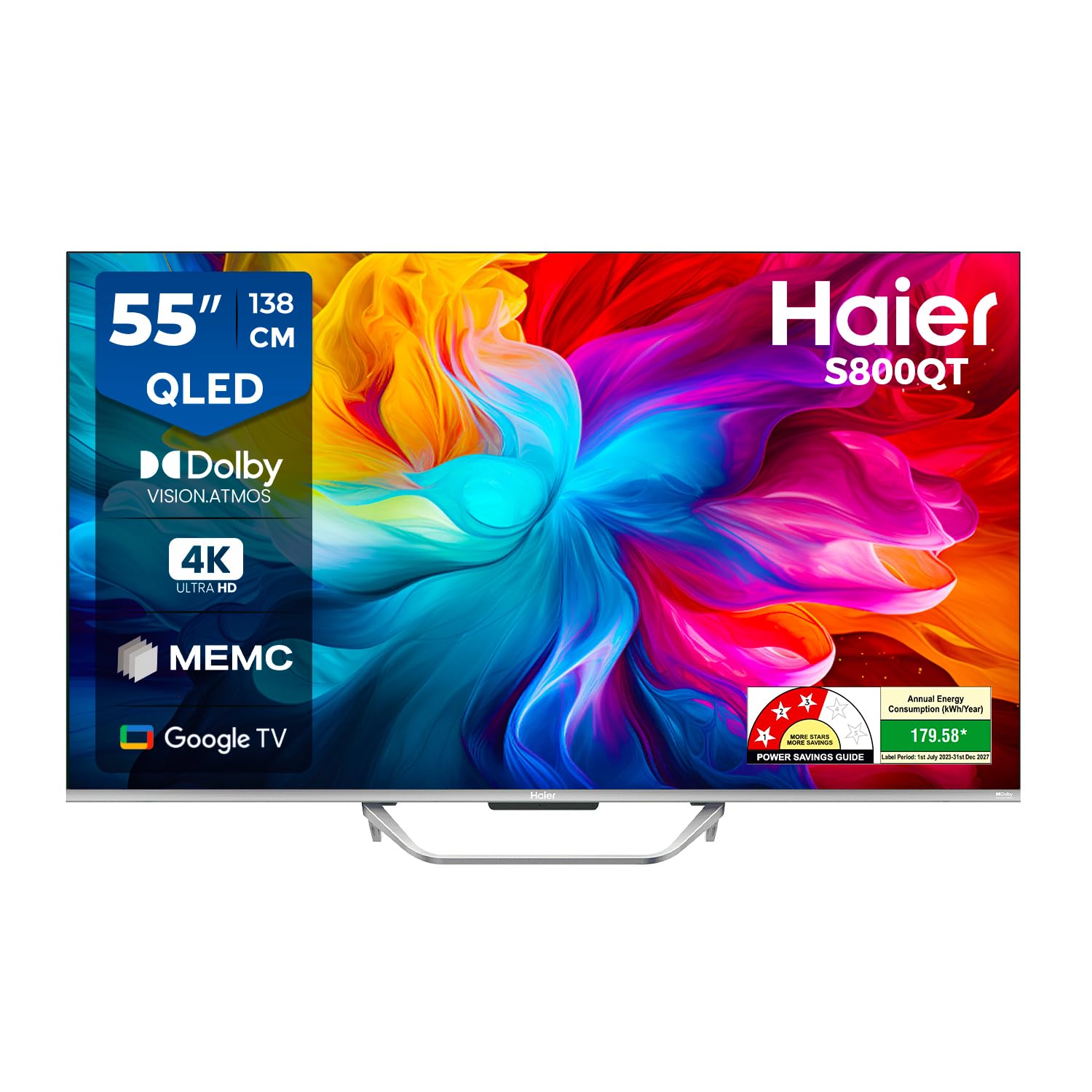
Image: The Haier 55S800QT-P TV showcasing its vibrant QLED display.
పెట్టెలో ఏముంది
Please check the contents of your product packaging. Ensure all items listed below are present and undamaged.
- 1 LED TV
- 2 టేబుల్ స్టాండ్ బేస్లు
- 1 రిమోట్ కంట్రోల్
- 1 AV IN Adapter
- 1 AC త్రాడు
- 2 AAA బ్యాటరీలు (రిమోట్ కంట్రోల్ కోసం)

Image: Contents of the Haier 55S800QT-P TV packaging.
సెటప్ గైడ్
1. భౌతిక సంస్థాపన
Choose a suitable location for your TV. Ensure proper ventilation and avoid direct sunlight or heat sources. The TV can be placed on a table using the provided stand bases or wall-mounted (wall mount kit sold separately).
Attaching the Table Stand:
- దెబ్బతినకుండా ఉండటానికి టీవీ స్క్రీన్-డౌన్ను మృదువైన, చదునైన ఉపరితలంపై జాగ్రత్తగా ఉంచండి.
- Align the table stand bases with the corresponding slots on the bottom of the TV.
- Secure the stand bases using the screws provided (refer to the quick start guide for screw details).
కొలతలు:
The TV dimensions are approximately 122.6 cm (W) x 77.2 cm (H) x 27.5 cm (D) with the stand. Without the stand, the depth is 9.6 cm.

Image: Haier 55S800QT-P TV dimensions.
2. బాహ్య పరికరాలను కనెక్ట్ చేస్తోంది
Your Haier TV offers multiple connectivity options for various devices.
- HDMI పోర్ట్లు: Connect set-top boxes, gaming consoles, laptops, or other HDMI-enabled devices. The TV features 4 HDMI ports.
- USB పోర్ట్లు: మీడియా ప్లేబ్యాక్ కోసం USB నిల్వ పరికరాలను కనెక్ట్ చేయండి. టీవీలో 2 USB పోర్ట్లు ఉన్నాయి.
- AV IN: Use the provided AV IN adapter to connect older devices with composite video and stereo audio outputs.
- ఈథర్నెట్: స్థిరమైన వైర్డు ఇంటర్నెట్ కనెక్షన్ కోసం.
- Wi-Fi: వైర్లెస్ ఇంటర్నెట్ కనెక్టివిటీ కోసం.

చిత్రం: వైపు view of TV ports.

చిత్రం: వెనుకకు view of TV ports.
3. పవర్ ఆన్ మరియు ప్రారంభ సెటప్
- AC పవర్ కార్డ్ను టీవీకి, ఆపై పవర్ అవుట్లెట్కు కనెక్ట్ చేయండి.
- రిమోట్ కంట్రోల్ లేదా టీవీలోనే పవర్ బటన్ను నొక్కండి.
- భాష ఎంపిక, నెట్వర్క్ కనెక్షన్ (Wi-Fi లేదా ఈథర్నెట్) మరియు Google ఖాతా సైన్-ఇన్తో సహా ప్రారంభ సెటప్ను పూర్తి చేయడానికి స్క్రీన్పై సూచనలను అనుసరించండి.
మీ టీవీని ఆపరేట్ చేయడం
రిమోట్ కంట్రోల్ విధులు
The included remote control allows you to navigate your TV's features. Insert the 2 AAA batteries into the remote control, ensuring correct polarity.
- పవర్ బటన్: టీవీని ఆన్ లేదా ఆఫ్ చేస్తుంది.
- Navigation Pad (OK button): Used to move through menus and confirm selections.
- వెనుక బటన్: మునుపటి స్క్రీన్కి తిరిగి వస్తుంది.
- హోమ్ బటన్: Google TV హోమ్ స్క్రీన్ను యాక్సెస్ చేస్తుంది.
- వాల్యూమ్ అప్/డౌన్: ఆడియో వాల్యూమ్ను సర్దుబాటు చేస్తుంది.
- ఛానల్ పైకి/క్రిందికి: టీవీ ఛానళ్లు మారుస్తాడు.
- Quick Launch Buttons: Dedicated buttons for popular streaming services like Netflix and Prime Video, and Google Assistant.
- గూగుల్ అసిస్టెంట్ బటన్: కంటెంట్ను శోధించడం, స్మార్ట్ హోమ్ పరికరాలను నియంత్రించడం మరియు మరిన్నింటి కోసం వాయిస్ నియంత్రణను సక్రియం చేస్తుంది.

Image: Haier TV remote control with quick launch buttons.
స్మార్ట్ టీవీ ఫీచర్లు (గూగుల్ టీవీ)
Your Haier TV runs on Google TV, providing access to a vast library of apps and content.
- యాప్ యాక్సెస్: Download and stream content from popular services like Prime Video, Netflix, Jio Hotstar, Sony Liv, Zee5, Apple TV, and many more.
- వీక్షణ జాబితా: Organize your favorite movies and shows across different streaming services.
- Chromecast అంతర్నిర్మిత: మీ స్మార్ట్ఫోన్ లేదా టాబ్లెట్ నుండి నేరుగా టీవీకి కంటెంట్ను ప్రసారం చేయండి.
- హ్యాండ్స్-ఫ్రీ వాయిస్ కంట్రోల్: Use the integrated Google Assistant for voice commands without the remote.

Image: Google TV interface with various applications.
Display and Audio Enhancements
- QLED డిస్ప్లే: Experience enhanced color purity, ultra-high color gamut, and authentic color reproduction for vibrant images.
- 4K అల్ట్రా HD రిజల్యూషన్: Enjoy four times the detail of Full HD, delivering sharp and clear visuals.
- Dolby Vision & HDR 10: Optimizes visuals for a cinematic experience with stunning sharpness and dynamic contrast.
- MEMC (Motion Estimation Motion Compensation): Reduces motion blur by inserting extra frames, ensuring smoother visuals, especially for fast-paced content.
- Dolby Atmos & dbx-tv Surround Sound: Provides immersive, 3D surround sound for a rich audio experience.
- 24 వాట్స్ అవుట్పుట్: Powerful stereo speakers deliver clear and robust audio.

Image: Explanation of QLED display technology.

Image: Dolby Vision and HDR 10 benefits.

Image: Dolby Atmos and dbx-tv sound technologies.

Image: 4K resolution detail.

Image: MEMC technology for smoother motion.
గేమింగ్ ఫీచర్లు
The Haier 55S800QT-P is equipped with features to enhance your gaming experience:
- ALLM (ఆటో తక్కువ జాప్యం మోడ్): Automatically switches the TV to a low-latency mode when a gaming console is detected, reducing input lag.
- VRR (వేరియబుల్ రిఫ్రెష్ రేట్): Synchronizes the TV's refresh rate with the gaming console's frame rate to eliminate screen tearing and stuttering.
- HDMI2.1: Supports advanced gaming features for compatible devices.

Image: Game Mode features for an optimized gaming experience.
నిర్వహణ
టీవీ స్క్రీన్ శుభ్రం చేయడం:
స్క్రీన్ను శుభ్రం చేయడానికి, మృదువైన, మెత్తటి బట్టతో సున్నితంగా తుడవండి. మొండి మరకల కోసం, తేలికగా dampనీటితో లేదా ప్రత్యేక స్క్రీన్ క్లీనర్తో వస్త్రాన్ని తుడవండి. స్క్రీన్పై ఎప్పుడూ ద్రవాన్ని నేరుగా పిచికారీ చేయవద్దు.
Cleaning the TV Casing:
సి తుడవడంasing with a soft, dry cloth. Avoid using abrasive cleaners or solvents that may damage the finish.
పవర్ కార్డ్ కేర్:
Regularly check the power cord for any damage. Do not use a damaged cord. Always unplug the TV during electrical storms or when it will be unused for extended periods.
ట్రబుల్షూటింగ్
If you encounter issues with your TV, refer to the following common solutions before contacting customer support.
శక్తి లేదు:
- పవర్ కార్డ్ టీవీ మరియు పవర్ అవుట్లెట్ రెండింటిలోనూ సురక్షితంగా ప్లగ్ చేయబడిందని నిర్ధారించుకోండి.
- మరొక పరికరాన్ని ప్లగ్ చేయడం ద్వారా పవర్ అవుట్లెట్ పనిచేస్తుందో లేదో తనిఖీ చేయండి.
- రిమోట్ మాత్రమే కాకుండా టీవీలోని పవర్ బటన్ను నొక్కడానికి ప్రయత్నించండి.
చిత్రం లేదు, కానీ ధ్వని ఉంది:
- సరైన ఇన్పుట్ సోర్స్ ఎంచుకోబడిందని ధృవీకరించండి (ఉదా., HDMI 1, AV).
- టీవీ మరియు బాహ్య పరికరం మధ్య కేబుల్ కనెక్షన్లను తనిఖీ చేయండి.
- Adjust brightness and contrast settings in the TV menu.
శబ్దం లేదు, కానీ చిత్రం ఉంది:
- రిమోట్ కంట్రోల్ ఉపయోగించి వాల్యూమ్ పెంచండి.
- టీవీ మ్యూట్ చేయబడిందో లేదో తనిఖీ చేయండి.
- బాహ్య పరికరాల కోసం ఆడియో కేబుల్ కనెక్షన్లను ధృవీకరించండి.
- Check audio output settings in the TV menu (e.g., internal speakers, external audio system).
రిమోట్ కంట్రోల్ పనిచేయదు:
- బ్యాటరీలు సరిగ్గా చొప్పించబడ్డాయని మరియు అవి ఖాళీ కాకుండా చూసుకోండి. అవసరమైతే భర్తీ చేయండి.
- Remove any obstructions between the remote control and the TV's IR sensor.
- బ్లూటూత్ రిమోట్ ఉపయోగిస్తుంటే, అది సరిగ్గా జత చేయబడిందని నిర్ధారించుకోండి.
నెట్వర్క్ కనెక్టివిటీ సమస్యలు:
- మీ Wi-Fi రౌటర్ మరియు టీవీని పునఃప్రారంభించండి.
- Check Wi-Fi password and network settings on the TV.
- ఈథర్నెట్ ఉపయోగిస్తుంటే, కేబుల్ సురక్షితంగా కనెక్ట్ చేయబడిందని నిర్ధారించుకోండి.
స్పెసిఫికేషన్లు
| ఫీచర్ | స్పెసిఫికేషన్ |
|---|---|
| బ్రాండ్ | హైయర్ |
| మోడల్ | 55S800QT-P |
| స్క్రీన్ పరిమాణం | 55 అంగుళాలు (139 సెం.మీ.) |
| ప్రదర్శన సాంకేతికత | QLED |
| రిజల్యూషన్ | 4K అల్ట్రా HD (3840 x 2160 పిక్సెల్స్) |
| రిఫ్రెష్ రేట్ | 60 Hz |
| ఆపరేటింగ్ సిస్టమ్ | ఆండ్రాయిడ్ (గూగుల్ టీవీ) |
| RAM మెమరీ | 2 GB |
| నిల్వ సామర్థ్యం | 32 GB |
| సౌండ్ అవుట్పుట్ | 24 వాట్స్ |
| ఆడియో ఫీచర్లు | Dolby Atmos, dbx-tv Surround Sound, Stereo Surround |
| వీడియో ఫీచర్లు | Dolby Vision, HDR 10, MEMC, Low Blue Light |
| కనెక్టివిటీ | 4 HDMI Ports, 2 USB Ports, Wi-Fi 5, Ethernet, Bluetooth |
| ప్రత్యేక లక్షణాలు | Chromecast, Haicast, Sound Mirroring, Google Assistant, Hands-Free Voice Control, ALLM, VRR |
| ఉత్పత్తి కొలతలు (స్టాండ్తో) | 122.6W x 77.2H x 27.5D సెం.మీ. |
| వస్తువు బరువు | 10.7 కిలోలు |
| బ్యాటరీలు అవసరం | 2 AAA (చేర్చబడింది) |
వారంటీ మరియు మద్దతు
వారంటీ సమాచారం:
The Haier 55S800QT-P television comes with a 2 సంవత్సరాల తయారీదారు వారంటీ from the date of purchase on the television set and a 6 నెలల వారంటీ on the remote control. To avail warranty services, please retain your Amazon invoice as proof of purchase.
కస్టమర్ మద్దతు:
For further assistance, technical support, or service requests, please refer to the official Haier website or contact Haier customer service. The user manual can also be accessed from the brand's webఅదనపు వివరాల కోసం సైట్.


