పరిచయం
This manual provides essential information for the safe and efficient operation of your BE COOL BCPSN2L01 Pedestal Fan. Please read these instructions carefully before use and retain them for future reference. The BCPSN2L01 combines powerful airflow with an integrated mist function and ambient lighting to enhance your indoor environment.
ముఖ్యమైన భద్రతా సూచనలు
అగ్ని ప్రమాదాలు, విద్యుత్ షాక్ మరియు గాయాల ప్రమాదాన్ని తగ్గించడానికి విద్యుత్ ఉపకరణాలను ఉపయోగిస్తున్నప్పుడు ఎల్లప్పుడూ ప్రాథమిక భద్రతా జాగ్రత్తలను అనుసరించండి.
- విద్యుత్ సరఫరా వాల్యూమ్ నిర్ధారించుకోండిtage ఉపకరణంపై రేటింగ్ లేబుల్తో సరిపోలుతుంది.
- Do not immerse the fan, power cord, or plug in water or other liquids.
- ఉపయోగంలో లేనప్పుడు, శుభ్రం చేయడానికి ముందు లేదా తరలించే ముందు ఫ్యాన్ను అవుట్లెట్ నుండి అన్ప్లగ్ చేయండి.
- ఫ్యాన్ను పిల్లలు మరియు పెంపుడు జంతువులకు దూరంగా ఉంచండి.
- దెబ్బతిన్న త్రాడు లేదా ప్లగ్తో ఫ్యాన్ను ఆపరేట్ చేయవద్దు.
- Avoid placing the fan near curtains or other objects that could be drawn into the fan blades.
- ఫ్యాన్ పనిచేస్తున్నప్పుడు గ్రిల్ ద్వారా వేళ్లు లేదా ఇతర వస్తువులను చొప్పించవద్దు.
- Use the fan only on a stable, level surface.
- గాలి ఓపెనింగ్లను నిరోధించవద్దు.
- Only use clean, distilled water in the water tank for the mist function.
ఉత్పత్తి ముగిసిందిview
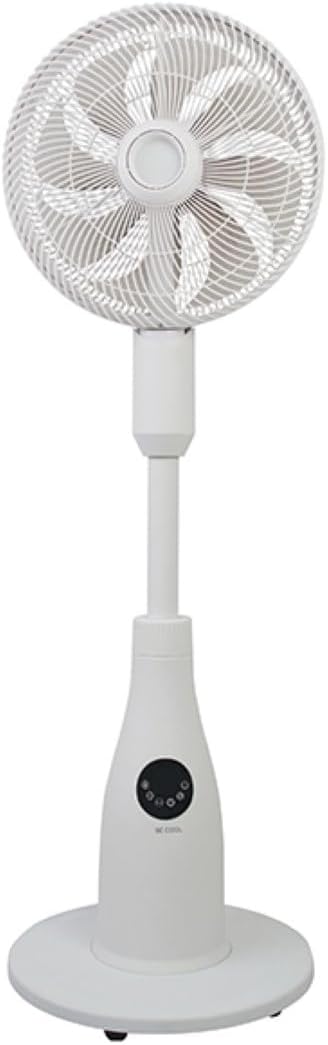
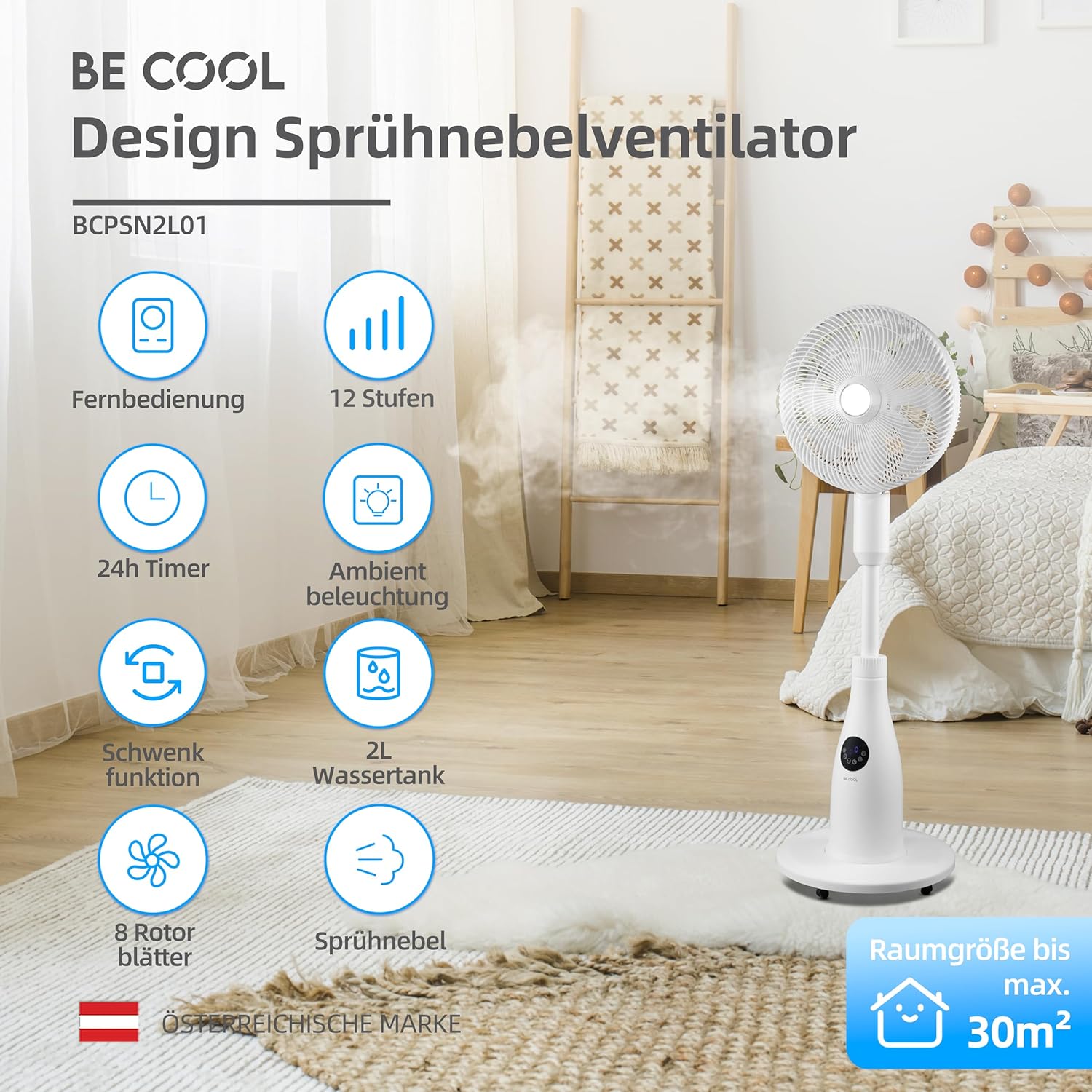
The BE COOL BCPSN2L01 is a versatile pedestal fan designed to provide efficient cooling and air circulation with an integrated mist function and ambient lighting.
భాగాలు
- గ్రిల్ మరియు బ్లేడ్లతో ఫ్యాన్ హెడ్
- సర్దుబాటు స్టాండ్
- బేస్
- వాటర్ ట్యాంక్ (2 లీటర్ల సామర్థ్యం)
- Control Panel (Touch-sensitive)
- రిమోట్ కంట్రోల్
- పవర్ కార్డ్
కంట్రోల్ ప్యానెల్ మరియు రిమోట్ కంట్రోల్
The fan can be operated using the touch-sensitive control panel on the unit or the included remote control.
నియంత్రణ ప్యానెల్ విధులు:
- పవర్ బటన్: ఫ్యాన్ని ఆన్ లేదా ఆఫ్ చేస్తుంది.
- స్పీడ్ బటన్: ఫ్యాన్ వేగాన్ని సర్దుబాటు చేస్తుంది (12 స్థాయిలు).
- మోడ్ బటన్: Cycles through Normal, Nature, and Sleep modes.
- పొగమంచు బటన్: Activates or deactivates the mist function.
- డోలనం బటన్: Toggles the oscillation feature.
- టైమర్ బటన్: ఆటో-ఆఫ్ టైమర్ను సెట్ చేస్తుంది (24 గంటల వరకు).
- లైట్ బటన్: Controls the ambient lighting.


సెటప్ సూచనలు
అసెంబ్లీ
- ప్యాకేజింగ్ నుండి అన్ని భాగాలను జాగ్రత్తగా అన్ప్యాక్ చేయండి.
- Assemble the fan head, stand, and base according to the diagrams in the quick start guide (if provided separately). Ensure all connections are secure.
- ఫ్యాన్ను దృఢమైన, సమతల ఉపరితలంపై ఉంచండి.
వాటర్ ట్యాంక్ నింపడం
- Locate the water tank at the rear of the fan's base.
- వాటర్ ట్యాంక్ను మెల్లగా బయటకు తీయండి.
- Fill the tank with clean, distilled water. Do not exceed the maximum fill line.
- Carefully reinsert the water tank into its position until it clicks securely.
- Ensure the water tank is properly seated before operating the mist function.

ఆపరేటింగ్ సూచనలు
పవర్ కార్డ్ను తగిన ఎలక్ట్రికల్ అవుట్లెట్లోకి ప్లగ్ చేయండి.
పవర్ ఆన్/ఆఫ్
నొక్కండి పవర్ బటన్ on the control panel or remote control to turn the fan on or off.
ఫ్యాన్ వేగాన్ని సర్దుబాటు చేస్తోంది
నొక్కండి స్పీడ్ బటన్ repeatedly to cycle through the 12 available fan speed levels.
ఆపరేటింగ్ మోడ్ని ఎంచుకోవడం
నొక్కండి మోడ్ బటన్ to switch between the following modes:
- సాధారణ మోడ్: ఎంచుకున్న వేగంతో స్థిరమైన గాలి ప్రవాహాన్ని అందిస్తుంది.
- ప్రకృతి విధానం: Simulates natural breezes by varying fan speed intermittently.
- స్లీప్ మోడ్: Operates at a lower, quieter speed with reduced display brightness for undisturbed rest.

Activating Mist Function
Ensure the water tank is filled. Press the పొగమంచు బటన్ to activate or deactivate the refreshing mist function.
Using Oscillation
నొక్కండి డోలనం బటన్ to start or stop the fan's oscillation, which distributes air across a wider area.

టైమర్ని సెట్ చేస్తోంది
నొక్కండి టైమర్ బటన్ repeatedly to set the desired auto-off time, from 1 to 24 hours. The fan will automatically turn off after the set duration.
పరిసర లైటింగ్
నొక్కండి లైట్ బటన్ to turn the ambient lighting on or off. This feature provides a soft glow, particularly useful in Sleep Mode.
నిర్వహణ మరియు శుభ్రపరచడం
Regular cleaning helps maintain the fan's performance and extends its lifespan. Always unplug the fan before cleaning.
బాహ్య క్లీనింగ్
ఫ్యాన్ బయటి ఉపరితలాలను మృదువైన, d శుభ్రముపరచుతో తుడవండి.amp గుడ్డ. రాపిడి క్లీనర్లు లేదా ద్రావకాలు ఉపయోగించవద్దు.
వాటర్ ట్యాంక్ శుభ్రం చేయడం
- యూనిట్ నుండి నీటి ట్యాంక్ తొలగించండి.
- మిగిలిన నీటిని ఖాళీ చేయండి.
- Rinse the tank thoroughly with clean water. For deeper cleaning, use a mild detergent and a soft brush, then rinse completely.
- Allow the tank to air dry before refilling and reinserting.
Cleaning Fan Blades and Grille
Periodically, dust may accumulate on the fan blades and inside the grille. Refer to the product's specific instructions for safely removing the front grille to clean the blades. Use a soft cloth or vacuum cleaner with a brush attachment to remove dust.
ట్రబుల్షూటింగ్
మీ ఫ్యాన్తో మీకు సమస్యలు ఎదురైతే, దయచేసి ఈ క్రింది సాధారణ సమస్యలు మరియు పరిష్కారాలను చూడండి:
- ఫ్యాన్ ఆన్ చేయదు:
- పవర్ కార్డ్ పనిచేసే ఎలక్ట్రికల్ అవుట్లెట్లోకి సురక్షితంగా ప్లగ్ చేయబడిందని నిర్ధారించుకోండి.
- పవర్ బటన్ నొక్కిందో లేదో తనిఖీ చేయండి.
- Verify there is no power outagమీ ప్రాంతంలో ఇ.
- Mist function is not working:
- Check if the water tank is filled with water.
- యూనిట్లో వాటర్ ట్యాంక్ సరిగ్గా అమర్చబడిందని నిర్ధారించుకోండి.
- Clean the mist nozzle if it appears blocked.
- ఫ్యాన్ శబ్దం:
- ఫ్యాన్ స్థిరమైన, సమతల ఉపరితలంపై ఉంచబడిందని నిర్ధారించుకోండి.
- Check for any obstructions around the fan blades or grille.
- Dust accumulation on blades can cause imbalance; clean the blades if necessary.
- రిమోట్ కంట్రోల్ స్పందించడం లేదు:
- Check and replace the battery (1 CR2 battery included).
- రిమోట్ మరియు ఫ్యాన్ రిసీవర్ మధ్య ఎటువంటి అడ్డంకులు లేవని నిర్ధారించుకోండి.
స్పెసిఫికేషన్లు
| ఫీచర్ | స్పెసిఫికేషన్ |
|---|---|
| బ్రాండ్ | కూల్ గా ఉండండి |
| మోడల్ సంఖ్య | BCPSN2L01 పరిచయం |
| శక్తి | 80 వాట్స్ |
| వాల్యూమ్tage | 230 వోల్ట్లు (AC) |
| గాలి ప్రవాహ సామర్థ్యం | 1500 m³/h |
| నీటి ట్యాంక్ సామర్థ్యం | 2 లీటర్లు |
| బాష్పీభవన రేటు | 0.25 L/h (approx.) |
| స్పీడ్ల సంఖ్య | 12 |
| డోలనం | అవును |
| టైమర్ | 24 గంటల వరకు |
| రిమోట్ కంట్రోల్ | అవును (1 CR2 బ్యాటరీ చేర్చబడింది) |
| ఉత్పత్తి కొలతలు (D x W x H) | 42.9 x 42.9 x 114.5 సెం.మీ |
| వస్తువు బరువు | 6.9 కిలోలు |
| సిఫార్సు చేయబడిన గది పరిమాణం | 30 m² వరకు |

వారంటీ మరియు మద్దతు
For warranty information, please refer to the documentation provided at the time of purchase or contact your retailer. For technical support or service inquiries, please contact the manufacturer's customer service department.
తయారీదారు: కూల్ గా ఉండండి


