1. పరిచయం
The Airiton AI-K8 Walkie Talkies are advanced 4G Push-to-Talk Over Cellular (POC) two-way radios designed for extensive communication range. These devices leverage cellular networks to provide unlimited communication distance, covering up to 5000 miles nationwide. They are ideal for group communication in various professional and personal settings, offering clear audio and robust performance.
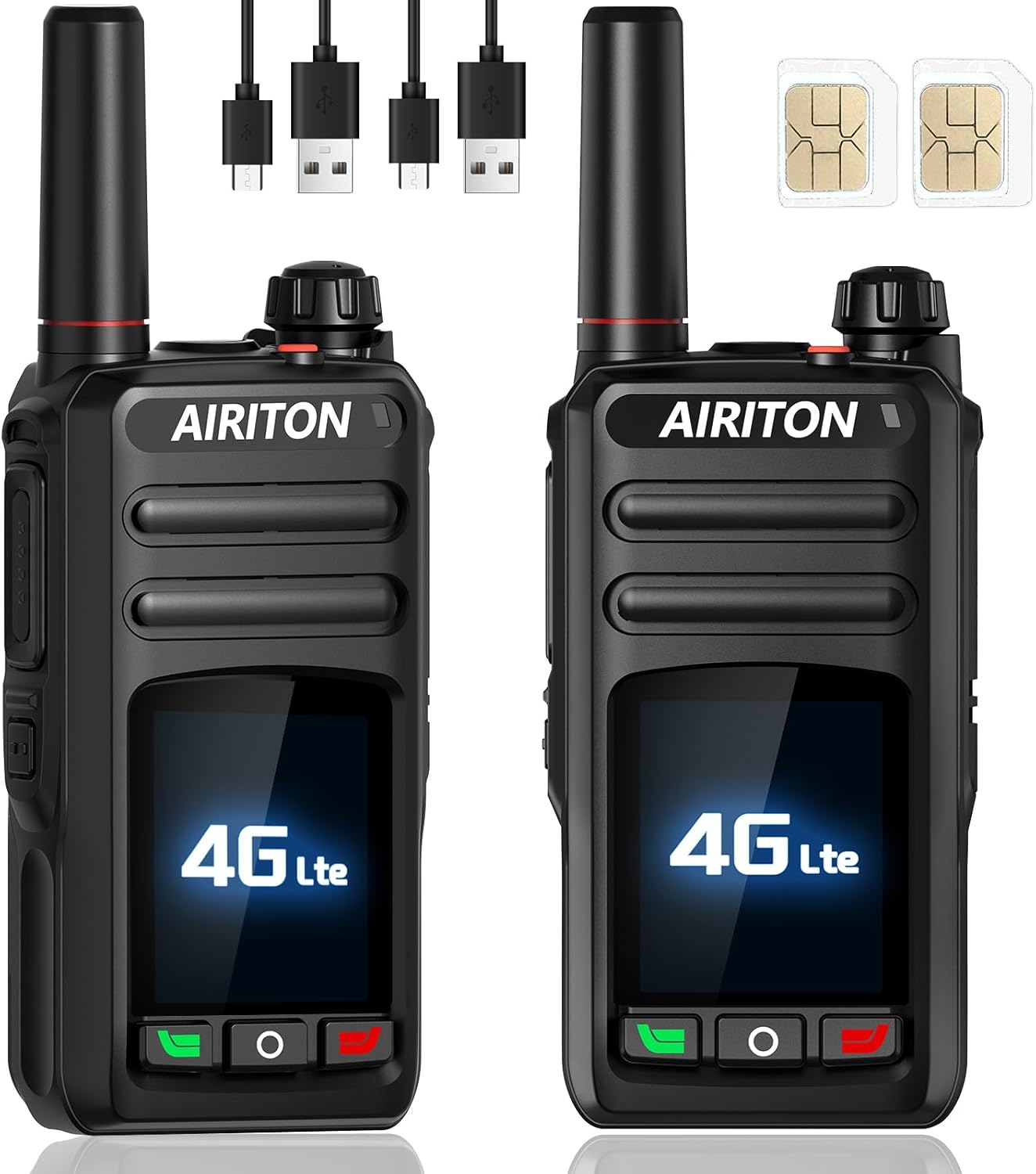
Figure 1.1: Airiton AI-K8 Walkie Talkies
2. ప్యాకేజీ విషయాలు
ప్యాకేజీని తెరిచినప్పుడు, దయచేసి కింది అంశాలన్నీ చేర్చబడ్డాయో లేదో తనిఖీ చేయండి:
- 2 x Airiton AI-K8 Radio Bodies
- 2 x Batteries (4000mAh Li-Polymer)
- 2 x Type-C USB Chargers
- 2 x హెడ్సెట్లు
- 2 x బెల్ట్ క్లిప్లు
- 2 x Hand Straps (Lanyards)
- 1 x వినియోగదారు మాన్యువల్
- 2 x SIM Cards (pre-installed, providing one year of free data service)

చిత్రం 2.1: పూర్తి ప్యాకేజీ కంటెంట్లు
3. ఉత్పత్తి లక్షణాలు
- National Coverage: Utilizes 4G POC (Push-to-Talk Over Cellular) for seamless communication with unlimited range, covering up to 5000 miles. FCC Certified (FCC ID: 2BN3L-TS-K8S).
- Annual SIM Card Included: Comes with an annual SIM card providing unlimited high-speed data services for one year, with no platform fees. The SIM card is pre-installed.
- మన్నికైన డిజైన్: Constructed with high-quality, shockproof, and drop-resistant materials to withstand harsh environments and daily wear.
- ఆడియోను క్లియర్ చేయండి: Equipped with advanced noise-cancelling microphones for crystal clear sound quality in any environment.
- Versatile Call Functions: Supports group rental call function, enabling both group and private communication.
- 1.77-అంగుళాల LCD డిస్ప్లే: Provides clear display of status and information.
- టైప్-సి ఛార్జింగ్: Convenient and fast charging via Type-C USB.
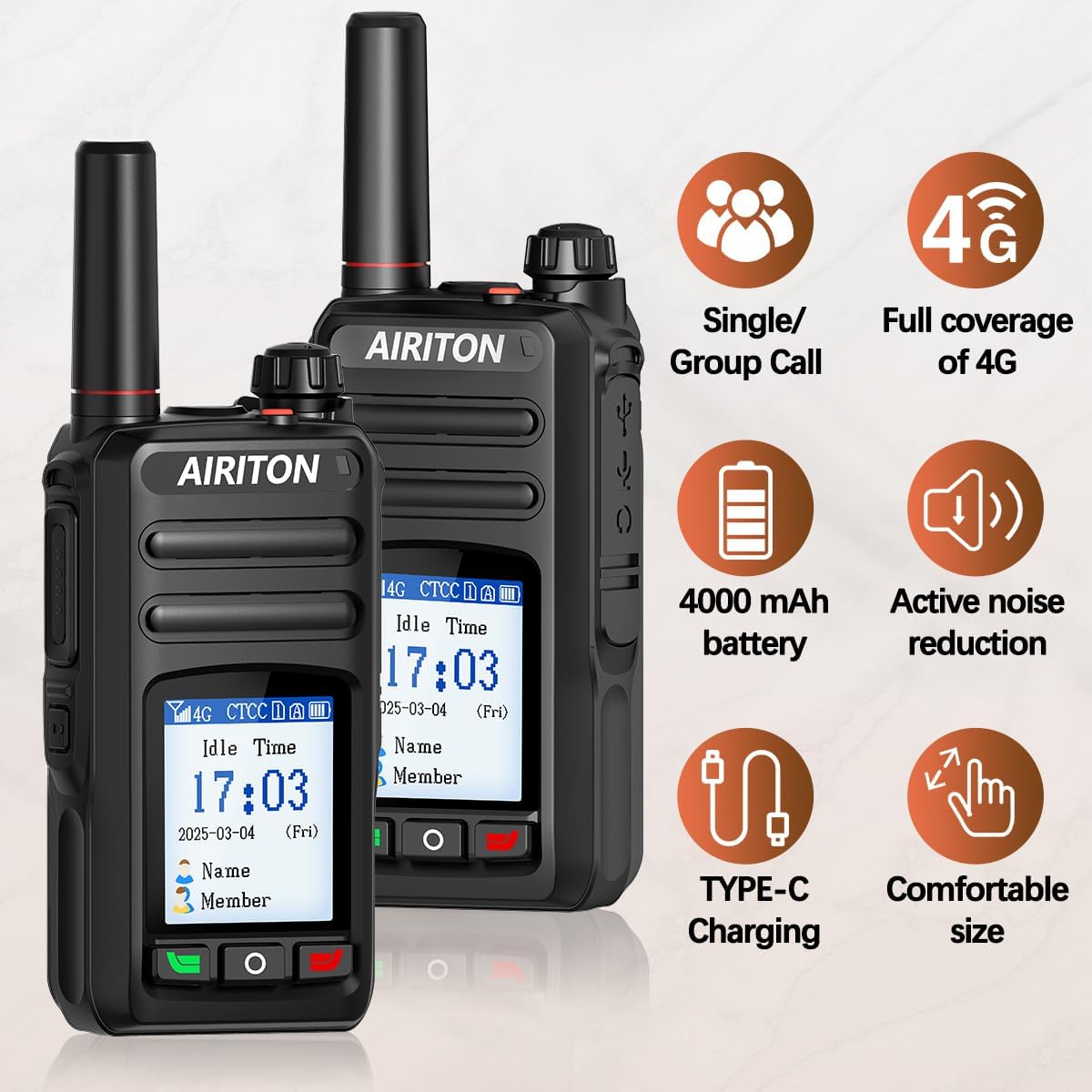
చిత్రం 3.1: కీలక ఉత్పత్తి లక్షణాలు
4. ఉత్పత్తి ముగిసిందిview (భాగాలు)
Familiarize yourself with the main components and controls of the Airiton AI-K8 radio:

Figure 4.1: Airiton AI-K8 Component Diagram
- యాంటెన్నా: For signal transmission and reception.
- Power key/Volume knob: Turns the radio on/off and adjusts volume.
- సూచిక కాంతి: Displays status (e.g., charging, transmitting).
- Earphone/Microphone jack: బాహ్య ఆడియో ఉపకరణాలను కనెక్ట్ చేయడానికి.
- లౌడ్ స్పీకర్: ఆడియో అవుట్పుట్ కోసం.
- PTT key (Push-to-Talk): ప్రసారం చేయడానికి నొక్కి పట్టుకోండి, వినడానికి విడుదల చేయండి.
- మైక్రోఫోన్: వాయిస్ ఇన్పుట్ కోసం.
- ఫంక్షన్ కీ 1: Programmable function key.
- Menu key/Exit key: Navigates menus and exits current screen.
- UP కీ: మెనూలలో పైకి నావిగేట్ చేస్తుంది లేదా విలువలను పెంచుతుంది.
- డౌన్ కీ: మెనూలలో క్రిందికి నావిగేట్ చేస్తుంది లేదా విలువలను తగ్గిస్తుంది.
- LCD స్క్రీన్: 1.77-inch display for information.
- Type-C charging jack: For connecting the Type-C USB charging cable.
5. సెటప్
5.1. Battery and SIM Card Installation
The AI-K8 radios come with pre-installed SIM cards. However, if you need to access or re-install the SIM card, follow these steps:
- రేడియో పవర్ ఆఫ్ చేయబడిందని నిర్ధారించుకోండి.
- రేడియో వెనుక భాగంలో బ్యాటరీ కంపార్ట్మెంట్ కవర్ను గుర్తించండి.
- Open the battery compartment by sliding the latch or pressing the release button (refer to Figure 4.1 for location).
- బ్యాటరీని జాగ్రత్తగా తొలగించండి.
- The SIM card slots are located beneath the battery. Insert the SIM card(s) into the designated slots, ensuring correct orientation.
- Re-insert the battery and close the battery compartment cover securely.
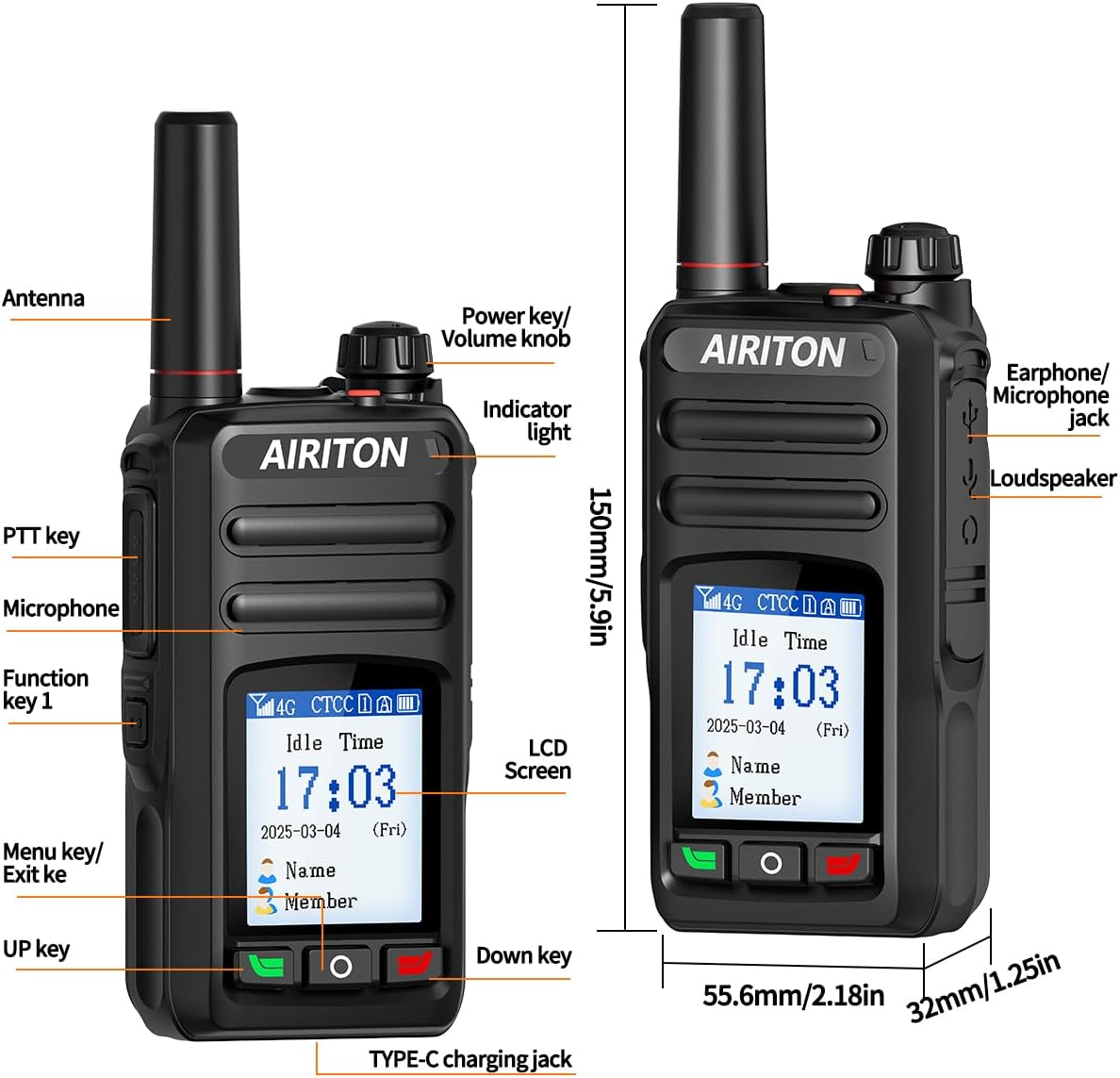
Figure 5.1: SIM Card Installation Area
Video 5.1: Demonstration of SIM card installation.
5.2 బ్యాటరీని ఛార్జ్ చేస్తోంది
Before first use, fully charge the radio's battery. Use the provided Type-C USB charger.
- Connect the Type-C USB cable to the charging jack on the radio (refer to Figure 4.1).
- Plug the other end of the USB cable into a compatible USB power adapter or port.
- The indicator light on the radio will show charging status. It will typically turn green when fully charged.

చిత్రం 5.2: టైప్-సి ఛార్జింగ్
Video 5.2: Demonstration of connecting the Type-C charger.
6. ఆపరేటింగ్ సూచనలు
6.1. పవర్ చేయడం ఆన్/ఆఫ్
To power on the radio, rotate the Power key/Volume knob clockwise until the screen lights up. To power off, rotate it counter-clockwise until the screen turns off.
6.2. వాల్యూమ్ సర్దుబాటు
Rotate the Power key/Volume knob to adjust the listening volume.
6.3. Push-to-Talk (PTT) Function
The primary method of communication is the Push-to-Talk (PTT) button. Press and hold the PTT button on the side of the radio to transmit your voice. Release the PTT button to listen for incoming transmissions. Only one person can speak at a time (half-duplex communication).
6.4. కాల్ విధులు
The AI-K8 supports various call types:
- సింగిల్ కాల్: One-on-one communication with a specific radio.
- గ్రూప్ కాల్: Communication with a pre-defined group of radios.
- Mass Call: Broadcast communication to all members within the network.
These functions are typically pre-configured. For specific group management or adding more radios to your network, you may need to contact the manufacturer or service provider.
Figure 6.1: Call Modes
6.5 Viewing IMEI
కు view the IMEI (International Mobile Equipment Identity) of your radio, which may be required for support or network configuration:
- రేడియోలో శక్తి.
- Navigate through the menu using the Menu key and UP/DOWN keys until you find the IMEI information.
Video 6.2: Guide to viewing the IMEI on the radio's display.
7. నిర్వహణ
- శుభ్రపరచడం: ఒక మృదువైన ఉపయోగించండి, డిamp రేడియో బాహ్య భాగాన్ని శుభ్రం చేయడానికి వస్త్రం. కఠినమైన రసాయనాలు లేదా రాపిడి క్లీనర్లను ఉపయోగించవద్దు.
- బ్యాటరీ సంరక్షణ: To prolong battery life, avoid fully discharging the battery frequently. Charge the radio regularly, especially if it will be stored for an extended period.
- నిల్వ: ప్రత్యక్ష సూర్యకాంతి మరియు తీవ్రమైన ఉష్ణోగ్రతలకు దూరంగా చల్లని, పొడి ప్రదేశంలో రేడియోను నిల్వ చేయండి.
- నీటి నిరోధకత: Note that this product is వాటర్ రెసిస్టెంట్ కాదు. నీటికి లేదా అధిక తేమకు గురికాకుండా ఉండండి.
8. ట్రబుల్షూటింగ్
| సమస్య | సాధ్యమైన కారణం | పరిష్కారం |
|---|---|---|
| రేడియో పవర్ ఆన్ చేయదు. | తక్కువ లేదా క్షీణించిన బ్యాటరీ. | Charge the battery fully. Ensure battery is properly installed. |
| No signal or poor connection. | Out of cellular network coverage area. SIM card issue. | Move to an area with 4G cellular signal. Check SIM card installation. Contact your SIM card provider if issues persist. |
| ఇతర రేడియోలతో కమ్యూనికేట్ చేయలేము. | Radios not configured for the same group/channel. Network issue. | Ensure all radios are powered on and have network connectivity. If you need to add more radios or configure groups, contact Airiton customer service with the serial numbers. |
| ఆడియో అస్పష్టంగా లేదా వక్రీకరించబడింది. | Low signal strength. Microphone/speaker obstruction. | Move to an area with better signal. Check for debris blocking microphone or speaker. |
| బ్యాటరీ త్వరగా అయిపోతుంది. | Frequent usage. Old battery. | Reduce continuous transmission. Consider replacing the battery if it's old. |
9. స్పెసిఫికేషన్లు
| ఫీచర్ | వివరాలు |
|---|---|
| వస్తువు బరువు | 1.63 పౌండ్లు |
| ప్యాకేజీ కొలతలు | 9.57 x 7.17 x 2.36 అంగుళాలు |
| అంశం మోడల్ సంఖ్య | AI-K8 |
| ASIN | B0F2934XXM |
| బ్రాండ్ | Airiton |
| రంగు | నలుపు |
| ఛానెల్ల సంఖ్య | 100 |
| ప్రత్యేక ఫీచర్ | Long Range, Rechargeable |
| ఫ్రీక్వెన్సీ రేంజ్ | 700 MHz - 2.5 GHz |
| గరిష్టంగా మాట్లాడే పరిధి | 5000 మైళ్లు |
| ట్యూనర్ టెక్నాలజీ | 4G POC |
| నీటి నిరోధక స్థాయి | వాటర్ రెసిస్టెంట్ కాదు |
| తయారీదారు | AIRITON |
| మొదట అందుబాటులో ఉన్న తేదీ | మార్చి 24, 2025 |
10. వారంటీ మరియు మద్దతు
According to the product specifications, there is no explicit warranty provided for this product. For technical guidance, customer service, or assistance with pairing additional radios or managing groups, please contact Airiton customer service. They offer all-day customer service replies to ensure your purchase enjoyment.
When contacting support, please have your radio's IMEI number and serial number ready. The serial number is typically found on the back of the radio, and the IMEI can be viewed on the radio's screen (refer to Section 6.5).


