పరిచయం
This manual provides detailed instructions for the setup, operation, and maintenance of your SABLUTE KC782 Large Print Backlit Keyboard. Please read this manual thoroughly before using the product to ensure proper function and longevity. This keyboard is designed for enhanced visibility and comfortable typing across various computing environments.
పెట్టెలో ఏముంది
- SABLUTE KC782 Large Print Backlit Keyboard
- వినియోగదారు మాన్యువల్
సెటప్
కీబోర్డ్ను కనెక్ట్ చేస్తోంది
The SABLUTE KC782 keyboard is a plug-and-play device. No special drivers are required for most operating systems.
- Locate an available USB-A port on your computer (desktop, laptop, PC).
- Insert the USB-A connector of the keyboard cable into the USB-A port.
- The keyboard will be automatically recognized by your operating system and ready for use.
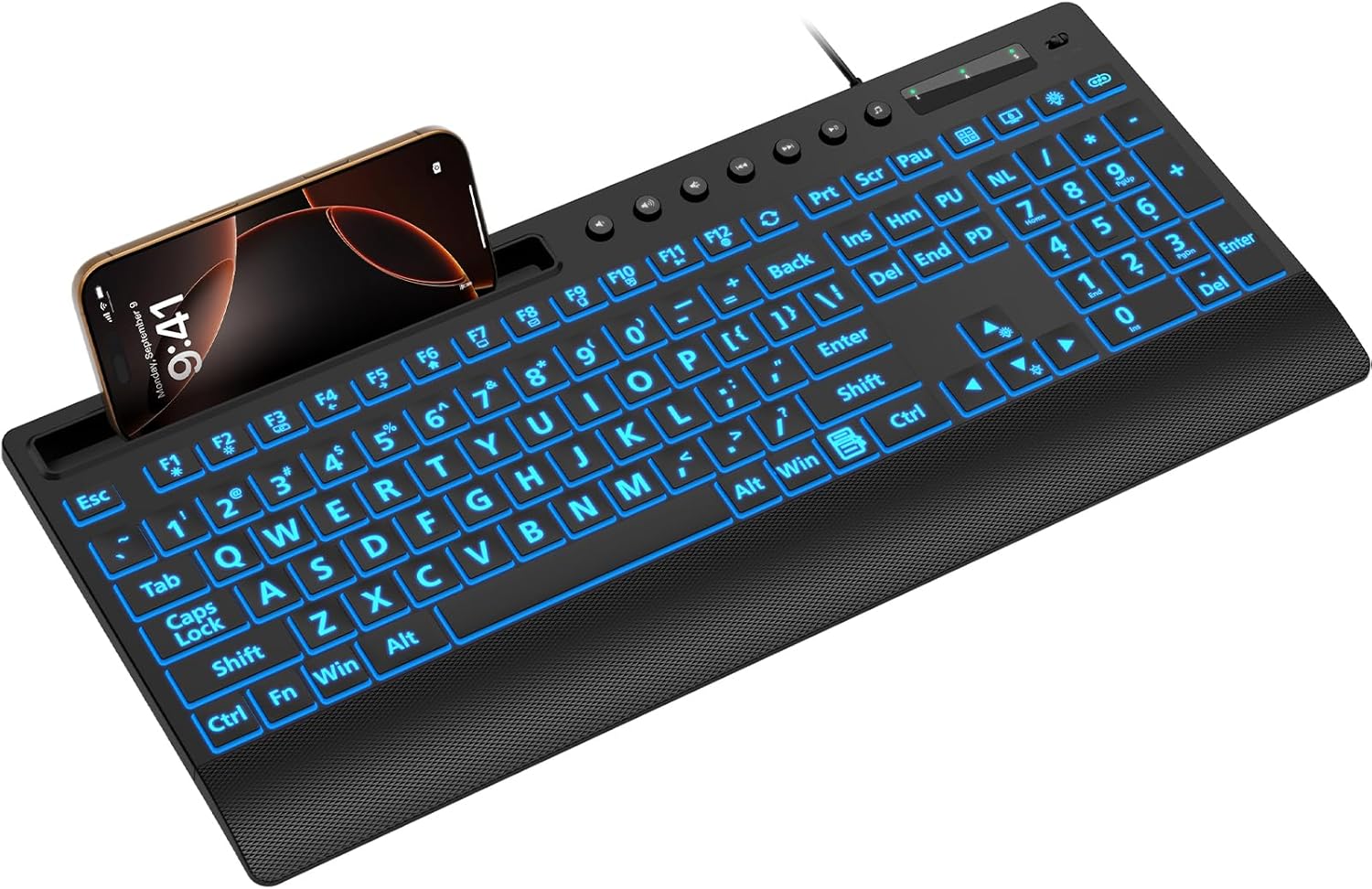
Image: The SABLUTE KC782 keyboard connected via USB, featuring its large print keys and integrated device holder.
ఆపరేటింగ్ సూచనలు
బ్యాక్లైట్ నియంత్రణ
The keyboard features a 7-color LED backlight with adjustable brightness and two lighting modes.
- One-Key Adjustment: Use the dedicated backlight control key (often located near the number pad or function keys) to cycle through backlight settings.
- రంగు ఎంపిక: Press the backlight control key to change between 7 vibrant colors.
- ప్రకాశం స్థాయిలు: The backlight offers 3 brightness levels. Adjust by pressing the backlight control key or using a combination with the 'Fn' key if indicated on the keyboard.
- లైటింగ్ మోడ్లు: Switch between static (solid color) and gradient (color cycling) modes using the backlight control key.
- బ్యాక్లైట్ ఆన్/ఆఫ్: Press and hold the backlight control key, or use a specific key combination, to turn the backlight on or off.
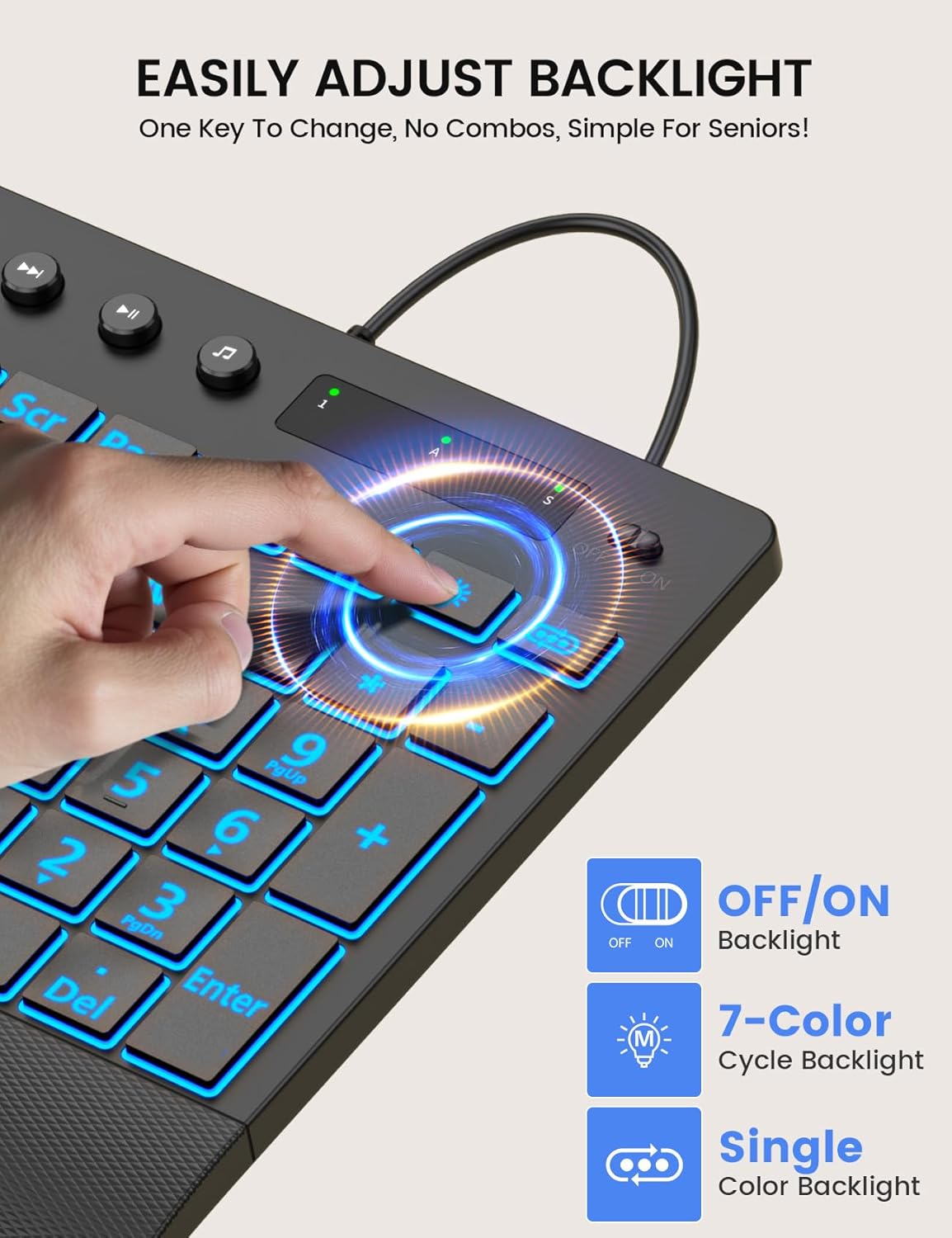
Image: Demonstrating the single-key backlight adjustment for easy control of colors and modes.
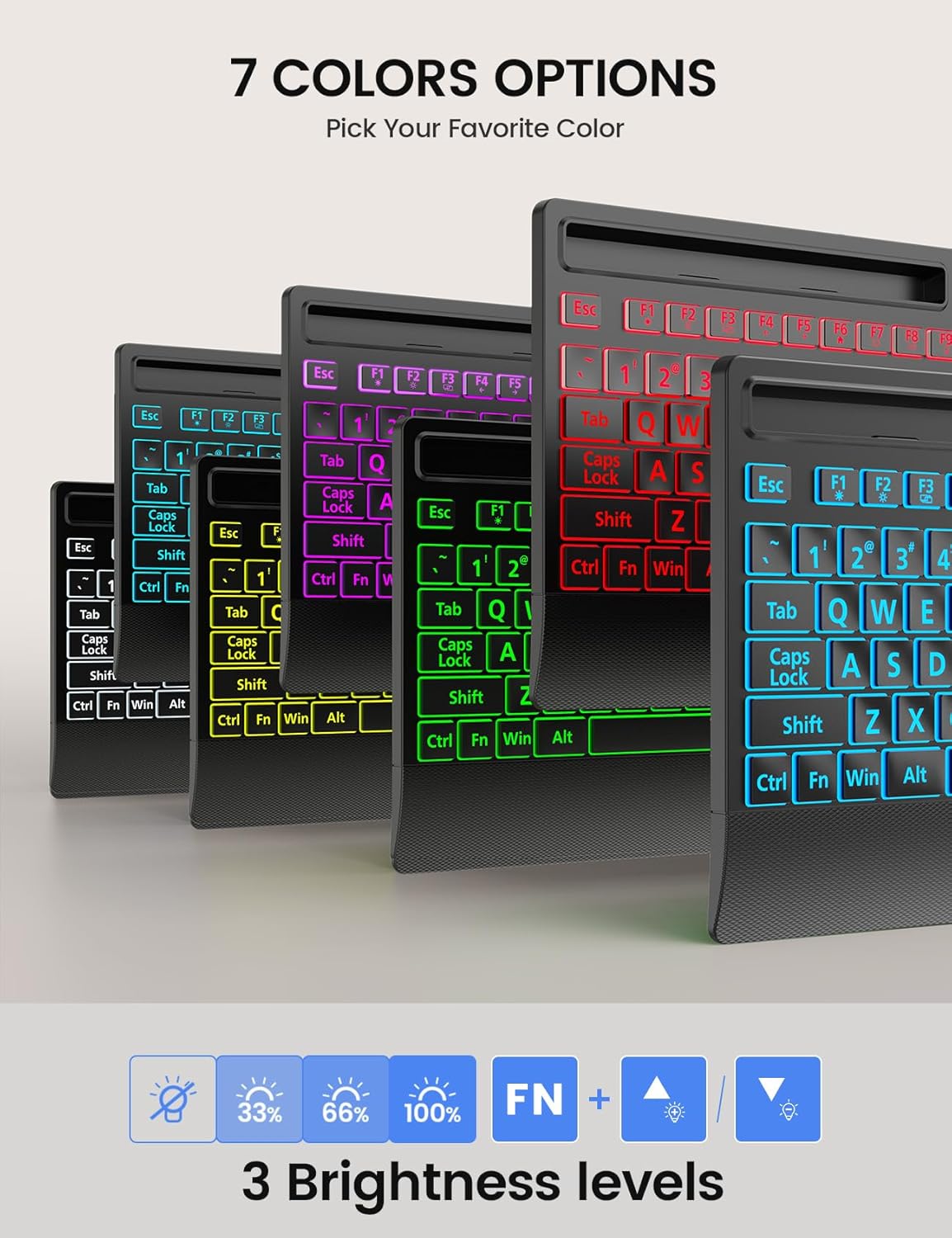
Image: The keyboard offers 7 distinct backlight color options to suit user preference.
Backlight Memory Function
The keyboard is equipped with a memory function that retains your last backlight settings. After powering off or rebooting your computer, the backlight brightness, color, and mode will automatically restore to your previously selected configuration.
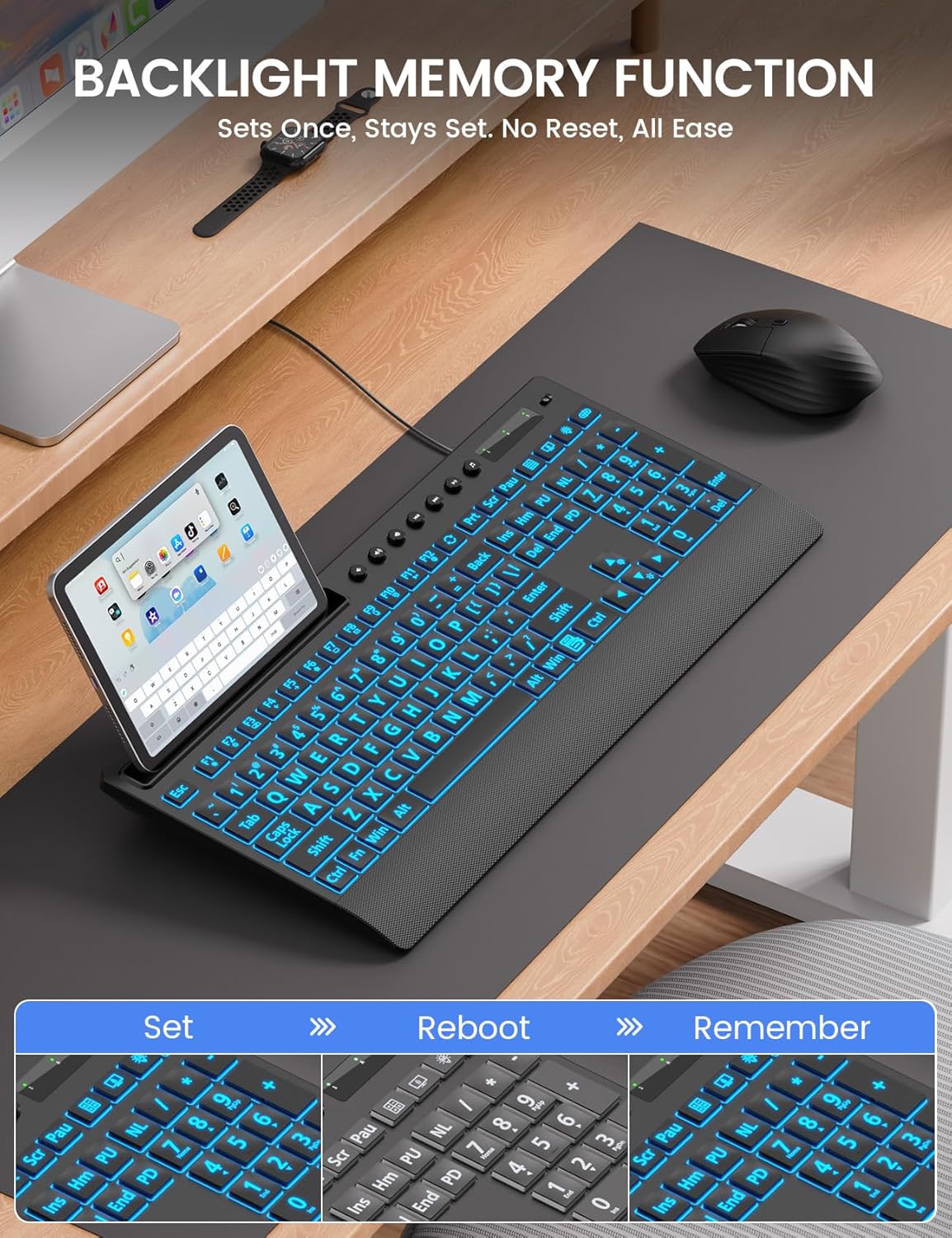
Image: The backlight memory function ensures your preferred settings are retained even after a system restart.
ఇంటిగ్రేటెడ్ డివైస్ హోల్డర్
The keyboard features a built-in holder designed to accommodate smartphones and tablets up to 11.5 inches. This allows for convenient multitasking, keeping your mobile devices visible and accessible while typing.
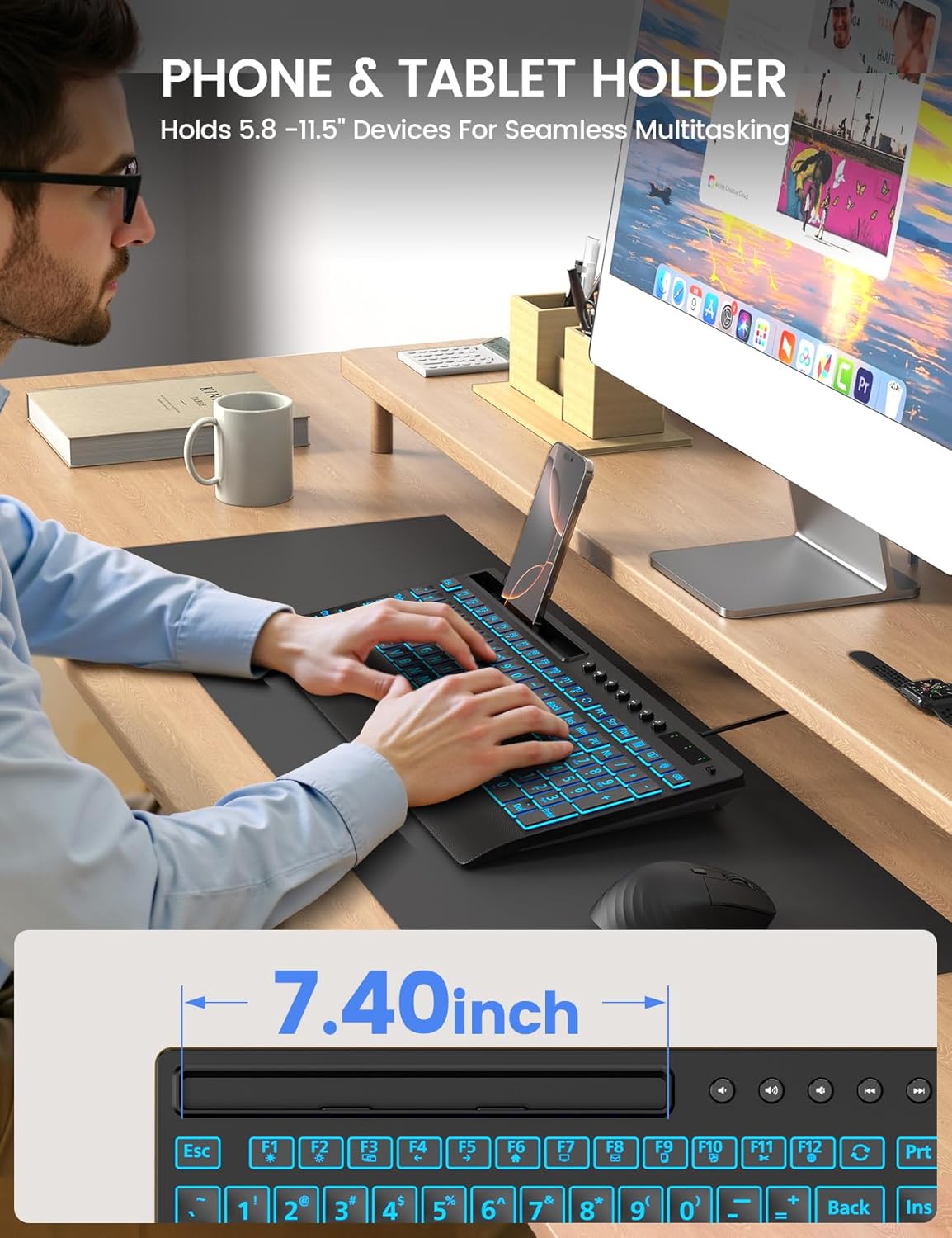
Image: The integrated device holder supports phones and tablets for enhanced productivity.
ఎర్గోనామిక్ డిజైన్
The keyboard is designed with user comfort in mind, featuring a wrist rest and foldable stands for adjustable typing angles.
- మణికట్టు విశ్రాంతి: The integrated wrist rest helps reduce strain during extended typing sessions.
- ఫోల్డబుల్ స్టాండ్లు: Unfold the stands at the back of the keyboard to achieve an optimal typing angle, further enhancing ergonomic comfort.
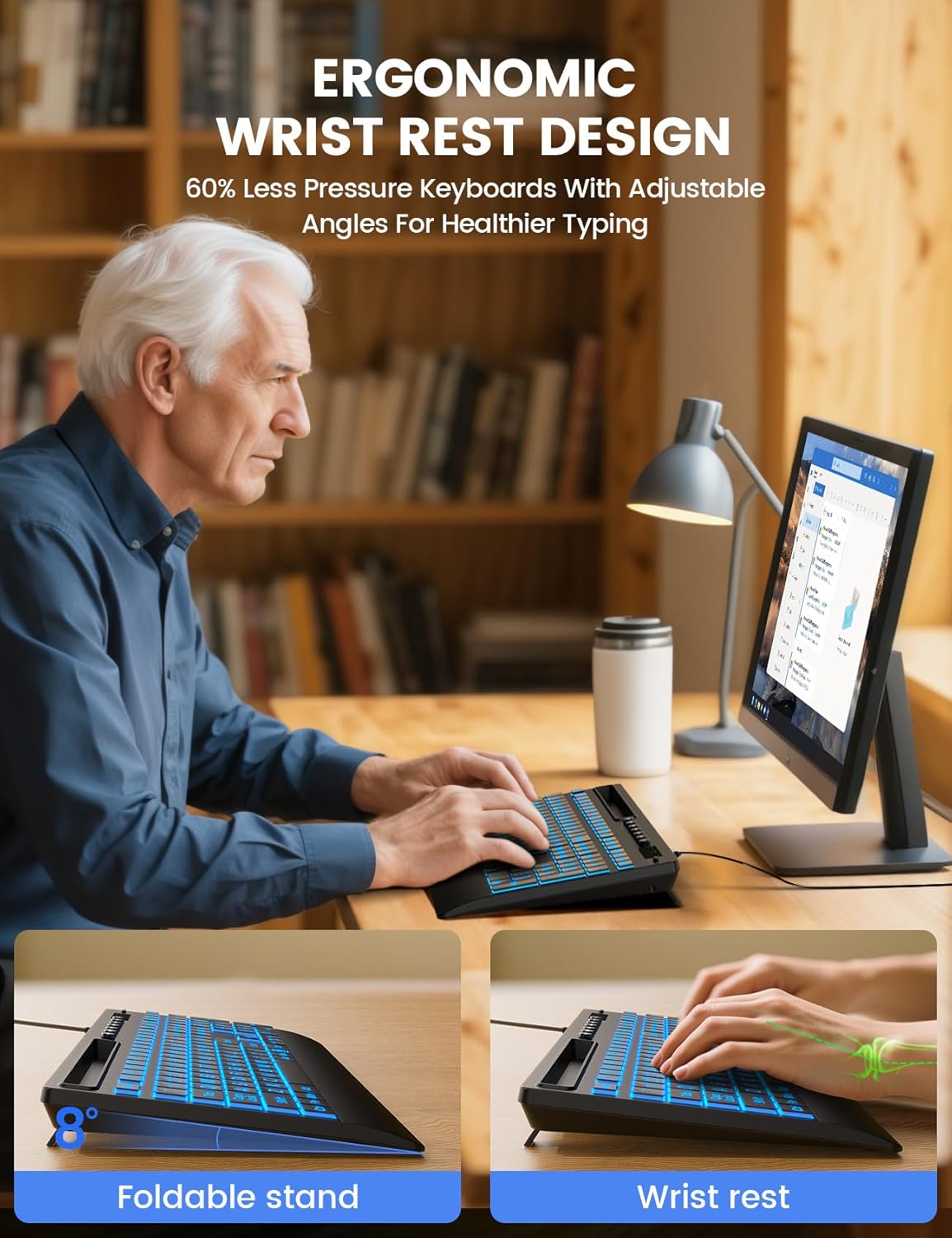
Image: The keyboard's ergonomic design, including a wrist rest and adjustable angle, promotes comfortable typing.
మల్టీమీడియా కీలు
The keyboard includes dedicated multimedia keys for quick access to common functions such as volume control, playback, and media applications. These keys are typically located above the function row (F1-F12).
అనుకూలత
The SABLUTE KC782 keyboard is compatible with a wide range of operating systems:
- Windows 2000/XP/7/8/10
- విస్టా
- Raspberry Pi 3/4
- Mac OS (Note: Multimedia keys may not be fully compatible with Mac OS)
నిర్వహణ
మీ కీబోర్డ్ యొక్క దీర్ఘాయువు మరియు సరైన పనితీరును నిర్ధారించడానికి, ఈ నిర్వహణ మార్గదర్శకాలను అనుసరించండి:
- శుభ్రపరచడం: Use a soft, dry cloth to wipe the surface of the keyboard. For deeper cleaning, a slightly damp కీ స్విచ్లు లేదా అంతర్గత భాగాలలోకి ఎటువంటి ద్రవం ప్రవేశించకుండా చూసుకోవడానికి తేలికపాటి సబ్బు ఉన్న వస్త్రాన్ని ఉపయోగించవచ్చు.
- దుమ్ము తొలగింపు: కీల మధ్య నుండి దుమ్ము మరియు చెత్తను తొలగించడానికి సంపీడన గాలిని ఉపయోగించండి.
- ద్రవాలను నివారించండి: Do not spill liquids on the keyboard. In case of accidental spills, immediately disconnect the keyboard from your computer and allow it to dry completely before reconnecting.
- నిల్వ: కీబోర్డ్ను ప్రత్యక్ష సూర్యకాంతి మరియు తీవ్రమైన ఉష్ణోగ్రతలకు దూరంగా చల్లని, పొడి ప్రదేశంలో నిల్వ చేయండి.
ట్రబుల్షూటింగ్
If you encounter issues with your SABLUTE KC782 keyboard, please refer to the following common solutions:
- కీబోర్డ్ స్పందించడం లేదు:
- USB కేబుల్ కీబోర్డ్ మరియు కంప్యూటర్ రెండింటికీ సురక్షితంగా కనెక్ట్ చేయబడిందని నిర్ధారించుకోండి.
- మీ కంప్యూటర్లోని కీబోర్డ్ను వేరే USB పోర్ట్కు కనెక్ట్ చేయడానికి ప్రయత్నించండి.
- మీ కంప్యూటర్ని పునఃప్రారంభించండి.
- సమస్య కీబోర్డ్లో ఉందా లేదా అసలు కంప్యూటర్లో ఉందా అని నిర్ధారించడానికి మరొక కంప్యూటర్లో కీబోర్డ్ను పరీక్షించండి.
- బ్యాక్లైట్ పనిచేయడం లేదు లేదా తప్పుగా ఉంది:
- Press the backlight control key to ensure it is turned on and to cycle through colors and brightness levels.
- If the backlight memory function is active, ensure your desired settings were saved correctly before the last power cycle.
- నమోదు కాని కీలు:
- Check for any debris or obstructions under the affected keys.
- Ensure the keyboard is clean and free from spills.
ఈ దశలు సమస్యను పరిష్కరించకపోతే, దయచేసి మరింత సహాయం కోసం కస్టమర్ మద్దతును సంప్రదించండి.
స్పెసిఫికేషన్లు
| ఉత్పత్తి కొలతలు | 16.85 x 7.44 x 1.42 అంగుళాలు (42.8 x 18.9 x 3.6 సెం.మీ.) |
| వస్తువు బరువు | 1.85 పౌండ్లు (0.84 కిలోలు) |
| కనెక్టివిటీ టెక్నాలజీ | USB-A వైర్డ్ |
| కీబోర్డ్ వివరణ | Large Print Backlit Keyboard with Backlight Memory Function, Wrist Palm, 7-Color Lighted, Phone Stand |
| బ్యాక్లైట్ రంగులు | 7 Colors (RGB) |
| ప్రకాశం స్థాయిలు | 3 |
| లైటింగ్ మోడ్లు | Static, Gradient |
| అనుకూల పరికరాలు | Laptop, PC, Windows, Mac (Note: Multimedia keys may not be fully compatible with Mac OS), Raspberry Pi 3/4 |
| ప్రత్యేక లక్షణాలు | Large Print keys, Backlight Memory Function, Hotkeys and Media Keys, One-Key Backlight Adjustment, Wrist Rest, Phone/Tablet Holder |
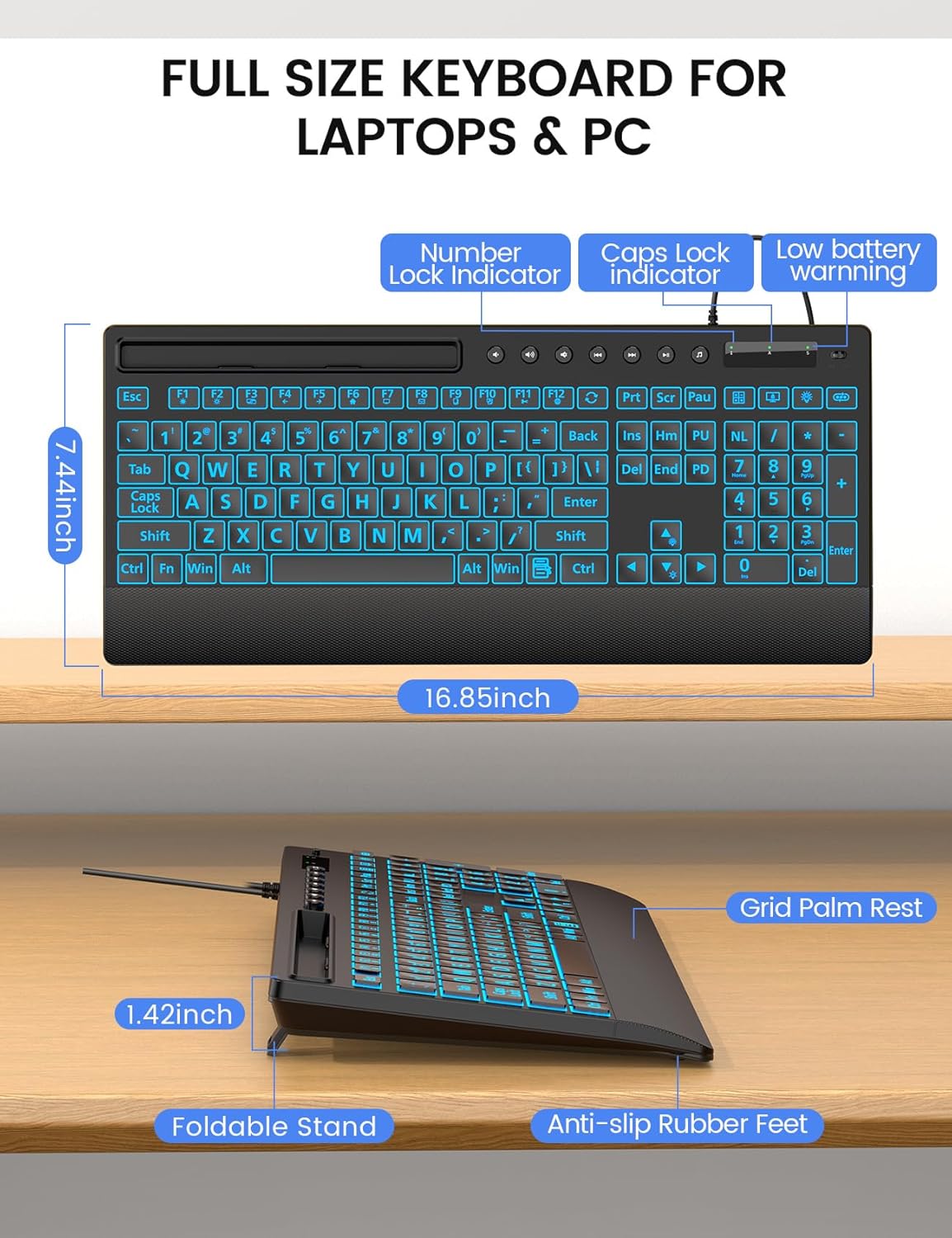
చిత్రం: వివరణాత్మకం view of the keyboard's dimensions and physical features.
వారంటీ మరియు మద్దతు
SABLUTE is committed to providing quality products and customer satisfaction. Your KC782 keyboard comes with the following support:
- భర్తీ విధానం: 90-day replacement for eligible issues.
- తయారీదారు వారంటీ: 360-day manufacturer warranty.
- Brand Care: Dedicated brand care support.
సంప్రదింపు సమాచారం
For product consultation, quick repairs, accessory redelivery, returns, or exchanges, please contact us:
- ఇమెయిల్ మద్దతు: sabluteservices@outlook.com
- ఫోన్ సపోర్ట్ (US): +1-213-296-1273 (Monday-Friday, 9 AM-1 PM PST, 2 PM-6 PM PST)

Image: SABLUTE customer support information and services.


