పరిచయం
This manual provides essential information for the proper setup, operation, and maintenance of your DigiLand MID1057-MX 10.1-inch Android 14 Tablet. Please read this manual thoroughly before using the device to ensure optimal performance and longevity.

Image: DigiLand MID1057-MX Android 14 Tablet.
సెటప్
1. ప్యాకేజీ విషయాలు
ప్యాకేజీలో అన్ని అంశాలు ఉన్నాయని నిర్ధారించుకోండి:
- DigiLand MID1057-MX Tablet
- USB టైప్-సి కేబుల్
- పవర్ అడాప్టర్
- రక్షణ కేసు
- త్వరిత ప్రారంభ గైడ్
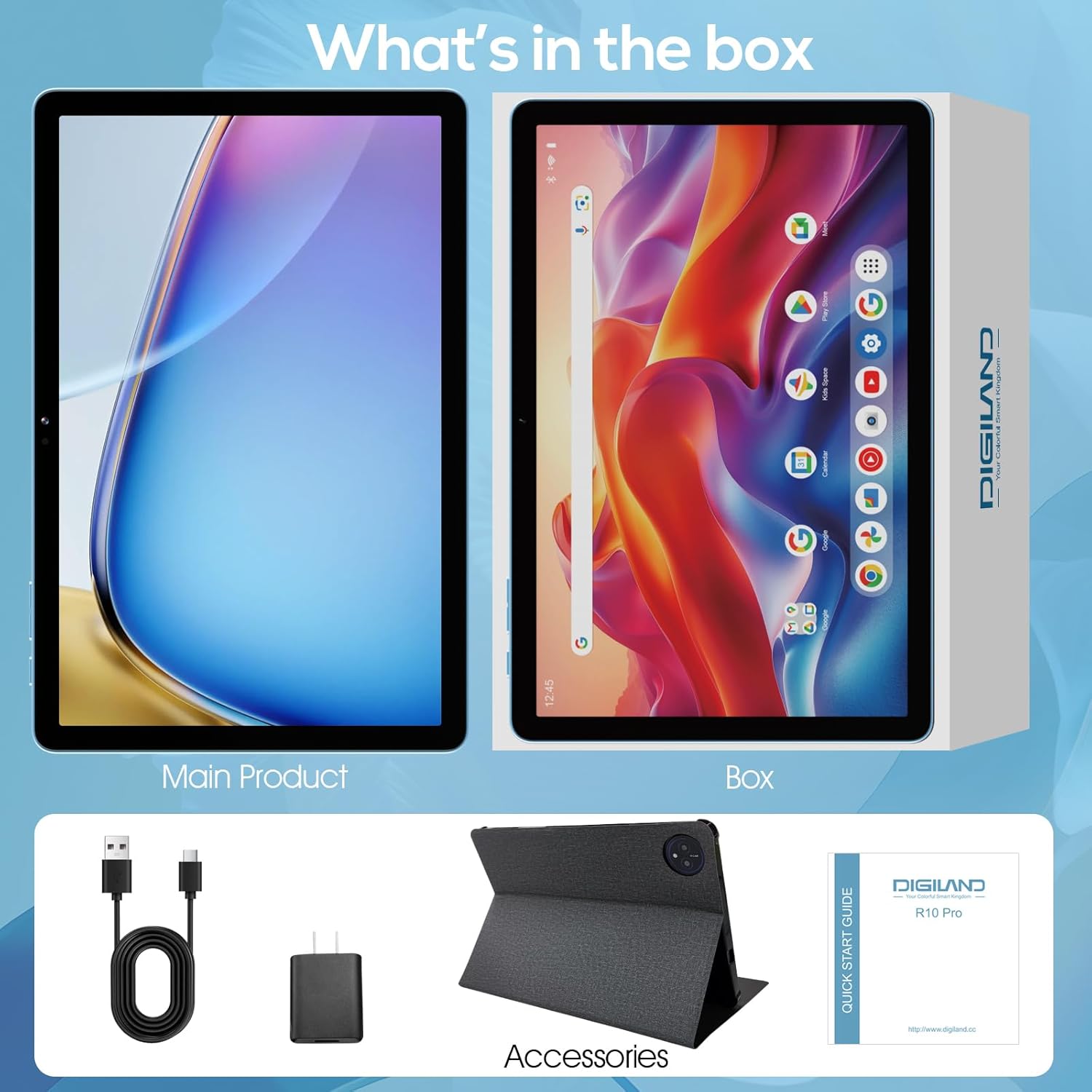
Image: Package contents of the DigiLand MID1057-MX Tablet.
2 పరికర లేఅవుట్
Familiarize yourself with the tablet's physical features:
- పవర్ బటన్: Located on the side, used to turn the device on/off or wake/sleep the screen.
- వాల్యూమ్ బటన్లు: ఆడియో స్థాయిలను సర్దుబాటు చేయండి.
- USB టైప్-సి పోర్ట్: ఛార్జింగ్ మరియు డేటా బదిలీ కోసం.
- హెడ్సెట్ జాక్: హెడ్ఫోన్లను కనెక్ట్ చేయడానికి.
- మైక్రో SD కార్డ్ స్లాట్: For expandable storage (up to 1TB).
- ముందు కెమెరా: వీడియో కాల్స్ మరియు సెల్ఫీల కోసం.
- వెనుక కెమెరా: ఫోటోలు మరియు వీడియోలను సంగ్రహించడానికి.

చిత్రం: పైగాview of tablet ports and buttons.
3. ప్రారంభ ఛార్జ్
Before first use, fully charge the tablet. Connect the USB Type-C cable to the tablet's port and the power adapter to a wall outlet. The battery indicator on the screen will show charging status.
4. పవర్ ఆన్/ఆఫ్
- పవర్ ఆన్ చేయడానికి: DigiLand లోగో కనిపించే వరకు పవర్ బటన్ను నొక్కి పట్టుకోండి.
- పవర్ ఆఫ్ చేయడానికి: పవర్ ఆప్షన్స్ మెనూ కనిపించే వరకు పవర్ బటన్ను నొక్కి పట్టుకోండి, ఆపై "పవర్ ఆఫ్" ఎంచుకోండి.
- నిద్రించడానికి/మేల్కొలపడానికి: పవర్ బటన్ని క్లుప్తంగా నొక్కండి.
5. ప్రారంభ సెటప్
మొదటిసారి పవర్-ఆన్ చేసిన తర్వాత, స్క్రీన్పై ఉన్న ప్రాంప్ట్లను అనుసరించండి:
- మీ భాషను ఎంచుకోండి.
- Wi-Fi నెట్వర్క్కి కనెక్ట్ చేయండి.
- మీ Google ఖాతాతో సైన్ ఇన్ చేయండి లేదా కొత్తదాన్ని సృష్టించండి.
- స్క్రీన్ లాక్ మరియు ఇతర భద్రతా లక్షణాలను సెటప్ చేయండి.
ఆపరేటింగ్
1. టచ్స్క్రీన్ సంజ్ఞలు
Navigate the tablet using standard Android gestures:
- నొక్కండి: ఒక అంశాన్ని ఎంచుకోండి లేదా అప్లికేషన్ను తెరవండి.
- నొక్కండి మరియు పట్టుకోండి: సందర్భోచిత మెనూలను యాక్సెస్ చేయండి లేదా చిహ్నాలను తరలించండి.
- స్వైప్: Scroll through pages or navigate between screens.
- చిటికెడు: చిత్రాలను జూమ్ ఇన్ లేదా అవుట్ చేయండి మరియు web పేజీలు.
2. Wi-Fiకి కనెక్ట్ చేస్తోంది
- వెళ్ళండి సెట్టింగ్లు > నెట్వర్క్ & ఇంటర్నెట్ > Wi-Fi.
- Wi-Fiని టోగుల్ చేయి On.
- జాబితా నుండి మీకు కావలసిన నెట్వర్క్ను ఎంచుకోండి.
- ప్రాంప్ట్ చేయబడితే పాస్వర్డ్ను నమోదు చేయండి, ఆపై నొక్కండి కనెక్ట్ చేయండి.
3. బ్లూటూత్ పెయిరింగ్
- వెళ్ళండి సెట్టింగ్లు > కనెక్ట్ చేయబడిన పరికరాలు > బ్లూటూత్.
- బ్లూటూత్ను టోగుల్ చేయండి On.
- మీ బ్లూటూత్ పరికరం జత చేసే మోడ్లో ఉందని నిర్ధారించుకోండి.
- జాబితా నుండి పరికరాన్ని ఎంచుకుని, జత చేయడం పూర్తి చేయడానికి స్క్రీన్పై ఉన్న ఏవైనా ప్రాంప్ట్లను అనుసరించండి.
4. Installing and Uninstalling Applications
- ఇన్స్టాల్ చేయండి: Open the Google Play Store app, search for the desired application, and tap ఇన్స్టాల్ చేయండి.
- అన్ఇన్స్టాల్ చేయండి: వెళ్ళండి సెట్టింగ్లు > యాప్లు > అన్ని యాప్లను చూడండి, select the app, then tap అన్ఇన్స్టాల్ చేయండి.
5. నిల్వ నిర్వహణ
Your tablet comes with 128GB of internal storage. You can expand this by up to 1TB using a MicroSD card (not included).
- To Insert MicroSD Card: Locate the MicroSD card slot, gently insert the card until it clicks into place.
- To Remove MicroSD Card: వెళ్ళండి సెట్టింగ్లు > నిల్వ, tap on the SD card, and select తొలగించు before physically removing it.

Image: Storage capacity and expansion.
6. కెమెరా వినియోగం
The tablet features a 13MP rear camera and an 8MP front camera.
- తెరవండి కెమెరా అనువర్తనం.
- ఫోటో తీయడానికి షట్టర్ బటన్ను నొక్కండి.
- వీడియో రికార్డ్ చేయడానికి వీడియో చిహ్నాన్ని నొక్కండి.
- Use the camera switch icon to toggle between front and rear cameras.
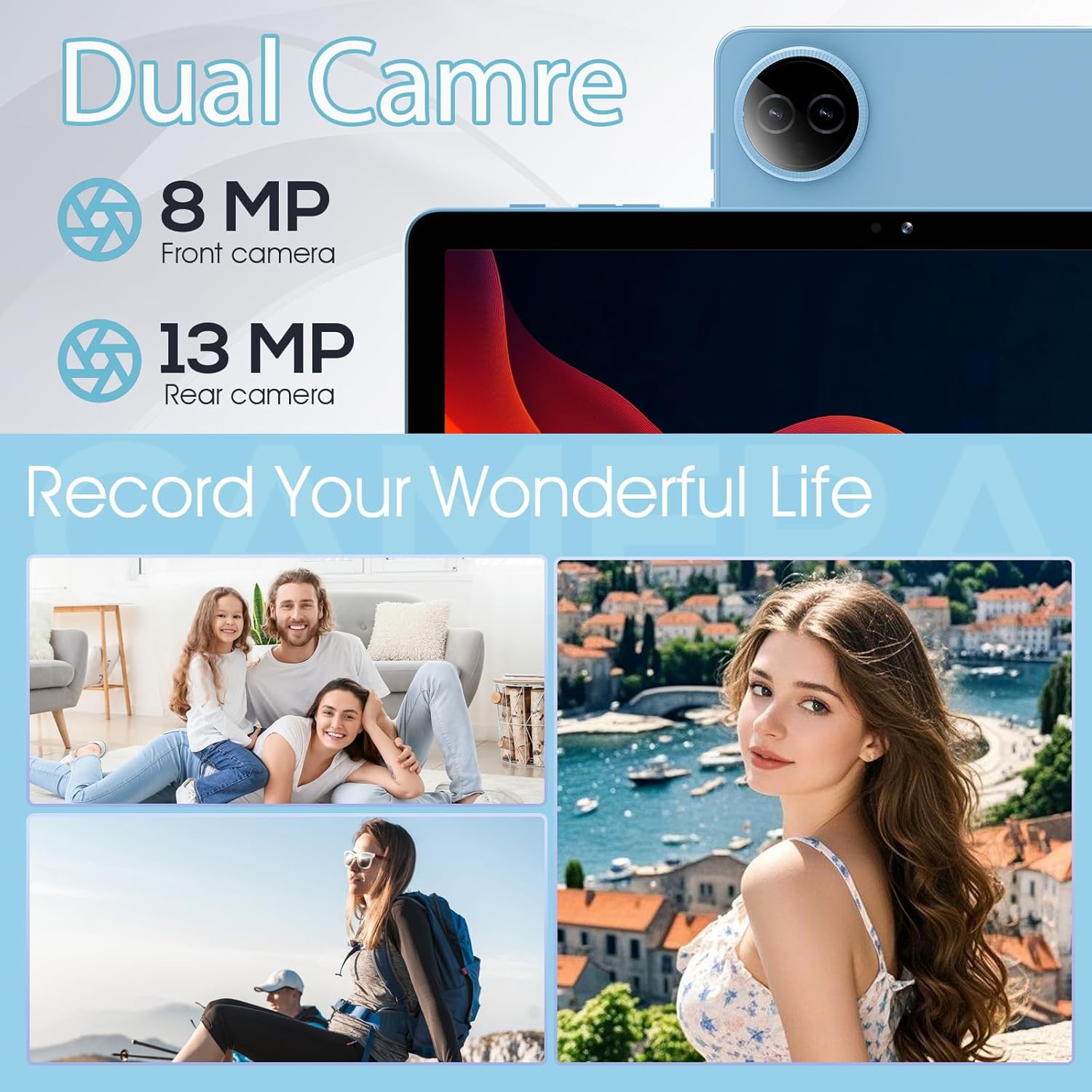
Image: Dual camera features and exampలెస్.
7. బ్యాటరీ నిర్వహణ
The 6000mAh battery provides extended usage time. To optimize battery life:
- స్క్రీన్ ప్రకాశాన్ని సౌకర్యవంతమైన స్థాయికి సర్దుబాటు చేయండి.
- ఉపయోగంలో లేనప్పుడు Wi-Fi మరియు బ్లూటూత్ను ఆఫ్ చేయండి.
- నేపథ్యంలో నడుస్తున్న ఉపయోగించని అప్లికేషన్లను మూసివేయండి.
- Enable battery saver mode in సెట్టింగ్లు > బ్యాటరీ.

Image: Battery capacity and usage estimates.
నిర్వహణ
1. పరికరాన్ని శుభ్రపరచడం
టాబ్లెట్ స్క్రీన్ మరియు బాడీని శుభ్రం చేయడానికి మృదువైన, మెత్తటి బట్టను ఉపయోగించండి. కఠినమైన రసాయనాలు లేదా రాపిడి పదార్థాలను ఉపయోగించకుండా ఉండండి.
2. సాఫ్ట్వేర్ నవీకరణలు
Regularly check for and install system updates to ensure your tablet has the latest features and security patches. Go to సెట్టింగ్లు > వ్యవస్థ > సిస్టమ్ నవీకరణ.
3. నిల్వ ఆప్టిమైజేషన్
క్రమానుగతంగా రీview మరియు అనవసరమైన వాటిని తొలగించండి files, photos, and applications to free up storage space and maintain performance. Consider moving large media files to an external MicroSD card.
ట్రబుల్షూటింగ్
సాధారణ సమస్యలు మరియు వాటి పరిష్కారాల కోసం క్రింది పట్టికను చూడండి:
| సమస్య | సాధ్యమైన పరిష్కారం |
|---|---|
| టాబ్లెట్ ఆన్ అవ్వడం లేదు | బ్యాటరీ ఛార్జ్ అయ్యిందని నిర్ధారించుకోండి. కనీసం 30 నిమిషాలు ఛార్జర్కు కనెక్ట్ చేసి, ఆపై మళ్లీ పవర్ ఆన్ చేయడానికి ప్రయత్నించండి. |
| Wi-Fi కనెక్షన్ సమస్యలు | టాబ్లెట్ మరియు మీ Wi-Fi రూటర్ను పునఃప్రారంభించండి. సెట్టింగ్లలో నెట్వర్క్ను మర్చిపోయి, తిరిగి కనెక్ట్ చేయండి. |
| నెమ్మదిగా పనితీరు | Close unused apps. Clear cache for frequently used apps. Check for system updates. Free up storage space. |
| బ్యాటరీ త్వరగా అయిపోతుంది | Reduce screen brightness. Disable Wi-Fi/Bluetooth when not in use. Limit background app activity. |
| యాప్లు క్రాష్ అవుతున్నాయి లేదా స్తంభించిపోతున్నాయి | Restart the app. Clear the app's cache and data in settings. Reinstall the app. |
స్పెసిఫికేషన్లు
Key technical specifications for the DigiLand MID1057-MX Tablet:
| ఫీచర్ | స్పెసిఫికేషన్ |
|---|---|
| మోడల్ | MID1057-MX యొక్క లక్షణాలు |
| ఆపరేటింగ్ సిస్టమ్ | ఆండ్రాయిడ్ 14 |
| స్క్రీన్ పరిమాణం | 10.1 అంగుళాలు |
| స్క్రీన్ రిజల్యూషన్ | 1280 x 800 pixels (IPS HD) |
| ప్రాసెసర్ | MTK Helio G80 Octa-Core (A523, Cortex A55@1.8 GHz, 22nm) |
| RAM | 12GB (4GB physical + 8GB expansion) |
| అంతర్గత నిల్వ | 128GB ROM |
| విస్తరించదగిన నిల్వ | Up to 1TB via MicroSD card (TF card slot) |
| బ్యాటరీ కెపాసిటీ | 6000mAh |
| ఫ్రంట్ కెమెరా | 8MP |
| వెనుక కెమెరా | 13MP |
| కనెక్టివిటీ | Dual-band Wi-Fi (2.4G+5G), Bluetooth 5.0, USB Type-C (OTG) |
| కొలతలు (LxWxH) | 9.5 x 6.3 x 0.3 అంగుళాలు |
| వస్తువు బరువు | 2.79 pounds (485g for tablet only) |

చిత్రం: వివరణాత్మక ఉత్పత్తి వివరణలు.
వారంటీ మరియు మద్దతు
1. వారంటీ సమాచారం
Please refer to the warranty card included with your product for specific warranty terms and conditions. DigiLand provides after-sales support to address any product-related concerns.
2. కస్టమర్ మద్దతు
For technical assistance, troubleshooting, or any questions regarding your DigiLand MID1057-MX Tablet, please contact DigiLand customer support through the contact information provided in your Quick Start Guide or on the official DigiLand webసైట్.


