పరిచయం
This manual provides detailed instructions for the proper use and maintenance of your Monster Open Ear AC221 Headphones. Please read this guide thoroughly before using the product to ensure optimal performance and longevity.
ఉత్పత్తి ముగిసిందిview
The Monster Open Ear AC221 Headphones are designed for comfortable, open-ear listening, allowing you to stay aware of your surroundings while enjoying audio. They feature Bluetooth 6.0 connectivity, touch controls, and IPX6 water resistance.
ప్యాకేజీ విషయాలు
- Monster Open Ear AC221 Earbuds (L/R)
- ఛార్జింగ్ కేసు
- USB టైప్-సి ఛార్జింగ్ కేబుల్
- వినియోగదారు మాన్యువల్

చిత్రం: ఉత్పత్తి ప్యాకేజీలోని విషయాలు.
కీ ఫీచర్లు
- ఓపెన్ ఇయర్ డిజైన్: Provides comfort and situational awareness. Each earbud weighs approximately 4 grams.
- బ్లూటూత్ 6.0 టెక్నాలజీ: Offers stable and efficient wireless connection.
- పొడిగించిన బ్యాటరీ జీవితం: Up to 8 hours of playback on a single charge, with an additional 22 hours from the charging case, totaling 30 hours.
- IPX6 నీటి నిరోధకత: Protects against rain, sweat, and splashes, suitable for sports and outdoor use.
- క్రిస్టల్ క్లియర్ కాల్స్: Features intelligent noise filtering for clear voice transmission.
- టచ్ కంట్రోల్: Intuitive controls for music playback, calls, and voice assistant.

Image: Monster Open Ear AC221 Headphones.
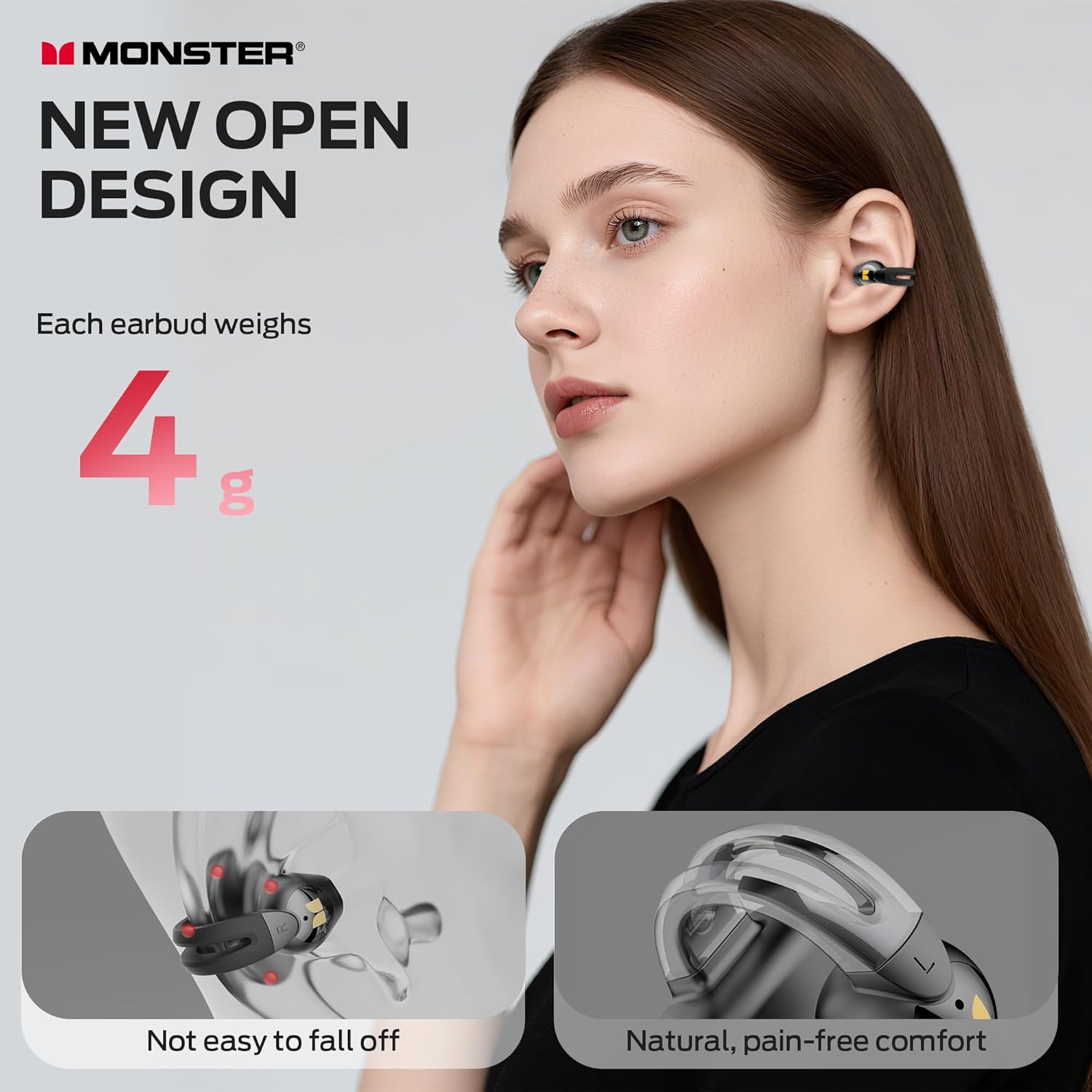
Image: Earbud worn on ear, highlighting the open design and light weight.
సెటప్
ఇయర్బడ్స్ మరియు కేస్ ఛార్జ్ అవుతోంది
- ఇయర్బడ్లను ఛార్జింగ్ కేసులో ఉంచండి. అవి సరిగ్గా అమర్చబడ్డాయని నిర్ధారించుకోండి.
- USB టైప్-C ఛార్జింగ్ కేబుల్ను కేస్లోని ఛార్జింగ్ పోర్ట్కు మరియు పవర్ సోర్స్కు కనెక్ట్ చేయండి.
- The indicator light on the charging case will show charging status. A full charge provides up to 30 hours of total playback (8 hours from earbuds, 22 hours from case).
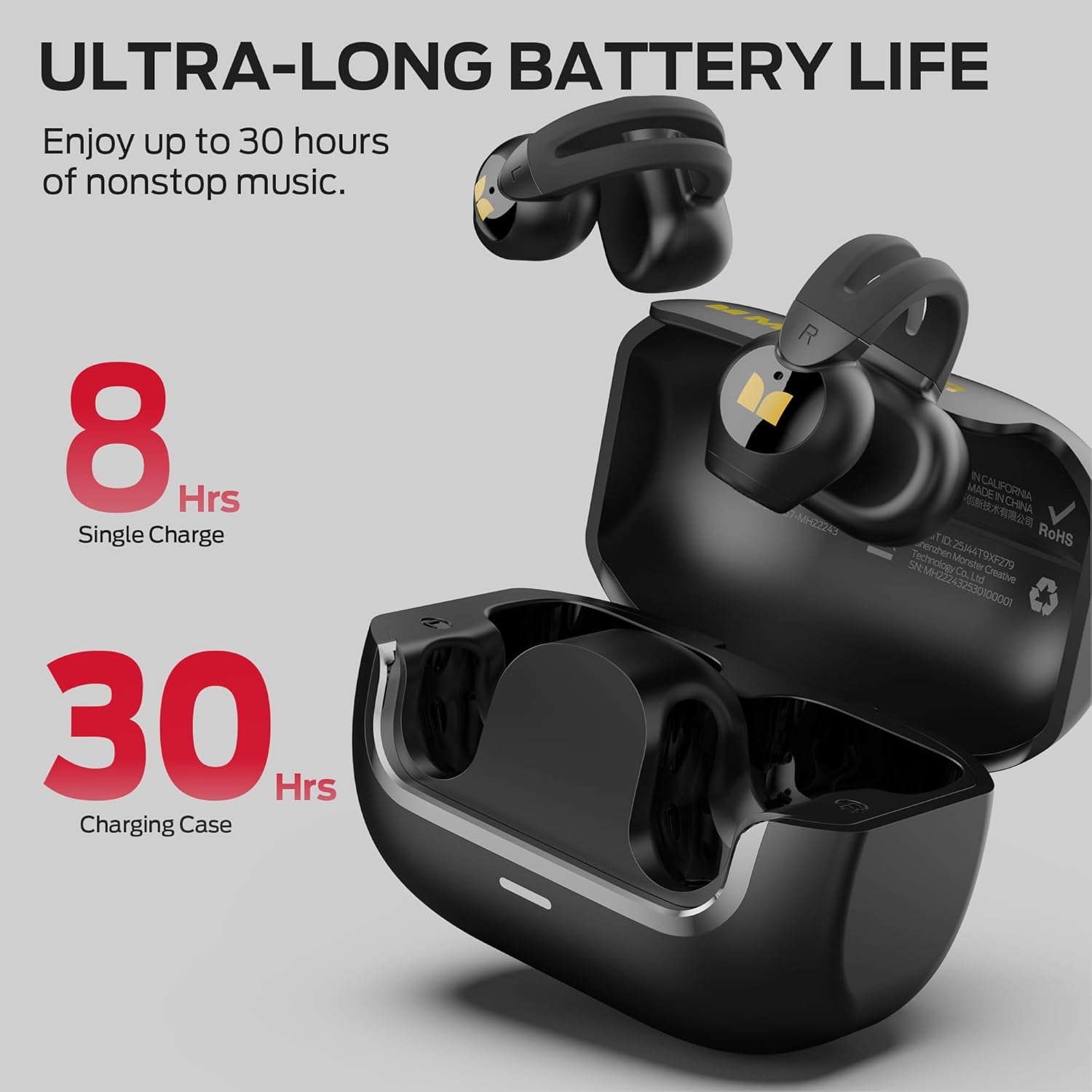
Image: Earbuds in charging case, showing battery life.
బ్లూటూత్ పెయిరింగ్
- ఛార్జింగ్ కేస్ను తెరవండి. ఇయర్బడ్లు ఆటోమేటిక్గా జత చేసే మోడ్లోకి ప్రవేశిస్తాయి.
- మీ పరికరంలో (స్మార్ట్ఫోన్, టాబ్లెట్, మొదలైనవి), బ్లూటూత్ను ప్రారంభించండి.
- కోసం వెతకండి available Bluetooth devices and select "Monster AC221" from the list.
- Once connected, you will hear an audio prompt, and the indicator light on the earbuds will confirm successful pairing.
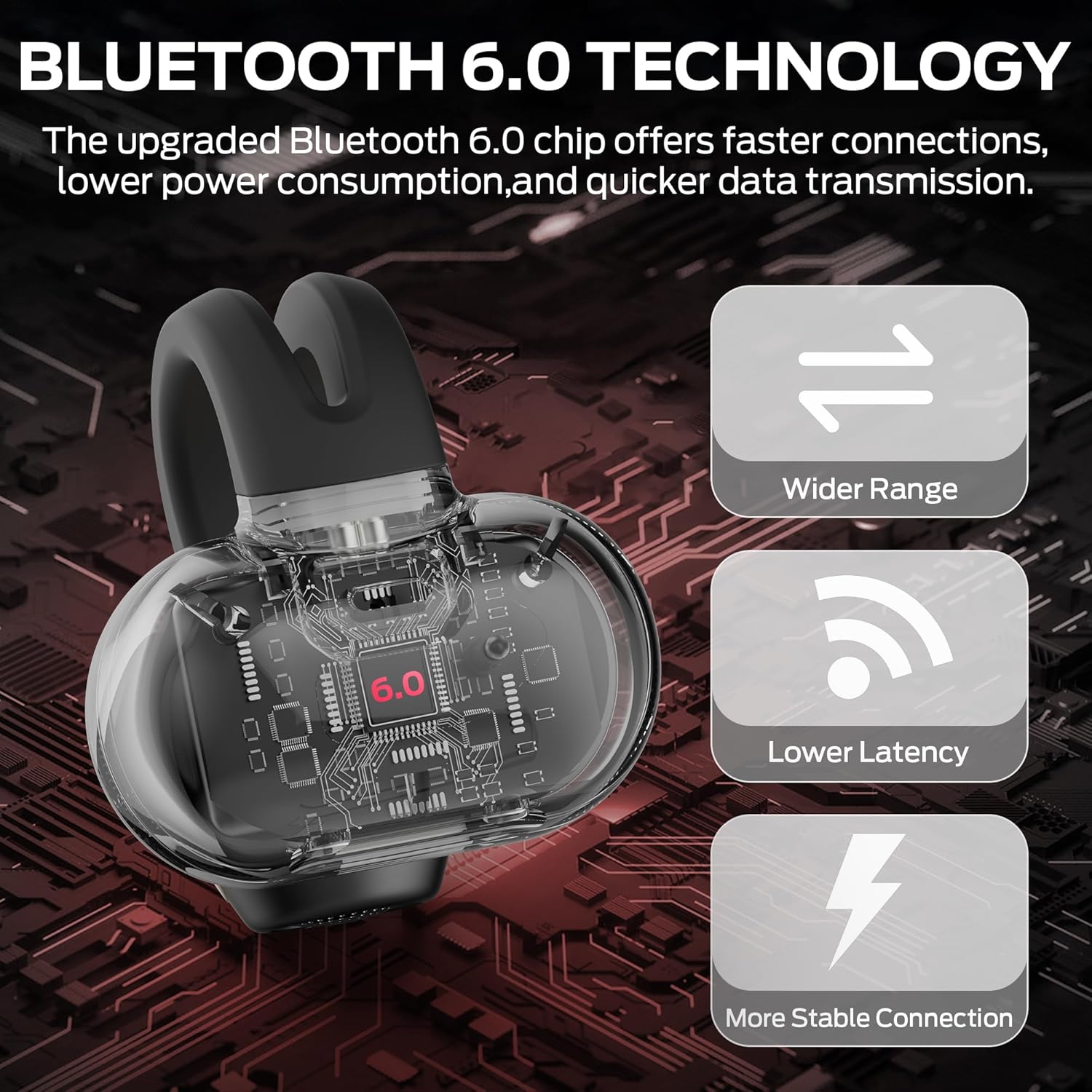
Image: Bluetooth 6.0 technology overview.
ఎలా ధరించాలి
సరైన ధ్వని నాణ్యత మరియు సౌకర్యం కోసం, ఇయర్బడ్లు సరిగ్గా ధరించాయని నిర్ధారించుకోండి.
- Identify Left and Right: Check the 'L' and 'R' markings on each earbud.
- స్థానం: Gently clip the earbud onto your ear, ensuring the speaker part is aligned with your ear canal and the clip rests securely over the top of your ear.
- సౌకర్యం కోసం సర్దుబాటు చేయండి: Adjust the earbud's position until it feels secure and comfortable without causing pressure. The open-ear design should allow for a natural fit.

Image: Step-by-step guide on how to wear the earbuds.
Operating Instructions (Touch Controls)
The Monster AC221 Headphones feature intuitive touch controls on each earbud. The functions are as follows:
| చర్య | నియంత్రణ | ఫంక్షన్ |
|---|---|---|
| డబుల్ ట్యాప్ (L/R) | ఇయర్బడ్ అయినా | సమాధానం/ఫోన్ కాల్ని ముగించండి |
| Tap & Hold 2s (L/R) | ఇయర్బడ్ అయినా | ఫోన్ కాల్ని తిరస్కరించండి |
| డబుల్ ట్యాప్ (L/R) | ఇయర్బడ్ అయినా | సంగీతాన్ని ప్లే/పాజ్ చేయండి |
| Tap & Hold 2s (L/R) | ఇయర్బడ్ అయినా | వాయిస్ అసిస్టెంట్ని యాక్టివేట్ చేయండి |
| ట్రిపుల్ ట్యాప్ (L) | ఎడమ ఇయర్బడ్ | మునుపటి పాట |
| ట్రిపుల్ ట్యాప్ (R) | కుడి ఇయర్బడ్ | తదుపరి పాట |
| Single Tap (R) | కుడి ఇయర్బడ్ | వాల్యూమ్ పెంచండి |
| Single Tap (L) | ఎడమ ఇయర్బడ్ | వాల్యూమ్ తగ్గించండి |

Image: Touch control functions diagram.
నిర్వహణ
క్లీనింగ్
- ఇయర్బడ్లు మరియు ఛార్జింగ్ కేసును మృదువైన, పొడి, మెత్తటి బట్టతో తుడవండి.
- రాపిడి క్లీనర్లు, ఆల్కహాల్ లేదా రసాయన ద్రావకాలను ఉపయోగించవద్దు.
- ఇయర్బడ్లను కేసులో ఉంచే ముందు ఛార్జింగ్ కాంటాక్ట్లు శుభ్రంగా మరియు పొడిగా ఉన్నాయని నిర్ధారించుకోండి.
నీటి నిరోధకత (IPX6)
The earbuds are IPX6 water resistant, meaning they can withstand powerful water jets. This makes them suitable for use during workouts or in light rain. However, they are not designed for submersion in water. Do not wear them while swimming or showering.

చిత్రం: IPX6 నీటి నిరోధకతను ప్రదర్శించే ఇయర్బడ్లు.
నిల్వ
ఉపయోగంలో లేనప్పుడు, ఇయర్బడ్లను రక్షించడానికి మరియు అవి ఛార్జ్ అయ్యేలా చూసుకోవడానికి వాటిని వాటి ఛార్జింగ్ కేసులో నిల్వ చేయండి. తీవ్రమైన ఉష్ణోగ్రతలకు దూరంగా చల్లని, పొడి ప్రదేశంలో నిల్వ చేయండి.
ట్రబుల్షూటింగ్
- ధ్వని లేదు:
- ఇయర్బడ్లు ఛార్జ్ అయ్యాయని నిర్ధారించుకోండి.
- ఇయర్బడ్లు మీ పరికరంతో సరిగ్గా జత చేయబడ్డాయో లేదో తనిఖీ చేయండి.
- మీ పరికరం మరియు ఇయర్బడ్లు రెండింటిలోనూ వాల్యూమ్ను సర్దుబాటు చేయండి.
- జత చేయడం సమస్యలు:
- మీ పరికరంలో బ్లూటూత్ను ఆఫ్ చేసి, దాన్ని తిరిగి ఆన్ చేయండి.
- Forget "Monster AC221" from your device's Bluetooth list and attempt to re-pair.
- ఇయర్బడ్లు పూర్తిగా ఛార్జ్ అయ్యాయని నిర్ధారించుకోండి.
- ఇయర్బడ్లు ఛార్జ్ కావడం లేదు:
- ఛార్జింగ్ కేబుల్ కేస్ మరియు పవర్ సోర్స్ రెండింటికీ సురక్షితంగా కనెక్ట్ చేయబడిందని నిర్ధారించుకోండి.
- ఇయర్బడ్లపై మరియు కేస్ లోపల ఛార్జింగ్ కాంటాక్ట్లు శుభ్రంగా మరియు చెత్త లేకుండా ఉన్నాయో లేదో తనిఖీ చేయండి.
- వేరే USB టైప్-C కేబుల్ లేదా పవర్ అడాప్టర్ని ప్రయత్నించండి.
- పేలవమైన కాల్ నాణ్యత:
- మైక్రోఫోన్ అడ్డుపడకుండా చూసుకోండి.
- సిగ్నల్ బలాన్ని మెరుగుపరచడానికి మీ కనెక్ట్ చేయబడిన పరికరానికి దగ్గరగా వెళ్లండి.
- మీ వాతావరణంలో అధిక నేపథ్య శబ్దం ఉందో లేదో తనిఖీ చేయండి.
స్పెసిఫికేషన్లు
| ఫీచర్ | వివరాలు |
|---|---|
| మోడల్ పేరు | E103 |
| కనెక్టివిటీ టెక్నాలజీ | వైర్లెస్ (బ్లూటూత్) |
| బ్లూటూత్ వెర్షన్ | 6.0 |
| ఇయర్పీస్ ఆకారం | చెవి తెరవండి |
| నియంత్రణ పద్ధతి | టచ్ |
| నీటి నిరోధక స్థాయి | IPX6 (వాటర్ రెసిస్టెంట్) |
| బ్యాటరీ లైఫ్ (ఇయర్బడ్స్) | 8 గంటల వరకు |
| మొత్తం బ్యాటరీ జీవితకాలం (కేస్తో సహా) | 30 గంటల వరకు |
| ఛార్జింగ్ పోర్ట్ | టైప్-సి |
| అనుకూల పరికరాలు | Smartphones, Tablets, Laptops, Desktops, Bluetooth-enabled Devices |
| వస్తువు బరువు | 5 ఔన్సులు |
| తయారీదారు | రాక్షసుడు |
వారంటీ మరియు మద్దతు
Monster products are designed and manufactured to the highest quality standards. For information regarding warranty coverage and customer support, please refer to the warranty card included in your product packaging or visit the official Monster webసైట్.
If you encounter any issues not covered in this manual, please contact Monster customer support for assistance.


