1. ఉత్పత్తి ముగిసిందిview
This CAMECHO Android 15 Car Stereo is designed for Ford Fusion models from 2013 to 2016 (low-end version). It features an 8-Core CPU, 6GB RAM, 128GB ROM, and a 9-inch IPS touchscreen display. The unit integrates various functionalities including wireless Apple CarPlay, Android Auto, GPS navigation, DSP sound processing, Bluetooth 5.0, FM/RDS radio, and support for an AHD backup camera.
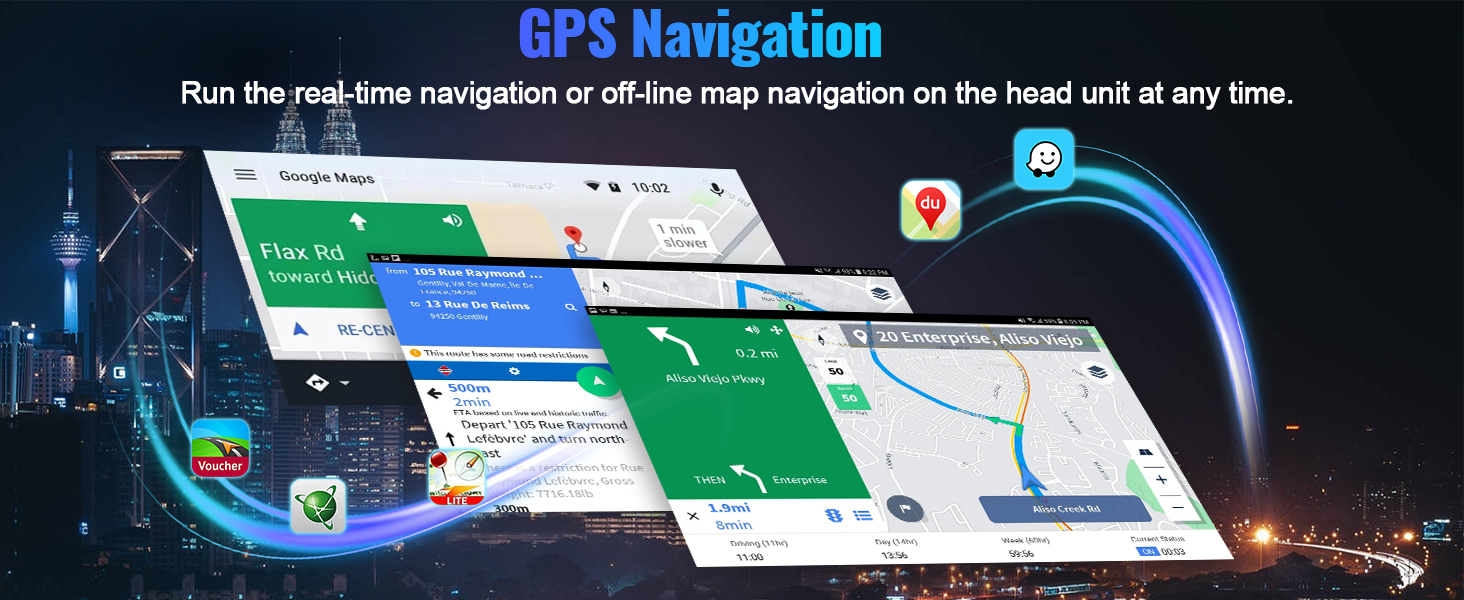
Image: CAMECHO Android 15 Car Stereo main interface with key features highlighted.
2. అనుకూలత
This head unit is specifically designed for Ford Fusion models manufactured between 2013 and 2016. It is intended for vehicles with the low-end radio version. Please verify your vehicle's dashboard configuration before installation.

Image: Visual guide for Ford Fusion model compatibility (2013-2016 low-end version).

Image: Comparison of compatible and incompatible Ford Fusion dashboards.
3. ప్యాకేజీ విషయాలు
క్రింద జాబితా చేయబడిన అన్ని వస్తువులు మీ ప్యాకేజీలో చేర్చబడ్డాయని ధృవీకరించండి:
- 1 x Android Head Unit
- 1 x AHD బ్యాకప్ కెమెరా
- 1 x బాహ్య మైక్రోఫోన్
- 1 x Protocol Box (CANBUS)
- 1 x GPS యాంటెన్నా
- 1 x రేడియో యాంటెన్నా
- 1 x పవర్ కేబుల్
- 1 x RCA కేబుల్
- 1 x వెనుక కెమెరా ఇన్పుట్ కేబుల్
- 2 x USB కేబుల్
- 1 x Original USB Cable
- 1 x Parts (Mounting Brackets, Screws)
- 1 x సంస్థాపనా సాధనం
- 1 x ఇన్స్ట్రక్షన్ మాన్యువల్

చిత్రం: ఉత్పత్తి ప్యాకేజీలోని విషయాలు.

Image: Head unit dimensions and package list overview.
4. సెటప్ మరియు ఇన్స్టాలేషన్
4.1 CANBUS కనెక్షన్
Ensure the CANBUS box is connected to the 8-pin connector on the head unit. This connection is crucial for steering wheel controls to function correctly.

Image: CANBUS connection diagram.
4.2 Reversing Camera Installation
The reversing input must be plugged in even if the reversing camera is not used. Follow these steps for wiring:
- Connect the red wire (1) to the positive pole of the car's reversing light power supply.
- Connect the black wire (2) to the negative pole of the car's reversing light power supply.
- The reversing trigger (3) is controlled by the stereo and does not require a separate connection.
- Connect the yellow RCA video cable (4) from the camera to the 'Rear Camera Input' on the head unit.

Image: Reversing camera wiring diagram.
5. ఆపరేటింగ్ సూచనలు
5.1 వైర్లెస్ ఆపిల్ కార్ప్లే & ఆండ్రాయిడ్ ఆటో
The head unit supports wireless Apple CarPlay and Android Auto for seamless smartphone integration.
Connecting Wireless Apple CarPlay:
- Connect your car radio's Bluetooth to your iPhone. The Bluetooth name is typically "Car BT0" and the PIN is "1234". Ensure "phone audio, music audio" shows as connected.
- Click "SpeedPlay" on the head unit.
- Allow "Contacts and Favorites Sync" and "Use CarPlay with SpeedPlay" on your iPhone.
- Wait for the connection to establish. The first connection may take longer.
వైర్లెస్ ఆండ్రాయిడ్ ఆటోను కనెక్ట్ చేస్తోంది:
- Click "SpeedPlay" on the head unit.
- Connect your Android phone to the head unit's rear 4-pin USB port using your original data cable.
- Allow "USB debugging" on your Android phone.
- Wait for the connection to establish. The first connection may take longer.

Image: Wireless Apple CarPlay and Android Auto in operation.

Image: Wireless Apple CarPlay interface.

చిత్రం: వైర్లెస్ ఆండ్రాయిడ్ ఆటో ఇంటర్ఫేస్.

Image: Detailed connection steps for Wireless Apple CarPlay and Android Auto.
5.2 GPS నావిగేషన్
The unit includes a built-in GPS receiver and supports offline maps. You can also download other navigation applications like Waze, Navfree, or Yandex Map from the Play Store using Wi-Fi or a mobile hotspot.
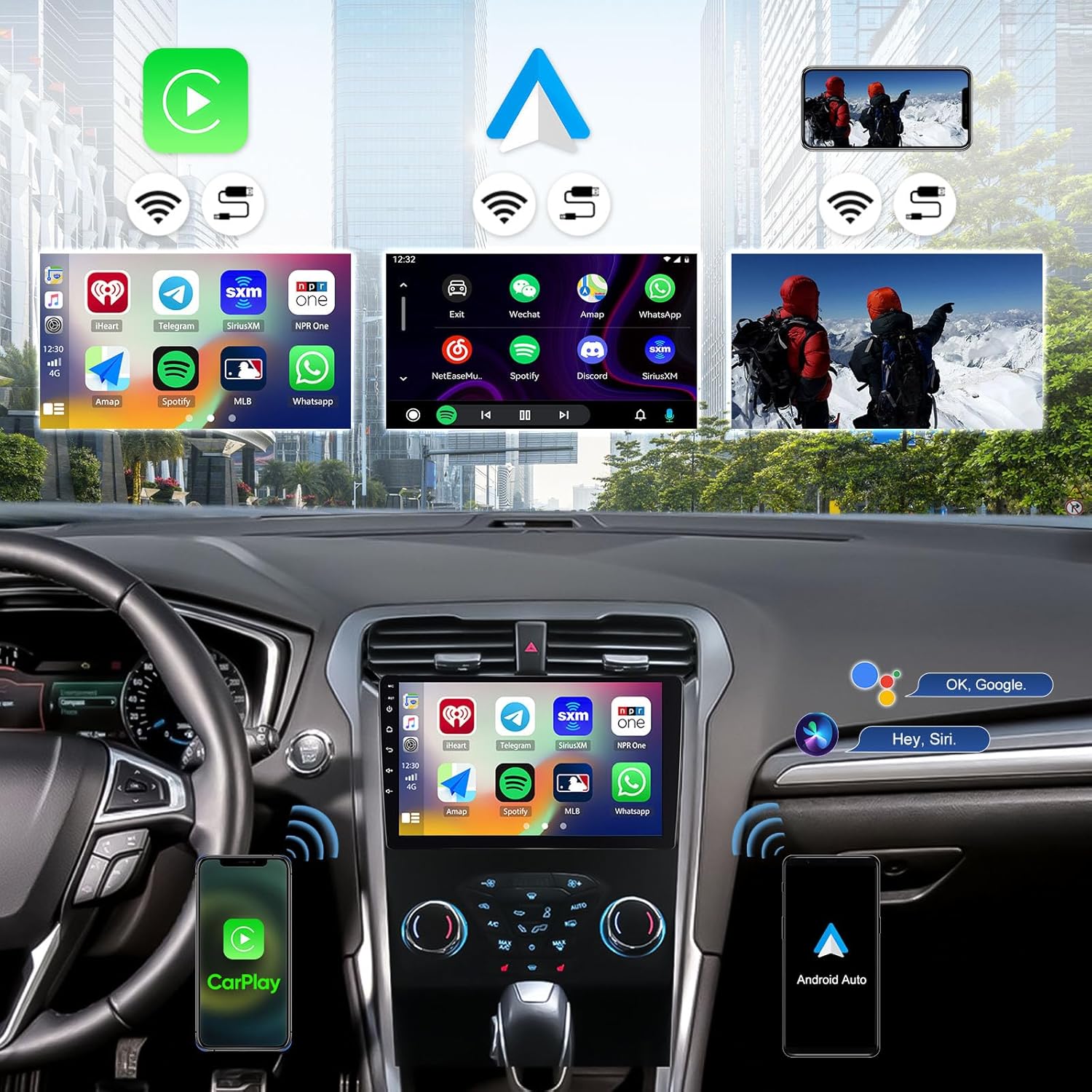
Image: GPS Navigation and Wi-Fi connection features.

Image: Real-time GPS navigation display.
5.3 Wi-Fi కనెక్షన్
Connect to Wi-Fi or use your phone's hotspot to browse the internet, download apps, stream media, and watch videos directly on the head unit.

Image: Wi-Fi connectivity for streaming and app usage.
5.4 బ్లూటూత్ 5.0
Bluetooth 5.0 enables wireless audio streaming and hands-free calling. Pair your smartphone to make and receive calls safely while driving.

Image: Bluetooth 5.0 hands-free calling and FM/RDS radio interface.

Image: Bluetooth 5.0 for hands-free calls and music streaming.
5.5 FM/RDS రేడియో
The unit supports FM/RDS radio with 18 station presets. Stay updated with news, traffic, and music.

Image: FM/RDS Radio interface.
5.6 DSP & 32-Band EQ
Enhance your audio experience with the built-in Digital Sound Processor (DSP) and 32-band equalizer. Adjust sound settings to your preference.

Image: DSP and 32-Band EQ interface for audio customization.

Image: DSP sound adjustment interface.
5.7 స్టీరింగ్ వీల్ నియంత్రణ
The unit supports original steering wheel buttons, allowing you to control music, answer calls, and navigate without distraction.

Image: Steering wheel control learning interface.

Image: Steering wheel control for safe operation.
5.8 మిర్రర్ లింక్
Cast your smartphone's screen to the car radio touchscreen for viewకంటెంట్.

Image: Mirror Link functionality.
5.9 UI థీమ్లు
Customize the appearance of your head unit with 59 multiple UI themes. Long press on the home page to switch between different app layouts and themes.

Image: 9-inch IPS touchscreen and various UI desktop themes.

Image: Customized Home App and UI theme selection.
6. నిర్వహణ
To ensure optimal performance and longevity of your CAMECHO car stereo, follow these general maintenance guidelines:
- స్క్రీన్ క్లీనింగ్: టచ్స్క్రీన్ను సున్నితంగా తుడవడానికి మృదువైన, మెత్తటి బట్టను ఉపయోగించండి. మొండి మరకల కోసం, కొద్దిగా dampనీటితో లేదా స్క్రీన్-సేఫ్ క్లీనర్తో వస్త్రాన్ని తుడవండి. కఠినమైన రసాయనాలు లేదా రాపిడి పదార్థాలను నివారించండి.
- సాఫ్ట్వేర్ అప్డేట్లు: Periodically check for available software updates to ensure you have the latest features and bug fixes. Updates can typically be found in the system settings or through the manufacturer's webసైట్.
- విపరీతమైన ఉష్ణోగ్రతలను నివారించండి: Do not expose the unit to extreme heat or cold for extended periods, as this can affect its electronic components and display.
- కేబుల్ కనెక్షన్లు: అన్ని కేబుల్స్ సురక్షితంగా కనెక్ట్ చేయబడ్డాయని నిర్ధారించుకోండి. వదులుగా ఉన్న కనెక్షన్లు అడపాదడపా పనిచేయడానికి దారితీయవచ్చు.
7. ట్రబుల్షూటింగ్
If you encounter issues with your car stereo, refer to the following troubleshooting tips:
- శక్తి లేదు: Check all power cable connections. Ensure the car's fuse for the stereo is not blown.
- స్టీరింగ్ వీల్ నియంత్రణలు పనిచేయడం లేదు: Confirm that the CANBUS box is correctly connected to the 8-pin connector on the head unit. Navigate to Settings > Factory Setup (Password: 1234) > CAN Settings and select the correct protocol for your car: Raise - Ford - Mondeo - 2013-2018 - Low Configuration.
- Backup Camera Image Not Clear/Working: Ensure the rear camera input cable is securely connected. If the image is unclear, adjust the backup camera resolution through Settings > Factory Settings > Password: 1234 > Video Source.
- No Bluetooth/Wi-Fi Signal: Ensure the white plug for the antenna is connected to the main device.
- GPS సిగ్నల్ సమస్యలు: GPS యాంటెన్నా సరిగ్గా ఇన్స్టాల్ చేయబడిందని మరియు స్పష్టమైన కాంతిని కలిగి ఉందని నిర్ధారించుకోండి view ఆకాశం యొక్క.
- ధ్వని వక్రీకరణ: Check speaker connections. Adjust DSP and EQ settings.
- యూనిట్ స్తంభించిపోతుంది/ప్రతిస్పందించదు: Perform a soft reset by pressing the reset button (if available) or by turning off the car ignition and restarting.
8. స్పెసిఫికేషన్లు
| ఫీచర్ | వివరాలు |
|---|---|
| ఆపరేటింగ్ సిస్టమ్ | ఆండ్రాయిడ్ 15 |
| CPU | 8-కోర్ |
| RAM | 6GB |
| ROM | 128GB |
| స్క్రీన్ పరిమాణం | 9 అంగుళాలు |
| ప్రదర్శన రకం | IPS టచ్స్క్రీన్ |
| రిజల్యూషన్ | 1280*720 |
| వైర్లెస్ కార్ప్లే | మద్దతు ఇచ్చారు |
| వైర్లెస్ ఆండ్రాయిడ్ ఆటో | మద్దతు ఇచ్చారు |
| GPS నావిగేషన్ | Built-in receiver, offline maps support |
| Wi-Fi కనెక్టివిటీ | మద్దతు ఇచ్చారు |
| బ్లూటూత్ వెర్షన్ | 5.0 |
| రేడియో | FM/RDS (18 presets) |
| DSP | Built-in 32-band EQ |
| బ్యాకప్ కెమెరా | AHD (IP68 waterproof, night vision) |
| స్టీరింగ్ వీల్ నియంత్రణ | మద్దతు ఇచ్చారు |
| మిర్రర్ లింక్ | మద్దతు ఇచ్చారు |
| UI Themes | 59 Multiple UI themes |
| వస్తువు బరువు | 3.3 పౌండ్లు |
| ఉత్పత్తి కొలతలు | 10 x 1.8 x 10.1 అంగుళాలు |
9. వారంటీ
ఈ ఉత్పత్తి a తో వస్తుంది 1 సంవత్సరాల వారంటీ from the date of purchase. Please retain your proof of purchase for warranty claims. The warranty covers manufacturing defects and malfunctions under normal use. It does not cover damage caused by improper installation, misuse, accidents, or unauthorized modifications.
10. మద్దతు
For technical assistance, troubleshooting, or any questions regarding your CAMECHO Android 15 Car Stereo, please contact our customer support team.
ఇమెయిల్: CAMECHOVIP@126.com

Image: Customer support contact information.


