1. ఉత్పత్తి ముగిసిందిview
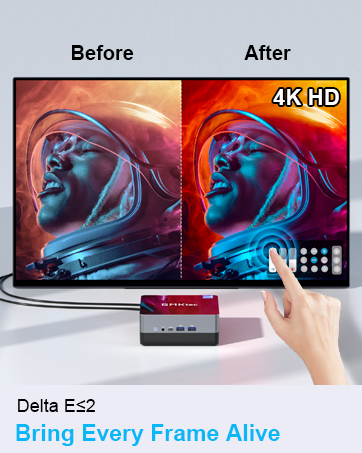
The GMKtec Nucbox G10 is a compact and powerful mini PC designed for various computing tasks, from office productivity to light gaming and multimedia consumption. It features an AMD Ryzen 5 3500U processor, ample memory, and fast storage, along with extensive connectivity options.

2. ప్యాకేజీ విషయాలు
ప్యాకేజీలో అన్ని అంశాలు ఉన్నాయని నిర్ధారించుకోండి:
- GMKtec Nucbox G10 AMD Ryzen 5 3500U Mini PC Computer
- విద్యుత్ సరఫరా & కేబుల్
- HDMI కేబుల్
- VESA మౌంట్ మరియు స్క్రూలు
- వినియోగదారు మాన్యువల్

3. సెటప్ సూచనలు
3.1 కనెక్ట్ పెరిఫెరల్స్
Before powering on the Mini PC, connect your essential peripherals:
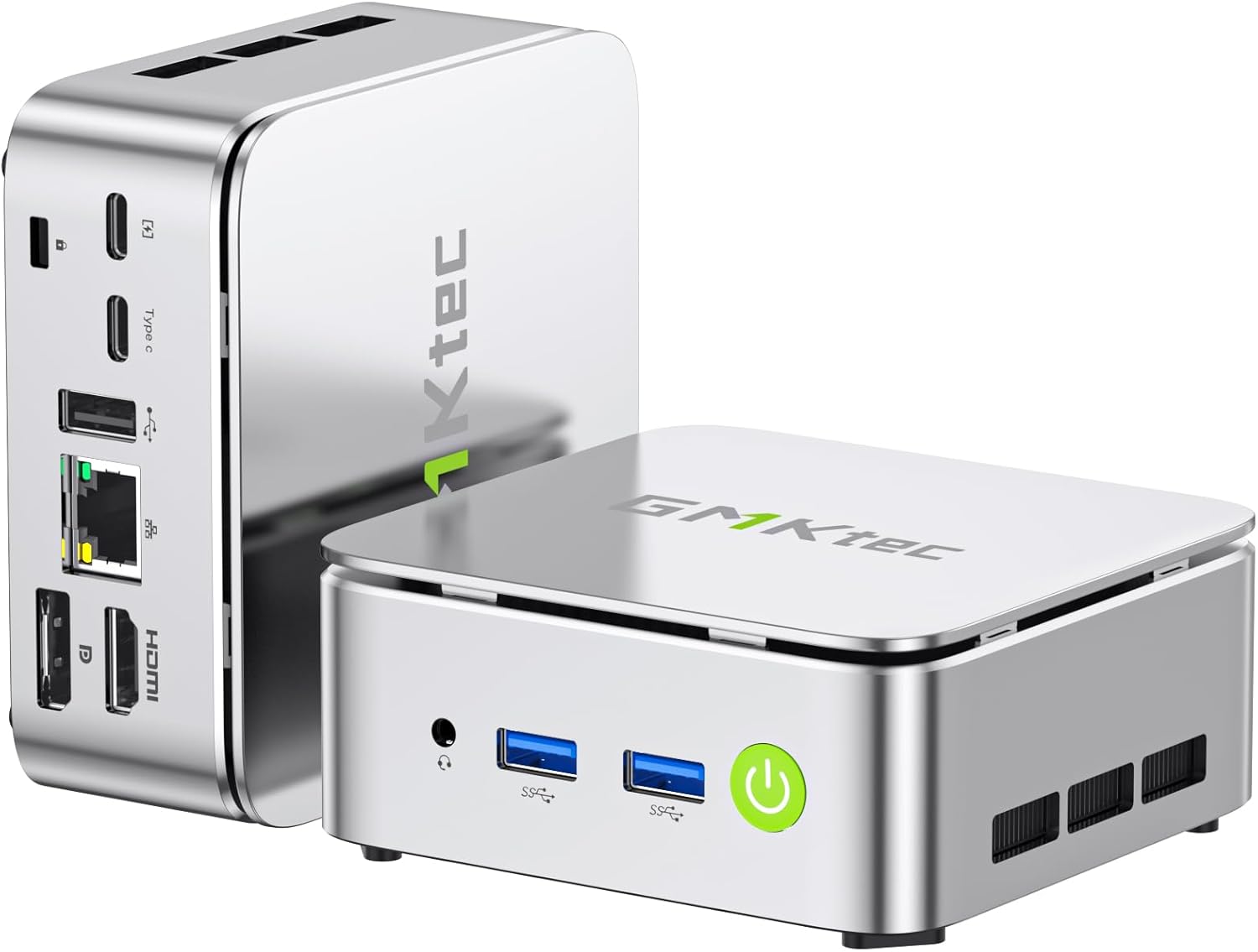
- ప్రదర్శన: Connect your monitor(s) using the HDMI 2.1 TMDS, DisplayPort (DPv1.4), or USB-C (DP Alt Mode) ports. The Nucbox G10 supports up to three 4K displays simultaneously.
- కీబోర్డ్ మరియు మౌస్: Connect your USB keyboard and mouse to the available USB 3.2 (5Gbps) or USB 2.0 ports.
- నెట్వర్క్: For a wired connection, connect an Ethernet cable to the 2.5GbE LAN port. For wireless, ensure your WiFi network is available.
- ఆడియో: Connect speakers or headphones to the 3.5mm audio jack (CTIA standard).
- శక్తి: Connect the power adapter to the DC-in port on the Mini PC and then to a power outlet.

3.2 ప్రారంభ పవర్ ఆన్
Press the power button located on the front of the device. The system will boot up, and you will be guided through the initial operating system setup (Windows 11 Pro is pre-installed).
3.3 VESA మౌంట్ ఇన్స్టాలేషన్
The Nucbox G10 includes a VESA mount for attaching the Mini PC to the back of a compatible monitor or TV. This helps save desk space and creates a cleaner setup.
- Locate the VESA mounting holes on your monitor (typically 75x75mm or 100x100mm).
- Attach the VESA bracket to the Mini PC using the provided screws. You may need to remove two of the foot pads on the Mini PC to properly secure the bracket.
- Secure the Mini PC with the attached VESA bracket to your monitor's VESA mounting holes using the appropriate screws.
4. ఆపరేటింగ్ సూచనలు
4.1 పవర్ ఆన్/ఆఫ్
- పవర్ ఆన్: పవర్ బటన్ను ఒకసారి నొక్కండి.
- పవర్ ఆఫ్: From the operating system, select 'Shut down'. Alternatively, press and hold the power button for 5-7 seconds to force a shutdown (use only when necessary).
4.2 డిస్ప్లే కాన్ఫిగరేషన్
The Nucbox G10 supports up to three independent 4K displays. Connect your displays to the HDMI, DisplayPort, and USB-C (DP Alt Mode) ports. Configure display settings within your operating system to extend or duplicate your desktop.

4.3 నెట్వర్క్ కనెక్టివిటీ
- వైర్డు LAN: Connect an Ethernet cable to the 2.5GbE port for high-speed internet access.
- Wi-Fi: The device supports Wi-Fi 5 for wireless internet. Access network settings in your operating system to connect to available Wi-Fi networks.
- బ్లూటూత్: Bluetooth 5.0 is integrated for connecting wireless peripherals such as keyboards, mice, and headphones.

4.4 నిల్వ మరియు మెమరీ విస్తరణ
The Nucbox G10 comes with 16GB DDR4 RAM and a 256GB M.2 2280 SSD. Both are expandable:
- RAM: The dual-channel DDR4 SO-DIMM RAM can be expanded up to 64GB.
- నిల్వ: The device features dual M.2 2280 PCIe 3.0 slots, supporting storage expansion up to 16TB (2x 8TB SSDs).
Note: Upgrades are not included and should be performed by a qualified technician if you are unfamiliar with hardware installation.

5. నిర్వహణ
5.1 శీతలీకరణ వ్యవస్థ
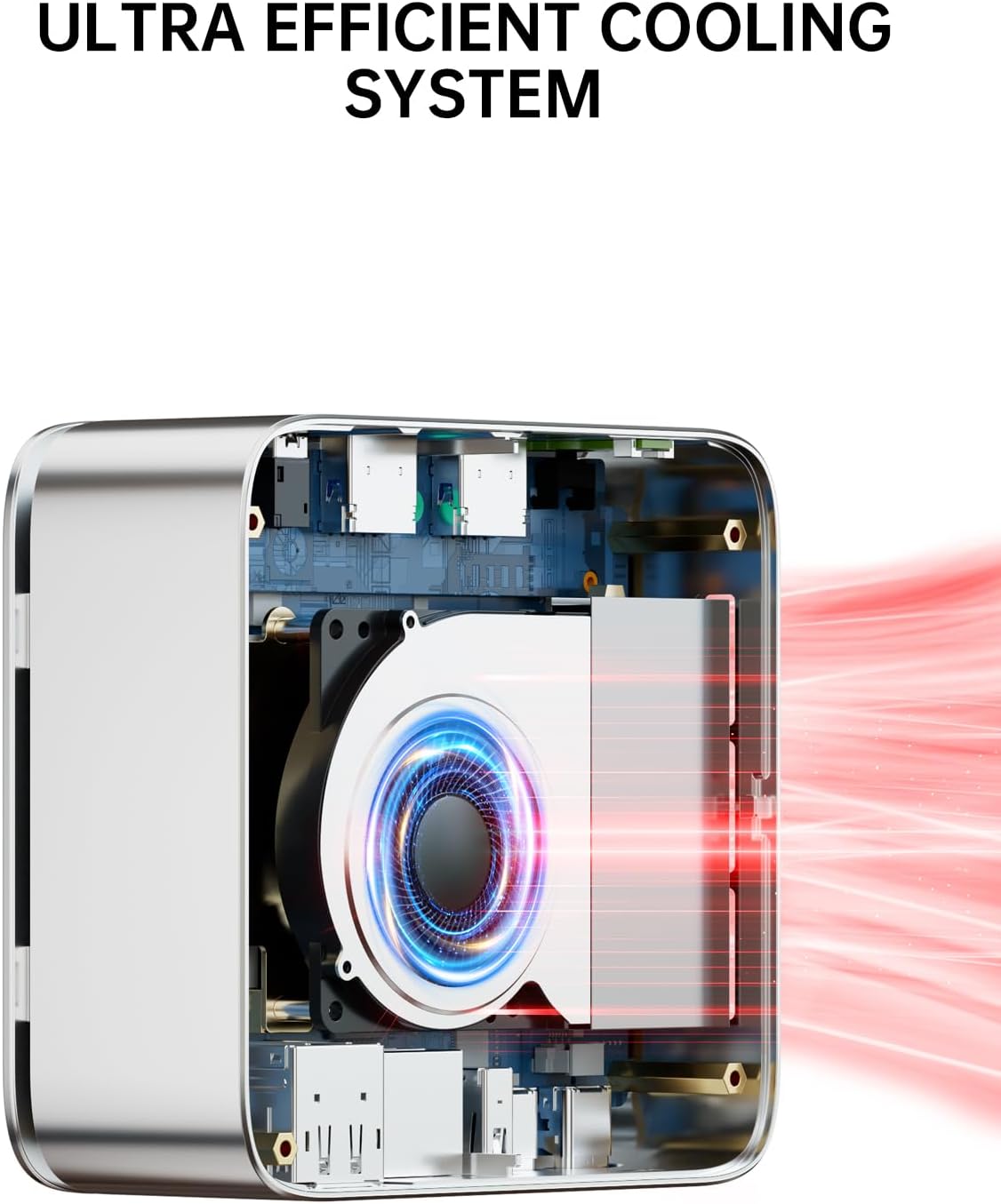
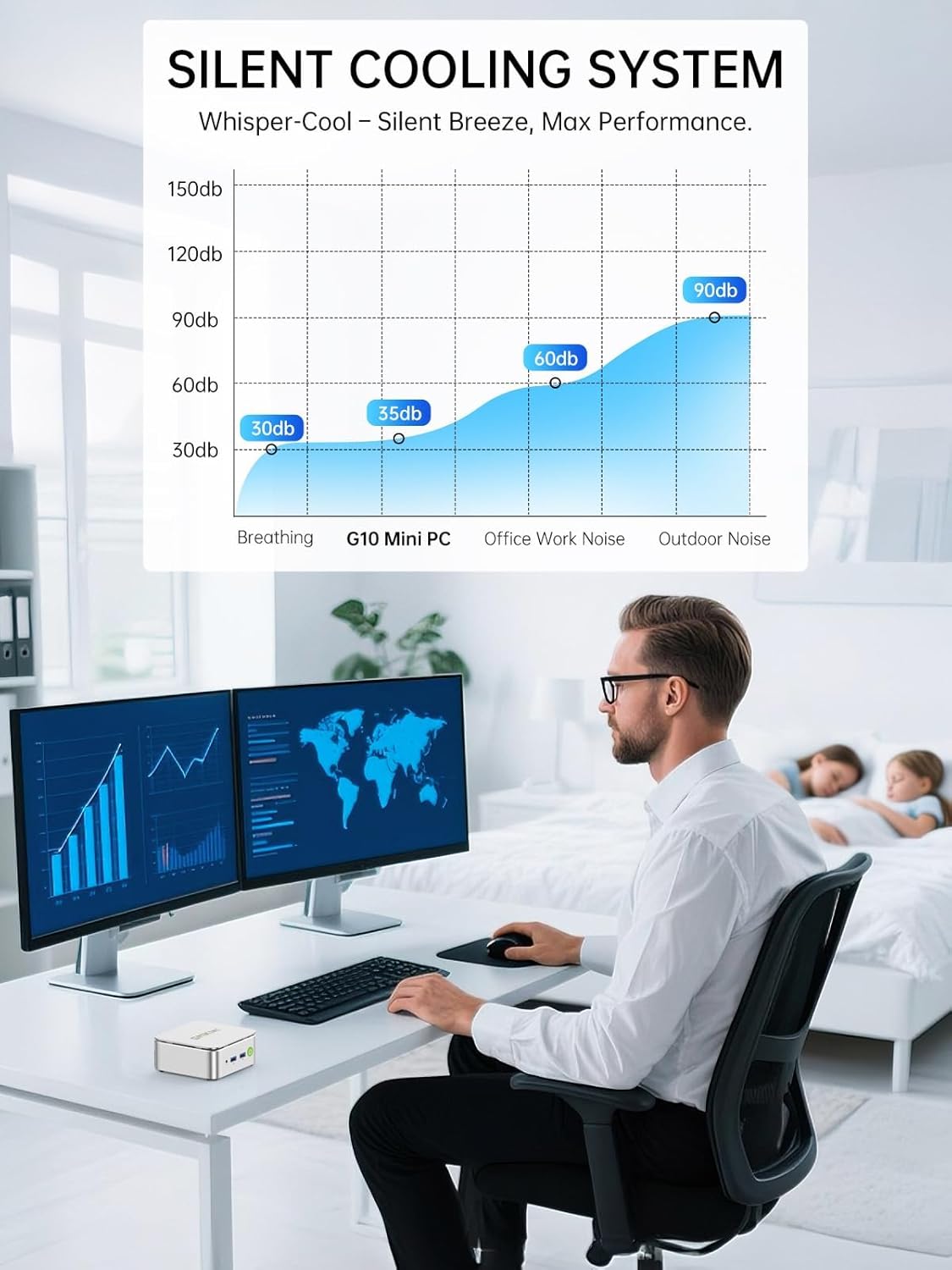
The Nucbox G10 features an ultra-efficient silent turbo cooling system designed to maintain optimal performance and quiet operation. Ensure the ventilation openings are not obstructed to allow for proper airflow.
5.2 సాధారణ సంరక్షణ
- Keep the device in a clean, dry environment away from direct sunlight and extreme temperatures.
- పరికరంలో ద్రవాలు చిందడాన్ని నివారించండి.
- Clean the exterior with a soft, dry cloth. Do not use harsh chemicals.
6. ట్రబుల్షూటింగ్
6.1 శక్తి లేదు
- పవర్ అడాప్టర్ మినీ పిసి మరియు పనిచేసే పవర్ అవుట్లెట్ రెండింటికీ సురక్షితంగా కనెక్ట్ చేయబడిందని నిర్ధారించుకోండి.
- మరొక పరికరాన్ని ప్లగ్ చేయడం ద్వారా పవర్ అవుట్లెట్ పనిచేస్తుందో లేదో ధృవీకరించండి.
6.2 డిస్ప్లే అవుట్పుట్ లేదు
- Check that the display cables (HDMI, DP, USB-C) are securely connected to both the Mini PC and the monitor.
- మానిటర్ ఆన్ చేయబడిందని మరియు సరైన ఇన్పుట్ సోర్స్కు సెట్ చేయబడిందని నిర్ధారించుకోండి.
- Try connecting to a different display or using a different cable.
6.3 నెట్వర్క్ కనెక్టివిటీ సమస్యలు
- వైర్డ్: Ensure the Ethernet cable is properly connected and the router/modem is working. Check network adapter settings in the operating system.
- Wi-Fi: Verify that Wi-Fi is enabled in the operating system and you are connected to the correct network with the correct password. Ensure the Wi-Fi signal is strong.
6.4 సిస్టమ్ పనితీరు సమస్యలు
- సిస్టమ్ వనరులను ఖాళీ చేయడానికి అనవసరమైన అప్లికేషన్లను మూసివేయండి.
- Ensure the cooling vents are clear and not obstructed.
- Check for operating system updates and driver updates.
7. స్పెసిఫికేషన్లు
| ఫీచర్ | స్పెసిఫికేషన్ |
|---|---|
| ప్రాసెసర్ | AMD Ryzen 5 3500U (4 Cores, 8 Threads, 2.1 GHz Base, 3.7 GHz Boost) |
| గ్రాఫిక్స్ | AMD Radeon Vega 8 Graphics (1200 MHz) |
| RAM | 16GB DDR4 SO-DIMM (2x8GB), expandable to 64GB |
| నిల్వ | 256GB M.2 2280 NVMe SSD, dual slot expandable to 16TB (2x 8TB) |
| ఆపరేటింగ్ సిస్టమ్ | Windows 11 ప్రో |
| వీడియో అవుట్పుట్ | 1x HDMI 2.1 TMDS (4K@60Hz), 1x DisplayPort 1.4 (4K@60Hz), 1x USB-C (DP Alt Mode) |
| USB పోర్ట్లు | 2x USB 3.2 (5Gbps), 1x USB 2.0, 1x Full Function USB-C (PD/DP/Data), 1x USB-C (PD Only) |
| నెట్వర్క్ | 2.5GbE LAN, Wi-Fi 5, Bluetooth 5.0 |
| ఆడియో | 1x 3.5mm CTIA Audio Jack |
| కొలతలు | 6.46 x 6.26 x 4.21 అంగుళాలు (ప్యాకేజీ) |
| బరువు | 2.29 పౌండ్లు (వస్తువు) |
8. వారంటీ మరియు మద్దతు
GMKtec ప్రతి మినీ PC కి 1 సంవత్సరం పరిమిత వారంటీని అందిస్తుంది, ఇది కొనుగోలు తేదీ నుండి అమలులోకి వస్తుంది. ఈ వారంటీ డిజైన్ మరియు పనితనం కారణంగా వచ్చే లోపాలను కవర్ చేస్తుంది.
8.1 కస్టమర్ మద్దతు
సాంకేతిక సహాయం లేదా వారంటీ క్లెయిమ్ల కోసం, దయచేసి GMKtec మద్దతును సంప్రదించండి:
- ఇమెయిల్ మద్దతు: support@gmktec.com (24/7 కస్టమర్ సపోర్ట్)
- అమెజాన్ మద్దతు: For purchases made on Amazon, log in to your Amazon account, navigate to 'Your Orders', and select 'Ask Product Question' for the relevant order.
GMKtec is committed to providing reliable products and professional after-sales service.