1. పరిచయం
The KAIWEETS KM200s is a smart digital multimeter designed for accurate and efficient electrical measurements. Featuring True RMS technology, 4000 counts display, and auto-ranging capabilities, it simplifies the process of measuring AC/DC voltage, resistance, and continuity. Its non-contact voltage (NCV) detection enhances safety, making it suitable for various electrical checks and DIY repairs.
2. భద్రతా జాగ్రత్తలు
Always adhere to safety guidelines when using electrical testing equipment. Failure to do so may result in injury or damage to the device. This multimeter is rated CAT II 600V, CE, and RoHS certified for safety.
- Do not exceed the maximum input values specified for each measurement range.
- Ensure the test leads are properly connected and in good condition before use.
- Avoid touching exposed wires or circuit components during measurements.
- నాన్-కాంటాక్ట్ వాల్యూమ్ను ఉపయోగించండిtage (NCV) feature to identify live wires safely before making direct contact.
- ఖచ్చితమైన రీడింగ్లను నిర్ధారించడానికి తక్కువ బ్యాటరీ సూచిక కనిపించినప్పుడు వెంటనే బ్యాటరీలను మార్చండి.
- Do not operate the multimeter if it appears damaged or is not functioning correctly.
3. ప్యాకేజీ విషయాలు
ప్యాకేజీలో అన్ని అంశాలు ఉన్నాయని నిర్ధారించుకోండి:
- 1 x KAIWEETS KM200s Digital Multimeter
- 2 x టెస్ట్ లీడ్స్ (ఎరుపు మరియు నలుపు)
- 2 x AAA బ్యాటరీలు
- 1 x వినియోగదారు మాన్యువల్
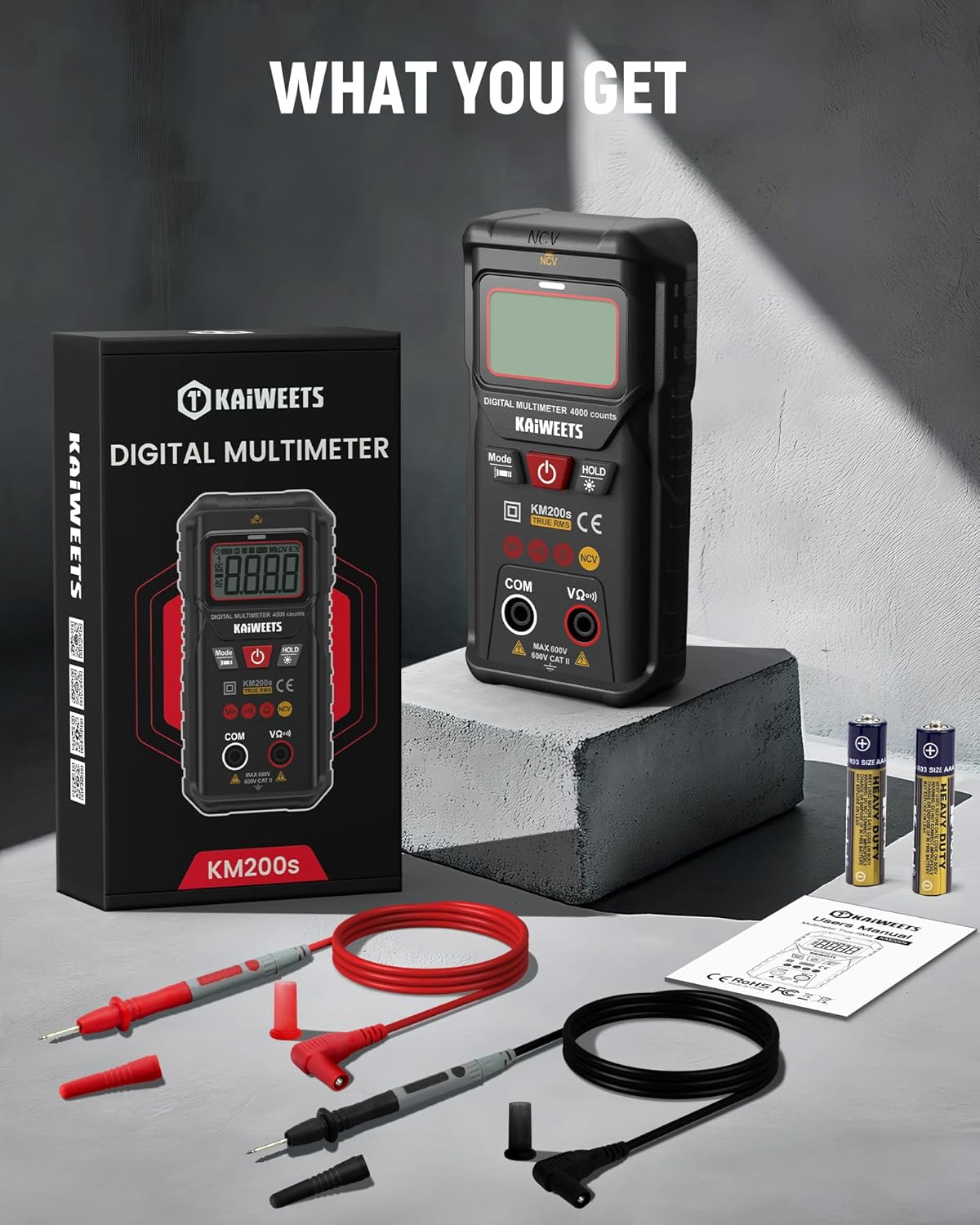
Image: The KAIWEETS KM200s multimeter, along with its included test leads, two AAA batteries, and user manual, laid out on a surface.
4. ఉత్పత్తి లక్షణాలు & భాగాలు
The KM200s multimeter is designed for ease of use and reliability. Key features include:
- Smart Auto Ranging: Automatically identifies and measures AC/DC voltage, resistance, and continuity.
- నిజమైన RMS: నాన్-సైనోసోయిడల్ తరంగ రూపాలకు ఖచ్చితమైన రీడింగ్లను అందిస్తుంది.
- సంపర్కం కాని సంtage (NCV) గుర్తింపు: AC వాల్యూమ్ని గుర్తిస్తుందిtagఇ ప్రత్యక్ష పరిచయం లేకుండా.
- 4000 గణనల ప్రదర్శన: High-resolution digital display for precise readings.
- Backlit LCD & Flashlight: తక్కువ-కాంతి పరిస్థితుల్లో దృశ్యమానతను మెరుగుపరుస్తుంది.
- డేటా హోల్డ్: అనుకూలమైన రికార్డింగ్ కోసం ప్రదర్శించబడే పఠనాన్ని స్తంభింపజేస్తుంది.
- ఆటో పవర్-ఆఫ్: Conserves battery life by automatically shutting down after 15 minutes of inactivity.
- తక్కువ బ్యాటరీ సూచిక: Alerts when batteries need replacement.

Image: The KAIWEETS KM200s Smart Digital Multimeter, showing its display, function buttons, input jacks, and protective casing. Test leads and AAA batteries are also visible.

Image: A close-up of the KAIWEETS KM200s multimeter in use, highlighting its 4000 counts display and True RMS feature, alongside icons representing AC Voltagఇ, DC వాల్యూమ్tage, Resistance, Continuity, Data Hold, Auto Ranging, Non-Contact Voltage, and True RMS.
5. ప్రారంభించడం
5.1 బ్యాటరీ ఇన్స్టాలేషన్
The KM200s multimeter requires two AAA batteries (included). To install or replace batteries:
- Ensure the multimeter is turned off and disconnect any test leads from the input jacks.
- పరికరం వెనుక భాగంలో బ్యాటరీ కంపార్ట్మెంట్ కవర్ను గుర్తించండి.
- బ్యాటరీ కంపార్ట్మెంట్ను తెరవడానికి స్క్రూడ్రైవర్ని ఉపయోగించండి.
- కంపార్ట్మెంట్ లోపల సూచించిన విధంగా సరైన ధ్రువణతను (+/-) గమనించి, రెండు AAA బ్యాటరీలను చొప్పించండి.
- బ్యాటరీ కంపార్ట్మెంట్ కవర్ను సురక్షితంగా మూసివేయండి.
6. ఆపరేటింగ్ సూచనలు
6.1 Smart Auto Ranging Mode
The KM200s features a smart auto-ranging mode that automatically detects and measures AC/DC voltage, resistance, and continuity. Simply turn on the device, and it will enter this mode, indicated by 'AUTO' on the display.

Image: The KAIWEETS KM200s multimeter with its display showing 'Auto', signifying its automatic measurement mode for voltage, resistance, and continuity.
6.2 True RMS Measurement
The True RMS function provides accurate measurements of AC voltage and current, especially for non-sinusoidal waveforms often found in modern electronics. This ensures reliable data and reduces the risk of misinterpretation compared to average-responding multimeters.

Image: A visual comparison illustrating the benefits of True RMS accuracy provided by the KM200s, contrasting it with potential errors and safety hazards from non-True RMS devices.
6.3 నాన్-కాంటాక్ట్ వాల్యూమ్tagఇ (NCV) గుర్తింపు
The NCV feature allows for safe detection of AC voltage without direct contact with conductors. This is useful for identifying live wires in outlets, switches, or junction boxes.
- Press the 'Mode' button repeatedly until 'NCV' is displayed.
- Place the top end of the multimeter near the suspected live wire or electrical source.
- The device will emit beep alarms and display alerts (visual/LED) if AC voltage is detected. The frequency of beeps and LED flashes increases with stronger voltage.
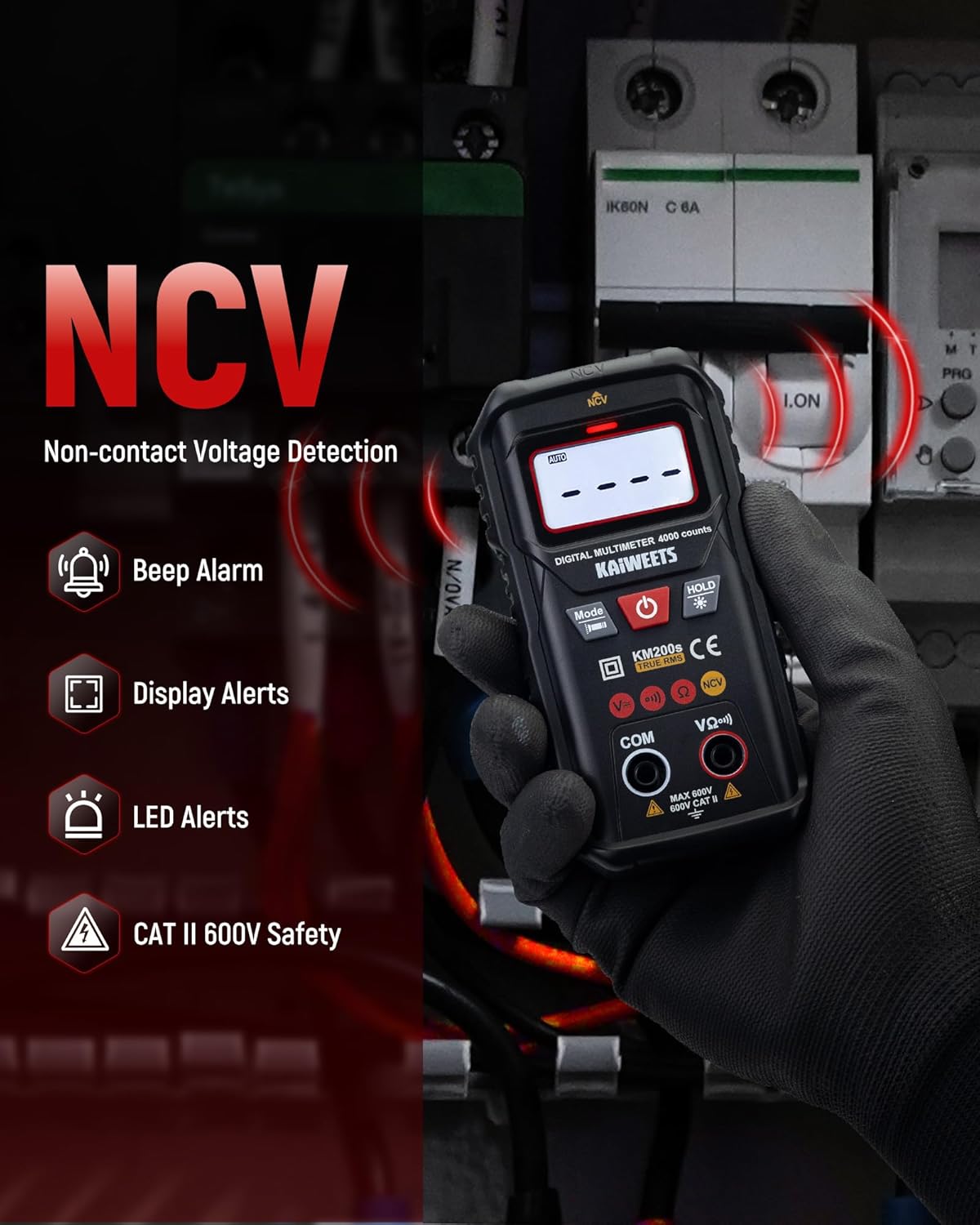
Image: A hand holding the KAIWEETS KM200s multimeter near electrical wires, demonstrating its Non-Contact Voltage (NCV) detection capability with visual and audible alerts.
6.4 కొలిచే AC/DC వాల్యూమ్tage
In Smart Auto Ranging mode, the multimeter automatically detects AC or DC voltage. For manual selection, press the 'Mode' button to cycle through functions until the desired voltage mode (AC V or DC V) is selected.
- Insert the red test lead into the 'VΩ+' input jack and the black test lead into the 'COM' input jack.
- కొలవవలసిన సర్క్యూట్ లేదా భాగం అంతటా పరీక్ష ప్రోబ్లను కనెక్ట్ చేయండి.
- సంపుటాన్ని చదవండిtagడిస్ప్లేలో ఇ విలువ.

Image: A user measuring AC voltage with the KAIWEETS KM200s multimeter in an electrical panel, showing the display with a voltagఇ పఠనం.
6.5 కొలిచే ప్రతిఘటన
ప్రతిఘటనను కొలవడానికి:
- నిరోధకతను కొలిచే ముందు సర్క్యూట్ డీ-ఎనర్జైజ్ చేయబడిందని నిర్ధారించుకోండి.
- Insert the red test lead into the 'VΩ+' input jack and the black test lead into the 'COM' input jack.
- మీరు కొలవాలనుకుంటున్న నిరోధకతను ఆ భాగం అంతటా పరీక్ష ప్రోబ్లను కనెక్ట్ చేయండి.
- ప్రదర్శనలో నిరోధక విలువను చదవండి.
6.6 కొనసాగింపు పరీక్ష
The continuity test checks for an open or closed circuit. A continuous beep indicates a closed circuit (low resistance).
- సర్క్యూట్ డి-ఎనర్జైజ్ చేయబడిందని నిర్ధారించుకోండి.
- Insert the red test lead into the 'VΩ+' input jack and the black test lead into the 'COM' input jack.
- సర్క్యూట్ లేదా కాంపోనెంట్ అంతటా పరీక్ష ప్రోబ్లను కనెక్ట్ చేయండి.
- The multimeter will beep if continuity is detected.
6.7 అదనపు విధులు
- డేటా హోల్డ్: డిస్ప్లేపై ప్రస్తుత రీడింగ్ను స్తంభింపజేయడానికి 'హోల్డ్' బటన్ను నొక్కండి. విడుదల చేయడానికి మళ్ళీ నొక్కండి.
- బ్యాక్లైట్: Press and hold the 'HOLD' button to turn the LCD backlight on or off. This improves visibility in dark environments.
- ఫ్లాష్లైట్: Press and hold the 'Mode' button to activate the built-in flashlight. This illuminates the work area.
- ఆటో పవర్-ఆఫ్: The multimeter automatically powers off after approximately 15 minutes of inactivity to conserve battery life. Press any button or turn the power switch to reactivate.

Image: The KAIWEETS KM200s multimeter in a dark setting, demonstrating its clear backlit LCD display and integrated flashlight for improved visibility during measurements.

Image: A composite image illustrating the Data Hold function (freezing a reading), the Low Battery Indication icon on the display, and the 15-minute Auto Power-off feature of the KM200s multimeter.
7. నిర్వహణ
- శుభ్రపరచడం: Wipe the multimeter with a damp వస్త్రం మరియు తేలికపాటి డిటర్జెంట్. అబ్రాసివ్లు లేదా ద్రావకాలను ఉపయోగించవద్దు.
- నిల్వ: పరికరాన్ని ప్రత్యక్ష సూర్యకాంతి మరియు తీవ్రమైన ఉష్ణోగ్రతలకు దూరంగా చల్లని, పొడి ప్రదేశంలో నిల్వ చేయండి. ఎక్కువసేపు నిల్వ చేస్తే, లీకేజీని నివారించడానికి బ్యాటరీలను తీసివేయండి.
- టెస్ట్ లీడ్స్: Regularly inspect test leads for any signs of damage, such as cracks or frayed insulation. Replace damaged leads immediately.
8. ట్రబుల్షూటింగ్
| సమస్య | సాధ్యమైన కారణం | పరిష్కారం |
|---|---|---|
| No display or weak display | చనిపోయిన లేదా తక్కువ బ్యాటరీలు | AAA బ్యాటరీలను భర్తీ చేయండి. |
| సరికాని రీడింగ్లు | Low battery; Incorrect function selected; Damaged test leads | Replace batteries; Ensure correct mode is selected (or use Auto mode); Inspect and replace test leads if damaged. |
| No NCV detection | AC వాల్యూమ్ లేదుtage present; Multimeter not in NCV mode | Verify the presence of AC voltage with another method if possible; Ensure NCV mode is selected. |
| Auto power-off too soon | Normal operation (15 min inactivity) | This is a battery-saving feature. Press any button to reactivate. |
9. స్పెసిఫికేషన్లు
| పరామితి | విలువ |
|---|---|
| ఉత్పత్తి కొలతలు | 4.33 x 1.97 x 1.18 అంగుళాలు |
| అంశం మోడల్ సంఖ్య | KM200S |
| బ్యాటరీలు | 2 AAA బ్యాటరీలు (చేర్చబడినవి) |
| బరువు | 8.11 ఔన్సులు |
| తయారీదారు | కైవీట్స్ |
| శక్తి మూలం | బ్యాటరీ ఆధారితమైనది |
| శైలి | డిజిటల్ మల్టీమీటర్ |
| రంగు | నలుపు |
| AC వాల్యూమ్tagఇ పరిధి | Auto Function: 1.000V-600V ±(1.2%+5); Manual Function: 0.000V-600V ±(1.2%+5) |
| DC సంtagఇ పరిధి | Auto Function: 0.800V-600V ±(1.0%+5); Manual Function: 0.000V-600V ±(1.0%+5) |
| ప్రతిఘటన పరిధి | 400Ω/4KΩ/40KΩ/400KΩ/4MΩ/40MΩ ±(1.2%+5) |
| ఆటో రేంజింగ్ | Yes (Automatically identifies AC/DC Voltage and Resistance) |
| ఆటో పవర్-ఆఫ్ | 15 నిమిషాలు |
| NCV | అవును |
| కంటిన్యుటీ బజర్ | అవును |
| నిజమైన RMS | Yes (40-1KHz) |
| డేటా హోల్డ్ | అవును |
| తక్కువ బ్యాటరీ సూచిక | అవును |
| బ్యాక్లైట్ | అవును |
| ఫ్లాష్లైట్ | అవును |
10. వారంటీ మరియు మద్దతు
KAIWEETS provides comprehensive support for the KM200s Smart Digital Multimeter:
- వారంటీ: A 3-Year warranty is provided from the date of purchase.
- అమ్మకాల తర్వాత సేవ: 24/7h after-sales service is available to assist with any inquiries or issues.
For support, please refer to the contact information provided in your product packaging or visit the official KAIWEETS webసైట్.


