1. పరిచయం మరియు ఓవర్view
This manual provides instructions for the Spigen Ultra Hybrid MagFit Case designed for the iPhone 17. This case offers protection and enhanced functionality for your device.
ముఖ్య లక్షణాలు ఉన్నాయి:
- TPU Covered Camera Control: The camera control button is covered by a thin TPU layer, providing protection while maintaining functionality.
- Hybrid PC and TPU Structure: Combines polycarbonate (PC) and thermoplastic polyurethane (TPU) with Air Cushion Technology for a slim yet durable design.
- Anti-Yellowing Clarity: Infused with DuraClear blue resin for long-lasting clarity that resists yellowing.
- MagSafe అనుకూలత: Fully compatible with MagSafe accessories and wireless charging.
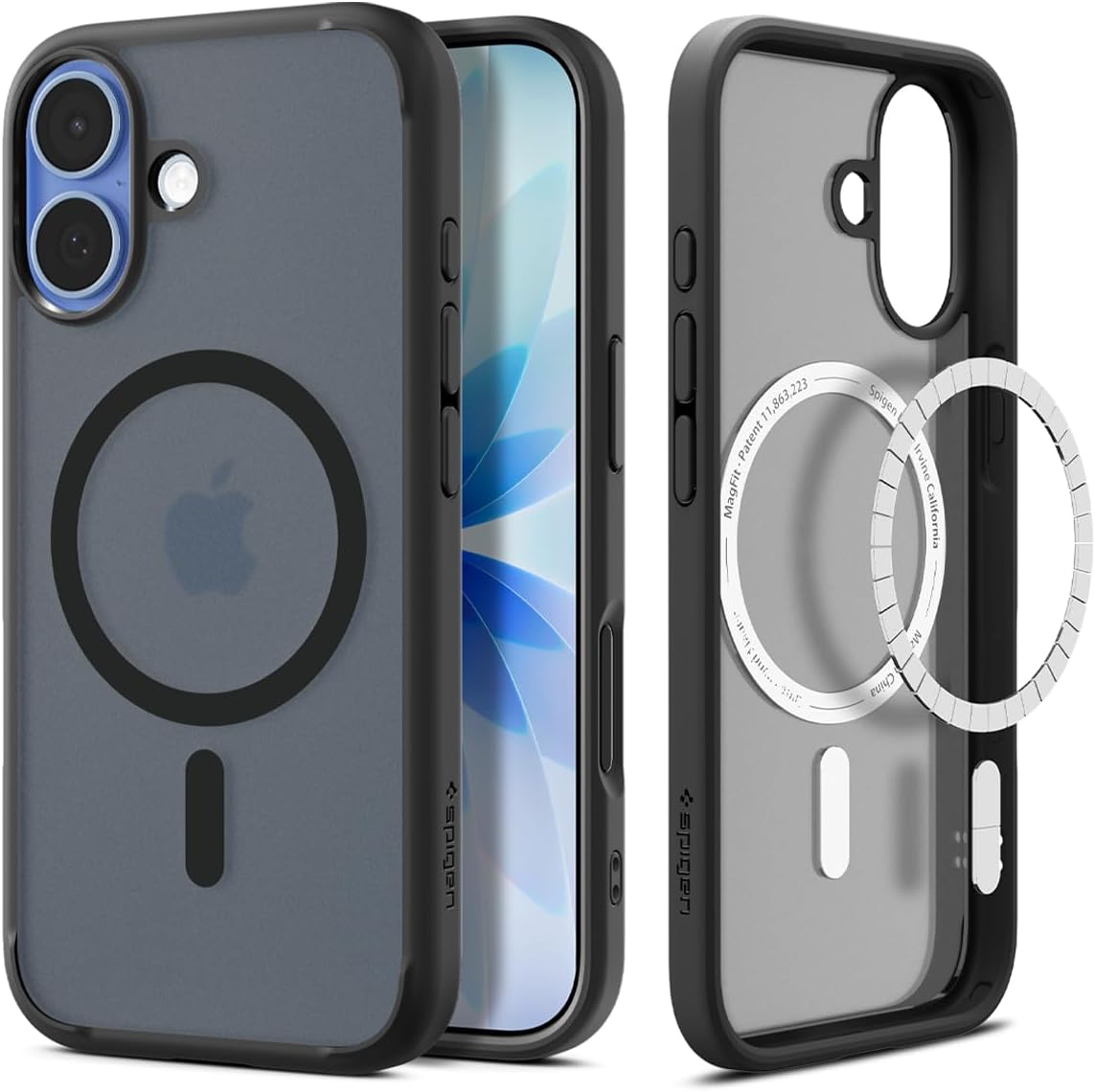
చిత్రం: ముందు మరియు వెనుక view of the Spigen Ultra Hybrid MagFit Case in Frost Black, highlighting the MagSafe compatible ring.
2. సెటప్ మరియు ఇన్స్టాలేషన్
To install the Spigen Ultra Hybrid MagFit Case on your iPhone 17:
- మీ iPhone 17 శుభ్రంగా మరియు దుమ్ము లేదా చెత్త లేకుండా ఉందని నిర్ధారించుకోండి.
- Align the top edge of your iPhone 17 with the top edge of the case.
- Gently push your iPhone 17 into the case, starting from the top, ensuring all corners snap securely into place.
- Verify that all buttons and ports are correctly aligned with the case's cutouts.

Image: A hand holding an iPhone 17 with the Spigen Ultra Hybrid MagFit Case, illustrating the precise fit.
3. నిర్వహణ మరియు వినియోగం
The Spigen Ultra Hybrid MagFit Case is designed for seamless daily use:
- బటన్ యాక్సెస్: Precise cutouts ensure easy access to all buttons and ports. The camera control button is protected by a thin TPU layer, allowing full functionality.
- MagSafe అనుకూలత: The integrated MagFit ring allows for secure attachment to MagSafe accessories and efficient wireless charging without removing the case.
- రక్షణ: Raised edges around the screen and camera provide additional protection against daily drops and scratches.

Image: User interacting with the camera control button on an iPhone 17 protected by the Spigen case.

Image: An iPhone 17 in the Spigen case connected to a MagSafe charger, illustrating wireless charging capability.
4. నిర్వహణ
To maintain the appearance and functionality of your Spigen Ultra Hybrid MagFit Case:
- శుభ్రపరచడం: కేసును క్రమం తప్పకుండా మృదువైన, డి-క్లాత్తో తుడవండి.amp cloth to remove dust and fingerprints. Avoid harsh chemicals or abrasive materials.
- Anti-Yellowing: The DuraClear blue resin is designed to resist yellowing over time, helping to maintain the case's clear appearance.
5. ట్రబుల్షూటింగ్
If you encounter any issues with your Spigen Ultra Hybrid MagFit Case, consider the following:
- కేస్ ఫిట్: Ensure the case is properly installed and all corners are securely snapped onto your iPhone 17. A loose fit can compromise protection.
- MagSafe Functionality: If MagSafe accessories are not attaching or charging correctly, ensure there is no debris between the case and the accessory. Confirm the accessory itself is functional.
- బటన్ ప్రతిస్పందన: If buttons feel unresponsive, remove the case and re-install it, ensuring proper alignment.
For further assistance, please refer to the Spigen support webసైట్.
6. స్పెసిఫికేషన్లు
| ఫీచర్ | వివరాలు |
|---|---|
| ఉత్పత్తి కొలతలు | 3 x 0.4 x 6 అంగుళాలు |
| వస్తువు బరువు | 1.28 ఔన్సులు |
| అంశం మోడల్ సంఖ్య | ACS10085 |
| అనుకూల ఫోన్ మోడల్లు | ఐఫోన్ 17 |
| మెటీరియల్ | పాలికార్బోనేట్, థర్మోప్లాస్టిక్ పాలియురేతేన్ |
| రంగు | Frost Black |
| ప్రత్యేక లక్షణాలు | Heavy Duty Protection, Slim Fit |
7. వారంటీ మరియు మద్దతు
For information regarding product warranty, returns, or technical support, please visit the official Spigen website or contact Spigen customer service directly. Specific warranty terms and conditions may vary by region and purchase location.
Manufacturer: Spigen
మీరు మరింత సమాచారం మరియు మద్దతును ఇక్కడ కనుగొనవచ్చు Spigen Store on Amazon.


