పరిచయం
This manual provides essential information for the setup, operation, maintenance, and troubleshooting of your Lenovo V15 (83CC0053IN) laptop. Please read this document thoroughly to ensure proper use and to maximize the lifespan of your device.
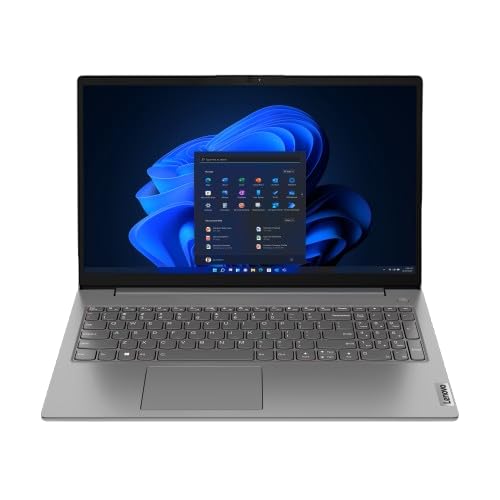
Image: The Lenovo V15 laptop, showcasing its full display and keyboard. The screen displays a graphical user interface, indicating a functional system.
సెటప్
1. అన్ప్యాకింగ్
ప్యాకేజింగ్ నుండి అన్ని భాగాలను జాగ్రత్తగా తొలగించండి. కింది అంశాలు ఉన్నాయని నిర్ధారించుకోండి:
- Lenovo V15 Laptop
- పవర్ అడాప్టర్
- వినియోగదారు మాన్యువల్ (ఈ పత్రం)
2 పవర్కి కనెక్ట్ అవుతోంది
Connect the power adapter to the laptop's power input port and then plug the adapter into a grounded electrical outlet. The battery will begin charging automatically.
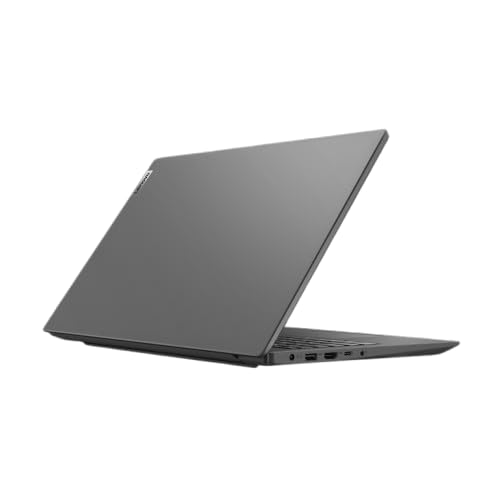
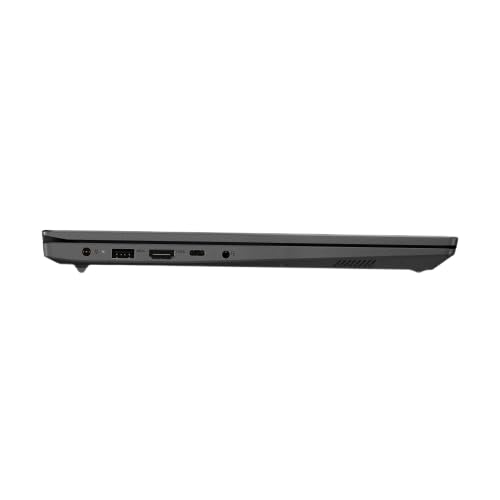
చిత్రం: ఒక సైడ్ ప్రోfile of the Lenovo V15 laptop, highlighting the various ports available for connectivity, including the power input.
3. ప్రారంభ బూట్
Press the power button located on the keyboard deck to turn on the laptop. Since the laptop comes with DOS, you will need to install an operating system (e.g., Windows, Linux) to utilize its full functionality. Follow the on-screen prompts or your chosen operating system's installation guide.
ల్యాప్టాప్ను ఆపరేట్ చేయడం
పవర్ ఆన్/ఆఫ్
- పవర్ ఆన్: పవర్ బటన్ను నొక్కండి.
- పవర్ ఆఫ్: From your operating system, select the shutdown option. Alternatively, press and hold the power button for several seconds for a forced shutdown (use only when necessary).
కీబోర్డ్ మరియు టచ్ప్యాడ్
The laptop features a 6-row, spill-resistant keyboard with multimedia Fn keys and a numeric keypad. The buttonless Mylar surface multi-touch touchpad supports Precision TouchPad gestures.
చిత్రం: స్పష్టమైన పై నుండి క్రిందికి view of the Lenovo V15 laptop's keyboard, including the numeric keypad, and the integrated touchpad below.
బాహ్య పరికరాలను కనెక్ట్ చేస్తోంది
The Lenovo V15 offers various ports for connecting peripherals:
- USB పోర్ట్లు: 1x USB 2.0, 1x USB 3.2 Gen 1, 1x USB-C 3.2 Gen 1 (supports data transfer, Power Delivery (20V only), and DisplayPort 1.2).
- HDMI: 1x HDMI 1.4b for connecting to external displays.
- ఈథర్నెట్: 1x RJ-45 port for wired network connection.
- ఆడియో: 1x Headphone/microphone combo jack (3.5mm).
నిర్వహణ
ల్యాప్టాప్ను శుభ్రం చేయడం
- కొద్దిగా మెత్తని, మెత్తని బట్టను ఉపయోగించండి dampడిస్ప్లేను శుభ్రం చేయడానికి నీరు లేదా స్క్రీన్ క్లీనర్తో నింపండి.
- కీబోర్డ్ మరియు ఛాసిస్ కోసం, మృదువైన వస్త్రాన్ని ఉపయోగించండి. కఠినమైన రసాయనాలు లేదా రాపిడి పదార్థాలను నివారించండి.
- ల్యాప్టాప్ను శుభ్రం చేయడానికి ముందు పవర్ ఆఫ్ చేయబడిందని మరియు అన్ప్లగ్ చేయబడిందని నిర్ధారించుకోండి.
బ్యాటరీ సంరక్షణ
- బ్యాటరీని తరచుగా పూర్తిగా డిశ్చార్జ్ చేయడాన్ని నివారించండి.
- ల్యాప్టాప్ను ఎక్కువ సేపు ఉపయోగించకపోతే చల్లని, పొడి ప్రదేశంలో నిల్వ చేయండి.
- బ్యాటరీని తీవ్రమైన ఉష్ణోగ్రతలకు బహిర్గతం చేయవద్దు.
నిల్వ
When storing the laptop, especially for long durations, ensure it is turned off and disconnected from power. Protect it from dust and extreme environmental conditions.
ట్రబుల్షూటింగ్
This section addresses common issues you might encounter with your Lenovo V15 laptop.
పవర్ లేదు
- పవర్ అడాప్టర్ ల్యాప్టాప్ మరియు పనిచేసే ఎలక్ట్రికల్ అవుట్లెట్ రెండింటికీ సురక్షితంగా కనెక్ట్ చేయబడిందని నిర్ధారించుకోండి.
- మరొక పరికరాన్ని ప్లగ్ చేయడం ద్వారా పవర్ అవుట్లెట్ పనిచేస్తుందో లేదో ధృవీకరించండి.
- బ్యాటరీ పూర్తిగా ఖాళీ అయిపోతే, పవర్ ఆన్ చేయడానికి ప్రయత్నించే ముందు కొన్ని నిమిషాలు ఛార్జ్ అవ్వడానికి అనుమతించండి.
డిస్ప్లే సమస్యలు
- స్క్రీన్ ఖాళీగా ఉంటే, కీబోర్డ్ ఫంక్షన్ కీలను ఉపయోగించి డిస్ప్లే ప్రకాశాన్ని సర్దుబాటు చేయడానికి ప్రయత్నించండి.
- If an external monitor is connected, ensure the display output is correctly configured (e.g., duplicate, extend).
- ల్యాప్టాప్ను పునఃప్రారంభించండి.
పరిధీయ పరికరం గుర్తించబడలేదు
- Ensure the peripheral is correctly plugged into the appropriate port.
- Try connecting the peripheral to a different port or another device to confirm its functionality.
- ల్యాప్టాప్ను పునఃప్రారంభించండి.
స్పెసిఫికేషన్లు
| ఫీచర్ | వివరాలు |
|---|---|
| మోడల్ | Lenovo V15 (83CC0053IN) |
| ప్రాసెసర్ | 13వ తరం ఇంటెల్ కోర్ i7-13620H (10 కోర్లు, 4.9 GHz వరకు) |
| మెమరీ (RAM) | 16GB DDR4 3200 MHz (upgradable up to 16GB) |
| నిల్వ | 512GB SSD M.2 (upgradable up to 1TB) |
| ఆపరేటింగ్ సిస్టమ్ | DOS |
| ప్రదర్శించు | 15.6" FHD (1920x1080) Antiglare, 250 nits |
| గ్రాఫిక్స్ | Intel UHD Graphics (DirectX 12.1) |
| ఓడరేవులు | 1x USB 2.0, 1x USB 3.2 Gen 1, 1x USB-C 3.2 Gen 1 (data/PD/DP), 1x HDMI 1.4b, 1x Ethernet (RJ-45), 1x Headphone/mic combo, 1x Power Connector |
| కీబోర్డ్ | 6-వరుస, స్పిల్-రెసిస్టెంట్, మల్టీమీడియా Fn కీలు, సంఖ్యా కీప్యాడ్ |
| టచ్ప్యాడ్ | Buttonless Mylar surface multi-touch, Precision TouchPad support |
| బరువు | 1.65 కిలోలు |
| బ్యాటరీలు | 1 AAA battery required (included) - 38 Wh Lithium-Ion (2 cells) |
వారంటీ మరియు మద్దతు
Your Lenovo V15 laptop comes with a 1-year Carry-in Warranty. To avail of service, visit your nearest authorized service center.
It is recommended to register your laptop's warranty, starting from the date of your Amazon invoice. You can do this by visiting the official Lenovo support portal:
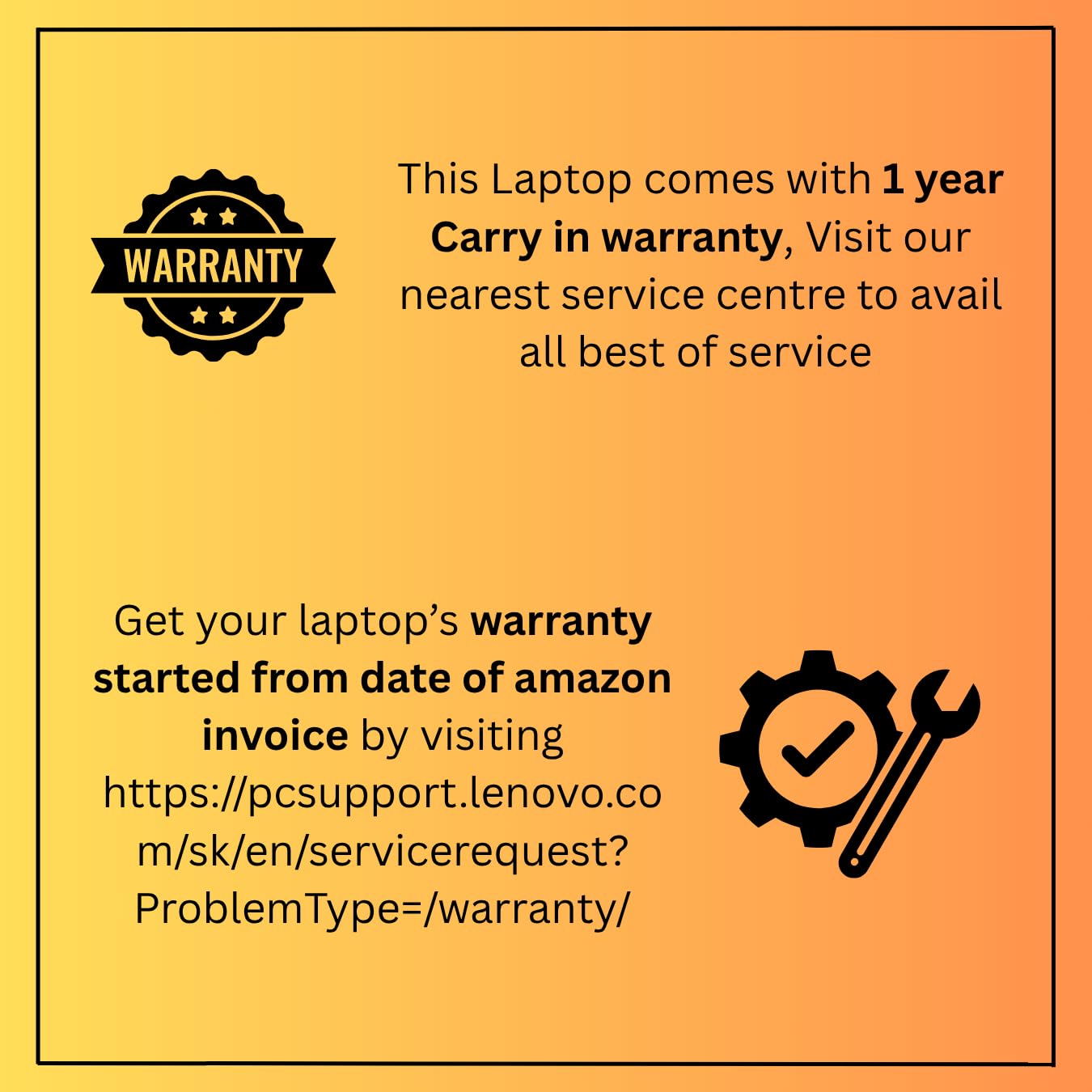
Image: A graphic detailing the 1-year carry-in warranty and providing instructions and a link for warranty registration via the Lenovo support webసైట్.


