1. పరిచయం
Thank you for choosing the OGERY F11 Camping Fan. This portable and versatile fan is designed to provide powerful airflow and illumination for various outdoor and indoor activities. With its long-lasting battery, fast charging capabilities, and multiple features, it is an essential companion for camping, travel, and everyday use.
1.1 ప్యాకేజీ విషయాలు
- OGERY F11 Camping Fan (1 unit)
- రిమోట్ కంట్రోల్ (1 యూనిట్)
- USB ఛార్జింగ్ కేబుల్ (1 యూనిట్)
- వినియోగదారు మాన్యువల్ (ఈ పత్రం)
1.2 ముఖ్య లక్షణాలు
- Upgraded Stronger Wind: Delivers wind speeds up to 5.3m/s with Turbocharging and PWM Control for higher wind pressure and lower noise.
- Longer Battery Endurance: Equipped with a 20000mAh battery, providing 12 to 138 hours of operation (fan/lighting dependent).
- ఫాస్ట్ ఛార్జింగ్: Supports 20W fast charging, reaching 100% in approximately 4.5 hours.
- 3-Level Eye-Protective LED Lantern: Offers soft, comfortable illumination with three brightness settings.
- బహుళ-ఫంక్షనల్ డిజైన్: Features 30°/60°/90°/120° automatic oscillation, 270° manual rotation, remote control, folding handle, and a 360° rotatable hook.
- పవర్ బ్యాంక్ కార్యాచరణ: Dual outputs for charging other devices simultaneously.
2. ముఖ్యమైన భద్రతా సూచనలు
Please read and understand all safety instructions before using the OGERY F11 Camping Fan. Failure to follow these instructions may result in electric shock, fire, or serious injury.
- నీటిలో లేదా ఇతర ద్రవాలలో ఫ్యాన్ను ముంచవద్దు.
- పిల్లలు మరియు పెంపుడు జంతువులకు దూరంగా ఉంచండి.
- ఫ్యాన్ గ్రిల్ పనిచేస్తున్నప్పుడు దానిలోకి వేళ్లు లేదా ఏవైనా వస్తువులను చొప్పించవద్దు.
- Use only the provided charging cable or a compatible 20W (or higher) adapter/power bank for charging.
- Do not attempt to disassemble, repair, or modify the fan. Contact qualified service personnel for assistance.
- Avoid exposing the fan to extreme temperatures, direct sunlight, or high humidity.
- ఫ్యాన్ ఒరిగిపోకుండా ఉండటానికి స్థిరమైన, చదునైన ఉపరితలంపై ఉంచబడిందని నిర్ధారించుకోండి.
- Turn off and unplug the fan before cleaning or when not in use for extended periods.
3. ఉత్పత్తి ముగిసిందిview
3.1 భాగాలు

Figure 3.1: OGERY F11 Camping Fan showing the main unit and remote control.
OGERY F11 Camping Fan consists of a main fan unit with an integrated LED light and a sturdy base that houses the battery and control panel. It also includes a detachable remote control for convenient operation.
3.2 నియంత్రణ ప్యానెల్

మూర్తి 3.2: వివరంగా view of the fan's control panel, indicating various buttons and indicators.
The control panel on the fan's base features a power indicator, fan speed indicator, rocking head indicator, and timer indicator. Buttons include Sleep, Lighting, Fan Speed Control Knob (OFF to MAX), Oscillation, and Timer.
3.3 రిమోట్ కంట్రోల్

Figure 3.3: The remote control for the OGERY F11 fan, showing buttons for power, fan speed, lighting, timer, and oscillation settings.
The remote control allows for convenient operation of all fan functions from a distance. It includes buttons for Power on/off, Increase/Decrease Fan Speed, Lighting Increase/Decrease, Timer Setting, Sleep Mode, and Oscillation Setting.
4. సెటప్
4.1 ప్రారంభ ఛార్జింగ్
Before first use, fully charge the OGERY F11 Camping Fan. Connect the provided USB charging cable to the fan's input port and a compatible power source (e.g., >18W adapter or power bank). The battery indicator lights on the control panel will show charging progress. A full charge takes approximately 4.5 hours.

Figure 4.1: The fan's fast charging capability, demonstrating connection to an external power source.
4.2 ప్లేస్మెంట్ ఎంపికలు
The OGERY F11 fan offers versatile placement options:
- Tabletop/Ground: ఏదైనా స్థిరమైన, చదునైన ఉపరితలంపై ఫ్యాన్ ఉంచండి.
- వేలాడుతున్న: Utilize the integrated 360° rotatable hook on the top handle to hang the fan inside a tent, from a branch, or other suitable points.
- ట్రైపాడ్ మౌంట్: The fan base may include a standard tripod screw hole for mounting on compatible tripods (tripod not included).
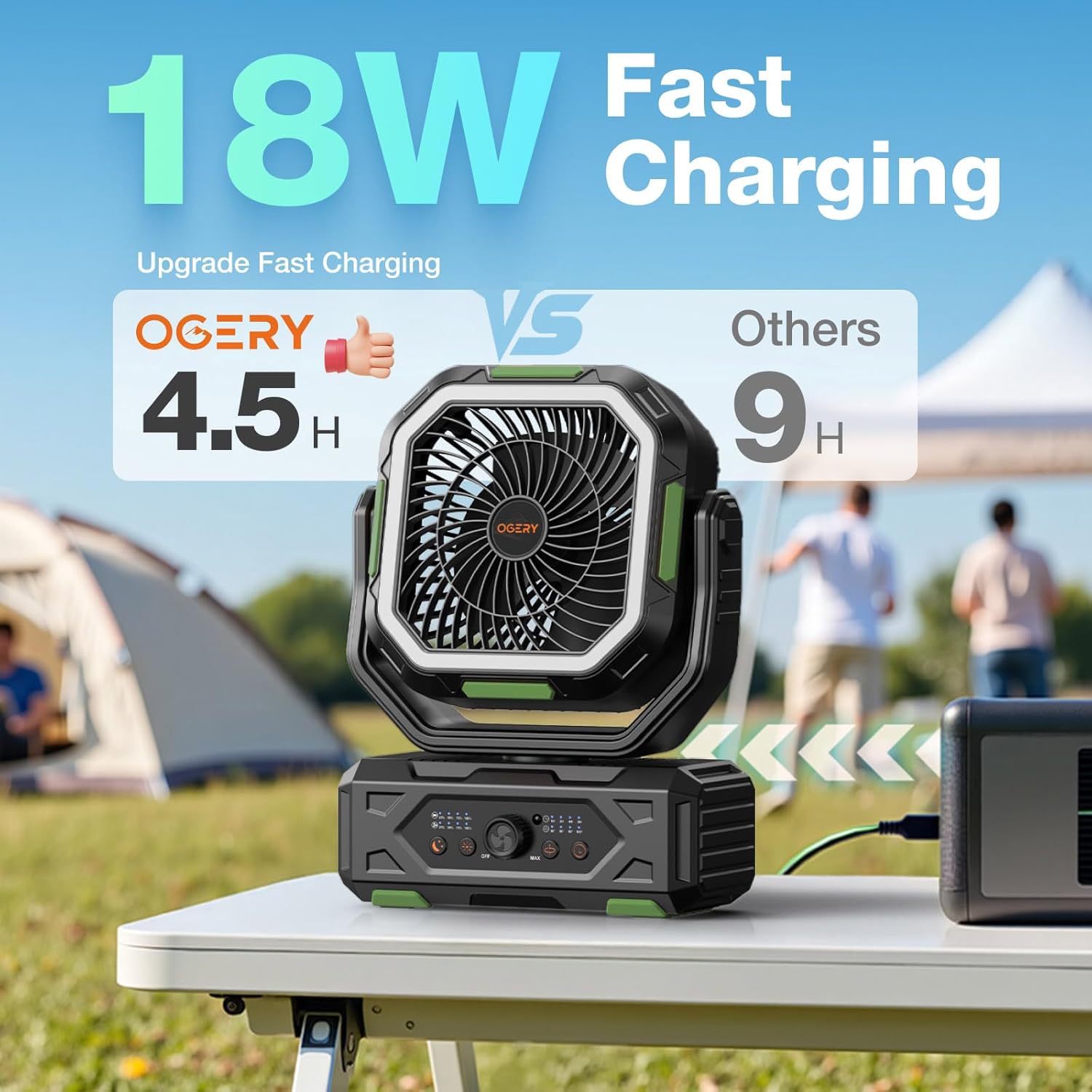
Figure 4.2: The fan positioned on a table, suitable for various outdoor activities.
5. ఆపరేటింగ్ సూచనలు
5.1 పవర్ ఆన్/ఆఫ్
ఫ్యాన్ తిప్పడానికి ON, rotate the Fan Speed Control Knob from "OFF" towards "MAX" on the control panel, or press the Power button on the remote control. To turn the fan ఆఫ్, rotate the knob to "OFF" or press the Power button on the remote again.
5.2 ఫ్యాన్ స్పీడ్ సర్దుబాటు
The OGERY F11 features stepless speed regulation. Rotate the Fan Speed Control Knob on the control panel to precisely adjust the airflow from minimum to maximum. Alternatively, use the "Increase Fan Speed" and "Decrease Fan Speed" buttons on the remote control.

Figure 5.2: Adjusting fan speed using the control knob on the base unit.
5.3 Oscillation Control
Press the "Oscillation" button on the control panel or remote to activate automatic oscillation. The fan supports 30°, 60°, 90°, and 120° oscillation angles. Press the button repeatedly to cycle through the available angles or turn oscillation off. The fan head can also be manually rotated 270° vertically to direct airflow.

Figure 5.3: The fan's omnidirectional airflow capabilities, including automatic oscillation and manual tilt.
5.4 LED Lantern Operation
Press the "Lighting" button on the control panel or remote to turn on the LED lantern. Press repeatedly to cycle through the three brightness levels (Low, Medium, Strong). The ring light design is eye-protective. Press a fourth time to turn the light off.

Figure 5.4: The fan's integrated LED lantern with three adjustable brightness levels, providing illumination for various settings.
5.5 టైమర్ ఫంక్షన్
Press the "Timer" button on the control panel or remote to set an automatic shut-off timer. Available settings are 1 hour, 2 hours, 4 hours, and 8 hours. The corresponding indicator light will illuminate. The fan will automatically turn off after the selected time period.
5.6 పవర్ బ్యాంక్ కార్యాచరణ
The OGERY F11 fan can also serve as a power bank to charge other electronic devices. Locate the dual output ports (USB and Type-C) on the side of the fan's base. Connect your device using an appropriate charging cable. The fan supports 22.5W super fast charging for connected devices.

Figure 5.6: The fan's power bank feature, showing it charging multiple devices simultaneously.
5.7 స్లీప్ మోడ్
Press the "Sleep" button on the control panel or remote to activate Sleep Mode. In this mode, the fan operates at its lowest, quietest setting (less than 23dB), and all indicator lights on the control panel will turn off to ensure an undisturbed sleep environment.

Figure 5.7: The fan's quiet operation in Sleep Mode, ideal for use during rest.
5.8 అధికారిక ఉత్పత్తి వీడియో
Video 5.8: An official product video from OGERY-Outdoors showcasing the features and benefits of the OGERY F11 Camping Fan.
6. నిర్వహణ
6.1 శుభ్రపరచడం
- శుభ్రపరిచే ముందు ఫ్యాన్ ఆఫ్ చేయబడిందని మరియు అన్ప్లగ్ చేయబడిందని నిర్ధారించుకోండి.
- ఒక మృదువైన ఉపయోగించండి, డిamp ఫ్యాన్ బయటి ఉపరితలాలను తుడవడానికి వస్త్రం.
- For dust accumulation on the fan blades or grille, use a soft brush or a vacuum cleaner with a brush attachment. Do not use abrasive cleaners or solvents.
- Do not spray water directly onto the fan.
6.2 నిల్వ
When storing the fan for an extended period, ensure it is fully charged and then turn it off. Store it in a cool, dry place away from direct sunlight and extreme temperatures. It is recommended to recharge the fan every 3-6 months to maintain battery health.
7. ట్రబుల్షూటింగ్
If you encounter any issues with your OGERY F11 Camping Fan, please refer to the following table for common problems and solutions:
| సమస్య | సాధ్యమైన కారణం | పరిష్కారం |
|---|---|---|
| ఫ్యాన్ ఆన్ అవ్వదు. | బ్యాటరీ క్షీణించింది. పవర్ స్విచ్ ఆఫ్ చేయబడింది. రిమోట్ కంట్రోల్ బ్యాటరీ తక్కువగా ఉంది. | ఫ్యాన్ని పూర్తిగా ఛార్జ్ చేయండి. Ensure the control knob is turned from "OFF". Replace remote control batteries (CR5 included). |
| బలహీనమైన గాలి ప్రవాహం. | ఫ్యాన్ వేగం చాలా తక్కువగా సెట్ చేయబడింది. Obstruction in front/back of fan. | Increase fan speed using the control knob or remote. Clear any obstructions around the fan. |
| LED లైట్ పనిచేయదు. | Light is off or set to lowest brightness. బ్యాటరీ చాలా తక్కువగా ఉంది. | Press the Lighting button to cycle through brightness levels. Charge the fan. |
| రిమోట్ కంట్రోల్ స్పందించడం లేదు. | రిమోట్ బ్యాటరీ అయిపోయింది. రిమోట్ మరియు ఫ్యాన్ మధ్య అడ్డంకి. | రిమోట్ కంట్రోల్ బ్యాటరీలను భర్తీ చేయండి. Ensure clear line of sight to the fan's receiver. |
If the problem persists after trying these solutions, please contact OGERY customer support.
8. స్పెసిఫికేషన్లు
| ఫీచర్ | వివరాలు |
|---|---|
| బ్రాండ్ | ఓగేరీ |
| మోడల్ పేరు | F11 |
| ఉత్పత్తి కొలతలు | 4.3"డి x 9.5"వా x 15"హ |
| వస్తువు బరువు | 3.91 పౌండ్లు |
| శక్తి మూలం | బ్యాటరీ ఆధారితమైనది |
| బ్యాటరీ కెపాసిటీ | 20000mAh |
| ఛార్జింగ్ సమయం | Approx. 4.5 hours (with >18W adapter) |
| మాక్స్ విండ్ స్పీడ్ | 5.3మీ/సె వరకు |
| శబ్దం స్థాయి | Ultra quiet, ≤ 23dB (in Sleep Mode) |
| డోలనం | 30°/60°/90°/120° Automatic, 270° Manual Tilt |
| నియంత్రణ పద్ధతి | Push Button, Remote, Touch |
| UPC | 716597693999 |
9. వారంటీ మరియు మద్దతు
OGERY F11 Camping Fan comes with a standard manufacturer's warranty. Please refer to the product packaging or the official OGERY webనిర్దిష్ట వారంటీ నిబంధనలు మరియు షరతుల కోసం సైట్.
For product support, technical assistance, or warranty claims, please contact OGERY customer service through the official OGERY Store on Amazon or via the contact information provided on the product packaging.


