1. పరిచయం
The Briidea Wireless Chair Alarm System, model LD-184, is designed to assist caregivers in monitoring individuals who may be at risk of falling when attempting to leave a chair or bed unsupervised. This system utilizes a pressure-sensitive pad that wirelessly communicates with a receiver, triggering an alarm when pressure is removed from the pad. This manual provides instructions for the proper setup, operation, and maintenance of your device.
2. ఉత్పత్తి భాగాలు
The Briidea Wireless Chair Alarm System includes the following main components:
- వైర్లెస్ రిసీవర్: The main unit that receives signals from the sensor pad and emits alarms.
- Pressure-Sensitive Sensor Pad: A waterproof PVC pad placed under the patient to detect presence.
- ఇన్స్టాలేషన్ కిట్: Includes various mounting options for the receiver (hook, screw, 3M adhesive).

చిత్రం 2.1: ముగిసిందిview of the Briidea Wireless Chair Alarm System, showing the sensor pad and the receiver unit.
3. సెటప్ సూచనలు
3.1. Receiver Battery Installation
- Locate the battery compartment on the back of the wireless receiver unit.
- బ్యాటరీ కంపార్ట్మెంట్ కవర్ తెరవండి.
- Insert the required batteries (not included) according to the polarity indicators (+/-).
- బ్యాటరీ కంపార్ట్మెంట్ కవర్ను సురక్షితంగా మూసివేయండి.

Image 3.1: Battery installation for the wireless receiver.
3.2. Sensor Pad Placement
Place the pressure-sensitive sensor pad directly on the chair seat or mattress where the patient will be seated or lying. Ensure the pad is flat and positioned correctly to detect when the patient leaves the surface.

చిత్రం 3.2: ఉదాamples of sensor pad placement on a chair, sofa, and bed.
3.3. Pairing the Sensor Pad with the Receiver
The receiver supports pairing with up to three sensor pads. To pair a sensor pad:
- Ensure both the receiver and sensor pad are powered on.
- Press the 'PAIR' button on the receiver. The indicator light for the sensor slot (1, 2, or 3) you wish to pair will flash.
- Apply pressure to the sensor pad (e.g., sit on it briefly) to activate it.
- The indicator light on the receiver will become solid, confirming successful pairing.
- Repeat for additional sensor pads if needed.
3.4. Receiver Mounting Options
The receiver offers flexible placement options:
- Handheld/Portable: The compact design allows it to be carried in a pocket or backpack.
- టాబ్లెట్ టాప్: Place it on any flat surface within range.
- స్థిర సంస్థాపన: Use the provided hook, screw, or 3M adhesive to mount the receiver in a fixed location.

Image 3.3: Flexible reception and mounting options for the receiver.
4. ఆపరేటింగ్ సూచనలు
4.1. అలారం మోడ్లు
The system features three alarm modes, selectable via the 'VOLUME' button on the receiver:
- వైబ్రేషన్ మాత్రమే: Provides a silent alert through vibration, suitable for quiet environments or discreet monitoring.
- Vibration + 80dB Alarm: Combines vibration with an audible alarm at 80 decibels.
- Vibration + 120dB Alarm: Combines vibration with a louder audible alarm at 120 decibels, suitable for noisy environments or when a strong alert is required.

Image 4.1: The three selectable alarm modes.
4.2. Alarm Triggering
When the patient removes their weight from the sensor pad, the receiver will detect the change in pressure and immediately trigger the selected alarm mode. This alerts the caregiver to provide assistance.
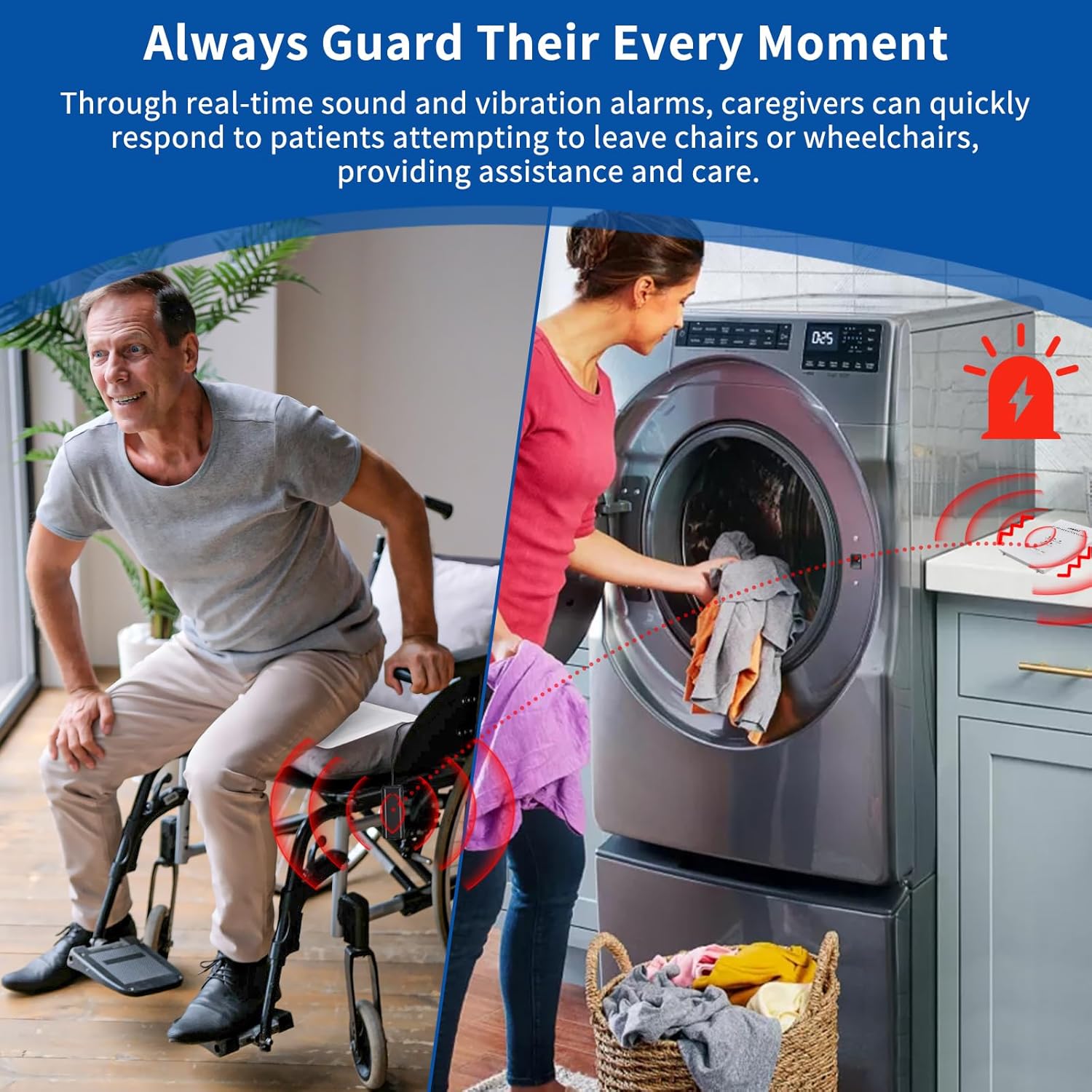
Image 4.2: The system alerts caregivers when a patient attempts to leave their seat.
5. నిర్వహణ
5.1. Cleaning the Sensor Pad
The sensor pad is constructed from waterproof PVC material, making it easy to clean. To clean the pad:
- Disconnect the sensor pad from any power source if applicable.
- Wipe the surface of the pad with a damp cloth and mild disinfectant.
- Ensure the pad is completely dry before reuse.
No special care is required, making it suitable for environments where incontinence may occur.

Image 5.1: Easy cleaning of the waterproof sensor pad.
6. ట్రబుల్షూటింగ్
If you encounter issues with your Briidea Wireless Chair Alarm System, refer to the following common problems and solutions:
| సమస్య | సాధ్యమైన కారణం | పరిష్కారం |
|---|---|---|
| Alarm does not trigger when patient leaves pad. | Low batteries in receiver or sensor pad. Pad not properly connected/paired. Pad faulty. | Replace batteries in receiver. Re-pair the sensor pad with the receiver. Ensure pad is flat and free of obstructions. Contact support if issue persists. |
| తప్పుడు హెచ్చరికలు. | Pad improperly placed or folded. External interference. | Ensure the sensor pad is completely flat and smooth. Check for any objects pressing on the pad. |
| రిసీవర్ స్పందించడం లేదు. | Out of range. Low batteries. | Move receiver closer to the sensor pad (up to 200 meters range). Replace receiver batteries. |
7. స్పెసిఫికేషన్లు
Detailed specifications for the Briidea Wireless Chair Alarm System LD-184:
- మోడల్ సంఖ్య: LD-184
- నియంత్రణ పద్ధతి: టచ్
- సెన్సార్ టెక్నాలజీ: సెన్సార్ను సంప్రదించండి
- Sensor Pad Material: Waterproof PVC
- రిసీవర్ కొలతలు: సుమారు 3.4 x 3.9 x 1.1 అంగుళాలు
- Sensor Pad Dimensions: సుమారు 15.1 x 10.6 అంగుళాలు
- వైర్లెస్ పరిధి: 200 మీటర్లు (600 అడుగులు) వరకు
- అలారం మోడ్లు: Vibration, Vibration + 80dB, Vibration + 120dB
- శక్తి మూలం: Receiver (Battery-powered, batteries not included), Sensor Pad (Integrated, rechargeable)
- వస్తువు బరువు: సుమారు 15.2 ఔన్సులు (మొత్తం ప్యాకేజీ)
- రంగు: తెలుపు

Image 7.1: Product dimensions of the receiver and sensor pad.
8. భద్రతా సమాచారం
దయచేసి క్రింది భద్రతా మార్గదర్శకాలను గమనించండి:
- This device is intended as an aid for fall prevention and patient monitoring. It is not a substitute for direct supervision by a caregiver.
- Ensure the sensor pad cable is routed safely to prevent tripping hazards or entanglement.
- Regularly test the system to ensure proper functionality.
- Keep the receiver and sensor pad away from excessive moisture or extreme temperatures.
- పరికరాన్ని మీరే తెరవడానికి లేదా మరమ్మతు చేయడానికి ప్రయత్నించవద్దు. సేవ కోసం అర్హత కలిగిన సిబ్బందిని చూడండి.
9. వారంటీ మరియు మద్దతు
For warranty information, technical support, or service inquiries, please contact Briidea customer service through their official channels. Retain your purchase receipt for warranty claims.


