పరిచయం
Thank you for choosing the pTron Bassbuds Senz Open Ear Wireless Earbuds. These earbuds are designed to provide a comfortable and pressure-free listening experience while keeping you aware of your surroundings. Featuring 13mm dynamic drivers, dual HD microphones with AI-ENC for clear calls, Bluetooth v6.0 connectivity, and IPX5 water resistance, the Bassbuds Senz are ideal for various activities. This manual provides detailed instructions for setup, operation, maintenance, and troubleshooting to ensure optimal performance.
పెట్టెలో ఏముంది
- pTron Bassbuds Senz Wireless Earbuds
- ఛార్జింగ్ కేసు
- USB టైప్-సి ఛార్జింగ్ కేబుల్
- వినియోగదారు మాన్యువల్
ఉత్పత్తి ముగిసిందిview
The pTron Bassbuds Senz feature an open-ear design for comfort and situational awareness, along with a compact charging case.

Image: pTron Bassbuds Senz Open Ear Wireless Earbuds and Charging Case. This image displays the two earbuds and their oval-shaped charging case.

Image: Key features of pTron Bassbuds Senz. This collage highlights SafeBeats Design, Dual HD Mics, 50 Hours Playtime, 13mm Dynamic Drivers, Bluetooth 6.0, LED Battery Indicator, Type-C Charging, and IPX5 Water & Sweat Resistant.

Image: Diagram showing the 13mm dynamic drivers of pTron Bassbuds Senz. This close-up view illustrates the internal components of the earbud's audio driver.

Image: User wearing pTron Bassbuds Senz, highlighting Dual HD Mics for clear calls. A person is shown wearing one earbud, emphasizing its ergonomic fit and microphone placement.

Image: Close-up of pTron Bassbuds Senz charging case with digital LED display and Type-C charging port. This image shows the charging case with its lid open, revealing the earbuds inside and the battery percentagఇ ప్రదర్శన.
సెటప్ సూచనలు
1. ఇయర్బడ్లు మరియు కేస్ను ఛార్జ్ చేయడం
Before first use, fully charge the earbuds and charging case. Use the provided USB Type-C cable to connect the charging case to a power source.
- The digital LED display on the charging case will show the battery percentage.
- The earbuds will charge automatically when placed inside the case.
- పూర్తిగా ఛార్జ్ కావడానికి సాధారణంగా 1.5-2 గంటలు పడుతుంది.
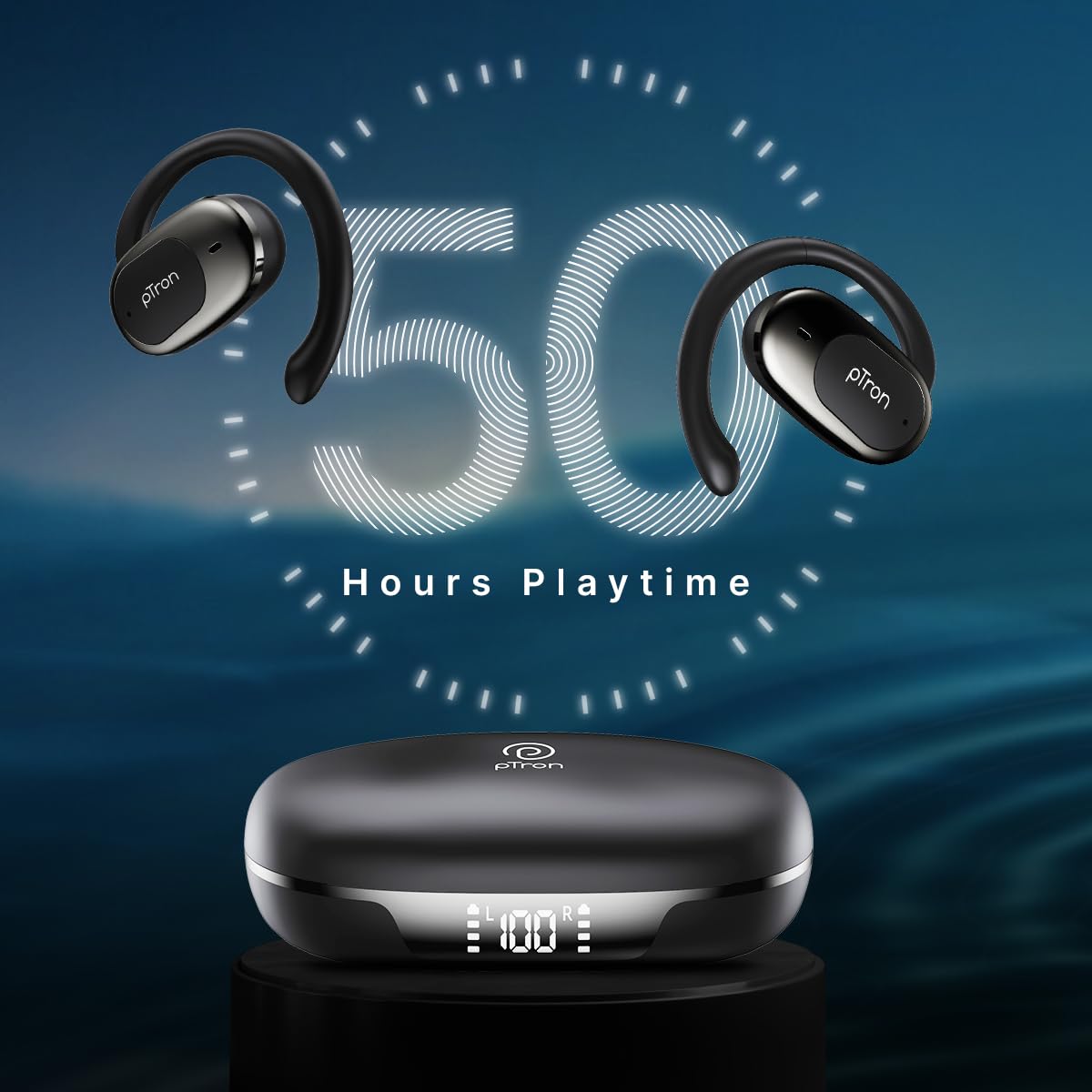
Image: pTron Bassbuds Senz earbuds and charging case, illustrating 50 hours combined playtime. This image visually represents the extended battery life of the product.
2. బ్లూటూత్ పెయిరింగ్
- పవర్ ఆన్: Open the charging case. The earbuds will automatically power on and enter pairing mode. You may hear a voice prompt indicating they are ready to pair.
- బ్లూటూత్ని యాక్టివేట్ చేయండి: On your smartphone or device, go to the Bluetooth settings and turn Bluetooth on.
- పరికరాన్ని ఎంచుకోండి: Look for "pTron OWS" (or similar name) in the list of available devices and select it to connect.
- ధృవీకరణ: కనెక్ట్ అయిన తర్వాత, మీరు విజయవంతమైన జతని నిర్ధారిస్తూ వాయిస్ ప్రాంప్ట్ను వినవచ్చు.
- ఆటోమేటిక్ రీకనెక్షన్: After initial pairing, the earbuds will automatically connect to the last paired device when taken out of the case, provided Bluetooth is enabled on the device.

Image: Smartphone screen showing Bluetooth pairing with pTron OWS, next to the earbuds and charging case. This image demonstrates the process of connecting the earbuds to a mobile device via Bluetooth.
ఆపరేటింగ్ సూచనలు
The pTron Bassbuds Senz feature touch controls for easy management of music and calls.
టచ్ కంట్రోల్స్
| ఫంక్షన్ | చర్య |
|---|---|
| పవర్ ఆన్ | ఛార్జింగ్ కేసును తెరవండి |
| పవర్ ఆఫ్ | Place earbuds back into charging case and close lid |
| సంగీతాన్ని ప్లే/పాజ్ చేయండి | ఇయర్బడ్పై ఒక్కసారి నొక్కండి |
| తదుపరి ట్రాక్ | కుడి ఇయర్బడ్పై రెండుసార్లు నొక్కండి |
| మునుపటి ట్రాక్ | ఎడమ ఇయర్బడ్పై రెండుసార్లు నొక్కండి |
| సమాధానం/కాల్ ముగించు | ఇన్కమింగ్ కాల్ సమయంలో ఇయర్బడ్లలో దేనినైనా ఒకసారి నొక్కండి |
| కాల్ని తిరస్కరించండి | Long press on either earbud during an incoming call |
| వాయిస్ అసిస్టెంట్ని యాక్టివేట్ చేయండి | ఏ ఇయర్బడ్పైనా మూడుసార్లు నొక్కండి |
| వాల్యూమ్ అప్ | Long press on the Right earbud |
| వాల్యూమ్ డౌన్ | Long press on the Left earbud |
నిర్వహణ
క్లీనింగ్
- ఇయర్బడ్లు మరియు ఛార్జింగ్ కేసును మృదువైన, పొడి, మెత్తటి బట్టతో క్రమం తప్పకుండా శుభ్రం చేయండి.
- కఠినమైన రసాయనాలు, శుభ్రపరిచే ద్రావకాలు లేదా బలమైన డిటర్జెంట్లు ఉపయోగించవద్దు.
- ఇయర్బడ్లు మరియు కేస్ రెండింటిలోనూ ఛార్జింగ్ కాంటాక్ట్లు శుభ్రంగా మరియు చెత్త లేకుండా ఉన్నాయని నిర్ధారించుకోండి.
నిల్వ
- ఇయర్బడ్లను రక్షించడానికి మరియు వాటిని ఛార్జ్లో ఉంచడానికి ఉపయోగంలో లేనప్పుడు వాటి ఛార్జింగ్ కేస్లో నిల్వ చేయండి.
- Avoid storing in extreme temperatures (hot or cold) or in dusty/humid environments.
బ్యాటరీ సంరక్షణ
- బ్యాటరీ జీవితకాలాన్ని పొడిగించడానికి, ఇయర్బడ్లను పూర్తిగా డిశ్చార్జ్ చేయడం మరియు కేసును తరచుగా ఛార్జ్ చేయడం మానుకోండి.
- తరచుగా ఉపయోగంలో లేకపోయినా, పరికరాన్ని క్రమం తప్పకుండా ఛార్జ్ చేయండి.

Image: User exercising with pTron Bassbuds Senz, demonstrating IPX5 water and sweat resistance. This image shows the earbuds being used during a workout, highlighting their durability against sweat and splashes.
ట్రబుల్షూటింగ్
If you encounter issues with your pTron Bassbuds Senz, refer to the following common solutions:
- ఇయర్బడ్లు పరికరంతో జత కావడం లేదు:
Ensure both earbuds are charged. Turn off Bluetooth on your device, then turn it back on. Forget "pTron OWS" from your device's Bluetooth list and try pairing again. Make sure the earbuds are in pairing mode (out of the case). - ఒకే ఒక ఇయర్బడ్ పనిచేస్తోంది:
Place both earbuds back into the charging case, close the lid, wait a few seconds, then open the lid and take them out. This often resets the connection between the two earbuds. If the issue persists, try re-pairing them with your device. - ఇయర్బడ్లు ఛార్జ్ కావడం లేదు:
Check if the charging cable is securely connected to both the case and the power source. Ensure the charging contacts on the earbuds and inside the case are clean and free of obstructions. Verify the charging case has sufficient battery. - తక్కువ వాల్యూమ్ లేదా పేలవమైన ధ్వని నాణ్యత:
Adjust the volume on both your device and the earbuds. Ensure the earbuds are properly seated in your ears. Clean any debris from the earbud speakers. - Connectivity issues (disconnections):
Ensure your device is within the 10-meter Bluetooth range. Avoid obstacles between your device and the earbuds. Minimize interference from other wireless devices.
స్పెసిఫికేషన్లు
| ఫీచర్ | వివరాలు |
|---|---|
| మోడల్ పేరు | Bassbuds Senz |
| కనెక్టివిటీ టెక్నాలజీ | వైర్లెస్ (బ్లూటూత్ v6.0) |
| బ్లూటూత్ రేంజ్ | 10 మీటర్లు |
| ఆడియో డ్రైవర్ రకం | 13mm డైనమిక్ డ్రైవర్ |
| బ్యాటరీ లైఫ్ (కంబైన్డ్) | 50 గంటల వరకు |
| ఛార్జింగ్ పోర్ట్ | USB టైప్-C |
| నీటి నిరోధకత | IPX5 (వాటర్ రెసిస్టెంట్) |
| మైక్రోఫోన్లు | Dual HD Mics with AI-ENC |
| నియంత్రణ పద్ధతి | టచ్ |
| చెవి ప్లేస్మెంట్ | చెవి తెరవండి |
| మెటీరియల్ | యాక్రిలోనిట్రైల్ బుటాడిన్ స్టైరీన్ (ABS) |
| వస్తువు బరువు | 67 గ్రాములు |
| ఉత్పత్తి కొలతలు | 9.1 x 5.9 x 3.1 సెం.మీ |
వారంటీ మరియు మద్దతు
The pTron Bassbuds Senz comes with a 1-year manufacturer warranty from the date of purchase, covering manufacturing defects only.
కస్టమర్ మద్దతు
ఏవైనా ప్రశ్నలు, మద్దతు లేదా వారంటీ క్లెయిమ్ల కోసం, దయచేసి pTron కస్టమర్ కేర్ను సంప్రదించండి:
- ఫోన్: 040-67138888
- ఇమెయిల్: support@ptron.in
- తయారీదారు: Palred Electronics Pvt. Ltd., SY.NO. 56, 1ST FLOOR, GUNDLAPOCHAMPఅల్లీ విలేజ్, టెక్ పార్క్ MTP, TSIIC-IALA నాచారం, హైదరాబాద్ - 500076, తెలంగాణ, భారతదేశం


